How To Show Upcoming Birthdays On Your BuddyPress Social Network?

Want to display upcoming birthdays on your WordPress community site? BuddyPress makes this possible once you install the BuddyPress Birthdays extension, and you’re good to go.
Show Upcoming Birthdays On Your BuddyPress Social Network
Here’s how to show upcoming birthdays on your BuddyPress social network.
1. Purchase domain and WordPress web hosting
Before building the site, you’ll need a domain name and a WordPress hosting plan. Pick a domain that fits your site, short and simple works best. Hosting plans vary widely, so choose one that matches your needs. For a small site, shared hosting is usually enough; you can move to managed hosting later as things grow.
2. Install and setup WordPress
Next, install and set up WordPress. This is genuinely simple, even for a complete beginner, and a one-click installer can get you there in minutes. The core steps involve creating a database and connecting it to your WordPress site; you can also do this manually, though that takes a few extra steps.
How To Filter Out Bad Words From BuddyPress Website?
3. Install and set up a WordPress theme compatible with BuddyPress
Plenty of WordPress themes can give your BuddyPress social network a polished look. Here are some of the most popular options:
Reign BuddyPress
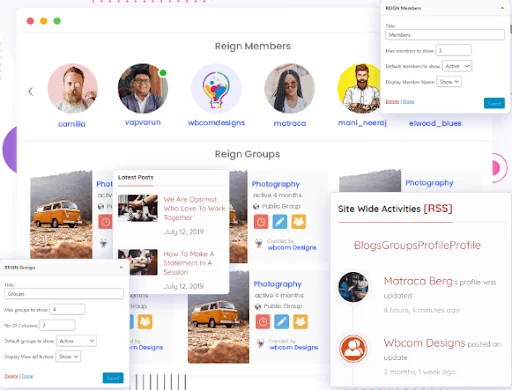
Reign BuddyPress is one of the most popular social networking themes around, with a genuinely strong feature set for building a community site quickly. It includes a one-click demo installer, multiple blog and archive layouts, and clean Gutenberg integration. It also ships with the Elementor Page Builder extension, unlimited color options, and full customization.
Serpent - Responsive Social Network Theme
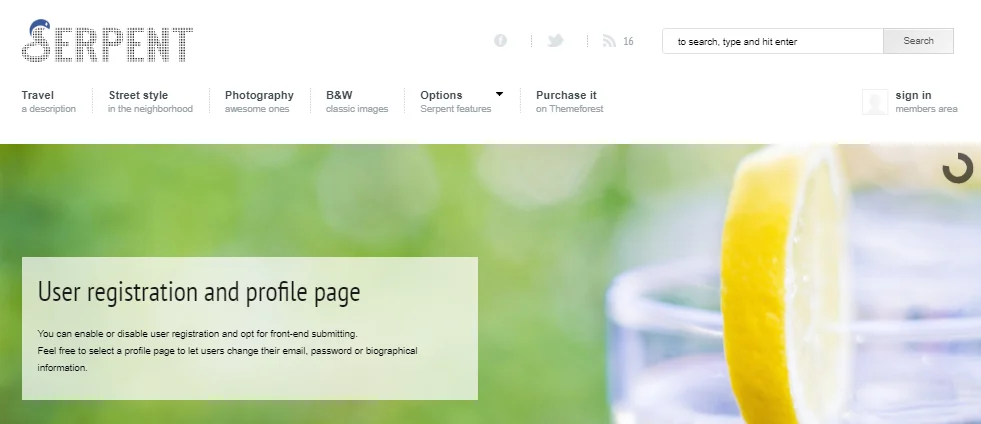
Serpent is a widely used social network theme, highly versatile and loaded with predefined elements and layouts. It supports custom post backgrounds, social media sharing, and over 100 shortcodes you can drop in anywhere on the site.
Get Theme
Best WordPress Membership Plugins
Olympus - Social Networking WordPress Themes

Olympus is another well-known social networking theme, with a range of sample layouts, header styles, and unlimited color options. It works well with popular plugins, requires no coding, and installs easily. Built-in social features cover friendships, notifications, and private messaging.
Get Theme
Lynk - Social Networking and Community WordPress Theme
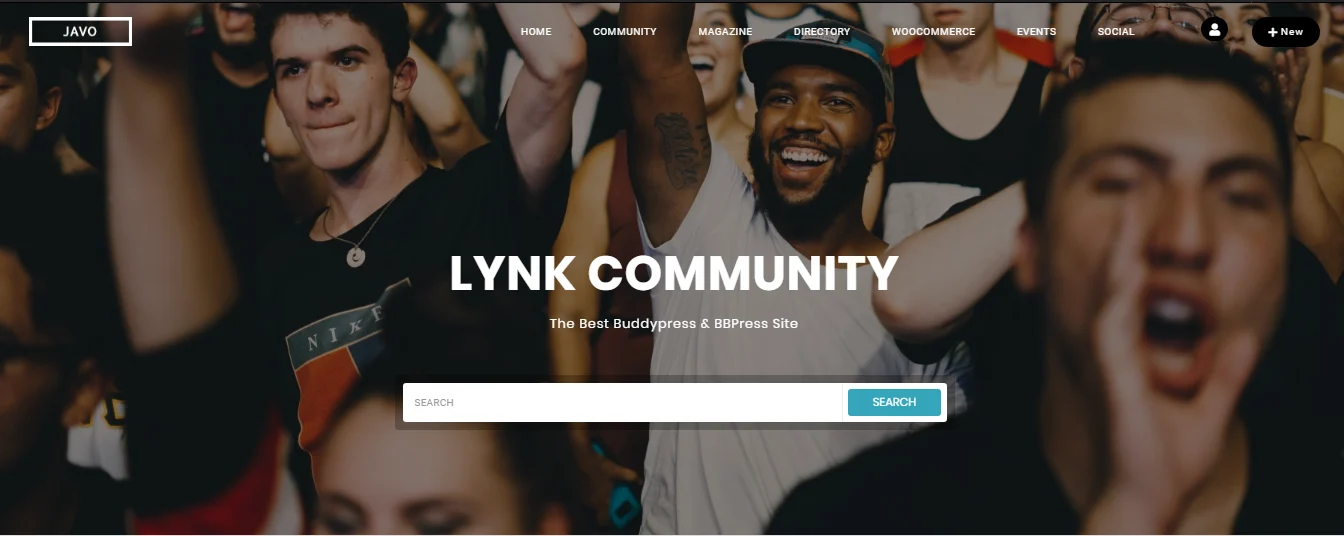
Lynk is a flexible social networking and community theme that suits just about any type of community site. It has a strong visual style, and the one-click installer lets you add different elements quickly. It leaves a strong first impression on visitors, and it’s fully responsive and retina-ready.
Get Theme
Also Read: Learn More About These Popular Social Networks That Exist
Besocial - BuddyPress Social Network & Community WordPress Theme
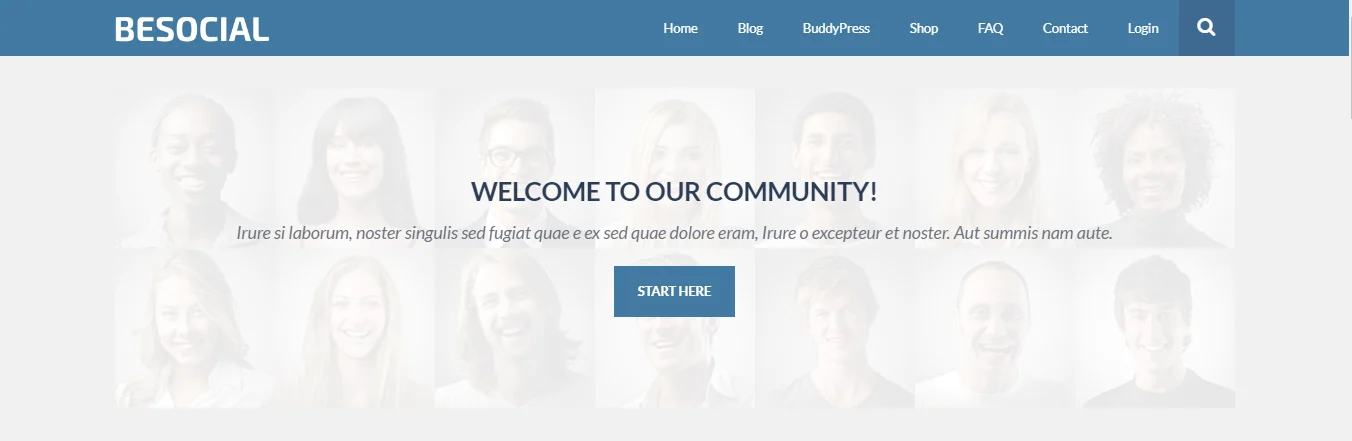
Besocial is a capable community theme built for BuddyPress, letting you launch a solid social networking site in a short amount of time. It covers key BuddyPress features like private messaging, friend connections, and extended profiles, plus WooCommerce compatibility, 20 custom page widgets, and a live search option.
Get Theme
4. Install BuddyPress plugin

BuddyPress remains one of the most popular plugins for building a community site, with everything you need for a full social networking setup. Members can send friend requests, exchange private messages, open groups, and take part in discussion forums, while site admins keep full control over every option. It’s flexible and easy enough for a beginner to pick up quickly.
5. Install and setup BuddyPress Birthdays
BuddyPress Birthdays is an add-on that extends BuddyPress to display upcoming member birthdays on your social network, a nice way to help members remember to wish each other well. Admins also get to decide whether member ages are shown at all.
Some of its more useful features:
- Show upcoming birthdays for all members of your social network
- Add a birthday widget to your site
- Hide member ages if you prefer
- Set a birthday range, weekly, monthly, or unlimited
- Add a map field
- Choose how many birthdays to display at once
Also Read: Top 2 Ning Alternatives For Creating A Social Network
Wrapping Up
That’s how you can build a community site that shows off upcoming member birthdays. Don’t forget to add the BuddyPress Birthdays add-on to your BuddyPress setup.
Interesting Read:
The 15 Best Social Media Marketing Tools That No One Told You About.
How To Add A Professional Resume To Your BuddyPress Website?















