How to Gate Forum Access Behind Course Enrollment on WordPress
Students should only access course discussions they are enrolled in. Here is how to connect your LMS enrollment data to forum space permissions — with automatic provisioning and revocation.

When you sell online courses, forum access is a premium benefit. Students who paid for your photography course should access the photography discussion space. They should not see discussions for the coding course they did not buy. And when their enrollment expires, access should be revoked automatically.
This enrollment-based gating turns your discussion forum into a value-add that justifies course pricing. It also protects course-specific content from non-paying visitors and keeps discussions focused on enrolled students who share the same learning context, which matters as much for the quality of the conversation as it does for access control itself.
Updated September 2026.
In this guide
- The Access Control Model
- Supported LMS Platforms
- Step-by-Step Setup
- The Enrollment Lifecycle
- Multi-Course Students
- Alumni Access: To Keep or Revoke?
- Combining Course and Membership Gating
- Security and Content Protection
- A Worked Example: Gating a Three-Course Bundle
- Auditing Access on a Schedule
- Troubleshooting Common Enrollment Gating Problems
- Frequently Asked Questions
- Webhook Sync vs Scheduled Polling
- What Changes for the Instructor Day to Day
- The Cost of Getting This Wrong
- Grandfathering Students After a Price or Package Change
- Scaling the Structure as Your Course Catalog Grows
- Trial Previews Without Fully Opening the Space
- Documenting the Setup for Whoever Comes After You
- A Final Sanity Check Before Launch
- Getting Started
- Test the Edge Cases, Not Just the Happy Path
- Where Jetonomy Pro Fits Into Enrollment Gating
Key takeaways
- Enrollment gating runs through three layers: LMS enrollment → membership adapter → space join policy, automated end to end by Jetonomy Pro’s LMS adapters (seven platforms supported).
- A removed student keeps their existing posts visible to current students, the knowledge they contributed stays even after access ends.
- Test the edge cases before launch: refunds, bundle purchases, and re-enrollment, not just the basic enroll/unenroll cycle.
- Decide upfront whether completed students keep forum access (better for community richness) or lose it (better for cohort urgency).
- Audit enrollment-vs-access lists on a quarterly schedule, automated sync drifts silently over time.
The Access Control Model
Enrollment-gated forums work through three connected layers:
Layer | What It Controls | Who Manages It |
|---|---|---|
LMS enrollment | Who is enrolled in which course | Your LMS plugin (LearnDash, Tutor, etc.) |
Membership adapter | Translates enrollment into forum access | Jetonomy Pro adapter |
Space join policy | Who can see and post in each space | Jetonomy space settings |
The adapter is the bridge. It listens for enrollment events from your LMS and translates them into forum permissions. When a student enrolls, the adapter adds them to the mapped space. When they unenroll, it removes them. No manual management required.
Supported LMS Platforms
Jetonomy Pro includes built-in adapters for seven LMS platforms:
LMS | Enrollment Events Supported | Additional Features |
|---|---|---|
LearnDash | Course enroll, unenroll, expire, group membership | Auto-create spaces, instructor assignment |
Tutor LMS | Course enroll, unenroll | Instructor as space moderator |
LifterLMS | Course enroll, membership start/expire | Membership + course gating |
Sensei LMS | Course enrollment status changes | Enrollment status mapping |
MasterStudy LMS | Course enroll, unenroll | Course-to-space mapping |
WooCommerce | Product purchase, subscription lifecycle | Product/subscription-based gating |
Restrict Content Pro | Membership level changes | Level-to-space mapping |
If you sell courses through WooCommerce (common with LearnDash and LifterLMS), both the LMS adapter and WooCommerce adapter work together. The WooCommerce purchase triggers enrollment, which triggers forum access.
Choosing the LMS This Gating Sits On Top Of
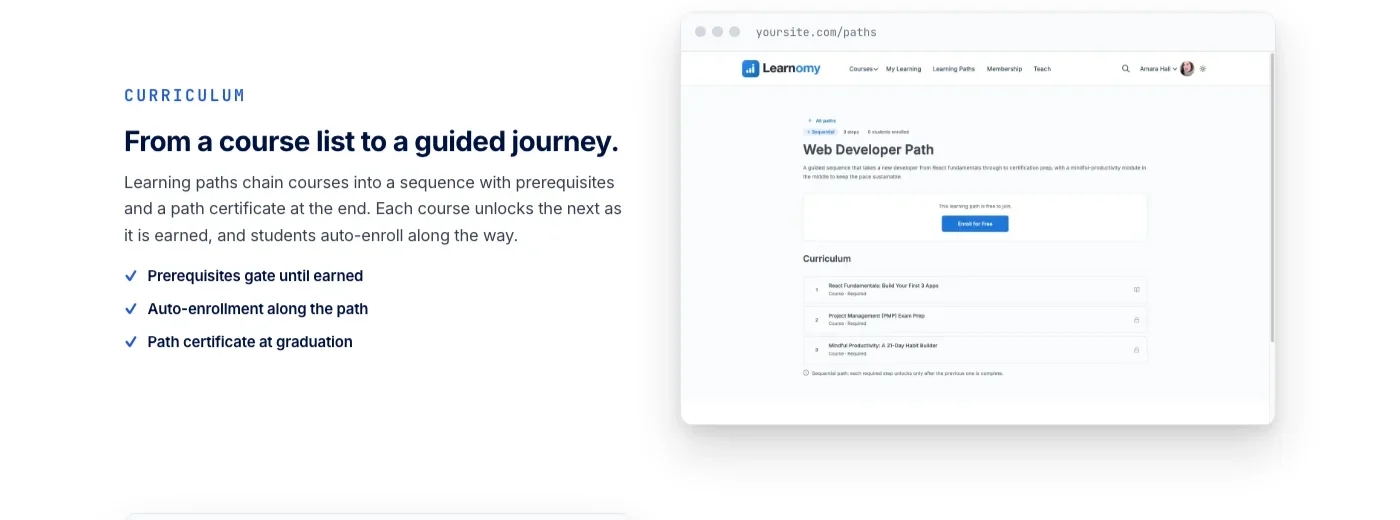
Everything in this guide assumes you already have an LMS with courses and enrollments in place. If you are still deciding which LMS to build on, Learnomy folds course sales, memberships with trials, and structured learning paths into the core platform, so tier-to-course assignment lives in the same place as the courses themselves instead of a bolted-on membership plugin.
Step-by-Step Setup
Step 1: Create Your Forum Structure
Create spaces that map to your courses. Each course gets its own space:
- Photography 101 Discussion, Q&A type, Invite Only
- Advanced Editing Workshop, Q&A type, Invite Only
- Business of Photography, Q&A type, Invite Only
Set each space’s join policy to Invite Only. This ensures only students added by the adapter can access the space.
Step 2: Enable the LMS Adapter
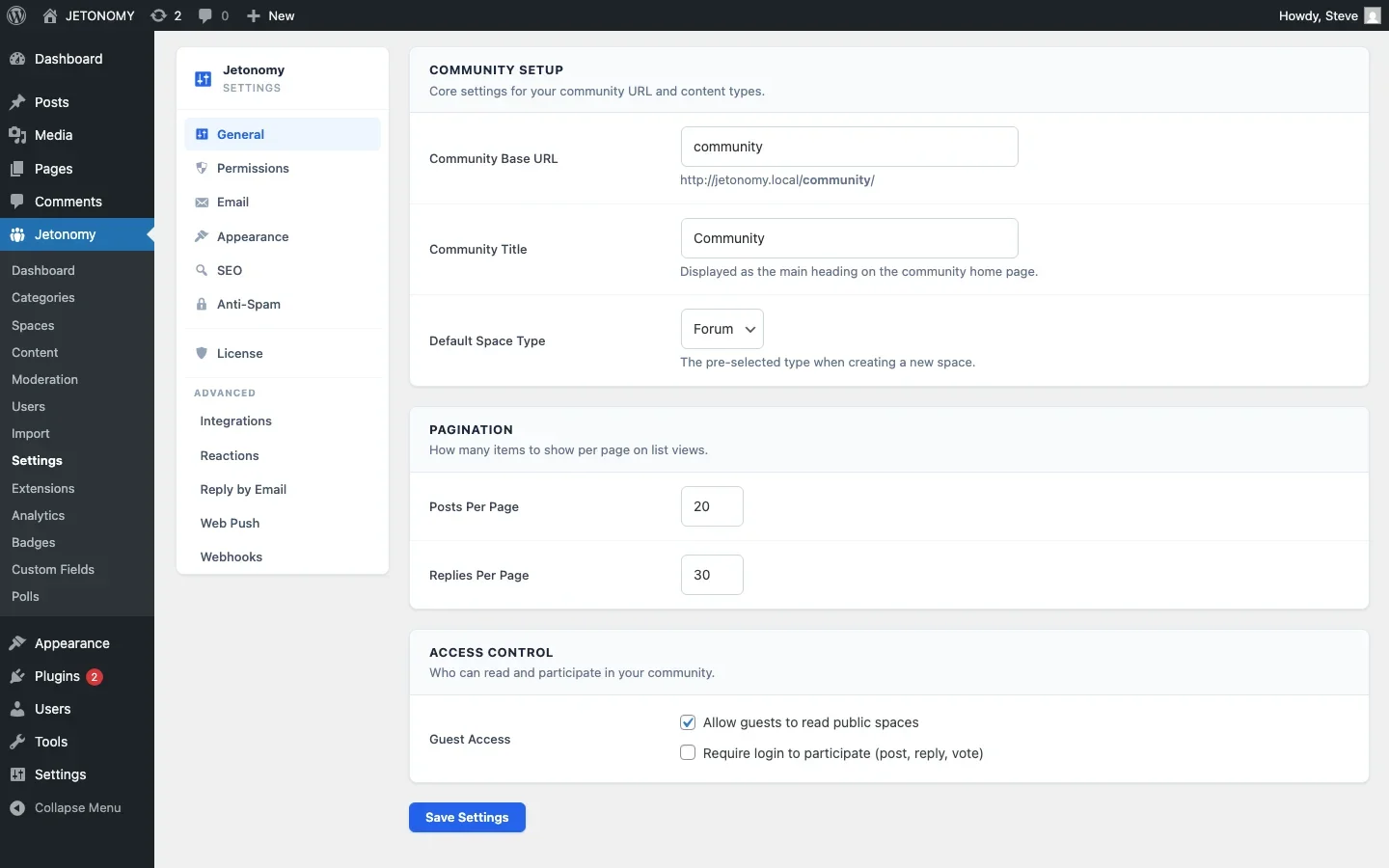
Go to Jetonomy → Settings → Integrations. Your LMS plugin is auto-detected. Toggle the adapter on.
Step 3: Map Courses to Spaces
In the adapter settings, map each LMS course to its corresponding forum space. The mapping is one-to-one: one course connects to one space (or multiple spaces if your course has per-module discussion areas).
Step 4: Handle Existing Enrollments
When you enable the adapter for an existing course with enrolled students, the adapter syncs current enrollments. All currently enrolled students are added to their respective spaces automatically. This is a one-time sync that runs on activation.
Step 5: Test the Flow
- Enroll a test student in a course
- Verify they can see and post in the course forum space
- Unenroll the test student
- Verify they can no longer access the space
Step 6: Set Up Expiration and Renewal Notices
Silent expiration frustrates students more than almost anything else in a gated forum. A student who paid for a twelve-month course and loses forum access on day 366 without warning will assume something broke, not that their access lapsed on schedule. Configure a notice at 14 days and again at 3 days before an enrollment window closes, so the student sees it coming and can renew or the drop in access at least makes sense when it happens. Most LMS plugins expose an expiration-events hook you can wire into an email sequence even if the adapter itself does not send this automatically.
The Enrollment Lifecycle
A student’s forum access follows their enrollment status through every state change:
Enrollment Event | Forum Action | Student Experience |
|---|---|---|
Student enrolls | Added to course space(s) | Forum space appears in navigation |
Student completes course | Access retained (configurable) | Can continue participating as alumni |
Enrollment expires | Removed from space(s) | Forum space disappears from navigation |
Student re-enrolls | Re-added to space(s) | Forum space reappears, history preserved |
Refund processed | Removed from space(s) | Immediate loss of access |
An important detail: when a student is removed from a space, their existing posts and replies remain visible to other enrolled students. The knowledge they contributed persists even after they leave. This is deliberate, the Q&A content has value to current students regardless of the author’s enrollment status.
Multi-Course Students
Students who enroll in multiple courses see all their course spaces in the community navigation. The spaces are organized under a “Courses” category, making it easy to switch between course discussions.
If you offer a bundle (e.g., “All Courses” package), map the bundle product to all course spaces. Purchasing the bundle grants access to every course discussion space at once.
Alumni Access: To Keep or Revoke?
When a student completes a course, should they retain forum access? Both approaches have merit, and it helps to separate this question from what the student walks away with either way: a certificate that actually proves they finished is a separate deliverable from forum access, one that exists whether or not you keep letting them post afterward.
Keep Access (Recommended for Most Courses)
- Completed students become mentors to current students
- The community grows richer with experienced voices
- Alumni access is a selling point (“Lifetime community access”)
- Lower churn if you run a subscription model
Revoke Access (For Cohort-Based Programs)
- Each cohort has a fresh, focused discussion space
- Creates urgency to participate while enrolled
- Alumni access can be offered as an upsell
Which side you land on is often a downstream decision from how you sold the course in the first place. If you have not settled whether to sell it as a one-time purchase versus an ongoing membership, that decision will shape whether keeping alumni access even functions as a retention lever, or whether cohort urgency matters more than a lifetime perk.
Combining Course and Membership Gating
Some businesses use both course enrollment and membership levels to control forum access. For example:
- Free members see public community spaces only
- Course students see their enrolled course spaces + public spaces
- Premium members see all course spaces + exclusive mastermind space
Jetonomy handles this by evaluating all active adapters. A user’s access is the union of all their entitlements across LMS enrollment, WooCommerce purchases, and membership levels. For the full membership gating setup, see our private forum guide, and for a tiered pricing structure to gate against, see how coaches structure paid community tiers.
Security and Content Protection
Enrollment gating is server-side. It cannot be bypassed by URL guessing or API manipulation:
- Non-enrolled users cannot see course space content in navigation, search results, or direct URL access
- REST API requests return 403 for unauthorized spaces
- Search indexes exclude content from spaces the searcher cannot access
- Sitemaps exclude private space content from search engines
A Worked Example: Gating a Three-Course Bundle
The abstract version of bundle mapping is straightforward. The concrete version has more edge cases worth walking through. Say you sell three individual courses (Photography 101, Advanced Editing, Business of Photography) plus a bundle that includes all three at a discount.
- Map each individual product to its matching space. Buying Photography 101 alone grants only the Photography 101 space.
- Map the bundle product to all three spaces at once. The adapter treats a bundle purchase as three simultaneous enrollment events, one per included course.
- Decide what happens on a partial refund. If a student refunds one course but keeps the bundle, does that make sense? Usually bundles are refunded as a whole or not at all, configure your refund policy to match how the adapter will actually behave, rather than discovering the mismatch from a support ticket.
- Test the upgrade path. A student who owns Photography 101 individually and later buys the bundle should not lose access during the transition, and should not end up with two separate entitlement records that both need to be canceled separately if they later request a refund.
The pattern generalizes to any number of products and spaces, but the bundle case is where most gating mistakes show up in practice, because it is the one scenario where a single purchase event needs to fan out into multiple entitlement grants correctly, and where a single refund event needs to fan back in without leaving orphaned access behind.
Auditing Access on a Schedule
Automated sync systems drift over time. A webhook can fail silently, a plugin update can change a hook name, a manual database edit to fix one student’s account can create an inconsistency that never gets corrected automatically. None of this shows up until a student either has access they should not, or is missing access they paid for, and in both cases the first person to notice is usually the student, not you.
Build a quarterly audit into your maintenance routine rather than waiting for a support ticket to surface the problem. Export your current LMS enrollment list and your current forum space membership list, then diff the two. Anyone in the LMS list who is missing from the matching space is losing access they paid for. Anyone in the space who has no matching active enrollment is holding access they should not have, usually because a past unenroll or refund event did not fire correctly. Reconciling these lists once a quarter catches drift before it becomes a pattern of complaints, and it takes less time than answering the support tickets that would otherwise result from letting it go unaudited for a year.
Troubleshooting Common Enrollment Gating Problems
A student pays but does not get forum access
Check the adapter logs first, most LMS-to-forum adapters log every entitlement event they process. If the purchase event never appears in the log, the problem is upstream, the LMS or WooCommerce webhook never fired, or fired before the adapter was configured to listen for that specific product. If the event appears in the log but the space membership was not created, the course-to-space mapping is likely missing or pointed at the wrong space.
A student keeps access after a refund
Refund-triggered removal depends on your payment processor sending a refund webhook, not just a change in an internal status flag inside your LMS. If you process refunds manually outside your payment processor’s dashard, for instance issuing a bank transfer back to a student outside your normal checkout flow, no webhook fires and the adapter never learns about it. Always process refunds through the same payment path your checkout uses, or manually remove space access as a required step in your manual refund checklist.
Search results show content from a space a user cannot access
This almost always means the search index was built before the space’s join policy was set to Invite Only, or a caching layer is serving a stale index that predates the permission change. Rebuild the search index after changing any space’s privacy setting, and check whether your object cache or page cache needs a manual flush after the rebuild for the change to take effect for logged-in users.
Bundle purchases only grant access to one of the included courses
This is almost always a one-to-one mapping error, the bundle product is mapped to a single space instead of being mapped to all of the spaces the bundle should unlock. Revisit the adapter’s product mapping screen and confirm the bundle product has multiple space mappings attached, not just one.
Frequently Asked Questions
Do students lose their post history when their enrollment expires?
No. Removing a student from a space revokes their ability to see and post new content, but their existing contributions remain visible to currently enrolled students unless you specifically delete them. This is deliberate, a well-answered question retains its value for future students regardless of who asked it.
Can a student see they have been removed from a space, or does it just disappear?
By default the space simply stops appearing in their community navigation without an explicit notice. If you want students to understand why, pair the removal event with an automated email explaining that their course access period has ended, rather than leaving them to notice the space is missing and file a support ticket asking why.
What happens if a student is enrolled in the same course twice, once directly and once through a bundle?
The adapter should treat this as a union of entitlements rather than two separate grants. As long as at least one active entitlement exists, cancel the individual purchase and the bundle entitlement to keep access flowing. Removing one should not remove access as long as the other remains active, this is the scenario worth testing explicitly before launch, described earlier in the edge-case testing section.
Does enrollment gating slow down page loads for large courses?
Permission checks add a small amount of overhead per request, but for course sizes most instructors run, this is not noticeable. If you are gating content for several thousand concurrent enrolled students, standard WordPress object caching (Redis or Memcached) keeps permission checks fast at that scale, the same caching layer you would need for a busy site regardless of gating.
Can I gate a space by more than one condition, such as course enrollment plus membership tier?
Yes. Access evaluates as a union or intersection of all active entitlement sources depending on how you configure it, course enrollment, WooCommerce purchase, and membership level can all feed into the same space’s access rules simultaneously, covered in the combining course and membership gating section above.
Webhook Sync vs Scheduled Polling
Adapters connect your LMS to your forum in one of two ways: real-time webhooks that fire the instant an enrollment event happens, or scheduled polling that checks for changes on a fixed interval. The distinction matters more than it looks on paper.
Webhook-based sync is close to instant, a student who completes checkout sees the course space appear in their navigation within seconds. It depends on your payment processor and LMS both reliably firing the webhook, and on your server being available to receive it at the moment it fires. If your host has a brief outage during the exact window a webhook fires, that specific event can be lost unless the sending side has retry logic.
Scheduled polling is more forgiving of transient outages, since it checks the current state again on the next run regardless of what happened during the last one, but it introduces a delay between purchase and access. A student who buys a course and expects immediate access will notice a ten or fifteen minute gap if your polling interval is set that wide. For most course businesses, webhook sync with a polling fallback that runs once an hour as a safety net gives you the best of both, instant access in the normal case, and self-healing recovery if a webhook is ever missed.
What Changes for the Instructor Day to Day
Once enrollment gating is running correctly, the day-to-day workload shifts in a specific way. Before gating, an instructor or a virtual assistant manually adds and removes students from forum groups as enrollments and refunds come in, a task that scales linearly with your student count and eventually becomes a part-time job on its own.
After gating, that manual work disappears entirely for the normal case, and what is left is exception handling: the occasional refund dispute, the student who bought through an unusual payment method the adapter does not recognize, the bundle edge case described earlier.
This changes what you should be hiring or training a community manager to do. Rather than spending their time on access administration, they can spend it on the things that actually need a human, welcoming new students into the space, answering the questions the automated systems cannot answer, and watching for the drift the quarterly audit is designed to catch between audits. Automating access control is not just a technical convenience, it reallocates your team’s time from access bookkeeping to the parts of community management that actually move the needle on student outcomes.
The Cost of Getting This Wrong
It is worth being explicit about what happens when enrollment gating is set up carelessly, because the failure mode is not dramatic, it is a slow accumulation of small trust problems. A student who pays and does not get immediate forum access assumes the purchase failed and either contacts support anxiously or, worse, does not contact support and simply assumes the community access advertised on your sales page does not actually exist.
A student who keeps access after a refund is a smaller problem operationally but represents lost revenue you may never notice, since nothing alerts you to the mismatch unless you audit for it directly.
Each individual incident is minor. The pattern, repeated across a growing student base, is what erodes the credibility of “community access included” as a selling point on your course page. If your marketing promises an active community as part of the value proposition, the gating that delivers on that promise needs to be as reliable as the checkout flow that took the student’s payment in the first place. Treat access gating with the same seriousness you would treat a broken checkout button, because from the student’s perspective, a course they paid for that will not let them into the community they were promised is functionally the same failure.
Grandfathering Students After a Price or Package Change
Course pricing and packaging change over time. You raise prices, restructure a single course into a bundle, or retire an old tier in favor of a new one. Each of these changes creates a population of existing students whose original purchase does not map cleanly onto your current product catalog, and the adapter’s mapping rules need an explicit answer for what happens to them.
The safest default is to grandfather existing entitlements rather than re-evaluating them against the new catalog. A student who bought under the old pricing and package structure keeps whatever access they originally paid for, even after you restructure the products going forward. Create a legacy mapping that keeps their original product ID pointed at the same spaces it always was, rather than trying to retroactively fit their purchase into a new bundle structure that did not exist when they bought. Retiring old product mappings without grandfathering existing purchasers is one of the more common ways a pricing change accidentally revokes access from paying students who did nothing wrong.
Scaling the Structure as Your Course Catalog Grows
The three-course example used throughout this guide is manageable by hand. A catalog of twenty or thirty courses is not, and the same manual mapping process that works fine at a small scale becomes its own maintenance burden at a larger one. Organize spaces into nested categories once you pass roughly ten courses, group by subject area or by skill level rather than leaving thirty flat spaces in a single unsorted list. Assign a consistent naming convention for space slugs before you scale, ideally mirroring your course slugs directly, so that mapping a new course to a new space is a predictable, almost mechanical step rather than a fresh decision each time. The instructors who struggle most with catalog growth are the ones who treated the first three or four courses as one-off configurations instead of establishing a repeatable pattern from the start.
Trial Previews Without Fully Opening the Space
Some course businesses want prospective students to see a taste of the community before buying, a handful of pinned threads, a sample of the kind of questions and answers the space contains, without granting full posting access to non-enrolled visitors. This is a middle setting between fully public and fully gated, and it is worth configuring deliberately rather than defaulting to one extreme.
The practical approach is a read-only preview mode on a small, curated subset of topics rather than the whole space. Pin your three or four best Q&A threads, ones with a genuinely useful accepted answer, and make those specific topics visible to logged-out visitors while the rest of the space remains fully gated behind enrollment. This gives prospective students a real sample of the value without exposing the full archive, and it avoids the common mistake of either hiding everything (which makes the community feel like an unverifiable marketing claim) or exposing everything (which removes the incentive to actually enroll).
Documenting the Setup for Whoever Comes After You
Enrollment gating configurations tend to be set up once by whoever built the site initially and then forgotten until something breaks, at which point whoever is debugging it has to reverse-engineer the mapping logic from scratch. Save yourself and your future self, or a hired developer, that reconstruction work by keeping a short internal document alongside the setup: which product IDs map to which spaces, what the bundle mappings are, and what your grandfathering exceptions are for any legacy pricing. This takes twenty minutes to write once and saves hours the next time something needs to change, especially if the person making the change is not the person who originally configured it.
A Final Sanity Check Before Launch
Before you point real students at a newly gated forum, run through the setup once more from a fresh, non-admin account rather than trusting your own admin-level view of the space list, since admin accounts often bypass the same restrictions you are trying to verify. Log in as a test student with no enrollments and confirm the gated spaces genuinely do not appear anywhere, not in navigation, not in search, not through a direct URL. Then enroll that same test account in one course and confirm exactly one space becomes visible, not the whole catalog. This ten-minute check catches the majority of misconfiguration before it becomes the first support ticket from a real paying student.
Getting Started
- Install Jetonomy + Jetonomy Pro alongside your LMS (setup guide)
- Enable the appropriate LMS adapter in Settings → Integrations
- Create Invite Only Q&A spaces for each course
- Map courses to spaces in the adapter settings
- Test with a student enrollment/unenrollment cycle
For LMS-specific setup guides, see our posts on LearnDash and Tutor LMS. For the broader student community strategy, read building a student community around your course, or see our guide to private group chat for course students for the real-time layer that sits alongside enrollment-gated forums.
Enrollment gating makes your forum a premium benefit. Students get exclusive access. You get a community that adds tangible value to every course purchase.
Test the Edge Cases, Not Just the Happy Path
The enroll-then-unenroll test above catches the basic case, but the failures that actually surface in support tickets happen at the edges: a refund processed mid-course, a student on two overlapping bundle products, a re-enrollment months later expecting their old thread history back. Run through these before you trust the gating in production.
- Refund a test purchase and confirm space access drops immediately, not on the next cron cycle or cache refresh.
- Enroll a student through both an individual course purchase and a bundle, then remove one entitlement and verify access still holds through the other.
- Re-enroll a previously unenrolled student and confirm their old posts and replies are still attributed to them and visible, not orphaned.
If You Would Rather Not Wire Up a Separate Membership Plugin
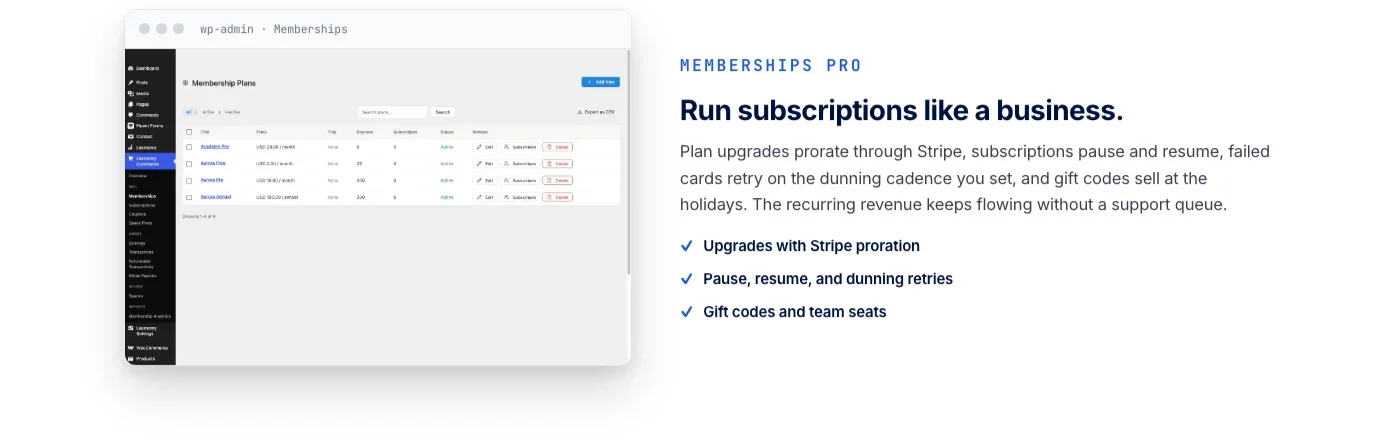
Everything above assumes you are keeping your current LMS and adding enrollment-aware forum access on top of it. That is a reasonable path if you already have a course platform you like. But if you are evaluating the underlying LMS itself, it is worth knowing that entitlement management does not have to live in a separate membership plugin at all. Learnomy is a complete learning platform that folds course sales, memberships with trials, and an automatic pricing page into the core product, so tier-to-course assignment lives in the same place as the courses themselves instead of bolted on through a third-party membership add-on.
- Memberships with trials and direct Stripe and PayPal checkout built into the platform, no separate billing plugin required
- Structured learning paths and content sequencing for courses that need to unlock in order as your school grows
- Certificates, quizzes with anti-cheat tracking, and a migration wizard if you are moving off LearnDash, Tutor LMS, or LifterLMS
Where Jetonomy Pro Fits Into Enrollment Gating
The adapters, the enrollment lifecycle handling, and the union-of-entitlements access model described above are all Jetonomy Pro features, the free core plugin does not include LMS or WooCommerce adapters on its own. If you are gating course discussions by enrollment, this is the layer that makes it automatic instead of a manual add/remove-members chore every time someone buys or refunds a course. Details are on the Jetonomy Pro page.













