LifterLMS Community Setup: Discussion Spaces for Each Course
LifterLMS handles course content and memberships. Jetonomy handles community discussions. Here is how to connect them so students get dedicated discussion spaces that gate automatically by enrollment.

LifterLMS is one of the most popular WordPress LMS platforms, with built-in courses, memberships, and engagement tools. But its discussion capabilities are limited to basic lesson comments. If you want a real community around your courses, with Q&A, voting, accepted answers, reputation, and peer networking, you need a dedicated forum plugin.
This guide shows you how to connect LifterLMS with Jetonomy so that each course gets its own discussion space, membership levels control access, and students can participate in a proper community alongside their learning.
What LifterLMS + Jetonomy Gives You
Feature | LifterLMS Alone | LifterLMS + Jetonomy |
|---|---|---|
Lesson comments | Basic comments per lesson | Full Q&A with voting across all lessons |
Search | No cross-lesson search | Full-text search across all discussions |
Peer support | Limited to comment replies | Dedicated community with profiles and reputation |
Gamification | LifterLMS achievements + certificates | + Forum badges, leaderboard, trust levels |
Private messaging | Not available | Direct and group messaging (Pro) |
Enrollment gating | N/A | Automatic forum access based on enrollment |
The key advantage is that LifterLMS handles the learning path while Jetonomy handles the community. Each does what it does best.
The LifterLMS Adapter
Jetonomy Pro’s LifterLMS adapter supports two types of gating:
1. Course Enrollment Gating
Students enrolled in a specific LifterLMS course get access to the corresponding forum space. Unenrollment revokes access. This works with both free and paid courses.
2. Membership Gating
LifterLMS memberships can gate forum spaces by membership level. “Gold Members” see spaces that “Silver Members” do not. This is perfect for tiered community access.
You can combine both: a student might have access to their course discussion space (via enrollment) plus a premium support space (via membership level).
Setting Up the Integration
Step 1: Install Both Plugins
Ensure LifterLMS, Jetonomy, and Jetonomy Pro are all installed and activated. Follow our WordPress forum setup guide if you have not configured Jetonomy yet.
Step 2: Enable the LifterLMS Adapter
Go to Jetonomy → Settings → Integrations. The LifterLMS adapter is auto-detected. Toggle it on.
Step 3: Create Course Spaces
For each LifterLMS course, create a corresponding Jetonomy space:
Course | Forum Space | Type | Join Policy |
|---|---|---|---|
Photography Basics | Photography Discussion | Q&A | Invite Only |
Advanced Editing | Advanced Editing Discussion | Q&A | Invite Only |
Business Skills | Business Skills Discussion | Forum | Invite Only |
Step 4: Map Courses to Spaces
In the adapter settings, connect each LifterLMS course to its forum space. The mapping links enrollment events to forum access.
Step 5: Optionally Map Membership Levels
If you use LifterLMS memberships for tiered access:
Membership Level | Additional Forum Access |
|---|---|
Free Member | Public spaces only |
Basic Member | + General student Q&A |
Premium Member | + Priority support + Mastermind space |
Step 6: Test
- Enroll a test student in a LifterLMS course
- Verify they see the mapped forum space
- Unenroll them and verify access is revoked
- Test membership level changes if applicable
LifterLMS Achievements + Jetonomy Badges
LifterLMS has its own achievement and certificate system. Jetonomy has badges and trust levels. These complement each other:
- LifterLMS achievements reward course progress (completing lessons, passing quizzes, finishing courses)
- Jetonomy badges reward community contributions (answering questions, helping classmates, earning reputation)
Together, they recognize both learning and community participation. A student who completes the course AND actively helps classmates in the forum earns recognition on both fronts.
For the detailed badge setup, see our guide on gamification with badges. For the broader course community strategy, read building a student community.
LifterLMS Groups and Forum Spaces
LifterLMS supports Groups (cohorts of students managed by a group leader). These map naturally to forum spaces:
- Each LifterLMS Group gets its own private forum space
- The group leader is assigned as space moderator
- Group members are automatically added/removed based on group membership
This is ideal for corporate training, school cohorts, or team-based learning where each group needs private discussions.
Recommended Community Structure for LifterLMS Sites
Category | Space | Access | Type |
|---|---|---|---|
Public | General Discussion | Open | Forum |
Public | Pre-Enrollment Q&A | Open | Q&A |
Courses | [Course Name] Discussion | Enrolled students | Q&A |
Members | Premium Support | Premium members | Q&A |
Members | Feature Requests | All members | Ideas |
Public spaces drive SEO and attract potential students. Course spaces gate by enrollment. Member spaces gate by membership level. For details on this mixed approach, see our guides on invite-only spaces and enrollment gating.
Engagement Stack for LifterLMS Communities
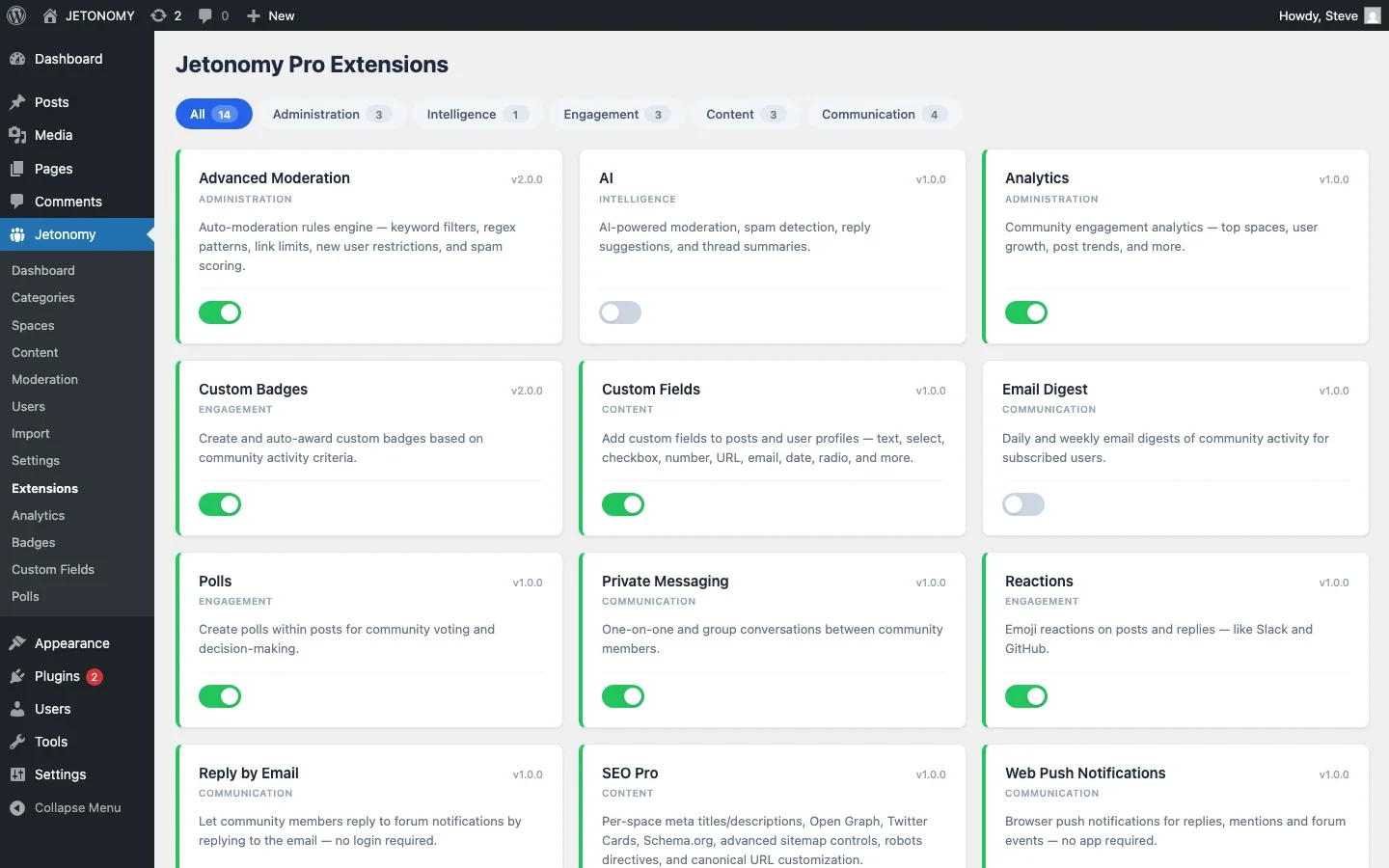
Layer these Jetonomy Pro features on top of your course forums:
- Polls, Weekly check-ins, module feedback, scheduling
- Reactions, Students acknowledge helpful answers with emoji
- Email Digests, Weekly summary of course discussions
- Reply by Email, Students respond from inbox without visiting the site
- Leaderboard, Most helpful students recognized publicly
Getting Started
- Install Jetonomy + Pro alongside LifterLMS
- Enable the LifterLMS adapter
- Create Q&A spaces for your top 2–3 courses
- Map courses to spaces
- Seed with 5–10 questions from existing student inquiries
- Announce to enrolled students
LifterLMS teaches. Jetonomy connects. Together, they create the complete learning experience your students need to succeed.
What Happens to a Course Space When a Cohort Ends
General community forums rarely have to answer this, but course forums do: once a cohort finishes or a course closes for new enrollment, does the discussion space stay open, go read-only, or get archived? Get this wrong and you either lose a searchable knowledge base of solved questions or leave a growing pile of stale spaces that make the community feel abandoned to prospective students browsing public areas.
- Keep finished-cohort spaces readable (not writable) so future students can search past Q&A instead of re-asking the same questions.
- Decide explicitly whether alumni keep access after a course ends, this matters more for cohort-based programs than self-paced courses.
- Route the most-repeated answered questions from a closed cohort space into your public Pre-Enrollment Q&A space, where they can also attract prospective students through search.
Considering a Different LMS Instead of Adding a Forum?
This guide assumes LifterLMS already fits your course structure and you just want better discussions bolted on. If you are earlier in that decision and comparing LMS plugins from scratch, Learnomy is worth a look for one reason: courses, quizzes, certificates, Stripe checkout, and memberships all ship in the free plugin, with no forced upgrade path for core teaching functionality, and migrating an existing LifterLMS course catalog over is a supported path.
- Unlimited courses, sections, lessons, and topics at no cost
- Built-in Stripe checkout, memberships, and content drip in the free tier
- Signed certificates with QR verification included, not sold separately
Start with Learnomy for the full free feature set, or upgrade to Learnomy Pro when you need instructor revenue splits, learning paths, and cohort spaces.
Where Jetonomy Pro Changes This Integration
The free LifterLMS adapter covers course-to-space mapping and enrollment gating on its own. Jetonomy Pro adds membership-level gating for tiered access, private messaging between students, polls for module feedback, and reply-by-email, which matters more for course communities than general ones, students already check an inbox tied to lesson notifications, so replying from there rather than logging back into the site removes real friction. Details are on the Jetonomy Pro page.













