Why Every Online Course Needs a Discussion Forum (Not Just Comments)
Comments under lessons are not a community. A discussion forum gives students peer support, searchable Q&A, and the social accountability that turns course buyers into course completers.

Your online course has a comments section under each lesson. Students occasionally leave a comment. You reply when you notice. The conversation dies. A week later, another student has the exact same question on a different lesson page, and the cycle repeats.
Comments were designed for blogs. They work for reactions to a single piece of content. They do not work for the kind of sustained, multi-threaded, searchable interaction that students need to succeed in an online course.
A discussion forum is fundamentally different from comments. Here is why the distinction matters and why your course needs one.
This matters for reasons beyond convenience. Course completion, refund requests, and the reviews a prospective student reads before buying are all downstream of whether stuck students got unstuck quickly. A comment thread that dies after your one reply leaves a stuck student with nowhere else to turn except an email that might sit unanswered for days. A forum where three classmates jump in within the hour is the difference between a student who finishes the course and one who quietly stops logging in.
Updated September 2026.
In this guide
- Comments vs. Forum: The Structural Differences
- The Completion Rate Connection
- Five Things Forums Do That Comments Cannot
- The Forum Structure for Online Courses
- But I Already Have Comments. Do I Really Need a Forum?
- Rolling Out Your Course Forum Over Four Weeks
- Signs Your Forum Is Working (and Signs It Is Not)
- The SEO Case for a Public Course Forum
- When the Instructor Becomes the Bottleneck
- Frequently Asked Questions
- Moderation Basics Specific to a Course Forum
- The Support-Cost Math Behind the Decision
- Turning the Feedback Space Into a Roadmap Signal
- What Should Stay a Comment, Not Become a Forum Post
- Mobile Access Matters More Than It Looks
- Bringing It Together
- Setting Expectations With New Instructors on Your Team
- Getting Started
- What to Do With the Comments You Do Not Migrate
- Where Jetonomy Pro Comes In Once the Forum Is Running
Key takeaways
- Forums beat comments on search, voting, and accepted answers, the shift from students addressing the instructor to addressing each other is what moves completion.
- Courses with active discussion communities see 3–5x higher completion rates; students who post at least once are 4x more likely to finish.
- Roll out over four weeks: seed content before launch, give a specific first action, respond fast then step back, and redirect every new question to the forum.
- Run comments and forum in parallel, migrate gradually rather than switching overnight.
- If the LMS underneath is still unsettled, confirm that before investing time in a forum structure you might have to rebuild, see below.
Comments vs. Forum: The Structural Differences
Feature | Lesson Comments | Discussion Forum |
|---|---|---|
Organization | Attached to specific lesson pages | Organized by topic across entire course |
Search | No cross-lesson search | Full-text search across all discussions |
Voting | None | Upvote/downvote answers by quality |
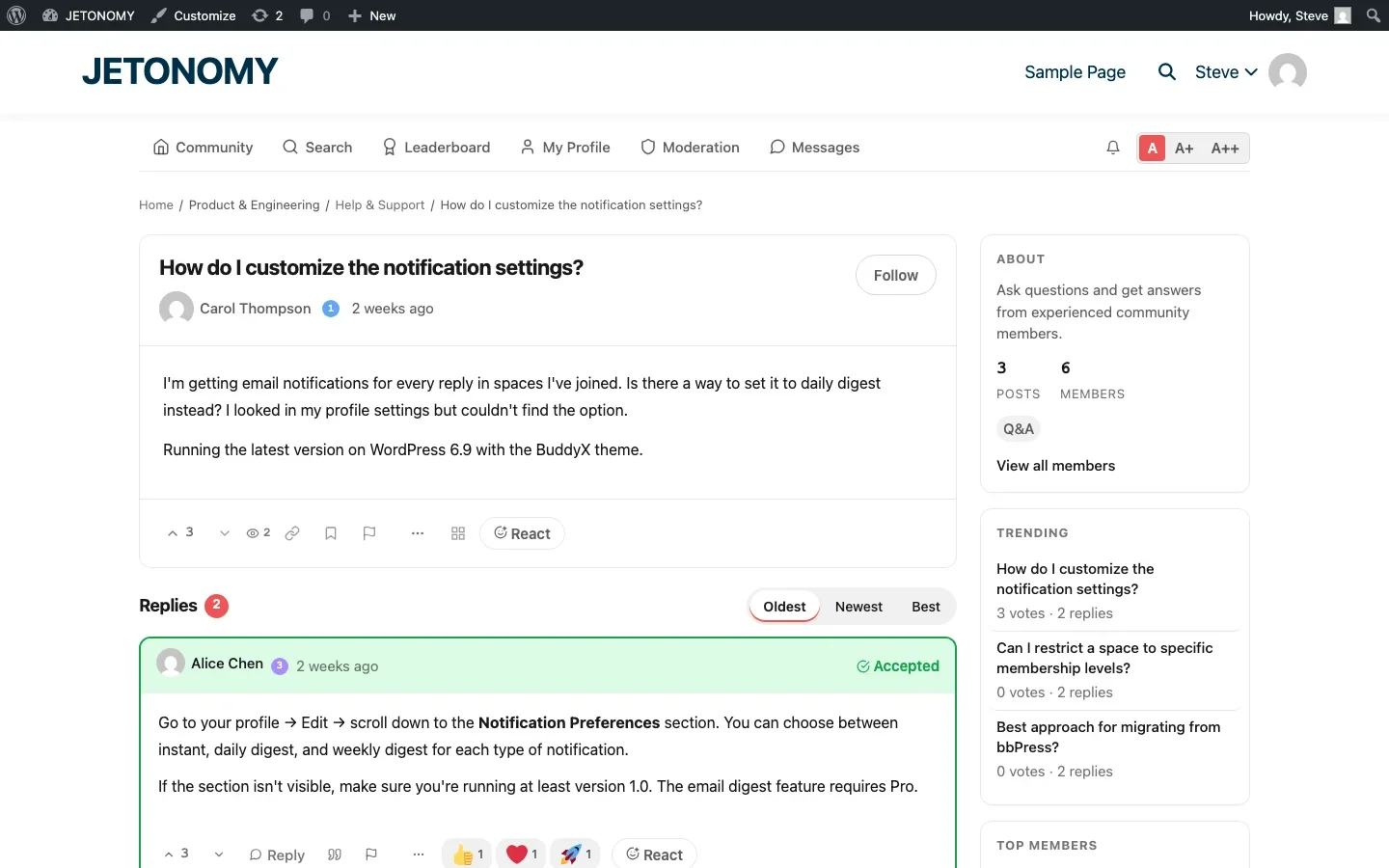
Resolution tracking | None | Accepted answers mark solved questions |
Peer-to-peer | Rare (comments feel directed at instructor) | Natural (forum encourages peer discussion) |
Discoverability | Must visit specific lesson page | Browsable feed of all discussions |
Notifications | Basic (email on reply) | Rich (mentions, digests, push, reply-by-email) |
Community features | None | Profiles, reputation, badges, leaderboard |
SEO value | Minimal (nested under lesson URL) | Each topic is its own indexed page |
The structural difference drives behavioral differences. In a comment section, students address the instructor (“Hey, can you explain X?”). In a forum, students address each other (“Has anyone figured out how to do X?”). That shift from instructor-dependent to peer-supported learning is what transforms course outcomes.
The Completion Rate Connection
The data on discussion forums and course completion is compelling:
- Courses with active discussion communities see 3–5x higher completion rates than courses with comments only
- Students who post at least once in a course forum are 4x more likely to complete the course than students who never post
- The single strongest predictor of course completion (after initial engagement) is peer interaction frequency
These numbers make sense intuitively, and they hold up across very different course subjects, from technical skills to creative practice, because the underlying mechanism (peer support closing gaps the instructor alone cannot close fast enough) is not specific to any one topic. A student who gets stuck on Module 4 has two paths:
- Without a forum: They re-watch the video. It still does not make sense. They feel stupid. They give up.
- With a forum: They post a question. Three classmates reply with different explanations. One clicks. They move on. They finish the course.
The forum does not replace your teaching. It supplements it with the peer support network that in-person classes get for free and online courses desperately lack.
Building the Course the Forum Sits On Top Of
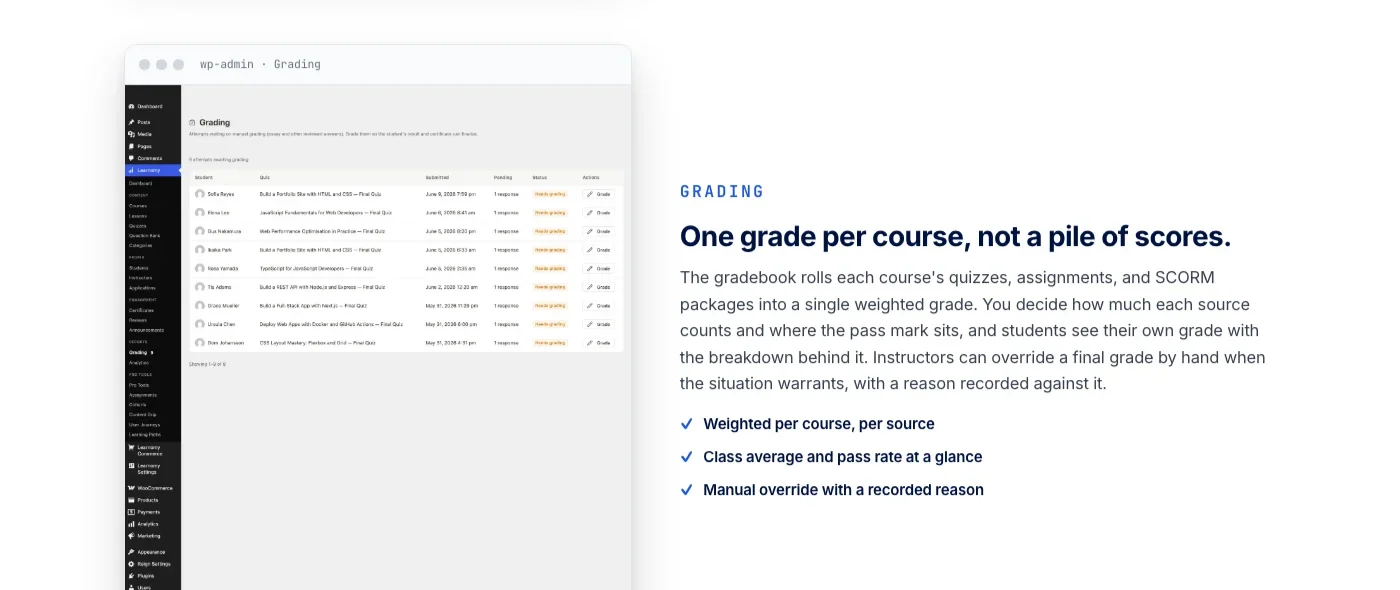
A discussion forum is only as good as the course it supports. If your quizzes cannot catch a student who has a classmate’s answers open in another tab, or your certificates cannot be verified by an employer, the forum is solving the wrong problem. Learnomy is a complete learning platform with six quiz types, anti-cheat tab-switch tracking, and cryptographically signed certificates with a public QR verification page, so the assessment layer underneath your new forum actually holds up.
Five Things Forums Do That Comments Cannot
1. Build Searchable Knowledge
When a student asks “How do I export my project as a PDF?” in a forum with full-text search, every future student who searches for “export PDF” finds the answer. In a comment section, that answer is buried on a specific lesson page that future students may never visit.
Over time, the forum becomes a comprehensive FAQ specific to your course content. This knowledge base is more valuable than any static FAQ page because it addresses the real questions students actually ask, not the questions you assumed they would ask, and it keeps growing on its own as new students bring new edge cases you never thought to document upfront. Learn more about this in our community knowledge base guide.
2. Enable Peer Teaching
Students who explain concepts to other students reinforce their own understanding. This is the “learning by teaching” effect, and it is one of the most well-documented findings in educational psychology.
A forum creates the environment for this naturally. A student who mastered Module 3 sees a question from a classmate struggling with the same material. They explain it in their own words. Both students benefit, the asker gets help, the explainer deepens their understanding.
For practical strategies on enabling peer support, see our guide on letting your community answer questions without chaos.
3. Create Social Accountability
A student who posts “Starting Module 6 today!” in a forum has made a public commitment. Other students see it and respond with encouragement. Now there is social pressure to follow through. Dropping out means disappearing from a group of people who noticed you.
This is dramatically different from the isolation of self-paced learning. The forum creates a lightweight cohort effect even in an evergreen course.
4. Surface Course Problems
When five students all ask the same question about Module 7, that is a signal that your instruction needs improvement at that point. Forum analytics make this pattern visible. Comment sections hide it across five separate lesson pages.
Use forum analytics to identify your course’s pain points: which modules generate the most questions? Where do students get stuck? Which explanations need rework? Combining that forum-side view with lesson completion data extends the same idea from aggregate pain points to individual students, surfacing who is actually progressing and who has quietly stalled well before a refund request or a support ticket tells you.
6. Reduce the Support Inbox
Every question that gets answered once in a searchable forum is a question that never becomes a support email. Instructors who move from comments to forums consistently report the same pattern: the first month feels the same, since existing habits take time to shift.
By month three, the support inbox volume drops noticeably as students start finding answers to common questions through search before they think to email you directly. This is not a byproduct of the forum, it is one of the main reasons to build one in the first place.
5. Generate Testimonial Content
“This forum is honestly more valuable than the course itself” is a testimonial you will see in active course communities. Students sharing their success stories, completed projects, and breakthrough moments in the forum are powerful social proof for future students.
The Forum Structure for Online Courses
A course forum needs different spaces than a general community. Here is the recommended structure:
Space | Type | Purpose |
|---|---|---|
Course Q&A | Q&A | Questions about lessons with voting and accepted answers |
Show Your Work | Social | Students share projects and get feedback |
Study Group | Forum | Peer discussion, accountability partners |
Course Feedback | Ideas | Suggest improvements to the course content |
For the detailed setup with enrollment gating, see our guides for LearnDash and Tutor LMS, or our walkthrough on gating forum access behind course enrollment if you need per-course space permissions.
But I Already Have Comments. Do I Really Need a Forum?
A forum is not the only way to build peer support around a course, if your students need faster, more casual back-and-forth, see our guide on private group chat for course students. But if your course has fewer than 50 students and you personally respond to every comment within hours, comments may be sufficient. But the moment any of these become true, you need a forum:
- You have more than 100 enrolled students
- You cannot respond to every comment within 24 hours
- Students are asking the same questions repeatedly on different lesson pages
- You want students to help each other
- You want the Q&A content to be searchable and reusable
- You are running a cohort-based or subscription model where community is a selling point
If three or more apply, a forum is not optional. It is infrastructure your course needs to scale.
Rolling Out Your Course Forum Over Four Weeks
Turning on a forum and announcing it in one email rarely produces the lively space instructors picture. A rollout that spreads across a few weeks, with a specific instructor action each week, gets you there more reliably.
Week 1: Seed It Before Anyone Sees It
An empty forum looks abandoned even on day one. Before you announce it to students, post ten to fifteen threads yourself: the questions you already know students ask most (pull these from your existing comment threads or past support emails), answered thoroughly. A student who lands on a forum with real content in it behaves completely differently than one who lands on an empty shell waiting for the first post.
Week 2: Announce With a Specific Action, Not a General Invitation
“Check out our new forum” produces almost no response. “Post one question you have been sitting on in the new Course Q&A space, first ten replies get a shoutout in next week’s email” produces actual posts. Give students a concrete, low-effort first action rather than a general invitation to explore.
Week 3: Respond Fast, Then Step Back
In the first two weeks after launch, answer every question within a few hours if you can manage it. Speed in the early days signals that the space is actively monitored, which encourages more posting. By week three, start deliberately waiting a little longer before you answer, long enough that another student has a chance to jump in first. If you always answer first, students learn there is no reason to help each other, since you will do it faster than they can.
Week 4: Point Every New Question Toward It
Any question that arrives through email, a lesson comment, or a live call gets the same response: answer it briefly, then post the fuller answer in the forum and link to it. This trains students, over time, to check the forum first and email second, which is the whole point of building it.
Signs Your Forum Is Working (and Signs It Is Not)
A forum with a few dozen threads can be either thriving or quietly dying, and the thread count alone will not tell you which. Watch for these signals instead.
Working
- Students answer each other’s questions before you get to them
- New threads reference or link back to older threads, showing students are searching before posting
- Questions get more specific and advanced over time, a sign students have moved past the basics the forum already covers well
- Students post things you did not ask for: project shares, side discoveries, off-topic-but-related tangents
Not Working
- Every thread has exactly one reply, yours, and nothing after it
- The same basic questions get asked repeatedly despite existing answered threads on the same topic, meaning students are not finding or trusting the search
- Post volume drops sharply after the first month and does not recover, suggesting the initial seeding and rollout momentum was not backed by an ongoing rhythm
- Threads exist but get zero views, meaning students do not know the forum exists or have stopped checking it
If you recognize the second list more than the first, the fix is rarely more features. It is almost always more consistent prompting, the kind described in the four-week rollout above, sustained past the first month rather than treated as a one-time launch task.
The SEO Case for a Public Course Forum
A private, login-gated comment section contributes nothing to your site’s search visibility. A public forum, or a forum with select public spaces, is different: each resolved question becomes its own indexed page, targeting a specific, long-tail search query that a Google Ads campaign would cost real money to target directly.
The math favors patience over immediacy here. A single well-answered thread ranking for a specific question can bring in prospective students for years, at zero incremental cost, long after the thread itself stopped receiving new replies.
This is a meaningfully different value proposition than course marketing content written specifically to rank, since the forum content exists primarily to serve current students and only secondarily happens to also work as organic acquisition. Instructors who keep at least some Q&A spaces public, gating only the spaces with sensitive or course-specific proprietary content, tend to see this compounding effect show up gradually over the first year.
When the Instructor Becomes the Bottleneck
A forum that depends entirely on the instructor to answer every question eventually stalls, because the instructor cannot scale linearly with student count the way the forum itself can. The fix is not to answer faster, it is to deliberately build peer-answering capacity before you need it.
Identify your two or three most engaged students early and give them explicit, named recognition, a moderator badge, a shoutout, direct access to ask you questions the others cannot. This is not just goodwill, it creates a small group of students with a reason to check the forum daily and answer questions before you get to them. As the forum grows, that group becomes the base layer of peer support the rest of the community relies on, and the instructor shifts from being the only source of answers to being the person who steps in on the questions nobody else could answer.
Frequently Asked Questions
Do I need to fully replace comments the day I launch a forum?
No. Running both in parallel for a transition period, described earlier in the getting started section, gives students time to build the habit of checking the forum without abruptly removing a feature they were used to.
What is a reasonable number of students before a forum makes sense?
There is no hard cutoff, but the checklist earlier in this post (100+ students, repeated questions, wanting peer support) is a more reliable signal than student count alone. A tight cohort of 40 highly engaged students can outgrow comments faster than a loose cohort of 300 who rarely interact.
Should every course get its own separate forum, or one shared forum for all courses?
One shared community with a dedicated space per course, described in the forum structure section above, scales better than fully separate forums per course. Students who take multiple courses benefit from being in one community rather than juggling several disconnected ones, and you avoid rebuilding moderation and structure decisions from scratch for every new course you launch.
What happens to forum content if I stop offering a course?
Archive the space rather than deleting it. Existing indexed content keeps generating search traffic and keeps serving any student who still has legacy access, and deleting it forfeits both benefits for no real gain.
Moderation Basics Specific to a Course Forum
A course forum has a narrower moderation problem than a general community, since every member is a paying student with the same goal, but it is not a zero-moderation environment either. A small set of ground rules covers most of what comes up.
Answer accuracy matters more here than in a general discussion forum, since students take an incorrect peer answer at face value and may apply it to their coursework. Spot-check the most-viewed threads periodically and correct or clarify anything wrong, marking your correction clearly rather than silently editing someone else’s answer. Off-topic drift is the second common issue: a Q&A thread about a specific lesson slowly turning into a general chat is fine in a dedicated social space but should be redirected out of the Q&A space so the accepted-answer structure stays useful for future students searching that exact question. Finally, decide upfront whether students can post promotional content (their own services, referral links) and state the policy clearly rather than deleting posts reactively and creating confusion about what is and is not allowed.
The Support-Cost Math Behind the Decision
It helps to think about a course forum the same way you would think about any infrastructure investment: what does it cost to build, and what does it save you over time? The upfront cost is mostly your own time in the first month, seeding content, answering promptly, and establishing the habit described in the rollout plan above. The ongoing cost is lighter, periodic moderation and prompting rather than daily hands-on answering once the peer-support dynamic takes hold.
The savings show up as time you are not spending answering the same question for the fifth time in a private email, and as a support channel your students actually prefer, since a public thread with an accepted answer resolves the question for every future student who has it, while an email only resolves it for the one student who sent it. Instructors who track their own time before and after adding a forum consistently find that the time saved on repeat questions outweighs the time spent maintaining the forum within the first two or three months, and the gap widens as the archive of already-answered questions grows.
Turning the Feedback Space Into a Roadmap Signal
The Course Feedback (Ideas-type) space mentioned in the forum structure section earlier deserves more attention than instructors usually give it. Students who take the time to suggest an improvement to your course content are giving you free product research, information you would otherwise have to extract through surveys or one-off conversations.
Treat it as a lightweight roadmap tool rather than a suggestion box that gets ignored. When you act on a suggestion, whether that is rewriting a confusing lesson, adding a missing example, or restructuring a module that generates too many repeat questions, post publicly in the same thread that the change shipped and credit the student who suggested it. This closes the loop visibly for everyone watching, not just the original poster, and it signals that the course is actively maintained rather than published once and left alone. Courses that visibly incorporate student feedback over time earn a specific kind of trust that a static, unchanging course cannot, students can see that their tuition is going toward a product that improves.
What Should Stay a Comment, Not Become a Forum Post
Not every interaction benefits from moving to a forum. Some things genuinely work better as a comment attached to the specific lesson they refer to, and forcing everything into the forum structure just to be consistent creates its own friction.
A typo report, a broken video link, or a small factual correction on a specific lesson is better left as a quick comment the instructor can resolve and delete once fixed, rather than a permanent forum thread that outlives its usefulness the moment the fix ships. Purely personal reactions, “great lesson, thanks” with nothing else to discuss, add noise to a forum’s Q&A space without adding searchable value, while they cost nothing sitting quietly under a lesson as a comment. The distinction to apply consistently: if the content of the interaction would help a future student who has the same question or issue, it belongs in the forum where it is searchable. If it is purely transactional between one student and the instructor, a comment is the right tool and the forum does not need it.
Mobile Access Matters More Than It Looks
A meaningful share of your students will check the forum from a phone between other tasks, not sit down at a desk specifically to browse discussions. If the forum experience on mobile is cramped, slow, or requires zooming to read a thread, students quietly stop checking it and the whole peer-support dynamic weakens without any single obvious cause. Test your chosen forum plugin on an actual phone before launch, not just a resized browser window, and pay particular attention to how notifications behave, whether a student gets a timely nudge when someone replies to their question, or has to remember to go back and check manually. The instructors who see the strongest forum engagement are consistently the ones whose students can participate meaningfully in a two-minute phone session between other things, not just during a dedicated desktop sitting.
Bringing It Together
None of the individual pieces here, seeding content before launch, prompting specific first actions, building peer-answering capacity, keeping some spaces public for search, is complicated on its own. What makes the difference between a forum that thrives and one that quietly dies within a term is doing all of them consistently rather than treating the forum as a feature you turned on once. Comments will always be easier to set up and easier to ignore. A forum takes more deliberate care in the first month, and pays that investment back for as long as the course keeps selling.
Setting Expectations With New Instructors on Your Team
If you are not the only person answering questions, whether that is a co-instructor, a teaching assistant, or a hired community manager, write down the norms above rather than assuming they will absorb them by osmosis. A new team member who does not know to hold back and let peers answer first will default to answering everything immediately, quietly undoing the peer-support dynamic you spent weeks building. A short internal guide, when to answer fast, when to wait, how to redirect off-topic threads, saves you from having to re-teach the same lessons every time someone new joins the support rotation.
Getting Started
You do not have to disable comments to add a forum. Start with both running in parallel:
- Set up a forum with our WordPress forum guide
- Create a Q&A space for your course with enrollment gating
- Migrate your best comment threads to the forum as seed content
- Add a “Discuss in our Forum” link to each lesson page, pointing to the forum space
- Gradually shift student attention from comments to the forum over 2–3 months
For the complete student community strategy, read our guide on building a student community around your online course, or see how coaches turn that community into recurring revenue with a paid membership model.
Comments are reactions. Forums are communities. Your students need the latter, and the gap between the two only grows more visible as your course catalog and student count grow past what a handful of scattered comment threads could ever organize.
What to Do With the Comments You Do Not Migrate
Once the best threads move to the forum, resist the urge to delete the old lesson comments outright. Some of that history still has value, and outright deletion can strand students who bookmarked or were mentioned in those threads.
- Leave low-traffic comment threads in place but closed to new replies, with a link pointing to the equivalent forum space for anyone who lands there from search.
- Only actually delete comments that duplicate a thread you already migrated, running both live invites the exact same question to get answered twice in two places.
- Check whether any comment threads are ranking in search before you touch them, a comment page with real organic traffic is worth a redirect, not a deletion.
Confirm the LMS Underneath Will Not Box You In First
All of this assumes the course platform itself is stable ground to build a forum structure on top of. If you are still comparing LMS plugins, or currently on one that unlocks features behind a trial window, it is worth checking that before investing time in Q&A spaces you might have to rebuild later. Learnomy is a complete learning platform, not just a course-delivery plugin: unlimited courses, six quiz types with anti-cheat tab-switch tracking, cryptographically signed certificates with a public QR verification page, and direct Stripe and PayPal checkout with no platform fees on what students pay you.
- Unlimited courses, sections, lessons, and quizzes with no feature wall between the discussion layer you are building and the course structure underneath it
- Built-in checkout and memberships with trials, so you are not stitching a separate payments plugin onto the LMS you build the forum around
- A migration wizard from LearnDash, Tutor LMS, and LifterLMS if the platform you are currently on turns out to be the thing boxing you in
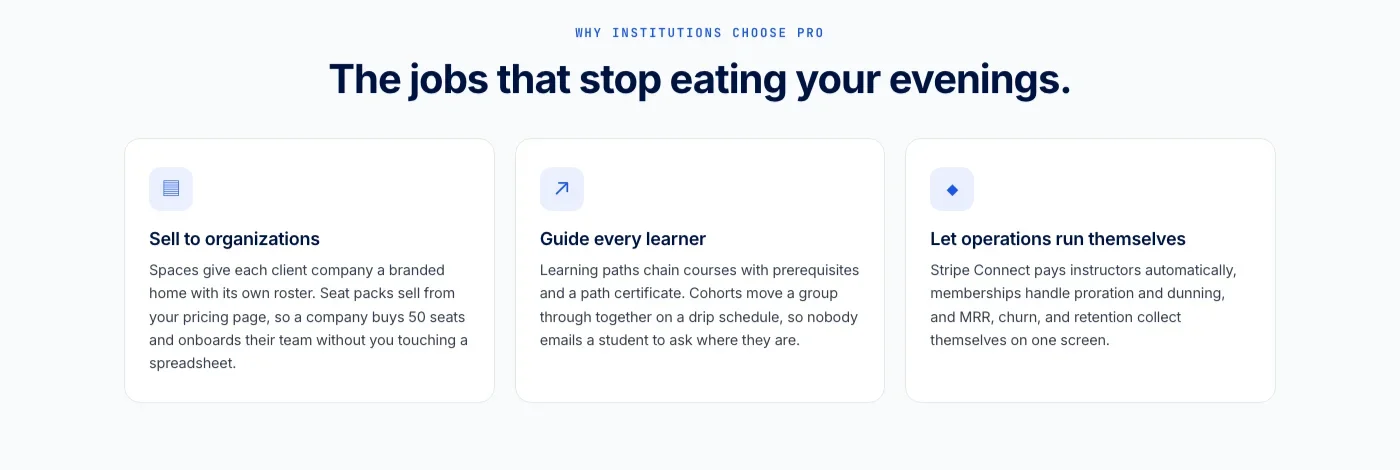
It also does not stop at courses: a learning community around your school, discussion boards and Q&A alongside your lessons, gamified progress with points and badges, even a job board for your graduates, from the same team, on a site you own.
Where Jetonomy Pro Comes In Once the Forum Is Running
Everything in this post works with the free Jetonomy plugin: Q&A spaces, voting, accepted answers, and full-text search. Jetonomy Pro becomes relevant once you want to prove the forum is actually doing what this post claims, the analytics dashboard shows which modules generate the most questions, and badges plus a leaderboard give your most active peer-teachers visible recognition instead of an anonymous thank-you in a thread. See the Jetonomy Pro page for the full extension list.













