How to Run a Private Members-Only Community Without Using Facebook or Discord in 2026

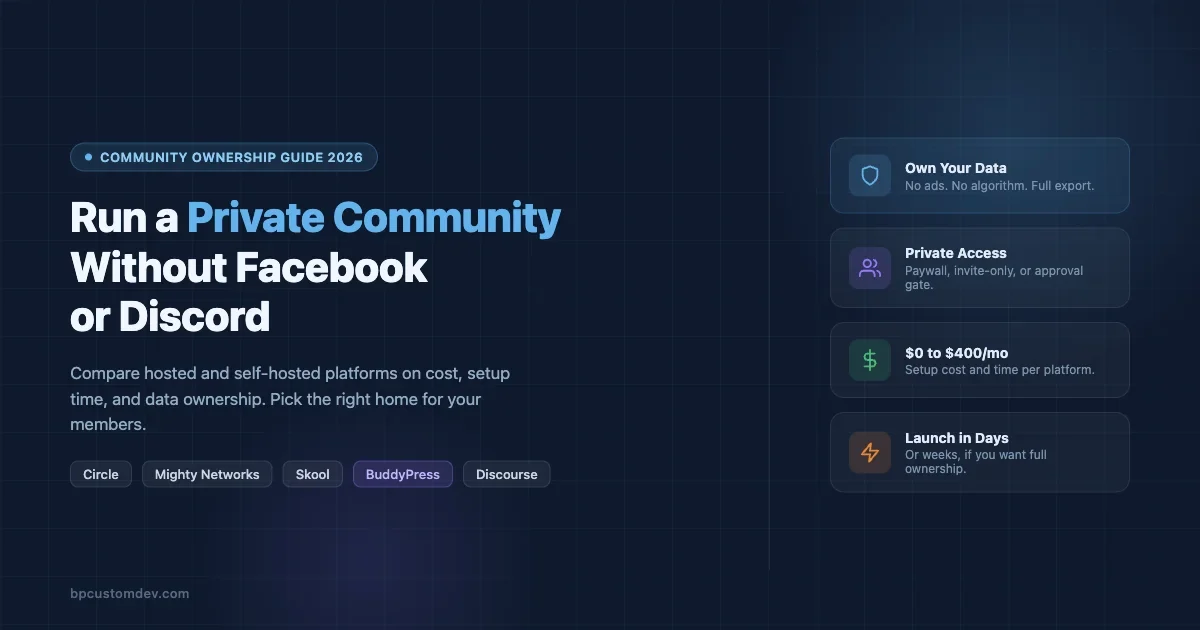
You want a private, members-only community, and you don’t want to build it on Facebook Groups or Discord. That’s a good call. Both platforms serve their purpose, but neither gives you control over your data, your member experience, or your community’s long-term future. This guide walks through exactly how to run a private community in 2026 without handing the keys to Meta or Discord, from the “why” to the actual setup options with real costs and time estimates.
Why People Are Leaving Facebook Groups and Discord
Before diving into alternatives, it’s worth naming the specific problems you’re running from. Not all of them apply to everyone, but chances are at least three of these hit close to home.
The Facebook Problem
Facebook Groups are free to use, which means you are the product. Meta serves ads to your members, uses engagement data to train its models, and can change the algorithm overnight so your posts reach 4% of your own group. You can’t export your member list in a usable format. You can’t control what ads appear next to your content. If Meta decides your group violates a policy, it disappears without appeal. These are not hypothetical risks. Group admins with 50,000-member communities have woken up to zero-notice shutdowns.
Beyond control, the experience is bad. Facebook’s notification stack buries community content under personal posts, ads, and Reels. Members complain they miss announcements. Pinned posts vanish. New members land on a wall of unstructured history with no way to navigate it.
The Discord Problem
Discord solves the “free” part differently: it targets gamers and technically-minded users, and it’s genuinely good at real-time chat. But it’s designed for real-time chat, not community knowledge management. Threads are the afterthought, not the default. There’s no native paywall for paid memberships. The interface intimidates non-technical members. And Discord retains your server data while making bulk export genuinely painful.
The deeper issue with Discord is that it optimizes for activity, not value. A server that goes quiet for a week feels dead. A useful knowledge base with settled discussions doesn’t surface well. Communities built around learning, professional development, or niche expertise tend to plateau on Discord because the medium doesn’t support the use case.
What You Actually Want
When community managers say they want out of Facebook or Discord, they usually mean some combination of:
- Owning their member list and contact data
- No third-party ads in their community
- A feed or discussion structure that stays relevant over time
- The ability to charge for access (paywall, tiered membership)
- Control over the design and branding
- Not losing everything if the platform shuts down or bans their account
The options below are organized around those needs. Some trade cost for control. Some trade control for speed of setup.
The Hosted vs Self-Hosted Decision
Every private community alternative falls into one of two buckets. Hosted SaaS platforms (Circle, Mighty Networks, Skool, and others) run on someone else’s servers and handle all the technical infrastructure. Self-hosted platforms (BuddyPress on WordPress, Discourse) run on your server, giving you full ownership at the cost of managing the stack yourself.
Neither is universally better. The right choice depends on your technical capacity, budget, and how much you value ownership vs. speed of launch.
Hosted Options: Setup in Days, Not Weeks
Circle
Circle is the platform most community operators land on when they first leave Facebook. It’s purpose-built for online communities, with spaces (topic rooms), a member directory, courses, events, live streams, and a native paywall. The interface is clean and works well on mobile.
What it costs: Circle starts at $89/month for the Basic plan (up to 1,000 members). The Professional plan at $199/month removes Circle’s branding and adds custom domains. The Business plan at $360/month unlocks the full feature set including white-labeling and API access. There’s also a transaction fee on paid memberships at lower tiers (1-4% depending on plan).
Setup time: 1-3 days for a functional community. Creating spaces, configuring membership tiers, and setting up your welcome sequence takes a few hours if you already have your content structure planned. Custom domain and branding take another hour.
The catch: Your data lives on Circle’s servers. You can export member data and posts, but the export is manual and not always clean. If Circle raises prices (they have before), you’re stuck renegotiating or migrating. You also can’t modify the core product, so if Circle doesn’t support a feature you need, you wait or switch.
Best for: Course creators, coaches, and membership businesses that want a polished experience without touching code and are comfortable paying $100-400/month for that convenience.
Mighty Networks
Mighty Networks has been around longer than most community platforms and has refined its feature set over several years. It combines community spaces, courses, live events, and member profiles into a single product. The “Mighty Co-Host” AI feature helps generate community content prompts, which is genuinely useful for admins running active communities.
What it costs: The Community plan starts at $41/month (billed annually) and covers up to 1,000 members. The Business plan at $99/month adds courses and native Zoom integration. The Mighty Pro tier (custom pricing, usually $500+ per month) includes a branded mobile app, which is one of the platform’s strongest selling points.
Setup time: 2-4 days. Mighty Networks has more configuration options than Circle, which means more time to set up but more control over the experience. The mobile app offering (at the Pro tier) requires additional review time (usually 2-4 weeks for App Store/Google Play approval).
The catch: The lower tiers have a transaction fee (3%) on paid memberships. The base interface feels dated compared to Circle. The branded mobile app, which is a genuine differentiator, requires the most expensive plan.
Best for: Established creators or businesses that want a native mobile app experience and are comfortable investing $500+/month for that. Also good for communities that run courses alongside discussion.
Skool
Skool takes a deliberately simple approach. There’s a community feed, a classroom (for courses), and a calendar. That’s mostly it. The simplicity is the point. Skool is built around engagement mechanics: a leaderboard gamifies participation, and members level up based on activity, unlocking locked content at higher levels.
What it costs: $99/month flat, no transaction fees, unlimited members. This pricing model is unusually straightforward for the space.
Setup time: Half a day to a full day. Skool is genuinely fast to set up. The limited feature set that some users find restrictive is also what makes onboarding quick.
The catch: You can’t customize the design beyond your logo and cover image. The gamification mechanic (leaderboard, levels) works well for some communities and feels wrong for others. There’s no native live stream, no events feature beyond a calendar, and no API for custom integrations. You’re working within Skool’s opinionated structure.
Best for: Course creators who want the simplest possible community attached to their curriculum, and communities where the gamification mechanic matches the culture.
A Quick Comparison at a Glance
Platform | Starting Price | Setup Time | Data Export | Custom Branding |
|---|---|---|---|---|
Circle | $89/mo | 1-3 days | Partial | Professional plan+ |
Mighty Networks | $41/mo | 2-4 days | Partial | Business plan+ |
Skool | $99/mo | Half a day | Limited | Logo/banner only |
BuddyPress (WordPress) | $0 software + hosting | 1-3 weeks | Full (it’s your DB) | Complete |
Discourse | $0 software + hosting | 1-2 days (tech) | Full | Strong |
Self-Hosted Options: Full Ownership, More Setup
BuddyPress on WordPress
BuddyPress turns a WordPress site into a full-featured social network with member profiles, activity streams, private groups, messaging, and friend connections. It’s open source, runs on your WordPress installation, and you own everything: the code, the database, the member data, and the infrastructure.
This is the deepest form of ownership available. When your member signs up on a BuddyPress community, their email address, profile data, and activity history live in your database on your server. You can export it, query it, back it up, or migrate it at any time. No platform can revoke your access.
BuddyPress also integrates with the broader WordPress ecosystem. You can add WooCommerce for paid memberships, bbPress for structured forums, a learning management system for courses, and thousands of plugins for specific functionality. If you need something custom-built, custom BuddyPress development gives you a path that no SaaS platform can match.
What it costs: BuddyPress itself is free. You need WordPress hosting, which ranges from $10/month for basic shared hosting (not recommended for communities with active traffic) to $50-200/month for a managed WordPress host like Kinsta, WP Engine, or Cloudways. A purpose-built community theme with the right design runs $50-200 as a one-time purchase. Budget $100-300/month for a properly-configured community hosting stack.
Setup time: This is the honest part: 1-3 weeks if you’re doing it yourself for the first time. Installing WordPress and BuddyPress is 30 minutes. Configuring member registration, private groups, activity stream, messaging, and integrating a paywall takes considerably longer. You’ll also need to think about email deliverability (SMTP configuration), caching for performance, and SSL. If you’ve built WordPress sites before, the timeline compresses significantly.
The catch: You own the maintenance. Plugin updates, security patches, hosting bills, and backup management are your responsibility. This is the price of full ownership.
Best for: Organizations that need complete data ownership (education, healthcare, legal), communities with technical staff or a developer relationship, and anyone building a community as a long-term asset rather than an experiment.
Discourse
Discourse is the leading open-source discussion platform. It’s forum software, but modern and well-designed: threaded discussions, categories, badges, trust levels, and strong moderation tools. It works exceptionally well for communities organized around expertise and structured discussion (developer communities, professional associations, niche hobbyist groups).
What it costs: The software is free. Discourse recommends at least a $20-40/month VPS (DigitalOcean or similar) for a small community, scaling up with member count and activity. They also offer a managed hosting option starting at $100/month that handles the technical stack for you.
Setup time: 1-2 days for a technical person using their official Docker install guide. The managed hosting path (Discourse.org) reduces this to a few hours of configuration. For non-technical users, the self-hosted path is steep: Docker, server administration, and command-line comfort are assumed.
The catch: Discourse’s UX is forum-first. If your community needs a social network feel (profiles, friend connections, an activity feed), Discourse isn’t the right fit. It’s built for structured discussion, not social networking. There’s also no native paywall; you need third-party integrations (Patreon, Memberful) for paid access.
Best for: Developer communities, professional communities where discussion quality matters, and communities that want strong search and threading. Less ideal for social-first or lifestyle communities.
If you’d rather own your platform than rent a SaaS like Circle, Skool, or Discord, BuddyNext is a free, standalone community platform worth a look, an activity feed, member profiles, Spaces (groups), and deep moderation in one plugin, built as its own modern architecture rather than on top of BuddyPress (so it isn’t a BuddyPress add-on and existing BuddyPress plugins won’t run on it). Because it runs on your own site you keep full ownership of member data, and its Pro tier adds native Stripe memberships when you’re ready to monetize.
The Privacy and Data Ownership Argument
One reason to leave Facebook that doesn’t get enough attention: member data privacy is a competitive advantage and, increasingly, a legal obligation.
When your community lives on Facebook or Discord, you don’t know what those platforms are doing with your members’ behavioral data. Facebook is explicit that it uses group activity data for ad targeting and model training. Discord’s terms give them a broad license to use content and behavioral data.
For communities in regulated industries (healthcare, financial advice, legal services), this is not an abstract concern. For communities where members share sensitive personal information (support groups, health communities, professional peer groups), it’s an ethical question. Members who share personal challenges in a Facebook Group are also generating data for Meta’s advertising machine. Many of them don’t know this.
Running your own platform, whether that’s BuddyPress, Discourse, or a SaaS platform with a strong DPA (data processing agreement), lets you tell your members with confidence: we control your data, we don’t sell it, and here’s our privacy policy. That’s a genuine differentiator for the right audience. For a deeper look at compliance considerations, the post on community platform data privacy covers GDPR, CCPA, and member data ownership in detail.
The Algorithm Question
Facebook Groups and Discord both use algorithmic ranking to decide what members see. On Facebook, your post in your own group competes with the rest of the Feed for member attention, and Facebook decides how many of your members see it. Discord’s algorithm is less aggressive but still surfaces channels with recent activity over quieter ones.
On every alternative listed in this guide, your community runs on a chronological or relevance-ranked feed that you configure. Circle shows posts in the order they’re posted or pinned. Discourse ranks by activity and trust level, which you can tune. BuddyPress’s activity stream is chronological by default and can be filtered but not externally manipulated.
This matters because algorithmic feeds create content pressure. Community admins on Facebook start posting constantly to “feed the algorithm” and keep reach up. That behavior is platform-driven, not community-driven. When you own the feed, you post when you have something worth saying.
Monetization: Charging for Access
Running a paid members-only community is straightforward on all of the platforms above, but the implementation varies significantly.
Circle, Mighty Networks, and Skool all have native paywall features. You set a monthly or annual price, connect Stripe, and members pay through the platform. The trade-off is transaction fees (varies by plan and platform) and the fact that your payment relationship is mediated by the platform. If you leave, you need to migrate your subscriber relationships.
BuddyPress with WooCommerce Memberships or Paid Memberships Pro gives you a direct Stripe/PayPal relationship. Your subscriber list is your subscriber list. You set the billing logic, the access tiers, and the trial periods. This is more setup work upfront, but you own the payment infrastructure permanently.
Discourse requires third-party tools for monetization. Memberful and Patreon both integrate with Discourse via webhooks to grant access based on subscription status. The setup is manageable for technical users.
Pick-by-Use-Case Framework
The right platform depends on what you’re building. Here’s a direct mapping:
You want to launch in under a week with minimal technical setup
Use Skool if your community is course-adjacent and the gamification mechanic fits. Use Circle if you need more design control and a richer feature set. Both launch in days.
You need a native mobile app for your community
Use Mighty Networks Pro. It’s the only platform in this guide with a proper white-labeled native mobile app as a standard offering. Circle has a mobile-optimized web app and a generic app, but not a white-labeled native one at the same price point.
You’re building a long-term community asset and need to own your data completely
Use BuddyPress on WordPress. The setup investment pays back over years of not paying platform subscription fees and not being subject to pricing changes or policy decisions from a third-party company.
Your community is discussion-first and expertise-driven
Use Discourse. The threading model, trust levels, and search are unmatched for communities where the archive of past discussions is as valuable as new activity.
You’re in a regulated industry or handle sensitive member data
Use BuddyPress or Discourse (self-hosted). SaaS platforms introduce a third party into your data relationship that adds complexity for compliance. On your own hosting, your DPA is with your hosting provider only.
You need the lowest possible monthly cost
Self-hosted wins here. BuddyPress on a $20-40/month VPS or managed WordPress host is cheaper than any SaaS platform after the first few months, assuming you have the technical capacity to manage it.
Migration: Getting Your Members Out of Facebook or Discord
The hardest part of leaving Facebook or Discord isn’t picking a new platform. It’s getting your members to move with you.
A few things that work:
Announce the reason, not just the change. “We’re moving to a platform we own, so your data isn’t used for advertising, and we won’t wake up one day to find the group shut down” is a message most members respond to. It frames the move as something you’re doing for them.
Run both in parallel briefly. Give members 2-4 weeks where both spaces are active, with new content only in the new space. People move when the content moves.
Export what you can from Facebook before you leave. Facebook’s group export is limited but gives you member names and email addresses (for members who opted in). Discord exports are more limited for non-admin data.
Don’t try to migrate old content. Old Facebook discussions rarely have the same value when imported into a new platform. Start fresh with your core members and let the new platform develop its own archive.
Use a Google Form or direct email signup as a bridge. Before the new platform is live, collect emails from members who want to join the new space. This gives you a list to invite from that’s independent of Facebook’s export.
Common Mistakes to Avoid
A few patterns that trip up community managers making this transition:
Picking the most feature-rich option rather than the right-fit option. Mighty Networks has more features than Skool. BuddyPress has more features than Discourse. More features means more configuration work and more ways for things to go wrong. Start with the simplest platform that covers your core use case.
Underestimating migration resistance. Members who have been in a Facebook Group for years are habituated to that experience. The friction of learning a new interface is real. Plan for a 30-50% reduction in active members during migration, with gradual recovery as the new space develops culture.
Setting up the platform before defining community norms. The technical setup is the easy part. The hard part is deciding: what is this community for, who is it for, and what behavior do we want to encourage? Those questions are platform-independent and need to be answered before launch.
Choosing self-hosted without a maintenance plan. BuddyPress on WordPress is only “free” if your time has no value. Factor in plugin update management, security monitoring, backup testing, and occasional debugging when estimating the true cost.
The Bottom Line
Running a private, members-only community without Facebook or Discord is straightforward in 2026. The options are mature, the pricing is clear, and the migration playbook is well-established. The decision comes down to how much control you want, how quickly you need to launch, and how much technical work you’re willing to do yourself.
If you need to be live next week, start with Circle or Skool. If you’re building something you intend to own for five or ten years, BuddyPress on WordPress is the answer. If your community is discussion-first and you have technical staff, Discourse is hard to beat.
The one thing all of these options share: your community stays yours. No algorithm decides whether your members see your posts. No platform ban ends your community overnight. That’s the independence you’re building for, and any of the paths above gets you there.