Best Community Platforms for Churches and Non-Profits in 2026 (Free and Paid)

Churches and non-profits have a problem most software vendors don’t talk about honestly. The tools built for businesses don’t fit their structure. A mid-size congregation with 400 families, six small groups, a prayer chain, and a building fund cannot run on the same community stack as a SaaS startup’s customer forum. The needs are different: attendance tracking, giving integration, children’s check-in, volunteer coordination, and prayer request workflows don’t appear on a standard community platform’s feature list. This guide breaks down what actually works for faith communities and non-profits in 2026, explains the ChMS-versus-community-platform distinction that saves you a $3,000 mistake, and gives you a pick-by-use-case framework at the end.
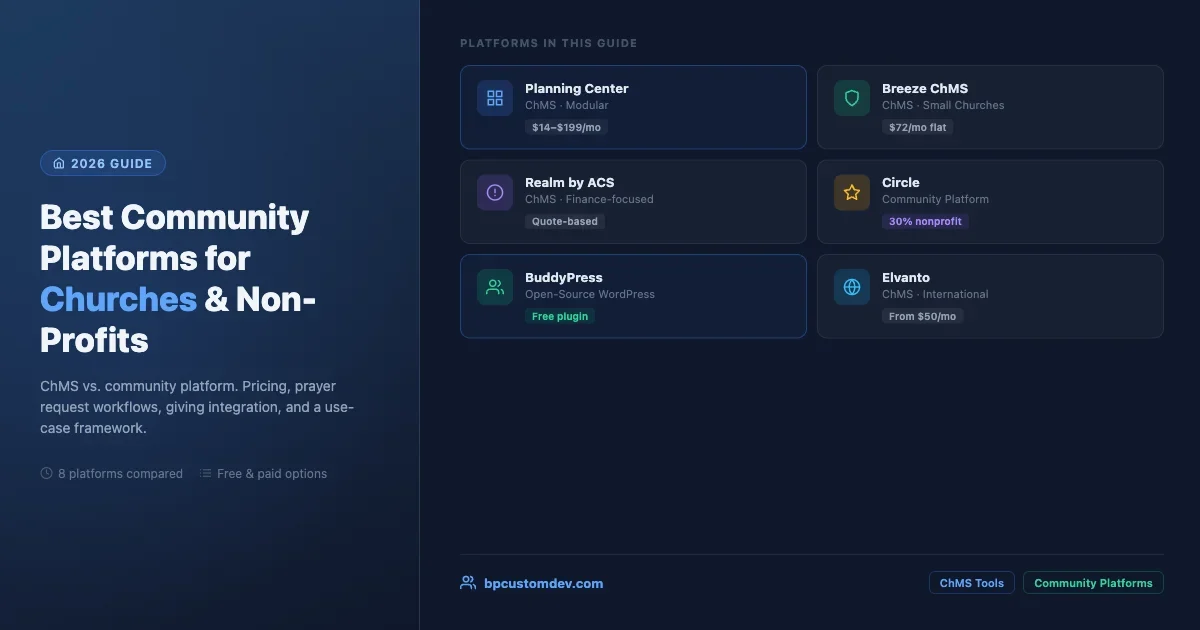
Platform | Type | Starting Price | Best For |
|---|---|---|---|
Planning Center | ChMS | $14/mo | Mid-size to large churches |
Breeze | ChMS | $72/mo flat | Small congregations on a budget |
CCB / PushPay | ChMS | Quote | Large churches, groups communication |
Realm | ChMS | Quote | Finance-heavy church operations |
Elvanto | ChMS | ~$50/mo | International / multi-campus |
Circle | Community | ~$69/mo (NP) | Non-profits, member engagement |
BuddyPress | Community | Free + hosting | Full data ownership, self-hosted |
ChMS vs. Community Platform: The Distinction That Saves You Money
Before comparing any tool, you need to know which category you’re shopping in.
A Church Management System (ChMS) is an administrative database. It tracks member records, giving history, attendance, group rosters, and check-in for kids’ programs. Think of it as the church’s operational back-end. Examples: Planning Center, Breeze, Realm, Elvanto.
A community platform is a member-facing space for conversation, content sharing, events, and peer-to-peer connection. It’s where people talk to each other, not where the admin manages them. Examples: Circle, BuddyPress, Discord, Mighty Networks.
Many churches buy a ChMS expecting a community platform or vice versa, and end up with neither job done well. The honest answer for most congregations above 200 members: you need one of each, or a single tool that handles both reasonably well.
Planning Center: Best for Mid-Size to Large Churches
Planning Center is the dominant ChMS in North America for churches between 200 and 5,000 members. It’s a modular system. You pay only for the modules you use: People (member database), Giving, Groups, Registrations, Check-Ins, and Services (worship planning).
The pricing model is per-module, tiered by congregation size. A church with 500 active profiles using People + Giving + Groups pays roughly $89 per month. That’s not cheap for a small congregation, but the depth of the giving tools and the check-in hardware integrations (it works with label printers out of the box) justify the cost for larger operations.
What Planning Center does well: volunteer scheduling, worship team coordination, detailed giving reports, and a clean family check-in flow. The Groups module handles small group roster management and attendance tracking.
What it doesn’t do: threaded community discussion. The Groups module sends emails to members but doesn’t give them a place to talk to each other between Sundays. If you need that, Planning Center users typically bolt on a private Facebook group, a WhatsApp thread, or a separate community platform.
Best for: churches with active kids’ programs, multiple service times, and worship teams. The operational complexity justifies the cost.
Breeze ChMS: Best for Small Congregations on a Budget
Breeze targets churches under 500 members with a flat $72/month pricing that doesn’t scale by member count. That alone makes it worth evaluating for smaller congregations who’d pay three times as much on a per-member model.
The interface is genuinely simple. Giving records, attendance, contact management, event registration, and basic email communication are all present. Breeze doesn’t try to do everything Planning Center does, and that restraint is its strength.
What Breeze does well: fast setup (most churches are live in under an hour), giving management with online donation links, and clean attendance entry. The mobile app is usable, which matters for volunteers taking attendance on an iPad.
What it doesn’t do: worship service planning, children’s check-in hardware integration, or community discussion. It’s a pure ChMS with no community layer.
Best for: small to mid-size churches that need a clean member database and giving tracker without paying for features they’ll never use. The best entry-level ChMS in the market.
Church Community Builder (CCB): Deep Groups Integration
Church Community Builder (now part of PushPay) has been a standard in the evangelical church space for over 15 years. Its strength is small group management with genuine two-way communication inside the platform.
CCB gives group leaders a simple portal to post updates, track attendance, and communicate with their group without needing a separate app. It’s one of the few ChMS tools that gives group members a persistent online space, which closes some of the gap between ChMS and community platform.
What CCB does well: group communication, volunteer management, giving integration, and event registration. The “process queue” feature for following up with visitors or tracking discipleship steps is a standout.
Pricing note: CCB is now bundled with PushPay’s giving platform, which affects pricing transparency. You’ll need to request a quote rather than finding public pricing. Expect costs in the $200-500/month range for most congregations, which is significantly higher than Breeze.
Best for: larger churches (500+) with active small group ministries where two-way group communication inside the platform is a requirement.
Realm by ACS Technologies: Best for Finance-Heavy Operations
Realm is built for congregations that care deeply about financial reporting, treasurer dashboards, and pledge tracking. ACS Technologies has been in the church software space since the 1980s, and Realm is their modern web-based evolution.
The giving and accounting tools are the deepest in this comparison. Realm tracks pledges, funds, contributions, and generates the year-end giving statements that members need for tax purposes. For churches with an active finance committee, this matters.
What Realm does well: giving and pledge tracking, financial reporting, group management with member-facing profiles, and check-in. The Realm Connect app gives members access to their giving history and group communication.
What it doesn’t do as well: the UI feels dated compared to Planning Center and Breeze. Setup takes longer. Customer support responsiveness is mixed.
Best for: churches that prioritize financial transparency and need detailed giving reports. Denominations with centralized reporting requirements often favor Realm because of its reporting depth.
Elvanto: Best for International and Multi-Language Congregations
Elvanto (now part of Pushpay’s portfolio as well) stands out for its international reach. The platform supports multiple currencies, multiple languages, and time zones in a way the US-centric ChMS tools don’t fully address.
Beyond international support, Elvanto’s volunteer management module is strong. Rostering, availability tracking, and automated reminder emails for volunteers are all built in.
What Elvanto does well: multi-site church management, volunteer rostering, reporting, and the service planning tools that compete with Planning Center’s Services module.
Best for: international congregations, multi-campus churches, and denominations that need centralized reporting across multiple churches with different currencies.
Circle for Non-Profits: Community-First, Not Admin-First
Circle is a community platform, not a ChMS. It’s designed for conversation, courses, events, and member engagement. Where the tools above track giving records and attendance, Circle gives members spaces to post, react, respond, and build relationships.
Circle launched a nonprofit discount program. Organizations with 501(c)(3) status in the US (or equivalent in other countries) can apply for a 30% discount off the standard pricing. The base plan starts at around $99/month before the discount, putting the nonprofit entry point around $69/month.
What Circle does well for non-profits: event hosting with RSVP tracking, course/resource delivery for member education, structured discussion spaces, and a clean mobile experience. For advocacy organizations, professional associations, and mission-driven groups that want an active online hub, Circle is genuinely good.
What Circle doesn’t do: giving/donation tracking, attendance records, children’s check-in, or the operational ChMS functions. It’s the community layer, not the administrative back-end.
Best for: non-profits that need an engaging member-facing community space and already handle their administrative work (donations, volunteers) through separate tools like Bloomerang, Salesforce Nonprofit, or a dedicated volunteer management platform.
BuddyPress for Non-Profits: The Open-Source Option
BuddyPress is a free WordPress plugin that turns a WordPress site into a social network. For non-profits with technical capacity or a developer relationship, BuddyPress offers something commercial platforms can’t: full data ownership, no per-member pricing, and deep customization without a SaaS contract.
A BuddyPress site can host member profiles, private groups, activity feeds, private messaging, and discussion forums. Combine it with a donation plugin (GiveWP, Charitable) and an events plugin (The Events Calendar with its community add-on), and you have a full community + operations stack on a platform you own.
Real cost picture: BuddyPress itself is free. A managed WordPress host runs $25-80/month. A developer to set up and customize the initial installation: $1,500-4,000 as a one-time cost for a non-trivial setup. Ongoing maintenance is the honest hidden cost. But at 500+ members, the per-member cost math often flips in favor of the self-hosted approach versus a $200-400/month commercial platform.
What BuddyPress does well for non-profits: member profiles with custom fields (perfect for volunteer skills, chapter location, or advocacy interests), private groups with file sharing, and integration with the entire WordPress ecosystem. Google for Nonprofits gives organizations free Google Workspace, which pairs naturally with a BuddyPress site for document sharing and calendar integration.
What BuddyPress requires: someone to maintain the WordPress stack. Plugin updates, security patches, and occasional conflicts are real maintenance work. If your organization has no one comfortable with WordPress administration, BuddyPress adds operational risk that a hosted platform doesn’t. For a full breakdown of what a BuddyPress-based community stack looks like compared to all-in-one platforms, see our BuddyPress community stack vs BuddyBoss comparison.
Best for: non-profits with a technical volunteer, freelancer budget, or agency relationship that want full data ownership and zero per-member pricing. Also strong for faith-based organizations that want to host everything on their own domain.
If you’re choosing a community stack fresh, BuddyNext is a free, standalone community platform worth a look, an activity feed, member profiles, Spaces (groups), and deep moderation in one plugin, built as its own modern architecture rather than on top of BuddyPress (so it isn’t a BuddyPress add-on and existing BuddyPress plugins won’t run on it). Because it runs on your own site you keep full ownership of member data, and its Pro tier adds native Stripe memberships when you’re ready to monetize.
Google for Nonprofits: The Free Infrastructure Layer
This isn’t a community platform by itself, but no article about non-profit tools is complete without it. Google for Nonprofits gives qualifying organizations free access to Google Workspace (previously G Suite), Google Ad Grants ($10,000/month in search advertising), YouTube Nonprofit Program, and Google Earth Outreach tools.
The practical value: Google Workspace gives your organization professional email addresses, shared Drives for documents, and Calendar for coordination. These are the operational tools that every non-profit needs but many pay for unnecessarily.
To qualify, you need to be a registered non-profit that’s not a governmental body, hospital, school, or religious organization. The religious organization exclusion is a real limitation: many faith communities cannot access Google for Nonprofits directly, though a separate outreach ministry or non-profit arm of a church often can qualify.
For non-profit community platforms, Google Workspace integrates naturally with BuddyPress (shared docs linked in groups), Circle (Google SSO login), and most other tools via Calendar embeds and Drive file sharing.
Prayer Request Workflows: What the Tools Actually Support
Prayer requests are a specific use case that matters enormously in faith communities and that most platform reviews ignore entirely. Let’s be direct about what each category supports.
ChMS tools (Planning Center, Breeze, CCB, Realm): none of them have a dedicated prayer request module. The standard workaround is using a Group or a form submission. In Planning Center, a group leader can post a prayer update and members receive an email. CCB has the closest thing: group message boards where prayer requests appear as posts. But there’s no notification system built around prayer urgency or a way for members to mark requests as “prayed for.”
BuddyPress: with the right activity stream configuration, members can post prayer requests to a group, and other members can reply or “like” the request as an acknowledgment. It’s not purpose-built, but it works and it’s real-time on the platform. A developer can build a custom “prayer request” post type that surfaces in group feeds with specialized notifications.
Circle: a Space named “Prayer Requests” with posts and reactions is the standard pattern. Members post requests, others respond with encouragement. It works well for asynchronous prayer chains but doesn’t push urgent notifications the way a phone call chain would.
The honest gap: no mainstream community platform has first-class prayer request tooling. The organizations that solve this well build a lightweight custom integration or use a dedicated prayer app (PrayerMate, Echo Prayer) alongside their primary platform.
Tithing and Giving Integration: Where Each Platform Stands
Online giving is table stakes for any church platform in 2026. Here’s where each tool stands.
Built-in giving: Planning Center Giving, CCB (via PushPay), Realm, and Elvanto all have native online giving that ties directly into the member record. Contributions are logged automatically, recurring gifts are manageable by the member, and year-end statements are generated from the same data. This is the cleanest path for churches that want everything in one place.
Third-party integrations: Breeze integrates with Stripe and PayPal for giving but manages the donation record in Breeze itself. Circle has no native giving. BuddyPress works with any WordPress donation plugin: GiveWP (most mature), Charitable, and WooCommerce Memberships for tiered giving/membership combinations.
For non-profits (non-church): the standard stack is a dedicated CRM like Bloomerang or DonorPerfect for donation management, combined with a community platform like Circle or BuddyPress for member engagement. The two systems are connected via Zapier or a direct API integration. This is the most flexible approach but requires the most setup.
Event RSVPs and Member Directory: The Other Two Non-Negotiables
Event RSVPs: all ChMS tools handle event registration natively. Planning Center Registrations is especially strong for paid events, ticket tiers, and capacity limits. Breeze handles basic event registration. Circle has a built-in events feature with RSVP tracking. BuddyPress needs The Events Calendar plugin for this, but the combination works well.
Member directory: this is where faith communities have specific sensitivity. A member directory needs to be private (members only), optionally searchable by name and small group, and give individual members control over what they show. Planning Center’s People module has this. Realm has it. BuddyPress has it out of the box with profile visibility settings, and you can lock it to authenticated members only using the approaches covered in our guide to building a private BuddyPress community. Circle doesn’t have a searchable directory in the traditional sense; member profiles exist but directory browsing is limited.
Pick-by-Use-Case Framework
Use this framework to narrow your options based on your most important requirement:
- Small church, simple needs, limited budget: Breeze ($72/mo flat) + free Facebook Group or WhatsApp for conversation.
- Mid-size church with active small groups: Planning Center (People + Groups + Giving) + Circle for online community. Budget: $130-250/month combined.
- Large church with complex operations: Planning Center full suite or CCB. Depth justifies cost at scale.
- Non-profit with active membership (non-church): Circle for community + Bloomerang for donor management + Google Workspace (free via Google for Nonprofits).
- Non-profit with technical capacity wanting full ownership: BuddyPress on managed WordPress + GiveWP + The Events Calendar. One-time setup, no per-member pricing.
- International congregation or multi-campus: Elvanto for ChMS (multi-currency, multi-language) + Circle or BuddyPress for community.
The wrong answer is picking a tool based on a demo before knowing which category you need. Start with the question: “What job needs to be done that we currently fail at?” If the answer is administrative chaos and missing giving records, buy a ChMS. If the answer is members feel disconnected between Sundays, invest in the community layer.
Most organizations above a certain size need both. Budget for both from the start rather than discovering the gap after you’ve committed to a single platform that doesn’t close it.
Children’s Check-In: A Feature That Determines Platform Choice
If your congregation runs a children’s program, check-in capability is often the deciding factor between platforms. Children’s check-in involves scanning a family’s card or phone, printing name tags with a matching security number for the child and parent, and tracking which children are in which room. It’s a safety and legal compliance issue, not just a convenience feature.
Planning Center Check-Ins is the most polished solution in this list. It supports label printers (Dymo and Brother), an iPad check-in kiosk app, family management with multiple children, and volunteer check-in (so you know which adult is in each room with children). The app works offline and syncs when connectivity returns. This matters in older church buildings with unreliable WiFi.
Realm has a check-in module that’s functionally solid but less visually refined than Planning Center. It handles the basics: kiosk mode, label printing, and attendance records.
CCB via PushPay offers check-in through its app, with similar functionality to Realm. The PushPay mobile experience for giving is strong but the check-in workflow requires more setup than Planning Center.
Breeze does not support hardware label printing for check-in. If children’s check-in with printed name tags is a requirement, Breeze is disqualified regardless of its other strengths.
BuddyPress, Circle: no children’s check-in functionality. These are community platforms, not ChMS tools. This is a gap that requires a separate solution or a full ChMS.
Volunteer Management Across Platforms
Every congregation and non-profit runs on volunteers. The difference between tools becomes clear when you look at how they handle the volunteer lifecycle: recruitment, scheduling, communication, and recognition.
Planning Center Services is purpose-built for worship team scheduling. You define positions (guitar, sound, projection), set scheduling preferences per volunteer, send automated scheduling requests with accept/decline, and track availability blockouts. For churches with weekly services and rotating volunteer teams, this module saves staff hours every week.
Elvanto has the strongest general-purpose volunteer management in this comparison, outside of worship-specific scheduling. Volunteer availability, skill tracking, position history, and automated reminder emails are all built in. For non-profits with complex volunteer programs (multiple departments, irregular schedules), Elvanto’s rostering tools are worth the evaluation.
CCB handles volunteer management through its process queues and serving opportunities module. It’s good but not as deep as Elvanto for general volunteer programs.
Circle and BuddyPress have no native volunteer management. For non-profits using these platforms, a separate volunteer management tool (VolunteerHub, Better Impact, or a simple shared Google Sheet) handles scheduling outside the community platform.
Migrating from an Existing Platform: What to Expect
Many organizations reading this are not starting from zero. They’re evaluating a switch from one platform to another, either because the current tool has grown too expensive, the vendor was acquired (CCB and Elvanto both being absorbed into PushPay raised legitimate continuity questions), or because member engagement has stalled and a platform change is on the table.
A few honest points on migration:
Giving history is the hardest data to migrate. Most ChMS tools can export contribution records as CSV files. Importing them into a new system preserves the dollar amounts and dates, but the year-end statements in the new system won’t retroactively cover prior years in most tools. Plan for a transition period where both systems are accessible for historical reference.
Member profiles export reasonably well. Names, addresses, email addresses, family relationships, and group assignments can generally be moved between ChMS tools. Photo directories do not migrate automatically.
Community content doesn’t transfer. If your congregation has been building conversation history in CCB’s group boards or in Circle Spaces, that content stays behind. This is a real loss and worth communicating to your community before the switch. Give members a window to save anything they want to keep.
Expect 3-6 months of parallel operation for a church above 300 members. Rushing a ChMS migration during a busy season (Christmas, Easter, a building campaign) creates avoidable data errors. Plan the cut-over for a slow period.
Pricing Summary for 2026
Pricing in this space changes frequently. All figures are approximate for 2026 based on publicly available information and should be verified before purchase.
Planning Center: modular pricing. People module at $14/month (up to 25 profiles) scales to $199/month (5,001+ profiles). Each additional module adds cost. A church with 500 members using People + Giving + Groups + Check-Ins pays approximately $150-200/month total.
Breeze: flat $72/month regardless of congregation size. No per-module add-ons for core functionality. Giving processing fees apply (standard Stripe/PayPal rates).
CCB/PushPay: quote-based. Expect $200-500/month for a typical mid-size church. The bundling with PushPay’s giving platform can make cost comparison difficult.
Realm: quote-based. Generally in the $100-300/month range for a congregation of 500. Includes their full suite rather than requiring module add-ons.
Elvanto: $50/month base, scaling by number of people in the system. 500 people run approximately $100/month.
Circle (with nonprofit discount): the Basic plan at approximately $69/month after a 30% discount. The Professional plan (more customization, custom domain) at approximately $98/month after discount.
BuddyPress: free plugin. Hosting costs $25-80/month. Developer setup: one-time $1,500-4,000. Ongoing maintenance: $0 if staff-managed, or $50-150/month if outsourced to a developer.
Questions to Ask Before Signing a Contract
Vendor demos are designed to show strengths. These questions surface the gaps.
First: what happens to our data if we leave? Get the answer in writing. You want a full export of all member records, giving history, and group data in a standard format (CSV or JSON). Any vendor that won’t commit to this in the contract is a vendor to avoid.
Second: what’s the real migration path from our current system? Ask them to walk through how your existing data comes in. Vague answers (“our team will help you with that”) are not enough. You want a specific process with timelines.
Third: how are payment processing fees handled for online giving? Platform fees and credit card processing fees are separate costs that add up. A platform charging 1% on top of Stripe’s 2.9% means 3.9% per transaction. On $200,000 in annual giving, that’s $7,800 in fees alone.
Fourth: what does the roadmap look like for features we need? If a specific feature is critical (say, a dedicated prayer request module or a children’s check-in hardware integration), ask where it is on the roadmap. “It’s planned” with no timeline means it may never ship.
Fifth: is there a contract lock-in, and what are the cancellation terms? Month-to-month pricing with 30 days’ notice is the most flexible. Annual contracts are common and often come with a discount, but they expose you to a full year of cost if the tool doesn’t work out after implementation.