How to Charge Members a Monthly Fee to Access Your Online Community (Step by Step)

You built the community. People are showing up, asking questions, sharing wins, helping each other. Now you want to charge for it. Good. A paid community is not a betrayal of your audience. It is the mechanism that lets you keep the lights on, invest in better content, and filter for people who are actually serious. This guide walks you through exactly how to do it: what to charge, how to structure your first tier, how to set up billing that does not break every month, how to get your first 100 paying members, and how to keep them from canceling six weeks later.
Why Most Free Communities Fail (and Why Charging Fixes It)
Free communities have a participation problem. When membership costs nothing, there is no skin in the game. Members join, lurk for two weeks, and ghost. The most engaged people in the room are almost always the ones who paid to be there.
Charging does three things at once. It funds your time and tools. It creates commitment on the member’s side. And it filters for people who want results badly enough to invest in them. A community of 200 paying members is more valuable than a free group of 2,000 lurkers, to everyone involved.
The objection you will hear is “my audience cannot afford it.” That is usually wrong. The real issue is that the value has not been communicated clearly enough. When someone understands exactly what they get access to and what outcome they can expect, price becomes a secondary question.
What to Charge: Pricing Tiers, Anchoring, and the Founding-Member Psychology
The most common mistake is pricing on cost rather than on value. Do not start with “what does my hosting cost?” Start with “what is the outcome worth to the person who gets it?”
The Anchoring Framework
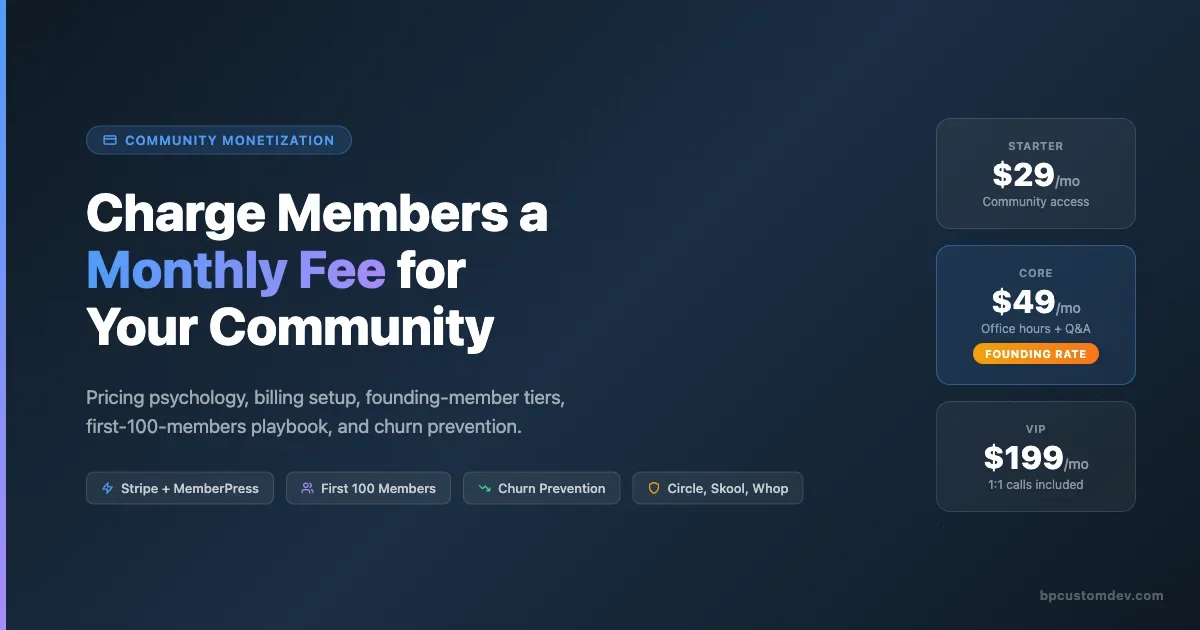
Offer three tiers at launch, even if two of them are thin. Anchoring works because humans make decisions by comparison. If your only option is $29/month, people weigh it against zero. If you offer $29, $79, and $199, people weigh $29 against $79 and suddenly $29 looks reasonable.
A workable opening structure:
- Starter tier ($19-$29/month): Access to the community feed, resource library, and one monthly group call. Good for people testing the waters.
- Core tier ($49-$79/month): Everything in Starter plus direct access to you (async Q&A or office hours), accountability threads, and a private Slack or sub-channel. This is your revenue engine.
- VIP tier ($149-$249/month): Core plus one 1:1 call per month, early access to new content, and whitelist status for any future programs. High-touch, low volume.
Founding Member Pricing: The One-Time Lever You Cannot Get Back
Founding member pricing is not a discount. It is a stake in the ground. You are saying: the people who join before this community reaches critical mass get a permanent rate as a reward for their early trust.
Set a hard cap (50 or 100 founding members). Lock their price forever or for 24 months. Make the end date real, not fake-urgent. “First 50 founding members get $29/month locked in. After that, the price goes to $49” is a genuine offer. People can feel fake urgency, and it erodes trust faster than any pricing mistake.
Founding member pricing serves two purposes: it gets cash in the door early (when the community has no social proof), and it creates a group of early evangelists who have a psychological investment in the community succeeding because they want their locked-in price to feel like a steal.
Annual vs Monthly
Offer annual at a 15-20% discount (roughly two months free). Annual members churn at a fraction of the rate of monthly members. The math works even at a discount. If your monthly price is $49, annual at $470 (roughly 20% off) lands the revenue upfront, reduces your churn math problem, and smooths your cash flow.
Put the annual option in front of people at checkout. Most SaaS defaulting to monthly is lazy habit. Flip the default to annual and let people opt down to monthly. You will be surprised how many take annual when it is presented first.
Billing Setup: The Technical Stack for Recurring Revenue
This is where most community builders spend too long. The honest answer: the platform you are already using probably has a billing path built in, and it is good enough to start. Do not build a custom payment flow before you have 10 paying members.
WordPress + MemberPress + BuddyPress (Self-Hosted)
If you are running a BuddyPress community on WordPress, MemberPress is the billing layer most teams reach for first. It handles Stripe, PayPal, and credit card recurring payments, creates access rules that gate BuddyPress groups or custom post types by membership tier, and includes a checkout flow that does not require a developer.
Setup flow:
- Install MemberPress. Add your Stripe keys in Settings > Payments.
- Create a Membership for each tier (Starter, Core, VIP). Set price, billing period, and trial if applicable.
- In Rules, gate your BuddyPress groups by membership level. Gate your private pages and forum access the same way.
- Set up a Registration page and a Login page. MemberPress generates these automatically.
- Test with Stripe’s test card (4242 4242 4242 4242) before going live.
What MemberPress does not do well: advanced dunning (failed payment recovery), member analytics beyond basic counts, and integrations with community engagement tools. For those, you layer Stripe directly or use a Zapier bridge.
Stripe Billing Directly (For Custom Stacks)
If you are building on a custom WordPress theme or a headless stack, connect Stripe directly. Create Products and Prices in your Stripe dashboard. Use Stripe’s hosted Checkout page for simplicity (you redirect members there, Stripe handles the payment UI). On webhook receipt of checkout.session.completed, fire a WP hook to assign the member their role.
The advantage of direct Stripe: you own the billing data, the dunning logic, and the customer object. You can build exactly the upgrade/downgrade/pause logic you want. The cost: more development time upfront, more maintenance.
Circle: Native Pay
Circle has native paid membership built in at the Professional plan tier and above. You set a price in the admin, and Circle handles billing, failed payments, and access control. There is no plugin to install. The tradeoff is platform fees on top of Stripe’s fees, and less control over the checkout experience. For a community that lives entirely inside Circle, it is the fastest path to a live paywall.
Skool: Native Billing
Skool has the simplest billing setup of any community platform. Go to your Space settings, set a monthly price, connect your Stripe account, and you are live. There are no tiers, no annual options (at time of writing), and no advanced billing logic. If you want to offer founding member pricing on Skool, you do it manually: create a coupon in Stripe for the locked-in rate and send the coupon link to founding members. Skool does not automate this natively.
Whop: Marketplace Billing
Whop sits between a community platform and a product marketplace. It handles billing, affiliate tracking, and member access in one place. If you want your community to be discoverable by buyers browsing Whop’s marketplace, it is worth considering. The downside is branding: your community lives under Whop’s domain and identity unless you configure a custom domain. Useful for launch-phase discovery, less ideal for brand-owned communities long term.
Connecting Billing to Access: The Rules Layer
Payment alone does not grant access. You need a rules layer that says “this member paid for this tier, therefore they can see and participate in these spaces.” Every platform has this differently.
On WordPress with MemberPress: Rules are content restrictions. Create a rule that says “BuddyPress Group ID 42 requires Active Membership: Core Tier.” Any user without that membership who lands on the group page sees a paywall.
On Circle: Set spaces to “Paid Members Only” at the space level. You can also set individual spaces to require specific paid tiers if you are using tiered pricing.
On Skool: Paid access is binary (paid or free). There is no multi-tier access control within a single Skool community. If you need tiers, you run multiple Skool communities or use a workaround (locked modules that require a separate purchase).
The critical rule: test your access gates before you announce pricing. Create a test account with no membership, try to visit every member-only page, and confirm the paywall fires correctly. Nothing destroys early trust faster than discovering members have accidentally had free access for two weeks after billing went live.
The First 100 Paying Members: A Realistic Playbook
The first 100 are the hardest. There is no social proof, no testimonials, no “we have 3,000 members” to point to. Here is what actually works.
Step 1: Start With Your Existing Audience (Even If It Is Small)
Before you announce anything publicly, send a direct message (not a broadcast email, an actual message) to 20-30 people from your existing audience who you know are a fit. Tell them you are launching a paid community, tell them what they get, and offer them founding member pricing if they join in the first 72 hours. This is not a soft launch. This is a pre-sell.
Getting 10-15 founding members from direct outreach before public launch gives you three things: real revenue, social proof for the public announcement, and feedback on whether your positioning is landing.
Step 2: The Public Launch
Email your list. Post to every channel you own (social, YouTube community tab, podcast notes if applicable). Be specific about what is inside: not “join a community of like-minded people” but “get access to weekly office hours, a private Q&A channel, 40+ templates, and a group of 30 founding members who are [specific description of your audience].”
The founding member cap creates real urgency. When you announce “founding member spots are open until we hit 50 or November 15, whichever comes first,” people who have been on your list without buying anything often convert. They have been waiting for the right prompt.
Step 3: Referral From Day One
Build in a referral mechanism from the start. Give existing members a unique link. When that link converts, give the referrer a month free or a credit toward their subscription. Referral-driven growth has lower churn than cold acquisition because referred members arrive with a warm relationship already in place.
Skool has a built-in affiliate system. On Circle, you can set this up with a Rewardful or FirstPromoter integration. On WordPress/MemberPress, use AffiliateWP. Whop includes affiliate tracking natively.
Step 4: Content as the Public Record
Every week, publish one piece of content that references something that happened inside the paid community without revealing the full details. “This week inside [Community Name], we worked through a member’s onboarding email sequence. Here is the single change that improved their trial conversion by 24%.” That is an outcome-flavored window into what members get. It compounds over time as an acquisition engine.
Step 5: The 90-Day Push
The first 90 days are the hardest growth window. Commit to showing up every single day inside the community. Answer every question. Start threads. Run at least one live call per week. Members who see the founder active in week one will tell other people. Members who see crickets will cancel in week four.
Churn Prevention: Keeping Members Past Month Three
The subscription graveyard is full of communities that hit 100 members and then watched them leave one by one. Churn is not a marketing problem. It is a value-delivery problem.
The Onboarding Experience
Most churn happens in the first 30 days, before a member has experienced anything worth staying for. Build an explicit onboarding sequence: a welcome email on day one pointing them to the two or three things they should do first, a check-in on day seven asking if they have gotten value yet, and a live orientation call (or a recorded walkthrough) that maps the community for them.
A new member who does not know where to go will do nothing, get no value, and cancel. An onboarded member who has posted once, gotten a response, and attended a call has social capital in the community. That social capital is what keeps them subscribed.
Making the Value Visible
Members forget what they have gotten unless you remind them. Monthly “wins threads” where members share what they accomplished work for this. A monthly email recap of resources added, calls hosted, and member outcomes is even better. The goal is to make the value feel cumulative, not flat.
If your community has a knowledge base or resource library, that library grows in value every month. Make that visible. “You now have access to 60 templates, 18 call recordings, and 4 months of member Q&A archives” feels very different from “you pay $49 a month.”
Pause Options and Save Flows
When a member goes to cancel, do not just let them cancel. Offer a pause option: “Pause your membership for up to 60 days and come back whenever you are ready, no questions asked.” Somewhere between 20 and 40% of members who would have canceled will take the pause instead, and a meaningful portion of them reactivate.
MemberPress supports membership pauses natively. On Circle and Skool, you manage this manually via Stripe (pause the subscription in Stripe). On Whop, there is a built-in pause option.
If a member cancels anyway, send a single follow-up email three months later. “The community has grown since you left. Here is what’s been added. If you want to come back, founding member pricing is available to returning members for the next 7 days.” Re-activations from churned members are high-intent and low-friction.
Early Warning Signs
Watch for these signals: a member who goes from active to silent for two weeks, a member who stops opening your weekly digest emails, a member who posts a question that suggests they have not found the resources that already answer it. Each of these is a pre-cancel signal.
Build a habit of reaching out personally to any member who has been silent for 14 days. Not a broadcast. A direct message: “Hey, noticed you have been quiet. Is there anything specific you are trying to figure out? Happy to point you to the right resources.” That one intervention saves a measurable percentage of would-be cancellations.
Platform Billing Comparison: Which Tool Fits Which Stage
If you are choosing your platform partly based on billing capability, here is a direct comparison across the four most common options.
Platform | Billing Complexity | Multi-Tier Support | Annual Plans | Dunning (Failed Payments) | Best For |
|---|---|---|---|---|---|
WordPress + MemberPress + BuddyPress | Medium (setup needed) | Yes (unlimited) | Yes | Via Stripe directly | Full control, custom community |
Circle | Low (built-in) | Yes (paid tiers) | Yes | Automatic via Stripe | Creators, coaches, mid-size teams |
Skool | Very low (one price) | No (single price) | No native | Automatic via Stripe | Simple course + community combos |
Whop | Low (marketplace) | Yes (products) | Yes | Automatic via Stripe | Launch-phase, affiliate-driven growth |
For a deeper look at how Circle and Skool compare on the broader community experience, including conversion rates and member engagement, see our breakdown of Circle vs Skool for paid community conversion.
For a paid or membership community you fully control, BuddyNext is a free, standalone community platform worth a look, an activity feed, member profiles, Spaces (groups), and deep moderation in one plugin, built as its own modern architecture rather than on top of BuddyPress (so it isn’t a BuddyPress add-on and existing BuddyPress plugins won’t run on it). Because it runs on your own site you keep full ownership of member data, and its Pro tier adds native Stripe memberships when you’re ready to monetize.
Tax, Compliance, and the Things You Do Not Want to Find Out Later
Charging members internationally means collecting sales tax, VAT, or GST depending on the country. This is not optional and the rules are genuinely confusing.
The pragmatic path: use Stripe Tax (built into Stripe Billing, enabled with one toggle). Stripe Tax automatically calculates and collects the correct tax for each buyer’s location. It costs 0.5% of transactions. For most community operators, that is a significantly better deal than hiring an accountant to track tax obligations in 30 countries.
If you are running through a marketplace like Whop, they handle tax collection and remittance for you under the merchant-of-record model. Same for Gumroad. This is a real advantage for early-stage operators who do not want to think about VAT registration in the EU.
Keep your terms of service and refund policy explicit. “No refunds on memberships” is legally enforceable in most jurisdictions if it is clearly stated at checkout. “30-day money-back guarantee” is a better member acquisition tool even if it reduces short-term revenue slightly, because it removes the risk of the first payment and tends to increase trial-to-paying conversion meaningfully.
The BuddyPress-Specific Setup: Locking Groups and Profiles Behind Membership
If you are running BuddyPress, the access control mechanics are worth spelling out clearly because they differ from SaaS platforms.
BuddyPress does not have native paid access. You need MemberPress (or a similar membership plugin) as the billing and access layer. Once installed:
- Group access: MemberPress Rules let you restrict access to specific BuddyPress group pages by membership. Set the Rule to “BuddyPress Group” and select the group ID.
- Activity access: You can restrict the main activity feed behind a paywall, or allow free-tier members to see a public subset of activity while paid members see the full stream.
- Profile completeness: You can gate extended profile fields (BuddyPress xProfile) so that certain fields are only visible or editable by paid members.
- Forums (bbPress): Gate specific forums or forum categories by membership level using MemberPress Rules.
One important consideration: BuddyPress’s user registration flow and MemberPress’s registration flow need to be reconciled. The cleanest approach is to use MemberPress’s Registration page as the primary registration point, and set BuddyPress to allow registration only through that flow. This way, every new member goes through billing before they get a BuddyPress account.
For a look at how the BuddyPress stack compares to all-in-one paid platforms, the BuddyPress vs Circle vs Mighty Networks vs Skool comparison covers the full feature and cost picture.
What to Do With Your First $1,000 in Monthly Recurring Revenue
When you cross $1,000 MRR, you have a real business signal. The temptation is to spend it on growth. The smarter move is to spend the first $1,000/month on improving the product that generated it.
Concretely: hire a part-time community manager to handle moderation and daily engagement so you can focus on content creation and strategy. Invest in a proper recording setup for calls (a decent USB mic and a ring light change the perceived quality of live calls significantly). Add one new resource or template to the library per week so the value visibly grows.
The second lever: use social proof immediately. Collect member outcome quotes within the first 60 days. Not “this community changed my life” testimonials, but specific results: “I used the pricing framework from the February office hours to restructure my offer. My conversion rate went from 6% to 11% in three weeks.” That kind of specific testimonial is what converts the next 100 members.
Mistakes That Sink Paid Communities in the First Six Months
The graveyard is large. Here are the patterns that put people there.
Setting a price and not raising it. If you never raise prices, founding member discounts stop feeling special and your revenue stays flat even as your audience grows. Plan your price increase cadence before you launch. Founding members keep their rate. Everyone who joins after the first cohort pays the standard price, which increases 10-15% every 6-12 months as the value of the community grows.
Not showing up daily in the first 90 days. The first three months are where the community culture sets. If you show up every day, your members learn that this is a place where things happen. If you show up twice a week, they learn to check in twice a week at best. The cadence you set in month one becomes the expected cadence forever.
Over-indexing on acquisition and under-indexing on retention. It is more exciting to announce “we hit 100 members” than to work on keeping the 100 you already have. But acquisition into a leaky bucket is expensive. Every percent you reduce monthly churn is compounding revenue growth. Run churn as a KPI from day one.
Not gatekeeping fit. Free communities can absorb a bad-fit member. Paid communities cannot. One person who shows up to argue, drain energy, or be disruptive poisons the experience for the people paying to be there. Have a terms of conduct document, and enforce it. Refund the bad-fit member and remove them. Your best members will thank you.
Your Next Step
You do not need to have everything figured out before you charge. You need a price, a clear promise of what members get, a working billing integration, and enough genuine value in the community that the first 10 people who join feel it was worth it.
Start there. Iterate on pricing, structure, and the platform once you have real member feedback. The worst version of a paid community is the one you kept free because you were not sure people would pay. They will. But you have to ask.
















