Nobody Reads the HOA Newsletter. They Would Read the Feed.
Residents associations run on PDFs nobody opens and WhatsApp groups nobody controls. A resident portal fixes both, and self-hosting means the association owns it rather than renting it per household.

Most residents associations communicate through two channels, and neither of them works.
The first is the official one: a newsletter emailed as a PDF, a noticeboard in the lobby, and a website updated twice a year. It is accurate, it is properly minuted, and almost nobody reads it.
The second is the real one: a WhatsApp group somebody set up in 2019, now containing 200 people, administered by a resident who moved out last spring and cannot be removed. It carries every genuine question, every complaint, and a running argument about parking. It has no archive worth the name, no way to find anything, and no relationship to the association’s actual governance.
The gap between those two channels is where most committee frustration lives. Decisions get made properly and communicated badly. Rumours travel faster than minutes. New residents arrive knowing nobody and learn how the building works by asking whoever is in the lift.
A resident portal closes the gap, and unlike most software that gets sold to residents associations, it does not need to cost per household.
What a resident portal actually needs to do
Property management platforms sell resident portals as a payments and maintenance-ticket product with a noticeboard attached. That covers the association’s administrative needs and almost none of the residents’ social ones, which is why adoption in those systems is usually poor.
The features that get a portal opened weekly rather than annually are these.
A feed, so there is a reason to look
Scaffolding going up on Tuesday. The water is off between ten and two. Someone found a cat. The bike store is full and here is what the committee proposes. These are the messages that currently live in WhatsApp, and they are the reason people check anything at all.
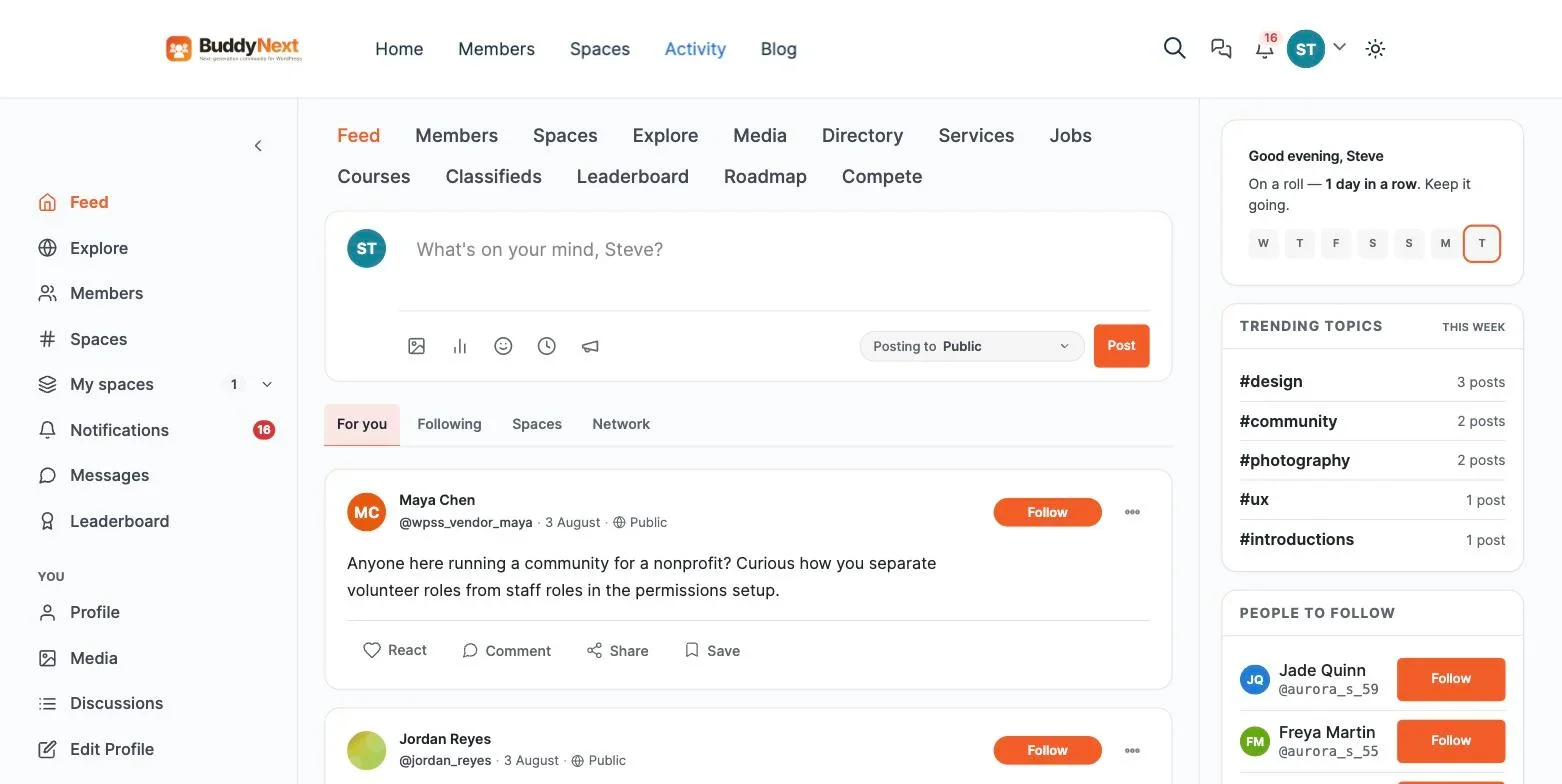
Announcements matter separately. A committee post about a service charge consultation should sit above the conversation about the cat, and it should be obvious which is official and which is neighbourly.
Spaces per building, street or block
An estate of 340 households does not want one shared feed. Block C has different concerns from the terraces. The allotment group, the residents who park in the underground bay, and the people organising the summer street party each need somewhere that is not everybody.
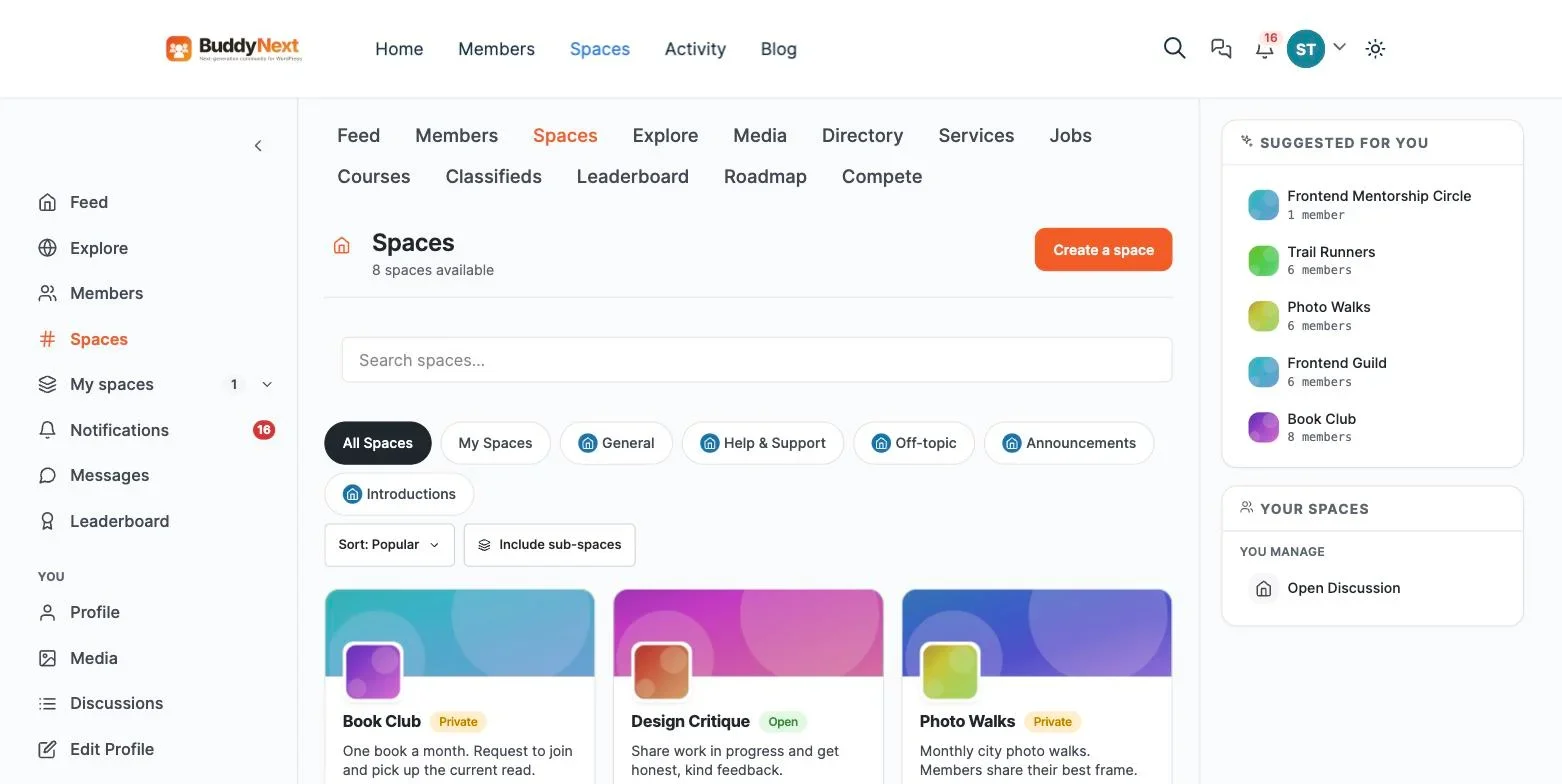
Crucially, the committee needs a space nobody else can see or find. Board papers, legal advice, contractor quotes under negotiation, and anything touching an individual resident’s arrears or conduct. “Private” is not sufficient here. You want secret, meaning the space does not appear in search and returns a 404 to non-members rather than a locked door that tells 340 people a confidential room exists.
A directory, with real consent
The single most useful thing a resident portal can offer is knowing who your neighbours are. Who has a spare key. Who is a plumber. Who will take a parcel. Who to call about the gate code at eleven at night.
This is also the most sensitive thing it holds, so the consent model has to be right. Per-field visibility is not a nice-to-have here. A resident should be able to show their flat number to the committee only, their first name to everyone, and their phone number to nobody, and change any of it in ten seconds.
Moderation, because neighbours argue
Residents disputes are personal in a way that professional community disputes are not. These people share a wall. A parking argument can run for years.
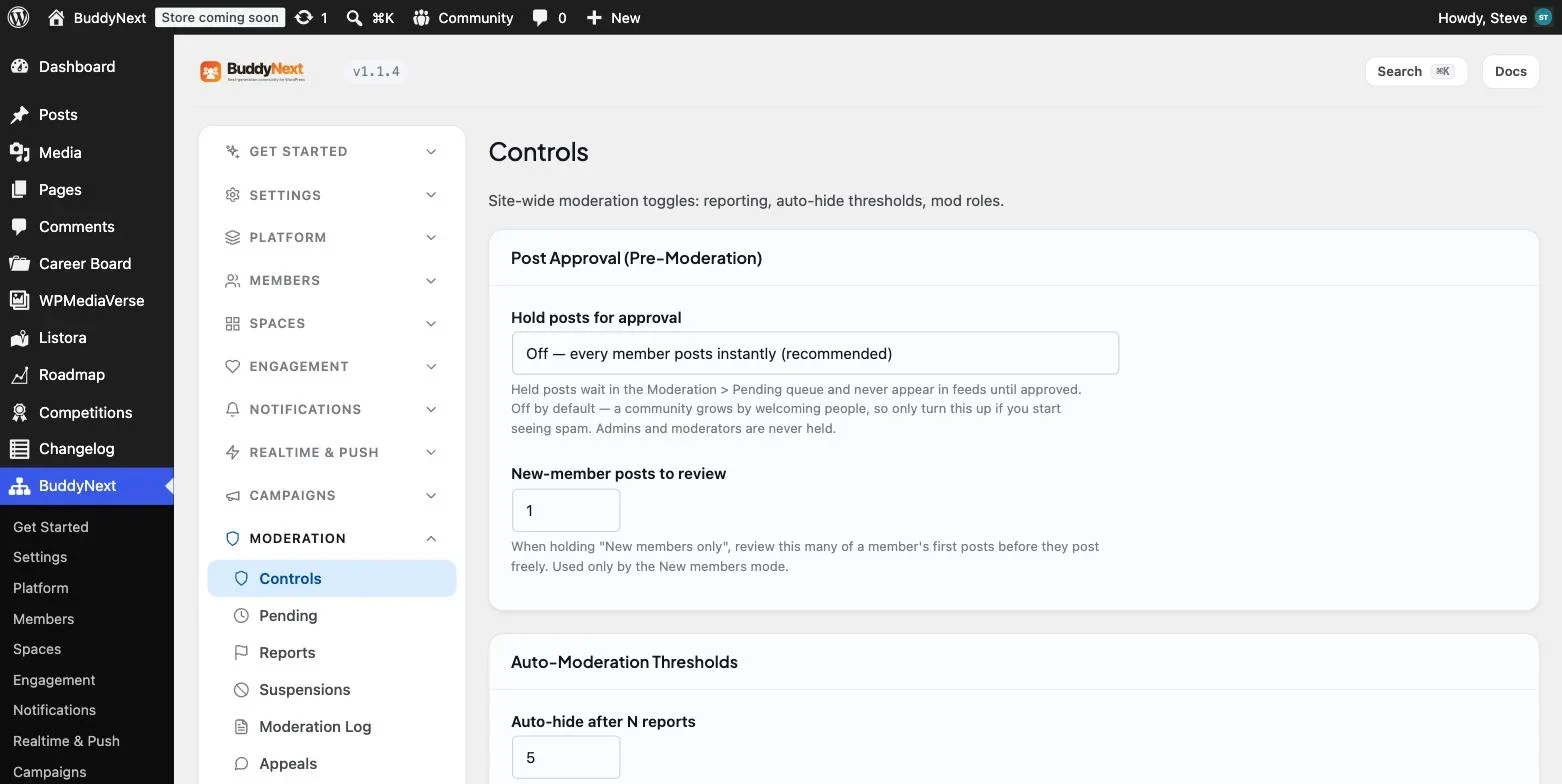
You need reporting, a queue, and graduated responses. You especially need a log, because a committee that removes a resident’s post will be asked to justify it, sometimes formally. And you need an appeals route the resident can still reach while suspended, because excluding someone from the association’s communication channel without recourse is the kind of thing that ends up in a solicitor’s letter.
Why not the property manager’s portal?
If your managing agent provides a portal, use it for what it is good at: service charge statements, maintenance tickets, and documents the agent is contractually obliged to publish.
Understand its limits. It belongs to the agent, not the association. If you change managing agent, and residents associations change agents regularly, the portal goes with them along with its history. It is also built around the agent’s workflow rather than residents talking to each other, which is why the social side is usually an afterthought.
The practical arrangement most associations land on is a split. Money and maintenance stay with the agent. Community, directory and discussion belong to the association, on something the association controls. That way a change of agent is an administrative event rather than the loss of five years of neighbourhood history.
The cost question
Resident portal products are typically priced per unit per month. At $2 a door, a 340-unit estate is $8,160 a year. At $4 it is $16,320. For an association funded by service charges, that is a line item residents will ask about at the AGM, and “a better noticeboard” is a hard answer to give.
A self-hosted portal costs hosting. A 340-household portal and a 40-household portal run the same software on the same $30 a month plan. There is no per-door mechanic, which means the association can include every resident, every leaseholder, every tenant and the committee without anyone doing arithmetic about who deserves an account.
That last point matters more than the money. Per-seat pricing quietly encourages associations to exclude tenants, who are usually the residents least connected to the building and most in need of the information.
Building it
BuddyNext is a free, standalone WordPress community plugin that covers the whole list above. It does not require BuddyPress. Feed with announcements and polls, spaces with public, private and secret visibility, profiles with per-field privacy, a searchable directory, a visibility-scoped search index, and moderation with reports, suspensions, a log and appeals.
Direct messaging comes from the companion WPMediaVerse plugin, which matters here because a lot of neighbourly contact should be one to one rather than posted to 340 people.
A sensible build order for an association:
- Close registration and use invitations. A resident portal should never be openly joinable. Verify by unit, either by posting a code to each door or having the committee approve each request against the leaseholder list.
- Set up member types. Leaseholder, Tenant, Committee, Managing Agent. These drive what people can see and post, and getting them in before anyone joins saves a painful retrofit.
- Build the profile fields carefully. Block, floor, first name, contact preferences, and any skills or offers a resident wants to share. Set defaults to private and let residents open up rather than the reverse.
- Create four spaces, not twenty. Announcements, one general discussion, one per building if the estate is split, and the secret committee space. Add more when residents ask.
- Recruit a moderator per block. Someone who lives there. Per-space roles let them run their own space without holding administrator access to the whole site.
- Seed it before inviting anyone. Post the last three months of genuine notices, the AGM date, the contractor schedule, and two or three real questions. An empty portal at launch is the most reliable way to fail.
Getting residents to actually move
The WhatsApp group is the competition, and it will not die because you ask it to. It is instant, everyone is already in it, and it costs nothing to keep using.
What works is not competing with it directly.
Give the portal the things WhatsApp cannot do. The directory. The document archive. The searchable record of what the committee decided about the bins in 2024. Polls that produce a countable result rather than forty thumbs-up emoji.
Move official communication first, and only official communication. Announcements, consultations, minutes, contractor schedules. Once residents know that the portal is where real information appears first, they check it, and the informal traffic follows on its own.
Let the group become the live layer. Do not try to shut it down. Say plainly: urgent and immediate goes in the group, anything worth finding again goes in the portal. Most groups accept that division readily because it does not take anything away.
Use the AGM. It is the one moment when most households are paying attention. A five-minute demonstration and a sign-up sheet at an AGM converts better than any number of emails.
The data protection side
A resident directory holds personal data about people’s homes, which deserves more care than a professional community’s contact list. None of this is complicated, but it needs deciding rather than assuming.
- Consent per field, not per portal. Joining should not imply agreeing to publish a phone number to 340 neighbours.
- Default everything to closed. Residents opt in to visibility rather than opting out of exposure.
- Decide what happens when someone moves. Usually: account deactivated, posts retained, personal details removed. Write it down before the first person sells.
- Keep the committee space genuinely separate. Anything about an individual resident’s arrears or conduct belongs there and nowhere else.
- Self-hosting helps here. The data sits in your own database on your own hosting rather than in a vendor’s tenant, which makes the answer to “who has our residents’ details?” considerably shorter.
What good looks like after a year
Associations that get this right report a similar set of changes, and none of them is about software.
Committee workload drops, because questions that used to arrive as individual emails now get asked once in public and answered once. New residents arrive already knowing three neighbours’ names, because the introductions space exists. Contentious decisions go more smoothly, because the consultation happened somewhere visible and residents could see the reasoning rather than receiving a verdict.
The AGM is usually the clearest signal. Attendance rises, and the tone shifts from complaint to discussion, because people arrive having already read the papers and argued about them.
What residents actually ask for
Committees tend to design portals around committee needs: minutes, documents, service charge information. Residents, when asked, consistently want a different list, and the gap explains most poor adoption.
- Who do I contact about this? Not a generic committee address. The specific person who deals with the gate, the bins, the roof. A directory with roles answers this once instead of forty times.
- What is happening to my building this month? Scaffolding, water shut-offs, lift maintenance, deliveries blocking the drive. Practical, dated, and currently scattered across three channels.
- Can somebody take a parcel? The single most common neighbourly request, and the one that most reliably gets people using a portal for the first time.
- Where is the document I was sent last year? Insurance certificates, the lease, fire safety information, last year’s accounts. Residents rarely keep these and always need them at the worst moment.
- What did the committee decide, and why? Not the minutes as a PDF attachment, but the reasoning, findable later, in a form that does not require reading twelve pages.
- Who else here has a dog, a toddler, an allotment plot? The social layer that makes an estate feel like somewhere people live rather than somewhere they park.
Build for that list and the committee’s own needs get met as a side effect, because residents who use the portal weekly will also read the consultation when it appears.
Handover: the thing that kills resident portals
Residents associations have annual turnover in their committees and constant turnover in their residents. More resident portals die from handover failure than from lack of interest, and the pattern is always the same: the person who set it up moves out, and nobody else has the logins.
Five precautions, none of which take long:
- Register the domain to the association, using an association email address, never a personal one. This is the single most common point of failure.
- Keep at least two administrators at all times, and make adding a third part of the handover when a committee member steps down.
- Store hosting and domain credentials where the association controls them, not in an individual’s password manager. A shared vault or a sealed record with the secretary both work.
- Write a one-page operating note. Where it is hosted, who to contact, how to add a resident, how to handle a report. One page, kept with the association’s other governance documents.
- Take backups off the host. The archive is the reason the portal exists. Losing it because a hosting bill went to a former treasurer’s email address would be an avoidable tragedy.
Self-hosting helps here in a way that is easy to miss. Because the data is in a database the association owns, a handover is a transfer of credentials rather than a negotiation with a vendor about whose account the community belongs to.
The three arguments you will have to win
Getting a resident portal approved is rarely a technical problem. It is three predictable objections at a committee meeting, and each has a straightforward answer.
“We already have a WhatsApp group.” The honest answer is that you do, it works for what it does, and it is staying. What it cannot do is hold documents, let a new resident find out who lives here, produce a countable vote, or survive its administrator moving out. Frame the portal as the archive the group has never had rather than a replacement for it, and this objection usually dissolves.
“Nobody will use it.” Sometimes true, and the risk is real. The mitigation is to launch small and seeded rather than large and empty. Point out that adoption costs nothing to test: a self-hosted portal has no per-household fee, so a trial that reaches sixty residents costs the same as one reaching none.
“Who is going to run it?” The best objection, because it is the actual failure mode. Answer it properly with a named person, a named deputy, and a line in the committee’s terms of reference. A portal without an owner will be dead in eight months regardless of how good it is.
What it costs to run, honestly
Item | Typical cost | Notes |
|---|---|---|
Hosting | $30 to $60 per month | Same whether you have 40 households or 400 |
Domain | Around $15 per year | Register it to the association, never to an individual |
Community plugin | Free | Paid tiers exist but a residents portal rarely needs them |
Committee time | An hour or two a month | Higher for the first quarter, then it settles |
Per-household fee | None | This is the structural difference from managed products |
Compare that against a per-door product at $2 to $4 per unit per month and the arithmetic makes itself at almost any estate size. The thing worth spending money on instead is a decent backup arrangement, because the archive is the asset and losing it would undo the whole point.
Frequently asked questions
Our residents are mostly older. Will they use this?
Adoption among older residents is usually better than committees expect, and the barriers are almost never the feed itself. They are login friction and notification settings. Use email notifications rather than assuming people will visit, make password reset obvious, and offer a short session after an AGM for anyone who wants help signing in.
Can tenants have access as well as leaseholders?
Yes, and they should. Member types let you give tenants everything social while restricting anything relating to ownership, service charges or voting. Excluding tenants is common and it is usually a mistake, because they are the residents who most need to know when the water is going off.
What if a resident posts something defamatory about a neighbour?
This is the scenario to have a process for before it happens. Reporting, a committee member who reviews the queue, a documented escalation path, and a log of what was done. Publish the ground rules as a page in the portal. Having agreed the process in advance is the difference between a considered removal and a committee argument conducted in public.
How do we verify that somebody actually lives here?
Posting a one-time code to each door is the most reliable method and costs an afternoon. The committee approving each request against the leaseholder register also works, and has the advantage of catching tenants who are not on that register but should still have access. Whatever you choose, never leave registration open. A residents portal with an open sign-up form will eventually be found by somebody who does not live there, and the directory is exactly the wrong thing to leak.
Should the portal be public at all?
Almost never. There is no benefit to search engines indexing a residents community, and considerable downside in having household names and block numbers publicly findable. Keep the whole thing behind login, and if the association wants a public face, run a small separate page with the committee contact and nothing else.
Can we run votes and consultations through it?
For informal soundings, yes, and polls are genuinely useful for exactly that. Do not use a community poll for anything constitutionally binding such as an AGM resolution, because your lease or articles almost certainly specify how votes must be conducted and a feed poll will not satisfy it. Use the portal to consult and inform, and keep the formal vote wherever your governing document says it belongs.
Do we need an app?
Rarely. A portal that installs as a PWA behaves like an app on a phone, needs no app store review, and costs nothing per household. Native apps for residents associations are usually a way for a vendor to justify a per-door fee.
Who runs it if the committee changes every year?
This is the real risk, and it is worth solving explicitly. Name the portal in the committee’s terms of reference as a standing responsibility, keep at least two people with administrator access at all times, and document the hosting login somewhere the association controls rather than in an individual’s personal email. Resident portals fail far more often through handover than through technology.
Where to start
Take the last three months of the WhatsApp group and sort the messages into two piles: things that mattered for an hour, and things somebody will want to find again. The second pile is your portal, and it is usually bigger than committees expect.
Then build the smallest version, seed it with that second pile, and launch it at the next AGM. Our full walkthrough on building a community portal on WordPress covers the setup end to end, and the comparison of portals against chat groups covers why the WhatsApp group should stay rather than being replaced.
















