LoginPress Plugin Review: Custom Login Page Customizer


LoginPress gives you a large set of customization fields for changing the look of your WordPress login page. You can adjust the page’s appearance and rewrite the login error messages, the forgot-password messages, the registration error messages, and more. It lets you and your users treat the login page as a real part of your site design, not a generic default screen.
Why Use a Customizer Plugin for Your Login Page
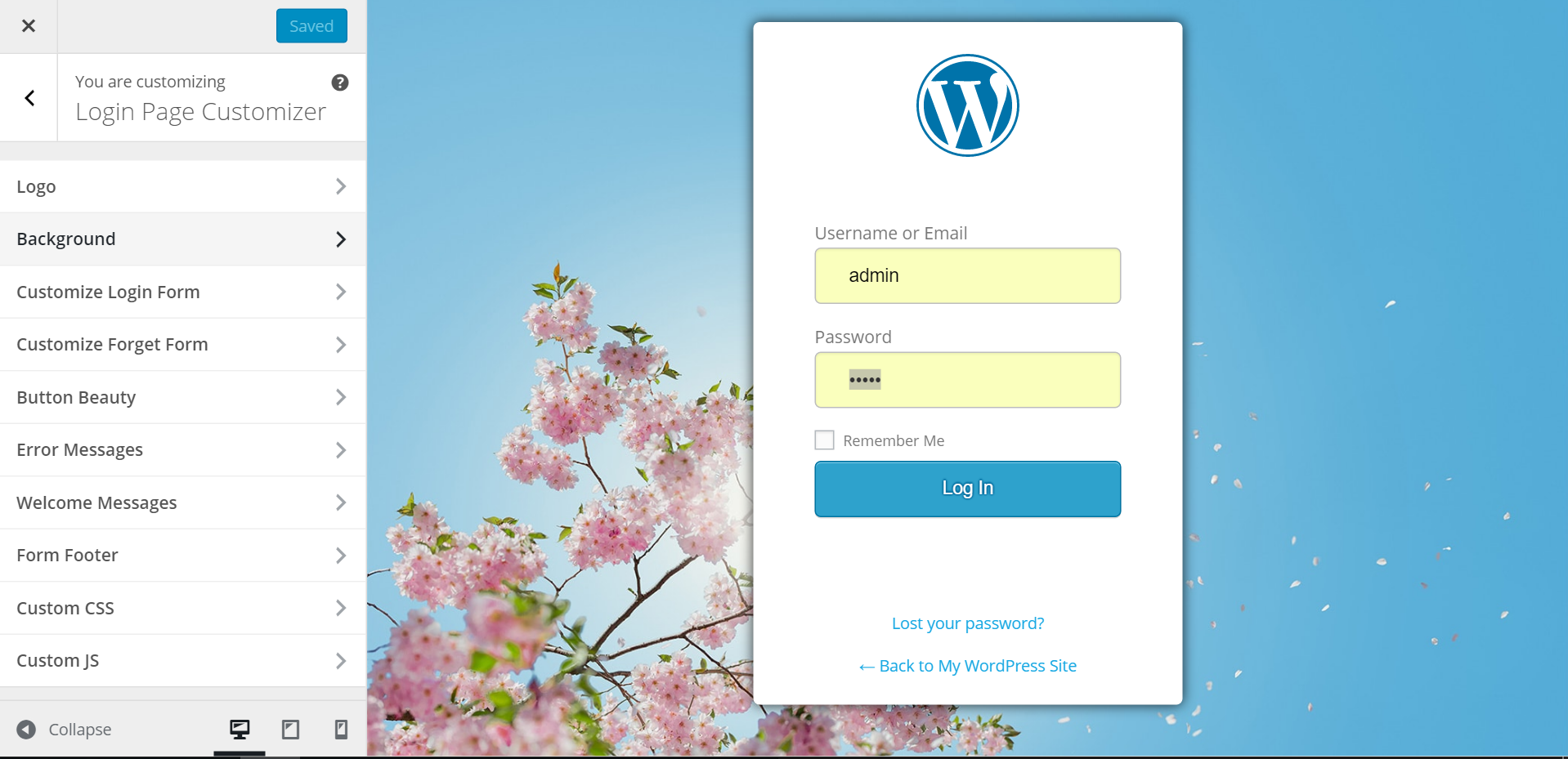
Plenty of plugins let you change your WordPress login page, but LoginPress stands out because it uses the WordPress Customizer, the same live-preview tool normally reserved for themes, to build custom login pages.
That means you don’t have to touch any CSS or HTML yourself, save your work blindly, switch tabs, and refresh the page just to see what changed. You get a live front-end editor instead of a clunky standalone settings screen, so you see every change as you make it.
Also Read: Best WordPress BuddyPress Events Plugins
Why Should You Upgrade to Pro?
LoginPress is built on the Customizer API, which is designed for live-previewing changes to WordPress templates, so with LoginPress you see your login page changes instantly. It’s simple enough that you don’t need any coding skills, with an option for every element on the login form, and you can put together a fully customized login page in a matter of minutes.
The plugin is free to install directly from the WordPress plugin directory. Log in to your site’s admin area, go to Plugins > Add New, search for “LoginPress,” and install the first result.
Features of LoginPress
- Rewrite login error messages, including the ones on the forgot-password, registration, and reset-password forms.
- Customize the login logo’s width, height, title, link, and padding.
- Customize the login page background image, color, and image sizing.
- Run the login page without a background image at all, for a simpler style.
- Customize the login form’s width, height, border style, and input styling.
- Adjust form label styling and field text color.
- Customize the “forgot your password” text.
- Style the login button and notice messages.
- Add a copyright notice at the bottom of the login page.
- Edit, hide, or restyle the “Back to” link, including its color and text size.
- Customize the login page footer area, below the login form fields.
- Use the built-in Custom CSS zone for deeper customization if you’re comfortable with code.
- Access a long list of additional customization options beyond the basics above.
Also Read: Best WooCommerce Dropshipping Plugins
Conclusion

LoginPress is a solid plugin for changing how your WordPress login page looks and feels. Because it works through the WordPress Customizer, you get a genuinely helpful interface for building out the customizations, without ever having to touch the underlying code.
Interesting Reads: