
Community members need to talk privately. A member wants to follow up on a forum answer with a personal question. An instructor wants to reach out to a struggling student. Two members discover shared interests and want to connect directly. These interactions do not belong in public forum threads, they belong in private messages.
BuddyPress includes its own messaging system. Jetonomy Pro adds a separate messaging extension that integrates with the forum. Which should you use? This guide covers both options and how to make them work together.
BuddyPress Messages vs. Jetonomy Pro Messages
| Feature | BuddyPress Messages | Jetonomy Pro Messages |
|---|---|---|
| Direct messages | Yes | Yes |
| Group conversations | Yes (BP 12.0+) | Yes |
| Unread count in nav | Yes | Yes (real-time, 30s cache) |
| Trust level gating | No (anyone can message) | Yes (requires Trust Level 1+) |
| Forum integration | No | Yes (message from profile hover cards) |
| Conversation reuse | Creates new thread each time | Reuses existing DM threads |
| Message search | Basic | Full-text search across conversations |
| REST API | BuddyPress REST API | Jetonomy REST API (7 endpoints) |
When to Use BuddyPress Messages
If your community is primarily social (friend connections, activity stream, groups) and the forum is secondary, BuddyPress messages make sense. They integrate with the BuddyPress notification system and friend connections.
When to Use Jetonomy Pro Messages
If your community is forum-centric (Q&A, support, discussions) and BuddyPress provides the social layer, Jetonomy Pro messages offer better integration with the forum experience. Trust level gating prevents spam DMs from new accounts, and the conversation reuse feature avoids cluttered inboxes from duplicate threads.
Setting Up Jetonomy Pro Messaging
Step 1: Enable the Extension
Go to Jetonomy → Extensions and toggle on Private Messaging.
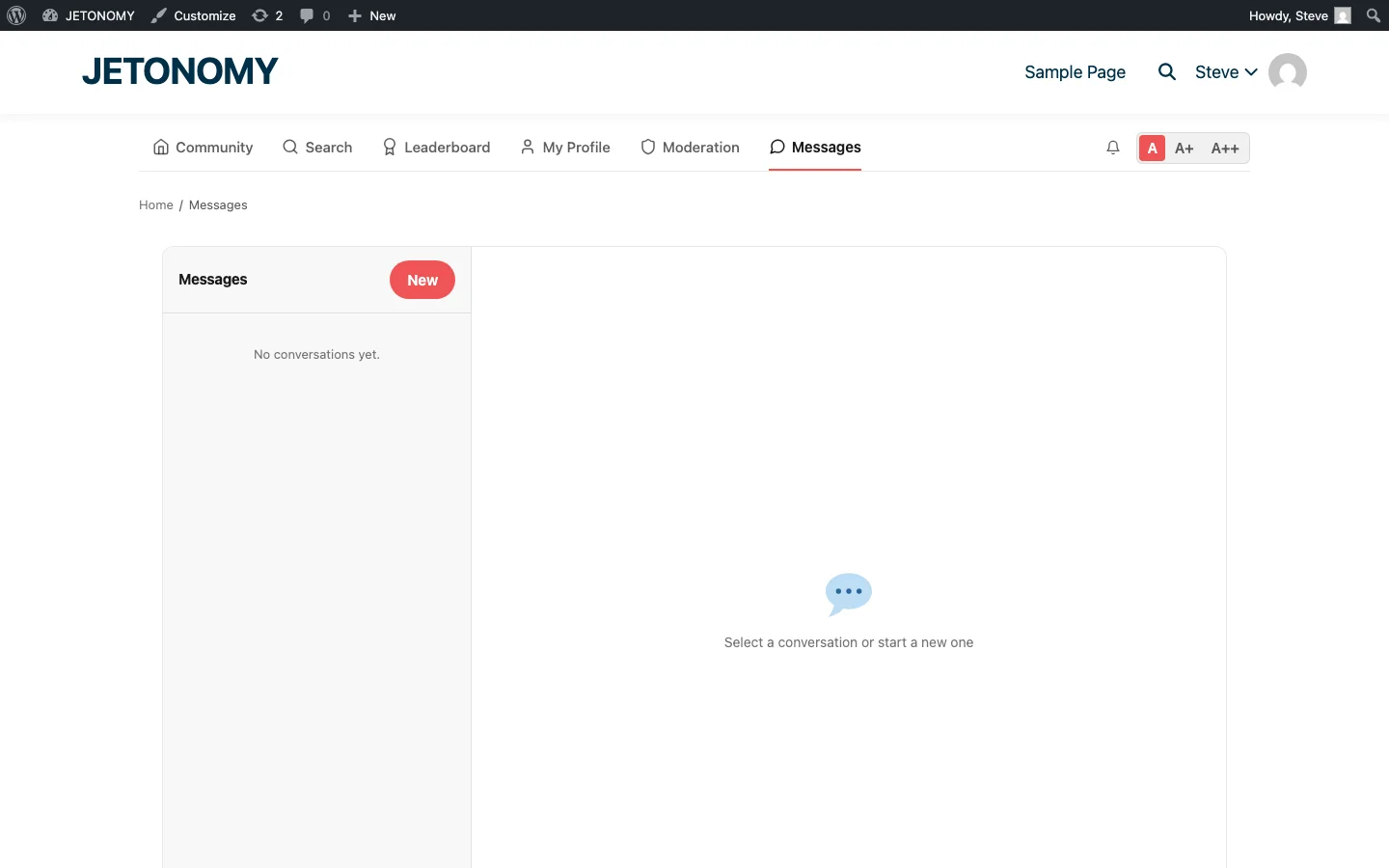
Step 2: Messages Tab Appears
A “Messages” tab appears in the community navigation automatically. Members can access their conversations, start new ones, and see unread counts from the navigation bar.
Step 3: Configure Trust Level Requirements
By default, messaging requires Trust Level 1. This prevents brand-new accounts from sending spam DMs. Members earn Trust Level 1 after a few posts and a week of activity, enough time to demonstrate they are genuine community members.
You can adjust this threshold in Settings. For communities with higher spam risk, require Trust Level 2. For communities where private communication is essential from day one, lower it to Trust Level 0. See our reputation system guide for trust level configuration details.
How Forum-Integrated Messaging Works
Jetonomy Pro messages integrate with the forum in several ways:
Message from Hover Cards
When you hover over a member’s avatar in any forum thread, the hover card shows a “Message” button (if you have messaging permissions). Click it to start a private conversation with that member directly from the forum thread. No need to navigate to a separate messaging page.
Message from Profiles
Each member’s BuddyPress profile includes a “Send Message” button. Visitors to the profile can start a conversation directly.
Conversation Reuse
If you already have a direct message thread with a member, starting a new message to them opens the existing conversation instead of creating a duplicate thread. This keeps the inbox clean and preserves conversation history.
Group Conversations
Beyond direct messages, Jetonomy Pro supports group conversations. A member can start a conversation with multiple people, useful for:
- Study groups coordinating outside the public forum
- Moderator teams discussing sensitive issues
- Project collaborators sharing private updates
- Instructor reaching multiple students about a specific topic
Group conversations show all participants and allow anyone in the conversation to add messages.
Spam Prevention in Messaging
Private messaging is a common attack vector for spammers. Jetonomy Pro prevents messaging spam through:
- Trust level gating, New accounts cannot send messages until they earn Trust Level 1 through genuine forum participation
- Rate limiting, Members can send a limited number of new conversations per day based on their trust level
- Report function, Recipients can report abusive messages to moderators
- Mute conversations, Members can mute specific conversations to stop receiving notifications
These protections work alongside the forum’s auto-moderation system for comprehensive spam prevention.
Running Both Systems
You can run BuddyPress Messages and Jetonomy Pro Messages simultaneously. They use separate database tables and separate navigation items. Members see both “Messages” (BuddyPress) and “Messages” (Jetonomy) in their navigation.
However, running both can be confusing. Our recommendation:
- If BuddyPress is your primary platform with Jetonomy as an add-on → use BuddyPress Messages
- If Jetonomy is your primary platform with BuddyPress for profiles/groups → use Jetonomy Pro Messages
- If you need trust-level gating on messaging → use Jetonomy Pro Messages (BuddyPress does not offer this)
Getting Started
- Decide which messaging system fits your community based on the comparison above
- Enable the chosen extension in Jetonomy Pro or keep BuddyPress messages active
- Configure trust level requirements for messaging access
- Announce to your community that private messaging is available and how to use it
For the complete BuddyPress integration setup, see our guides on group forums and BuddyPress + Jetonomy overview. For the base forum setup, follow our WordPress forum guide.
Public forums build community knowledge. Private messaging builds community relationships. Both are essential for a healthy community.