How to Add a Discussion Forum to Your WooCommerce Store
WooCommerce stores sell products. Forums build communities around them. Here is how to add a discussion forum to your WooCommerce store — with product-gated access, customer Q&A, and feature request boards.

WooCommerce powers over 35% of all online stores. Most of those stores have product pages, a checkout flow, and maybe a blog. Very few have a place where customers can talk to each other.
That is a missed opportunity. A discussion forum attached to your WooCommerce store creates a community around your products. Customers help each other with setup questions. Power users share tips and workflows. Feature requests get organized and voted on. And your support team spends less time answering the same questions over and over.
Here is how to add a forum to your WooCommerce store and connect it to your existing products and subscriptions.
Why WooCommerce Stores Need Forums
E-commerce stores with active communities see measurable differences in key metrics:
- Higher customer retention. Customers who participate in a community come back more often than customers who only buy and leave.
- Lower support costs. Community Q&A deflects 30–50% of routine support questions within the first year. Our guide on support forums that reduce tickets covers the mechanics.
- Better product feedback. An Ideas board gives you direct insight into what customers want you to build next.
- Increased organic traffic. Every forum topic is a new page that can rank in Google. Over time, community content generates more long-tail search traffic than your product pages.
- Stronger brand loyalty. Customers who form relationships with other customers in your community are far less likely to switch to a competitor.
The Forum Structure for WooCommerce
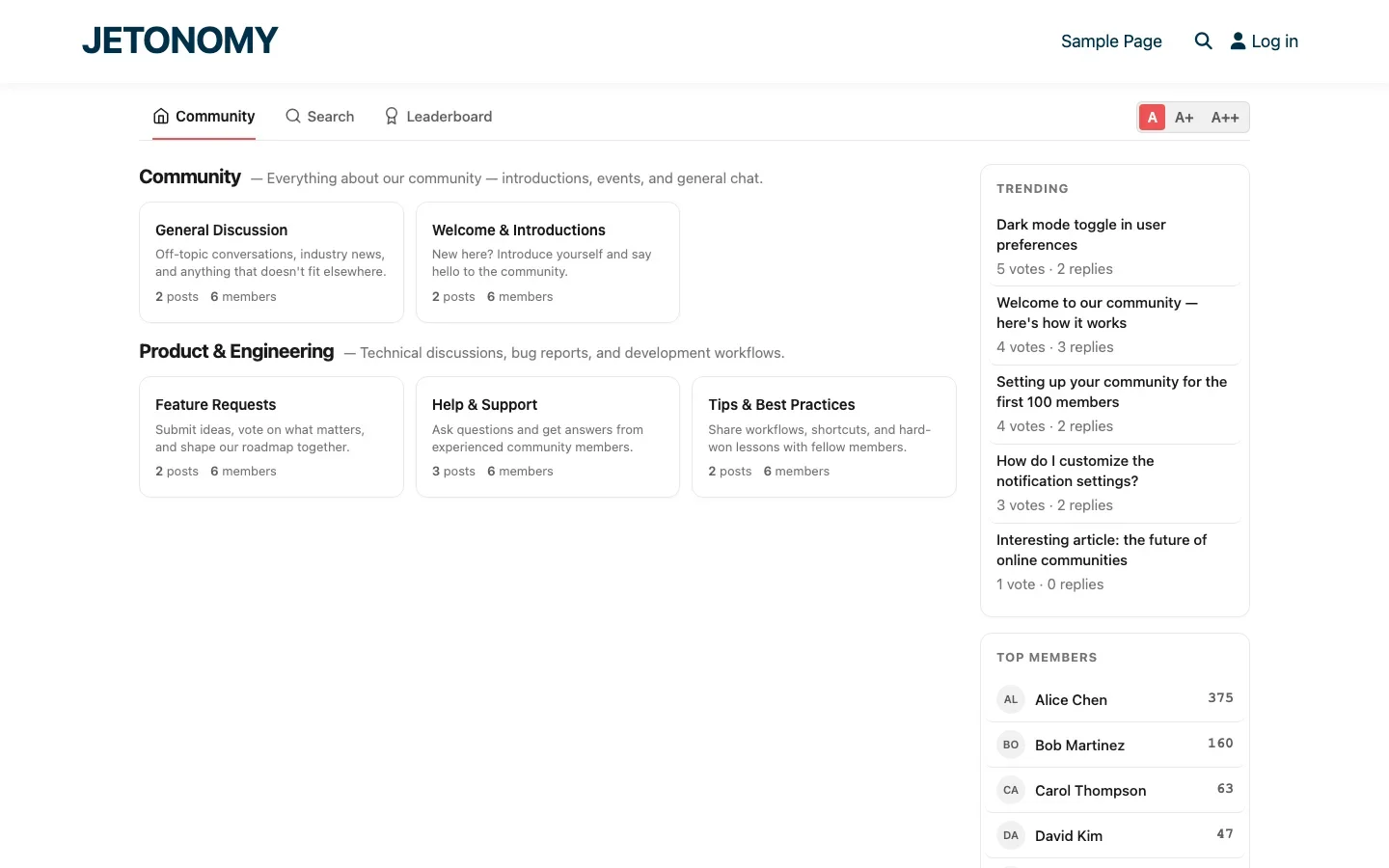
Here is a forum structure that works well for WooCommerce stores:
Category | Space | Type | Access |
|---|---|---|---|
Community | General Discussion | Forum | Public |
Community | Show & Tell | Social | Public |
Support | Pre-Sale Questions | Q&A | Public |
Support | Customer Support | Q&A | Customers only |
Product | Feature Requests | Ideas | Customers only |
Product | Tips & Tutorials | Forum | Public |
Product | Announcements | Forum | Public |
Notice the mix of public and customer-only spaces. Public spaces drive SEO and attract new customers. Customer-only spaces provide premium support value that encourages purchases and reduces churn.
Connecting Forum Access to WooCommerce Products
The power move is gating forum spaces behind WooCommerce purchases. When a customer buys your product, they automatically get access to the support forum. When their subscription expires, access is revoked.
How the WooCommerce Adapter Works
Jetonomy Pro includes a WooCommerce adapter that connects forum spaces to your products and subscription plans. The integration handles:
- Simple products: Customer buys a product → gets added to the mapped forum space
- Subscription products: Customer starts a subscription → gets access. Subscription expires → access revoked automatically.
- Variable products: Different variations can map to different forum spaces (e.g., Basic plan gets Basic Support space, Pro plan gets Priority Support space)
Setup in 3 Steps
- Go to Jetonomy → Settings → Integrations and enable the WooCommerce adapter
- Create your customer-only forum spaces with Invite Only join policy
- Map each space to the corresponding WooCommerce product or subscription
For a detailed walkthrough of private forum setup, see our guide on setting up a private support forum for paying customers.
Pre-Sale Q&A: The Conversion Tool
One of the most valuable forum spaces for a WooCommerce store is a public Pre-Sale Q&A. This is where potential customers ask questions before buying:
- “Does this work with Elementor?”
- “Can I use this for a multi-vendor marketplace?”
- “What is the difference between the Basic and Pro plans?”
These questions are gold. Each one represents a potential customer who is on the fence. A good answer can convert them. And because it is in a public forum, the answer helps every future visitor with the same question.
Pre-sale Q&A topics also rank in Google. When someone searches “does [your product] work with Elementor?”, your forum answer can be the top result, bringing qualified buyers directly to your site.
Post-Purchase Support Flow
Here is how the support flow works after a customer purchases:
- Customer purchases your product in WooCommerce
- WooCommerce adapter activates and adds the customer to the mapped forum space(s)
- Customer sees the support forum in the community navigation
- Customer searches for their question, if a previous customer asked the same thing, they find the answer immediately
- If no existing answer, they post a new question in the Q&A space
- Community or staff answers, the answer becomes a permanent, searchable resource
This flow reduces the number of customers who go straight to your support email. Instead of a private ticket that helps one person, you get a public Q&A thread that helps everyone.
Feature Requests as a Retention Tool
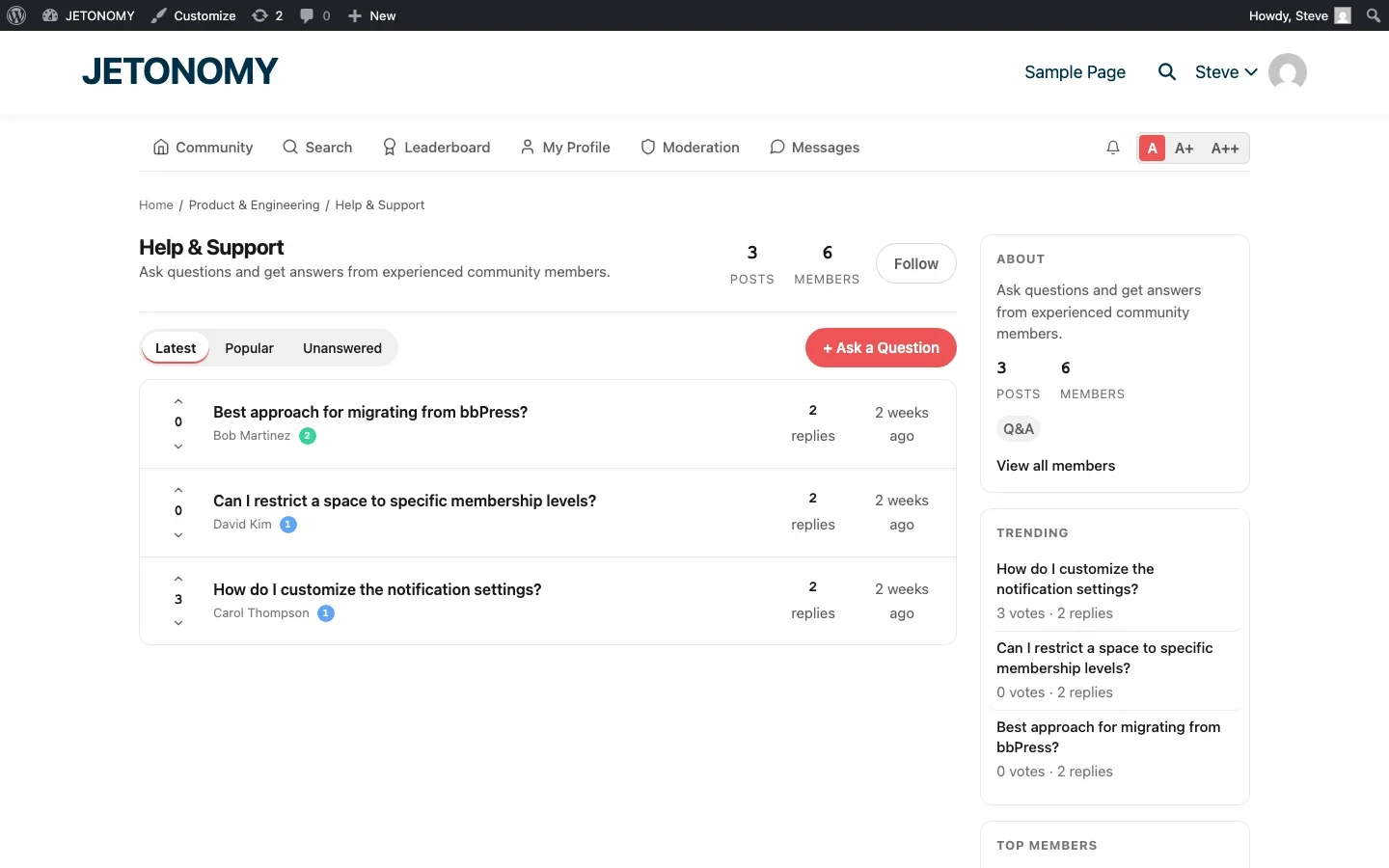
An Ideas board in your WooCommerce community serves a dual purpose:
- Product direction. Customers tell you exactly what they want, and voting shows you how many people want it.
- Retention. A customer who submitted a feature request and is watching its status is invested in your product’s future. They are far less likely to switch to a competitor when they can see their request is “Planned” or “In Progress.”
When you ship a requested feature, update the status to “Completed.” Every customer who voted on that request gets notified. That notification is a retention touchpoint that costs you nothing.
WooCommerce-Specific Forum Content
Seed your forum with content that WooCommerce customers specifically need:
- Installation and setup guides for each product
- Compatibility information (themes, plugins, PHP versions)
- Migration guides if customers are switching from competing products
- Common troubleshooting for WooCommerce-specific issues (checkout conflicts, shipping calculation problems, payment gateway setup)
- Integration guides for popular WooCommerce add-ons
Measuring ROI for Your WooCommerce Forum
Track these WooCommerce-specific metrics alongside your general forum analytics:
Metric | How to Measure | What It Tells You |
|---|---|---|
Pre-sale conversion rate | Forum visitors who purchase within 30 days | Forum’s impact on sales |
Customer lifetime value (forum users vs. non-users) | Compare LTV of forum-active vs. inactive customers | Community’s retention impact |
Support cost per customer | Total support cost / active customers (before and after forum) | Direct ROI of ticket deflection |
Subscription churn rate (forum users vs. non-users) | Compare churn for community members vs. non-members | Community’s churn reduction effect |
Getting Started
Adding a forum to your WooCommerce store takes about 30 minutes:
- Install Jetonomy and Jetonomy Pro, follow the setup guide
- Create the spaces from the structure table above
- Enable the WooCommerce adapter and map products to spaces
- Seed with 10–15 topics covering your most common customer questions
- Add a “Community” link to your store’s navigation menu
Your WooCommerce store sells products. A forum builds the community that keeps customers coming back, helping each other, and advocating for your brand. The product brings them in. The community keeps them.
Keep Product Reviews and the Support Forum From Competing
WooCommerce’s native review tab and your new Pre-Sale Q&A space are both places a customer can leave product commentary, and without a clear split, the same question ends up asked in both, splitting the search-relevant content across two competing pages instead of consolidating it into one strong one.
- Point pre-purchase questions at the forum’s Pre-Sale Q&A and keep the WooCommerce reviews tab for post-purchase star ratings and short verdicts, not open-ended questions.
- When a review contains an actual question (“does this work with X?”), answer it there but also create or link to the equivalent forum thread, reviews are rarely revisited by the author, forum threads are.
- Decide which page you want ranking for a given product’s comparison and compatibility searches, and consistently funnel that content there instead of letting it accumulate in both places.
Where the WooCommerce Adapter Sits in Jetonomy Pro
The WooCommerce adapter, product and subscription-based gating, and variable-product-to-space mapping described in this guide are all part of Jetonomy Pro, the free Jetonomy plugin covers spaces and Q&A but not the purchase-triggered access automation. Details are on the Jetonomy Pro page.













