5 Best BuddyBoss Alternatives for WordPress (2026): Build a Better Online Community
Updated September 2026.
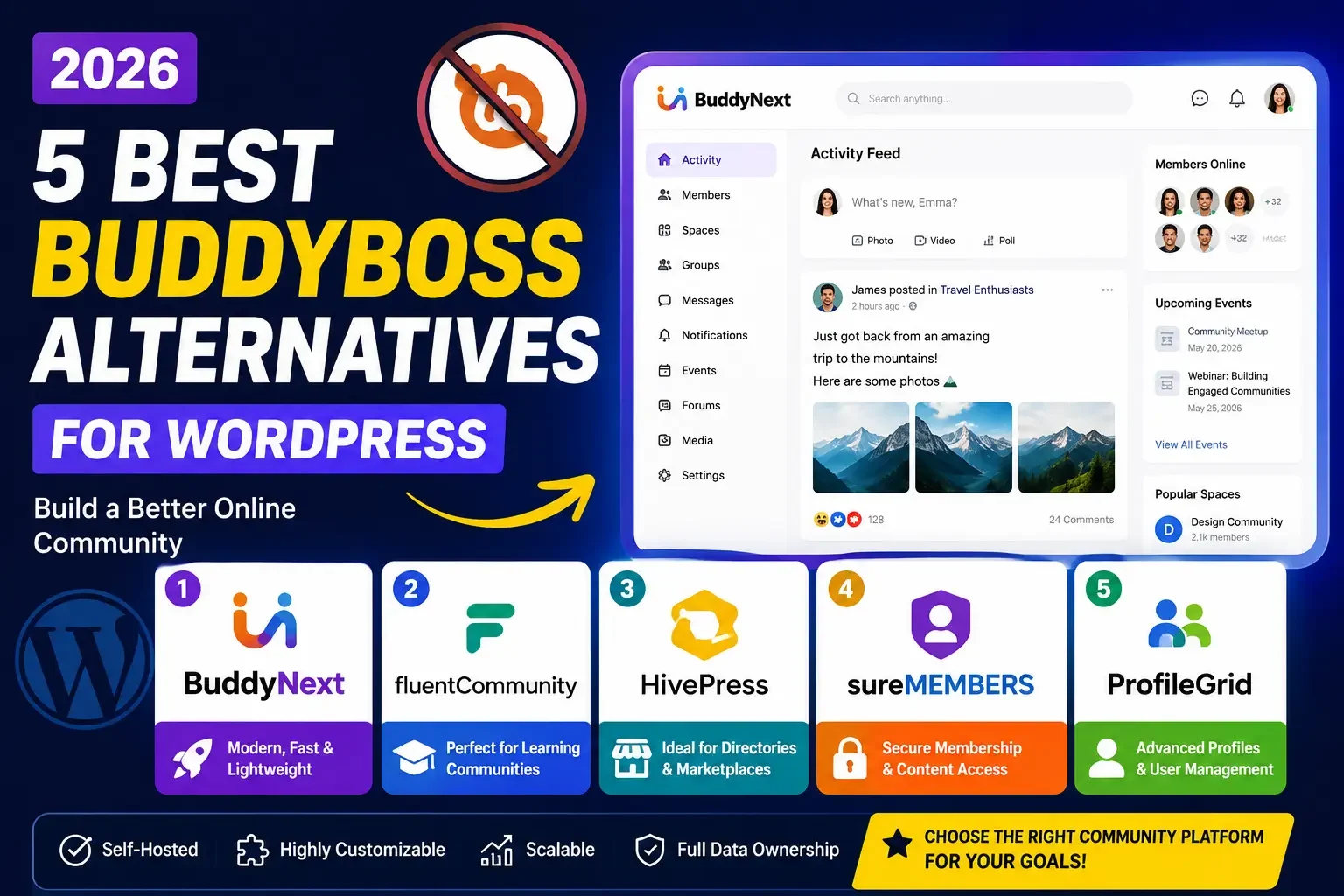
Looking for the best BuddyBoss alternative for WordPress? Compare BuddyNext, FluentCommunity, HivePress, SureMembers, and ProfileGrid to find the right community, membership, LMS, or marketplace solution for your website.
Building an online community is one of the most effective ways to grow a loyal audience, increase engagement, and create recurring revenue. BuddyBoss is a well established WordPress community solution built on top of BuddyPress, but that lineage is also its constraint: it inherits an older architecture and asks you to license the platform plus its extensions as your community grows.
Factors such as licensing cost, performance on the older BuddyPress data model, customization depth, integration needs, and long-term flexibility lead a lot of website owners to look at BuddyBoss alternatives before they commit.
In this guide, we compare five of the best BuddyBoss alternatives in 2026, what each one is actually built for, where it falls short, and how to match the right one to your specific project.
Watch the Video Comparison
Before exploring each platform, watch our full video comparison of the best BuddyBoss alternatives for WordPress in 2026.
Why Consider a BuddyBoss Alternative?
BuddyBoss provides a wide set of community-building features, but different websites have different requirements. You may want an alternative if you are looking for:
- A newer, purpose-built architecture instead of a platform layered on top of BuddyPress
- Better website performance at scale
- Greater customization and design control over how the community looks
- Flexible WordPress integrations across LMS, WooCommerce, and membership tools
- More control over your community data and where it lives
- Native membership and subscription functionality without per-member fees
- LMS and online-course integrations that don’t require rebuilding your course library
- Marketplace functionality for a service-based or vendor-driven community
- A lighter, more modular community solution you can grow into piece by piece
The right BuddyBoss alternative depends on what you are actually trying to build. Let’s look at five options worth considering in 2026.
1. BuddyNext - Best Overall BuddyBoss Alternative
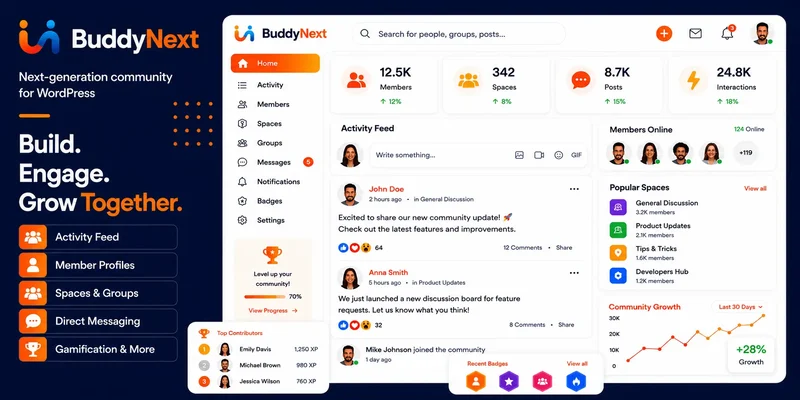
BuddyNext is a complete community platform for WordPress, and the strongest BuddyBoss alternative for anyone who wants the full feature set of a modern community app, feed, groups, memberships, courses, forums, gamification, without depending on a hosted SaaS vendor or an architecture built on top of older BuddyPress foundations.
It ships the essentials you would expect from BuddyBoss: activity feeds, Spaces, member profiles, private messaging, member directories, notifications, and moderation tools. It goes further by treating paid memberships as a native part of the platform rather than a bolt-on, and by extending into forums and Q&A, courses with certificates, photo and video sharing, gamification, job boards, directories, and a service marketplace, all built by the same team so the pieces share design language instead of feeling stitched together from different vendors.
Because it is a completely new architecture rather than a layer on top of BuddyPress, BuddyNext does not carry forward the technical debt that shapes how BuddyBoss behaves at scale. That also means migrating an existing BuddyPress or BuddyBoss site takes planning rather than a simple plugin swap, which is worth knowing upfront.
Key Features
- Activity feed with For You, Following, Spaces, and Network tabs, plus reactions, hashtags, and threaded comments
- Community Spaces with open, private, and secret visibility, roles, and per-space moderation
- Customizable member profiles and a searchable member directory
- Private one-to-one messaging and photo/video sharing
- Native paid membership tiers with monthly, yearly, and one-time billing, no per-member fees
- Forums and Q&A with accepted answers, courses with quizzes and certificates
- Gamification (points, badges, leaderboards), job boards, and a service marketplace
- Notifications, email digests, and deep native moderation tools
- Full branding and design control through a token-based theme layer, including dark mode
- Mobile-first experience and WooCommerce plus other WordPress integrations
Best For
BuddyNext is suitable for online communities, membership websites, creator communities, educational communities, business networks, private member communities, and general-purpose WordPress social networks that want to match the completeness of Circle, Skool, or Mighty Networks without the recurring platform rent.
Pros
- Complete platform feature set: community, memberships, courses, forums, and gamification in one connected system
- No per-member pricing, so growth doesn’t force a plan upgrade the way some SaaS competitors do
- Fully self-hosted on WordPress, so you own the data and the infrastructure
- Modern, app-like interface built as a fresh architecture rather than layered onto BuddyPress
- One team builds the core platform and every companion capability, keeping the design language consistent
Cons
- Requires your own WordPress hosting and a bit of setup time to configure the pieces you need
- Some of the deepest capabilities (courses, media, forums) are powered by companion apps rather than living entirely in the core install
Why Choose BuddyNext Over BuddyBoss?
If you want a WordPress community platform that combines social networking, native memberships, learning integrations, and full design control, without inheriting BuddyPress’s older architecture or paying to license a platform plus its extensions, BuddyNext is the strongest option on this list.
2. FluentCommunity - Best for Courses and Coaching Communities
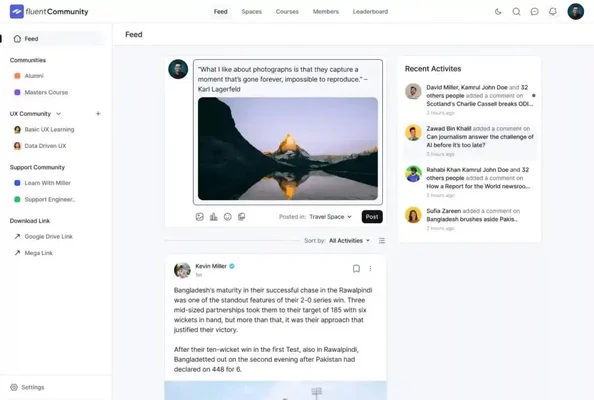
FluentCommunity is designed primarily for creators, coaches, educators, and businesses that want to combine community engagement with learning experiences. Its integration with the wider Fluent ecosystem (FluentCRM, FluentForms, and related tools) makes it particularly attractive to website owners who already run on those products.
Where it differs from a full community platform is scope: it is built tightly around courses and cohort-style engagement rather than the broader feature set of forums, gamification, and marketplaces.
Key Features
- Member feeds and discussion spaces
- Community areas built around courses and cohorts
- Event scheduling for live sessions
- Private communities with gated access
- Learning community functionality tied to course progress
- Member interaction tools (comments, reactions, direct messages)
Best For
FluentCommunity is particularly suitable for online courses, coaching programs, educational communities, membership websites, and creator communities that already lean on the Fluent product family.
Pros
- Clean, focused interface built specifically around course delivery
- Strong integration with the rest of the Fluent ecosystem
- Combines community and learning functionality in one plugin
- Well suited to creators and educators running cohort-based programs
Cons
- The overall experience is more compelling when paired with other Fluent products, less so as a standalone community layer
- Lighter on the broader community feature set, forums, gamification, marketplaces, that a full platform provides
3. HivePress - Best for Community Marketplaces and Directories
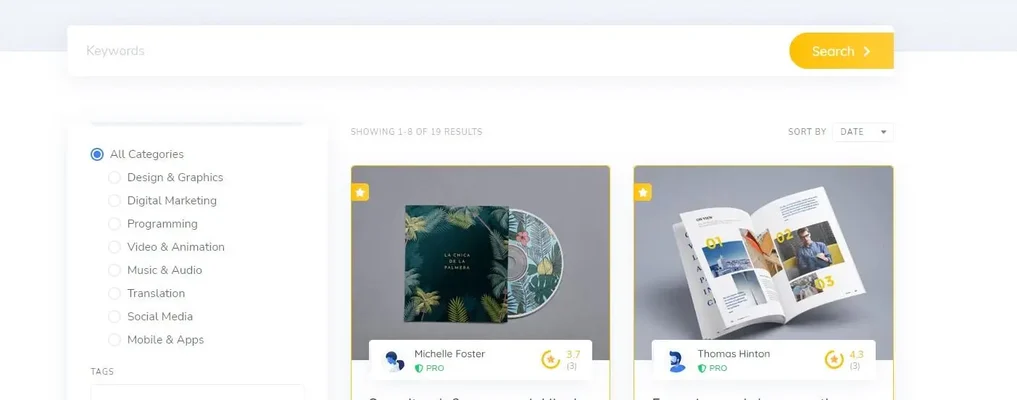
HivePress takes a different approach from traditional social networking plugins. Instead of focusing primarily on activity feeds and social networking, it is built around directories and marketplaces. That makes it a useful BuddyBoss alternative when your community is centered on listings, vendors, services, or local businesses rather than open discussion.
Key Features
- Directory listings across multiple categories
- Marketplace functionality with vendor accounts
- Vendor profiles and storefronts
- User interaction around listings (reviews, messages, inquiries)
- Paid listing tiers
- Listing management tools for admins
Best For
HivePress works particularly well for service marketplaces, job boards, local directories, rental websites, and vendor marketplaces where the “community” is really a network of buyers and sellers.
Pros
- Marketplace-focused from the ground up, not a bolted-on afterthought
- Highly extendable with a modular add-on structure
- Free core plugin with a clear upgrade path
- Well suited to directory-based and listing-driven websites
Cons
- Not primarily designed as a social networking platform, so activity feeds and profile depth are secondary
- Communities built around discussion and belonging, rather than transactions, will outgrow it quickly
4. SureMembers - Best for Membership and Content Protection
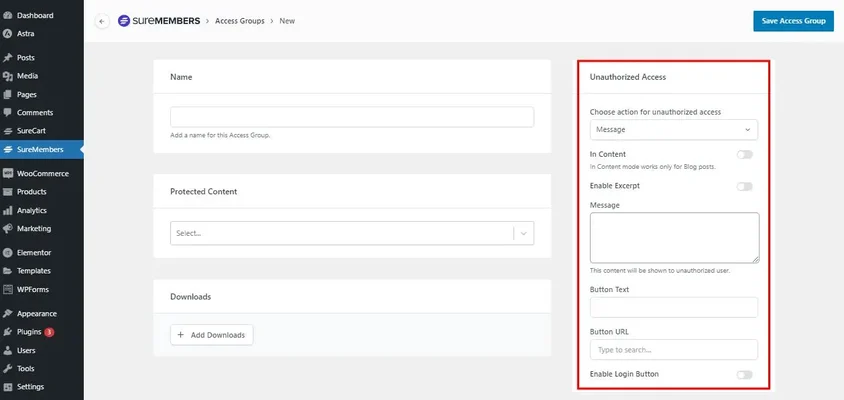
SureMembers focuses on membership management, access control, and content protection rather than traditional social networking. If your goal is to create a paid community or membership website, SureMembers can work alongside separate community and discussion plugins to control access to premium content.
Key Features
- Content restriction rules tied to membership status
- Membership management and tier assignment
- Granular access rules by category, tag, or individual post
- Course protection for LMS content
- Subscription support through common payment gateways
- Member access control dashboards
Best For
Paid communities, membership websites, online courses, premium content websites, and subscription-based websites that need access control more than they need a social feed.
Pros
- Simple membership setup that doesn’t require learning a full community platform
- Strong, granular access control
- Useful specifically for gating premium content
- Suitable for membership-based businesses that already have a community tool elsewhere
Cons
- Doesn’t provide the built-in social networking functionality of dedicated community plugins
- You will need a second plugin if members need to talk to each other, not just access content
5. ProfileGrid - Best for Advanced Member Profiles

ProfileGrid combines user profiles, groups, memberships, registration forms, and directories into a WordPress-based user management solution. It can be a good option for websites where member profiles, registration, and user management matter more than advanced social networking.
Key Features
- Member profiles with custom fields
- User groups with role management
- Membership tiers
- Custom registration forms
- User directories with search and filters
- Profile customization options
Best For
Membership websites, user directories, community websites, professional networks, and any project that needs customized registration flows more than an activity feed.
Pros
- Flexible registration system that adapts to different membership models
- Solid group management
- Extensive profile customization
- Useful user-management features for admin-heavy communities
Cons
- The interface can feel less modern compared with newer community platforms
- Not built for the feed-driven, daily-return engagement pattern of a full social community
BuddyBoss Alternatives Comparison
Choosing the right BuddyBoss alternative for WordPress becomes easier when you compare each option based on the functionality you actually need.
WordPress Plugin | Community Features | Membership Support | LMS Support | Marketplace Support | Self-Hosted |
|---|---|---|---|---|---|
BuddyNext | Excellent | Yes, native tiers | Yes | Yes | Yes |
FluentCommunity | Very Good | Yes | Yes | No | Yes |
HivePress | Good | No | No | Yes | Yes |
SureMembers | Basic | Yes | Yes | No | Yes |
ProfileGrid | Very Good | Yes | Limited | No | Yes |
Note: Features and integrations can vary by plugin version, extension, and plan, so check the provider’s current documentation before making a final decision.
BuddyBoss vs Its Alternatives: What Actually Changes
BuddyBoss earned its reputation by building a polished layer on top of BuddyPress and adding mobile app support, course integrations, and a design system tuned for community sites. That approach has an upside (maturity, a long track record) and a structural downside: every improvement has to work within the constraints of the BuddyPress data model underneath it.
The alternatives on this list solve that in different ways. FluentCommunity, HivePress, SureMembers, and ProfileGrid each narrow the scope to one job done well, courses, marketplaces, access control, or profiles, rather than trying to cover everything. BuddyNext takes the opposite path: a fresh architecture built to cover the full breadth of a modern community platform, feed, Spaces, memberships, courses, forums, and gamification, without inheriting BuddyPress’s constraints or asking you to license a platform plus a stack of paid extensions to get there.
If you only need one of those narrow jobs, one of the focused tools will likely get you there faster. If you’re building something members will treat as a daily destination, complete with monetization and room to add courses or forums later, the platform approach avoids a second migration down the road.
How to Choose the Best BuddyBoss Alternative
The best alternative depends on the type of website you’re building. Walk through these five questions before deciding:
Choose BuddyNext if you want a complete WordPress community platform with social networking, member profiles, groups, messaging, native paid memberships, courses, forums, and other community features, and you want it built by one team instead of assembled from several vendors.
Choose FluentCommunity if you’re primarily building an online course, coaching program, or educational community and want strong integration with the Fluent ecosystem.
Choose HivePress if your website revolves around directories, listings, vendors, or marketplaces rather than traditional social networking.
Choose SureMembers if your priority is membership management, content restriction, and premium access, and you already have (or don’t need) a separate community layer.
Choose ProfileGrid if you need advanced user profiles, registration forms, groups, and member directories more than a daily activity feed.
Migration Notes: Moving Off BuddyBoss
Teams leaving BuddyBoss usually fall into one of two camps. The first camp has outgrown BuddyBoss’s licensing costs or performance ceiling and wants a like-for-like community replacement; that’s the group BuddyNext is built for, since it covers the same breadth of features on a newer foundation. The second camp actually only ever needed one slice of BuddyBoss, memberships, profiles, or course delivery, and over-bought a full platform; that’s the group better served by SureMembers, ProfileGrid, or FluentCommunity respectively.
Before migrating, export your member list, group memberships, and any custom profile field data. None of the tools on this list offer a one-click BuddyBoss import, since the underlying data models differ enough that a clean automated migration isn’t realistic. Budget time for manually reconstructing groups and re-inviting members, and communicate the change to your community in advance so the transition doesn’t feel abrupt.
Common Mistakes When Switching Away From BuddyBoss
- Underestimating the mobile app gap. BuddyBoss ships a branded mobile app add-on; not every alternative offers an equivalent out of the box, so check this specifically if your members rely on it.
- Assuming feature parity without checking pricing structure. A narrower tool might look cheaper on the surface but require two or three additional plugins to match what BuddyBoss did in one package.
- Migrating without a rollback plan. Keep BuddyBoss running in parallel (on a staging copy, at minimum) until the new platform is fully configured and tested with real member accounts.
- Ignoring design and branding continuity. A jarring visual change during a platform migration can feel like the community itself changed hands; plan the new theme and branding before launch day, not after.
Buying Criteria: What to Weigh Before You Pick
Beyond the five specific questions above, a few underlying factors decide whether a BuddyBoss alternative will hold up two years into your community’s life, not just on launch day.
Data ownership and export. Every option on this list runs on your own WordPress database, which is already a step up from a hosted SaaS platform. Still, confirm you can export member lists, profile fields, and group structures in a usable format before you build three years of history on top of any single plugin.
How pricing scales with growth. Some tools price per site, others per feature tier, and a few in the wider community-platform market price by active member count. Read the pricing page for whichever tool you’re evaluating before you’re 2,000 members in and facing a forced upgrade.
Design and branding depth. BuddyBoss earned loyalty partly through its polished, brandable interface. Any replacement needs to match that bar; a community that looks like a generic plugin demo will struggle to feel like a destination members are proud to belong to.
Room to add capabilities later. A community that starts as pure discussion often wants courses, gamification, or a job board within the first year. Platforms built to add those pieces natively save you a second migration; single-purpose plugins may require piecing together three more tools from three more vendors.
Support and update cadence. BuddyBoss has a long track record of shipping updates. Check how actively each alternative is maintained, when the last release shipped, and whether the vendor publishes a public roadmap, before betting a community’s infrastructure on it.
Signs You’ve Outgrown a Narrow Membership or Directory Plugin
If you started with a focused tool like SureMembers or HivePress and now find yourself fielding member requests for features the plugin was never built to offer, that’s a signal worth listening to. Common triggers include:
- Members asking where they can message each other directly, not just comment on a listing or a lesson
- You’re manually tracking who belongs to which sub-group in a spreadsheet because the plugin has no native groups feature
- You’ve installed three or four separate plugins to cover feed, messaging, and notifications, and updates keep breaking one of them
- Your community has grown past the point where a single content-gate page adequately represents “belonging” to the group
- You want to add a course, a forum, or a rewards system, and every option requires a new vendor relationship
At that point, moving to a complete platform like BuddyNext usually costs less in total effort than continuing to stack single-purpose plugins on top of each other.
What a Typical Migration Timeline Looks Like
Teams that plan a BuddyBoss migration properly tend to follow a similar arc, regardless of which alternative they land on:
- Weeks 1 to 2: Audit what members actually use today, activity feed, groups, messaging, courses, and rank those features by how often they’re touched. This tells you which alternative actually covers your real usage, not your theoretical usage.
- Weeks 3 to 4: Build the new platform on a staging site, migrate design and branding first, then recreate groups and membership tiers, then test with a handful of trusted members before opening it up.
- Weeks 5 to 6: Run both systems in parallel if possible, announce the timeline to your community well ahead of cutover, and export final member and content data from BuddyBoss right before the switch.
- Post-launch: Expect a short adjustment period. Members notice interface changes even when the underlying capability is equivalent or better; proactive communication reduces churn during this window.
Cost of Ownership: Looking Past the Sticker Price
Comparing BuddyBoss and its alternatives purely on a license fee misses most of the real cost. A platform that needs three additional paid extensions to match BuddyBoss’s out-of-the-box feature set can end up costing more over three years than a single complete platform license, even if its entry price looks lower on day one.
The more useful comparison looks at total cost of ownership across four buckets: the core license or subscription, any per-feature add-ons you’ll realistically need within the first year, developer or agency time to wire everything together, and the ongoing maintenance burden of keeping several vendors’ plugins compatible with each other after every WordPress core update. Single-purpose tools tend to win on bucket one and lose on buckets two through four as a community’s needs broaden. Complete platforms tend to do the opposite: a higher-looking starting point that stays flat as you add capability, because the capability is already part of the same system.
Performance Considerations When Leaving BuddyBoss
BuddyBoss, because it extends BuddyPress, ultimately stores a meaningful share of its activity and group data using WordPress’s general-purpose `wp_posts` and `wp_postmeta` tables. That approach works fine for small and mid-sized communities, but query performance can degrade as activity volume climbs into the tens of thousands of posts, since those tables are shared with every other post type on the site.
Platforms built with dedicated, purpose-built database tables for activity, messages, and profile data (rather than repurposing the generic post tables) tend to hold up better at that scale, because the queries powering the feed, search, and notifications aren’t competing with the rest of the site’s content for the same indexes. If your community already has thousands of active members, ask any alternative you’re evaluating directly how it stores activity data, and don’t assume “runs on WordPress” implies “reuses wp_posts.”
Frequently Asked Questions About BuddyBoss Alternatives
What is the best BuddyBoss alternative in 2026?
The best BuddyBoss alternative depends on your requirements. BuddyNext is a strong choice for anyone looking for a comprehensive WordPress community platform, while FluentCommunity, HivePress, SureMembers, and ProfileGrid are better suited to specific, narrower use cases.
Is there a free BuddyBoss alternative?
Several of the alternatives above have free core versions, with premium features and extensions available as paid add-ons. Check each vendor’s current pricing page directly, since terms and tiers change.
What is the best BuddyBoss alternative for WordPress?
For a full-featured WordPress community website that matches BuddyBoss’s breadth, BuddyNext is the strongest option to consider. If your primary focus is courses, marketplaces, membership access, or user directories specifically, one of the other four plugins in this list may be a better, more focused fit.
Can I build a community without BuddyBoss?
Yes. WordPress offers several community and membership solutions that can replace BuddyBoss entirely. Your choice should depend on the community features, integrations, and customization options you actually need, not just brand recognition.
Is BuddyBoss self-hosted?
BuddyBoss is designed for WordPress websites and runs on self-hosted WordPress installations. The licensing cost and how it scales with your site count should be part of any comparison with the alternatives above.
Does BuddyNext require BuddyPress or BuddyBoss to already be installed?
No. BuddyNext is a standalone platform with its own architecture. It does not require BuddyPress or BuddyBoss, and it is not built on top of either one.
Can I run BuddyNext alongside an existing LMS or WooCommerce store?
Yes. BuddyNext is designed to work with popular WordPress plugins and integrates with common membership, LMS, and ecommerce setups so you don’t have to rebuild what’s already working.
Which alternative is closest to BuddyBoss in raw feature count?
BuddyNext covers the widest range of BuddyBoss’s core feature set, community, memberships, courses, and more, in a single connected platform. The other four alternatives each cover a narrower slice deliberately, trading breadth for focus.
Do I lose SEO value if I migrate my community off BuddyBoss?
Not inherently, but URL structures for activity, groups, and profiles often change between platforms, so plan 301 redirects for any indexed community pages before you switch. Public-facing pages (a directory listing, a public group page) are the ones search engines have indexed; private, login-gated content usually was never indexed in the first place, so the SEO risk is smaller than it first appears.
Will my members need to re-register on the new platform?
Since every option on this list runs on your own WordPress database, existing WordPress user accounts (login, email, password) carry over automatically. What doesn’t carry over automatically is community-specific data, group memberships, activity history, custom profile fields, which is why the migration guidance above recommends exporting that data before cutover and manually reconstructing groups on the new platform.
Is it worth running a pilot before migrating the whole community?
Yes, and most successful migrations do exactly this. Stand up the new platform on a staging environment, invite a small group of trusted, engaged members to test it for two to three weeks, and use their feedback to fix rough edges before opening the migration to your full membership base. A pilot group also becomes your first source of positive word of mouth once the full community switches over.
A Quick Checklist Before You Commit
- List the three features your community uses most today, and confirm your chosen alternative covers all three natively, not through a promised future update
- Confirm you can export member and profile data from your current BuddyBoss install before starting any migration work
- Check how pricing scales as your member count grows, not just the entry-level cost
- Run a small pilot group through the new platform before migrating everyone
- Plan redirects for any public, indexed community pages ahead of the switch
- Set a realistic timeline; most clean migrations take four to six weeks from audit to full cutover
Final Verdict: Which BuddyBoss Alternative Is Right for You?
There isn’t one best BuddyBoss alternative for every WordPress website. Your ideal choice depends on what you’re building:
- Best overall community solution: BuddyNext
- Best for courses and coaching: FluentCommunity
- Best for marketplaces and directories: HivePress
- Best for memberships and content protection: SureMembers
- Best for member profiles and directories: ProfileGrid
If your goal is a modern, flexible, self-hosted WordPress community that matches the full breadth of BuddyBoss without inheriting its BuddyPress-based architecture or its licensing structure, BuddyNext is the strongest option to explore. Whether you’re building a membership website, creator community, online school, professional network, or private community, choosing the right WordPress community plugin can make a significant difference to your site’s scalability and long-term user experience.
Whichever alternative you land on, the goal is the same one BuddyBoss set out to solve in the first place: a community that feels coherent, looks like your brand, and doesn’t force members to bounce between five disconnected tools just to participate. Spend the extra week auditing your actual usage before you migrate, and the switch will pay for itself in fewer support tickets during your first month on the new platform.
















