Best LearnDash Alternatives for WordPress Developers in 2026
A developer-focused comparison of LearnDash alternatives: REST API depth, database architecture, migration mechanics, and hosting at scale, with Learnomy, Tutor LMS, LifterLMS, and more.
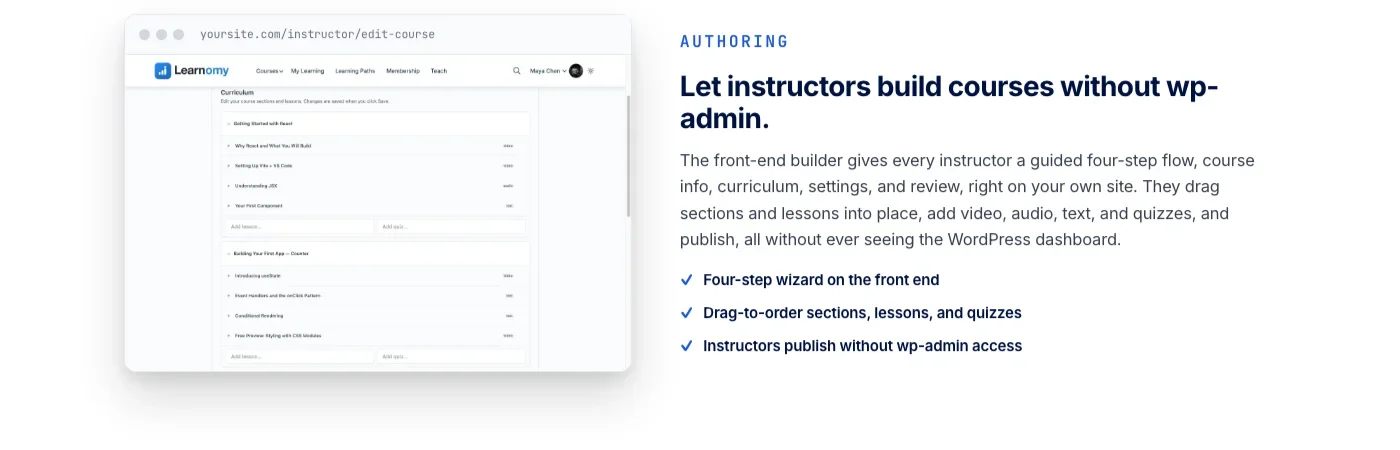
You inherited a LearnDash install, or you are about to build one, and something about the stack keeps bothering you. Courses live as custom post types in wp_posts right next to blog content and pages. Quiz attempts and progress data run through internal AJAX handlers instead of documented REST routes. Every feature you actually need for a client, a certificate designer, a real gradebook, a migration path off the incumbent, is a separate add-on with its own update cycle and its own way of breaking.
This guide is written for the person who has to build and maintain the thing, not the person who just wants to sell a course. We cover LearnDash, Tutor LMS, LifterLMS, MasterStudy LMS, LearnPress, and Sensei LMS against the criteria a WordPress developer actually cares about: REST API depth, database architecture, migration mechanics, and what happens to performance once a school has real enrollment numbers instead of a demo dataset. Learnomy is entry #1, and we explain exactly why with the same technical scrutiny applied to everything else on the list.
Key takeaways
- Most WordPress LMS plugins, including LearnDash, store courses, lessons, and topics as custom post types in
wp_posts, the same table that holds every page and blog post on the site. - Learnomy uses its own database tables for course data instead of
wp_posts, and ships its own REST API with 166 endpoints and JWT authentication, a genuinely different architecture from the CPT-based category default. - Learnomy’s migration wizard covers exactly three source platforms: LearnDash, Tutor LMS, and LifterLMS. It does not claim MasterStudy LMS, LearnPress, or Sensei LMS as migration sources.
- A real REST API test means checking quiz attempts, gradebook data, and enrollment writes, not just whether
GET /wp-json/wp/v2/coursesreturns a list. - Hosting cost at scale is driven less by traffic and more by row count in the tables your dashboard queries run against, which is where CPT-based architectures start to show strain first.
In this guide
- Why WordPress Developers Look Beyond LearnDash
- What Developers Should Actually Evaluate in an LMS
- The Best LearnDash Alternatives for WordPress Developers in 2026
- Database Schema: Custom Tables vs. wp_posts Bloat
- REST API and Headless Considerations
- Migration Mechanics: What Actually Happens to Your Data
- Hosting and Performance at Scale
- Comparison Table
- Buying Criteria for Developers
- Common Mistakes When Switching LMS Platforms
- Frequently Asked Questions
Why WordPress Developers Look Beyond LearnDash
LearnDash earned its position as the default recommendation for a reason. It is stable, well documented for end users, and has an add-on ecosystem deep enough to cover almost any use case someone is willing to pay for. That last part is also the complaint developers raise most often: almost every feature beyond the basics, a real certificate designer, group leader dashboards, advanced reporting, arrives as a separate purchase with its own settings screen and its own compatibility matrix to track through every core and PHP update.
The architecture underneath compounds this. Courses, lessons, topics, and quizzes are custom post types living in wp_posts, alongside every page, blog post, and product on the site. On a small course catalog this is invisible. On a school with a few thousand lessons, quiz questions as their own post type, and years of quiz attempt history, wp_posts and its associated postmeta table grow into something your admin queries, your search index, and your backup routine all have to account for, whether they touch course data or not.
Then there is the REST API gap. LearnDash added REST endpoints for core objects over time, but a meaningful amount of day-to-day interaction, quiz submissions, progress marking, some reporting, still runs through internal AJAX handlers rather than documented, versioned REST routes. If a client asks for a headless front end, a mobile app, or an integration that needs to read gradebook data programmatically, you end up reverse-engineering internal endpoints instead of building against a contract.
None of this makes LearnDash the wrong choice for every project. It means the decision to stay or switch should be made on the same technical grounds you would apply to any other piece of infrastructure, not on brand recognition alone.
What Developers Should Actually Evaluate in an LMS
Course-creator focused comparisons tend to rank LMS plugins on quiz question types and certificate templates. Those matter, but they are not where an LMS choice actually costs a development team time and money over a multi-year contract. Four criteria carry more weight for anyone who has to build, extend, or maintain the platform.
Database architecture
Does the plugin store its own data in dedicated tables, or does it lean on wp_posts and wp_postmeta for everything? Custom tables mean indexes designed for the actual query patterns an LMS runs (enrollment lookups, quiz attempt history, gradebook aggregation). Post-type-based storage means every course query competes with the rest of your content for the same table, and every meta lookup pays the EAV tax that wp_postmeta imposes at scale.
REST API completeness
Check whether the API surface covers the parts of the platform that actually change at runtime: enrollments, quiz attempts, progress records, certificate issuance, not just read-only course listings. A plugin that exposes courses over REST but pushes quiz grading through admin-ajax is not headless-ready, no matter what the marketing page says.
Migration mechanics
If you are moving off an existing LMS, ask exactly which source platforms the destination’s importer supports, and what it actually preserves: enrollment records, quiz attempt history, certificate issuance dates, URLs for SEO continuity. A vague “import from your old LMS” claim usually means a CSV of course titles, not your students’ progress.
Hosting behavior at scale
A plugin that performs fine in a demo with twelve students tells you nothing about a corporate training deployment with four thousand employees across sixty companies, each with its own roster. Ask how the plugin handles bulk enrollment, whether reporting queries are indexed for the filters admins actually use, and whether caching plugins need special exceptions to avoid serving one student’s progress to another.
The Best LearnDash Alternatives for WordPress Developers in 2026
Ranked with the criteria above in mind, not creator-audience feature checklists. Learnomy leads the list because it is the only platform here built on genuinely different architecture from the CPT-based category default, with the developer-facing facts to back that up rather than just claim it.
1. Learnomy
Learnomy is a complete learning platform for WordPress, not a course-delivery plugin with a payments bridge bolted on. It covers courses, quizzes, certificates, checkout, memberships, and instructor revenue sharing natively, in one codebase, from one team.
On the assessment side, Learnomy ships six quiz types with partial credit and a real question bank, plus anti-cheat tab-switch tracking that flags when a student leaves the quiz window, and an essay-grading inbox for anything that needs a human reviewer. Certificates are cryptographically signed, carry a QR code linking to a public verification page, and can be shared directly to LinkedIn, backed by a visual certificate designer rather than a fixed template.
The commerce layer is built in rather than outsourced: direct Stripe and PayPal checkout with no platform fees on what students pay, a WooCommerce adapter for sites that already run a store, memberships with trials and an automatic pricing page, and Udemy-style instructor revenue sharing with instructor applications and dashboards once a school grows past one teacher.
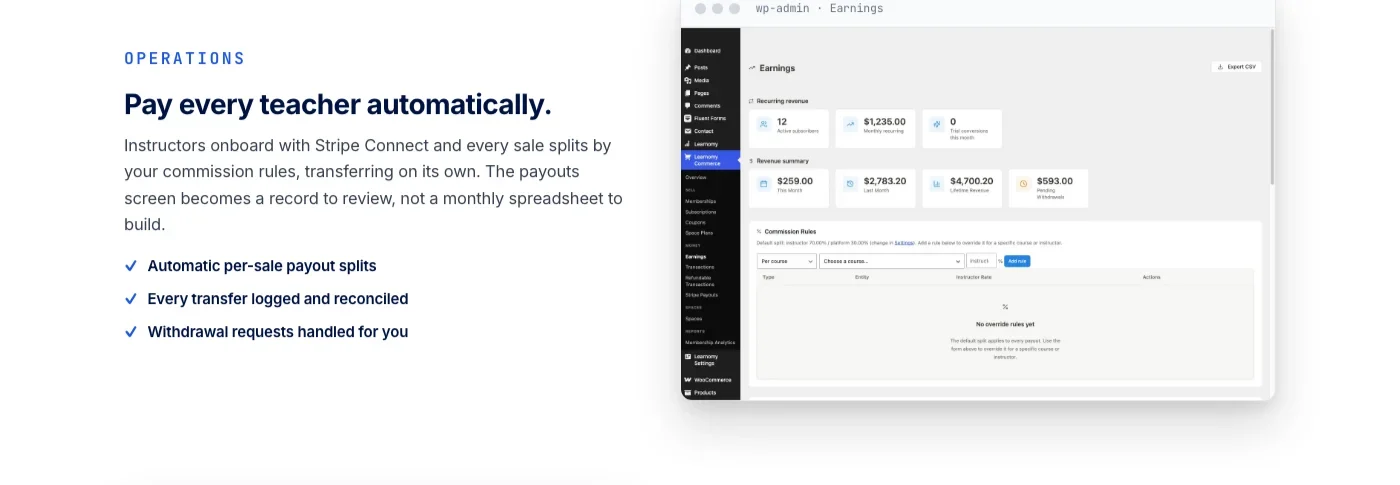
What makes this developer-relevant rather than just feature-complete: Learnomy runs its own REST API with 166 endpoints and JWT authentication, separate from whatever REST surface your theme or other plugins expose. That is enough coverage to build a headless front end, a mobile client, or a custom reporting dashboard against enrollments, quiz attempts, and certificate data without reverse-engineering internal AJAX calls. Course data lives in Learnomy’s own database tables instead of wp_posts, so a school with ten thousand lessons and years of quiz history does not inflate the same table your pages and blog posts live in.
For anyone migrating, Learnomy’s migration wizard covers exactly three source platforms: LearnDash, Tutor LMS, and LifterLMS. If your existing school runs on one of those three, the wizard is a direct path. If it runs on MasterStudy LMS, LearnPress, or Sensei LMS, that specific wizard does not apply, plan on a manual export and rebuild for those platforms.
The platform does not stop at courses. It grows into a learning community around your school, same team, adds discussion boards and Q&A alongside your lessons, includes gamified learning with points and badges, and gives graduates a job board tied to their certificates. Course video protection is available when you need it. Your branding, colors, typography, dark mode, layout, is under your control rather than limited to a logo slot on someone else’s template.
2. Tutor LMS
Tutor LMS is the closest thing to a direct LearnDash competitor in scope: a native frontend course builder with drag-and-drop lesson ordering, its own quiz engine, and monetization through WooCommerce, Easy Digital Downloads, or Paid Membership Pro depending on which bridge you configure. The frontend builder is genuinely useful for instructor-facing workflows where you do not want course creators anywhere near wp-admin.
Architecturally it follows the same pattern as LearnDash: courses, lessons, topics, and quizzes as custom post types in wp_posts. Its REST API covers the common CRUD operations for courses and enrollments reasonably well, but the same caveat applies as with LearnDash: verify coverage for quiz attempts and gradebook data specifically before committing to a headless build, rather than assuming REST parity across every feature.
3. LifterLMS
LifterLMS differentiates on its engagement and gradebook tooling: automated triggers for emails, certificates, and achievements based on student behavior, plus a gradebook that goes deeper than pass/fail into per-assignment tracking. Checkout historically ran through a WooCommerce bridge, with more native payment options added in recent versions.
Like the two above, course content is stored as custom post types. For developers, LifterLMS’s hook coverage is a genuine strength, it exposes a large number of action and filter hooks for customizing enrollment logic and engagement triggers, even if the underlying storage model is the same wp_posts-based approach as the rest of the category.
4. MasterStudy LMS
MasterStudy LMS leans hardest into page-builder-driven course design, with deep Elementor integration for building course landing pages without touching template files. Its multi-instructor model is closer to a marketplace out of the box than LearnDash’s group-leader approach, which suits sites planning to onboard many independent instructors from day one.
Course objects again use the custom-post-type pattern common to the category. If Elementor is already your team’s page-building standard, the integration depth here is a real argument in MasterStudy’s favor over plugins that treat page builders as an afterthought.
5. LearnPress
LearnPress ships a genuinely lightweight free core, which is exactly the trap: certificates, prerequisites, assignments, and most of what a real course needs beyond video playback arrive as separate paid add-ons, each with its own settings page and its own update cadence. This is the “LMS plus six add-ons” problem in its purest form within the WordPress LMS category.
For a developer building something custom on top, LearnPress’s hook system is flexible and well documented, so heavy customization is achievable. Budget the integration time for stitching those add-ons together rather than assuming a coherent single product out of the box.
6. Sensei LMS
Sensei LMS, built by the WooCommerce team at Automattic, takes the opposite approach: a deliberately minimal course structure that leans entirely on WooCommerce for selling. If your stack already runs on WooCommerce and you want course selling to feel like an extension of your existing product catalog rather than a parallel system, that tight coupling is the whole appeal.
The tradeoff is scope. Sensei’s native feature set is intentionally smaller than LearnDash, Tutor LMS, or LifterLMS, certificates, quizzes, and course structure are present but not as deep, and much of what those other platforms build natively you would build yourself on top of WooCommerce’s extension ecosystem instead. Its course builder does lean on the block editor natively, which developers already comfortable with Gutenberg blocks will find familiar.
7. LearnDash
Covered in detail above: the category incumbent, stable, well documented, with the deepest third-party add-on ecosystem of anything on this list. The reasons developers evaluate alternatives, add-on fragmentation, wp_posts-based storage at scale, an incomplete REST surface for runtime data, are the same reasons some teams choose to stay: switching costs are real, and a stable, known platform with a workaround for every gap can be the pragmatic choice for a site that is not yet hitting the scale where those gaps hurt.
Database Schema: Custom Tables vs. wp_posts Bloat
This is the architectural fact that most creator-audience comparisons skip entirely, and it is the one that determines how your hosting bill and your query performance behave once a school stops being a demo and starts being a business. LearnDash, Tutor LMS, LifterLMS, MasterStudy LMS, LearnPress, and Sensei LMS all store courses, lessons, and topics as custom post types. That means every course, every lesson, every quiz question lives as a row in wp_posts, the exact same table that holds your pages, your blog posts, and anything else built on core WordPress content types.
Quiz questions are frequently their own post type too, which means a course with two hundred quiz questions across its modules adds two hundred rows to wp_posts before a single student has enrolled. Add a few years of an active school and wp_posts plus wp_postmeta can grow into millions of rows, most of them course structure rather than actual content anyone reads directly. Every plugin that queries wp_posts for any reason, your SEO plugin, your search index, your backup tool, your caching layer, now has to work through that volume regardless of whether it cares about course data.
Learnomy avoids this by storing course, lesson, quiz, and enrollment data in its own dedicated database tables rather than layering everything onto wp_posts. Indexes can be designed around actual LMS query patterns, enrollment lookups by user and course, quiz attempt history by student, gradebook aggregation by cohort, instead of the generic post-and-meta shape that WordPress core provides for content that was never designed to be a learning platform’s backend.
For a developer scoping a multi-year contract, this is not a cosmetic detail. It is the difference between a database that scales predictably with enrollment and one that scales with the total historical size of the school, forever, because nothing about the CPT model prunes or archives efficiently without custom work you would have to build yourself.
REST API and Headless Considerations
“Has a REST API” is close to meaningless as a checkbox. Every plugin on this list exposes something over /wp-json/. The question that actually matters for a headless build, a mobile app, or a custom integration is which parts of the platform that API covers, and which parts still require calling internal AJAX handlers that were never designed to be a stable, versioned contract.
The parts to test specifically before committing to any of these platforms for a headless or API-driven project:
- Enrollment writes. Can you enroll a user in a course through the API, or only read enrollment status?
- Quiz submission and grading. This is where most CPT-based LMS plugins fall back to admin-ajax, since quiz interaction was built as a frontend JavaScript feature before REST coverage was retrofitted.
- Gradebook and progress data. Can a mobile app or external dashboard pull a student’s full progress record, or does that data only render server-side inside a shortcode?
- Certificate issuance. Can you trigger and verify certificate issuance programmatically, useful for integrations with an external CRM or HR system?
Learnomy’s 166 REST endpoints with JWT authentication are built around this exact use case rather than added as an afterthought to a plugin designed for the classic WordPress admin-and-shortcode model. JWT authentication in particular matters for mobile apps and third-party integrations that cannot rely on WordPress cookie-based auth. That does not mean the other platforms on this list are unusable for API-driven work, LifterLMS’s hook system in particular gives developers plenty of surface area to build custom endpoints on top of, but it does mean the amount of custom glue code required varies significantly, and that variance is exactly what shows up in a project’s timeline and budget.
If your team already builds on top of BuddyPress or a similar developer-friendly community platform and cares about REST completeness as a first-class requirement, our comparison of REST API depth across community plugins applies the same evaluation lens to the adjacent category, and the questions to ask are largely the same.
Migration Mechanics: What Actually Happens to Your Data
A migration wizard claim on a product page tells you almost nothing about what the migration actually preserves. Before moving a live school between platforms, get specific answers to what happens to each of these:
- Enrollment records. Does the migration keep a student enrolled in the equivalent course on the new platform, or does everyone need to re-enroll manually?
- Progress and quiz attempt history. A student who completed 80% of a course should not restart at 0% after a migration, and quiz attempt history often matters for compliance-driven training where you need a record of what was tested and when.
- Certificate continuity. If certificates were already issued, do the verification links still resolve after migration, or does moving platforms silently break every certificate a graduate has already shared on LinkedIn?
- URL structure. Course and lesson URLs that already rank in search should survive the move, or you need a redirect plan before switching anything.
Learnomy’s migration wizard is explicit about scope: it covers LearnDash, Tutor LMS, and LifterLMS as source platforms, and only those three. If your school currently runs on MasterStudy LMS, LearnPress, or Sensei LMS, that specific automated path does not exist, and a migration would mean exporting what you can through each plugin’s own export tooling and rebuilding course structure manually, budget accordingly rather than assuming a one-click path exists for every source platform.
The practical takeaway for a development team quoting a migration project: ask for the exact source-platform list before promising a client an automated switch, and test the migration against a staging copy of the real data, not a fresh demo course, before running it against production. Enrollment history and certificate continuity are exactly the details that look fine in a demo and break under a real dataset with edge cases: partial refunds, expired memberships, and students enrolled in courses that were later archived.
Hosting and Performance at Scale
The scenario that actually stresses an LMS is rarely a viral course launch. It is corporate training and B2B deployments, where one company buys a block of seats and needs its own roster, its own cohort structure, and its own reporting, and where the same infrastructure has to serve dozens of companies like that at once without one tenant’s reporting query degrading performance for everyone else.
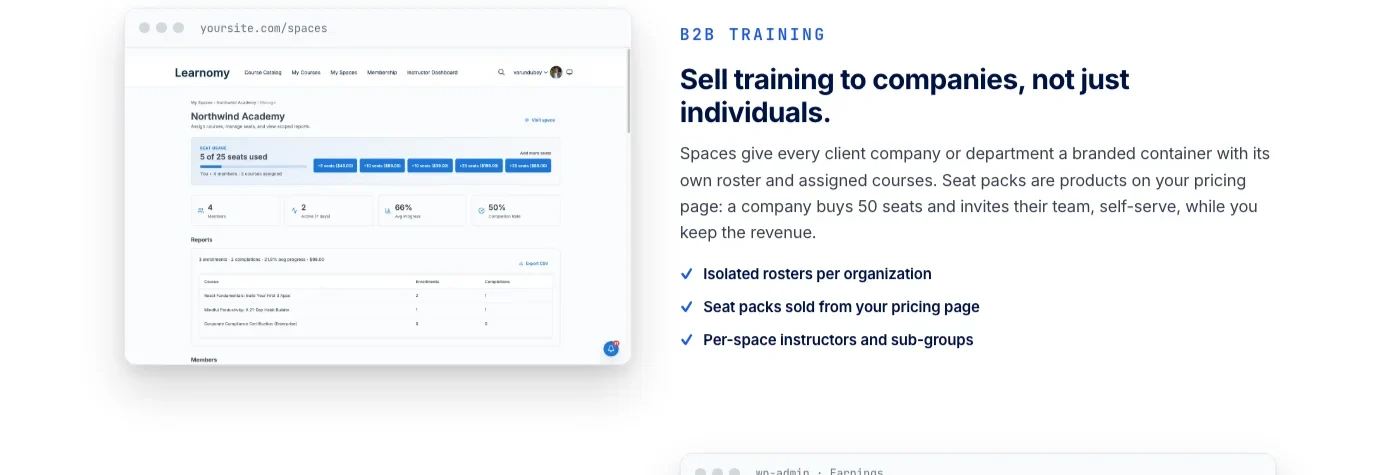
A few specific things to check with any of these platforms before committing to a corporate training or high-enrollment deployment:
- Bulk enrollment performance. Enrolling four thousand employees at once should not mean four thousand sequential database writes triggered from a single admin action. Ask how bulk operations are handled, batched writes, background processing, or a naive loop.
- Reporting query indexes. An admin dashboard that filters completion rates by company, cohort, or date range needs indexes that match those filters. On a CPT-based architecture, this often means custom indexes added manually, since
wp_postmeta‘s generic structure does not index well for arbitrary filtered aggregation. - Caching interaction. Full-page caching plugins need explicit exceptions for any page showing per-student progress or gradebook data, otherwise one student’s cached dashboard can serve to another. Confirm the LMS documents these exceptions rather than leaving you to discover the bug in production.
- Learning paths and cohort structure. Sequential curricula, drip content tied to a cohort’s start date, and paths that span multiple courses are common corporate training requirements that not every platform in this list handles as a first-class structure rather than a workaround built from prerequisites and manual scheduling.
Learnomy’s team seat model lets a company buy a block of seats and manage its own roster without an admin manually enrolling each employee, with learning paths for sequential curricula built on top of course data stored in dedicated tables rather than wp_posts. That combination, purpose-built multi-tenant enrollment plus storage designed for it, is what determines whether a sixty-company deployment stays fast at month eighteen or starts requiring emergency database tuning once row counts climb past what a CPT-based schema was ever indexed for.
Comparison Table
Platform | Database model | REST API depth | Migration sources supported | Built-in checkout | Instructor payouts |
|---|---|---|---|---|---|
Learnomy | Dedicated custom tables | 166 endpoints, JWT auth | LearnDash, Tutor LMS, LifterLMS | Direct Stripe + PayPal, no platform fees | Native revenue sharing + dashboards |
LearnDash | Custom post types (wp_posts) | Partial, AJAX-heavy for quizzes | N/A (incumbent) | Via add-ons / WooCommerce | Via add-on ecosystem |
Tutor LMS | Custom post types (wp_posts) | Covers core CRUD, verify quiz/gradebook coverage | Not documented as automated wizard | WooCommerce / EDD / PMP bridge | Available in paid tiers |
LifterLMS | Custom post types (wp_posts) | Core CRUD + extensive hooks | Not documented as automated wizard | Native + WooCommerce bridge | Via extensions |
MasterStudy LMS | Custom post types (wp_posts) | Core CRUD | Not documented as automated wizard | Native marketplace checkout | Marketplace-style splits |
LearnPress | Custom post types (wp_posts) | Core CRUD, extensible via hooks | Not documented as automated wizard | Via add-ons | Via add-ons |
Sensei LMS | Custom post types (wp_posts) | Minimal, leans on WooCommerce | Not documented as automated wizard | WooCommerce native | Via WooCommerce ecosystem |
Buying Criteria for Developers
Run any LearnDash alternative through this checklist before committing a client or your own product to it:
- Ask for the database schema, not the feature list. Does course data live in dedicated tables, or is it custom post types riding on
wp_posts? This one architectural fact predicts more about long-term performance than any feature comparison. - Test the REST API against runtime data, not just read-only listings. Try to submit a quiz attempt, pull gradebook data, and enroll a user through the API before assuming headless readiness.
- Get the exact migration source list in writing. “Import from your old LMS” is marketing copy. “Migration wizard for LearnDash, Tutor LMS, and LifterLMS” is a fact you can plan a project around.
- Check hook and filter coverage for the specific customization your project needs. A platform with deep hooks but a thinner REST API might still be the right choice if your integration runs server-side rather than through a separate client app.
- Model the add-on cost of ownership, not just the base license. A platform that needs six paid add-ons to match another platform’s native feature set costs more in maintenance overhead than the sticker price suggests, tracking compatibility across six vendors instead of one.
- Confirm caching and multi-tenant behavior before a corporate training deployment. Ask specifically how bulk enrollment and per-student cached pages are handled, do not assume it from a single-instructor demo.
Common Mistakes When Switching LMS Platforms
Teams that have done LMS migrations before tend to repeat the same handful of mistakes on the ones that go wrong:
Migrating on a live site without a staging rehearsal
Run the migration against a full staging copy of production data first, including the messy edge cases: expired memberships, partial refunds, and students enrolled in courses that were later unpublished. A migration that works cleanly on a demo course with three lessons can fail silently on production data with years of accumulated exceptions.
Assuming REST parity across every feature
A platform can have an excellent REST API for courses and a nonexistent one for quiz attempts. Test the specific endpoints your integration needs rather than extrapolating from a general “REST API available” claim on a product page.
Ignoring certificate continuity
If students have already shared verification links on LinkedIn or a resume, a migration that breaks those links is a real cost to the people who trusted the certificate, not just an internal inconvenience. Confirm before migrating whether existing certificates keep working.
Underestimating add-on migration debt
If the old platform’s functionality depends on five paid add-ons, the new platform needs equivalent coverage for all five, not just the core course structure, or the migration quietly drops features nobody remembered were add-ons in the first place.
Skipping the URL redirect plan
Course and lesson pages that already rank in search need 301 redirects mapped before the migration goes live, not discovered as a problem after organic traffic drops.
Frequently Asked Questions
Is Learnomy actually different from LearnDash, or just a rebrand with similar features?
The feature list looks similar because both cover courses, quizzes, and certificates. The architecture underneath does not: Learnomy stores course data in its own database tables rather than as custom post types in wp_posts, and ships its own 166-endpoint REST API with JWT authentication built around headless and integration use cases from the start, rather than retrofitted onto a plugin designed around the classic wp-admin and shortcode model.
Can I migrate from MasterStudy LMS, LearnPress, or Sensei LMS to Learnomy automatically?
No. Learnomy’s migration wizard covers exactly three source platforms: LearnDash, Tutor LMS, and LifterLMS. Migrating from MasterStudy LMS, LearnPress, or Sensei LMS means exporting what you can through each plugin’s own tools and rebuilding course structure manually.
Does a custom database table architecture actually matter if my course catalog is small?
Not much at first. A school with fifty lessons will not notice the difference between custom tables and custom post types. The gap opens up as quiz question counts, quiz attempt history, and enrollment records accumulate over years, which is exactly the point at which switching platforms becomes expensive, so it is worth evaluating for where the school will be in three years, not where it is today.
Which of these platforms has the best REST API for a headless front end?
Test each one against the specific runtime data your project needs rather than trusting a general claim. Learnomy’s REST API was built with JWT authentication and 166 endpoints specifically for this kind of integration work. LifterLMS’s extensive hook system gives developers plenty of surface area to build custom endpoints on top of if the native REST coverage falls short for a particular use case.
Do any of these platforms support a real B2B corporate training model with company-managed seats?
Learnomy supports team seats where a company buys a block and manages its own roster, paired with sequential learning paths for structured curricula. The other platforms on this list can approximate this with combinations of user roles, group enrollment add-ons, and manual roster management, but check whether that structure is native or something you would need to build.
Should I add a discussion forum or Q&A space alongside my courses?
If students are asking the same questions repeatedly across different lesson comment sections, yes, comments do not scale the way a searchable forum does. See our guides on why online courses need a discussion forum, not just comments and gating forum access behind course enrollment for the specific mechanics of connecting enrollment data to discussion permissions.
Is switching LMS platforms worth the migration cost for an established school?
It depends on what is actually broken. If the current platform is stable and the add-on costs are manageable, staying is often the pragmatic choice, migration always carries risk to enrollment continuity and SEO. If you are hitting a real architectural wall, database bloat degrading admin performance, a REST API gap blocking a mobile app your business needs, or ongoing costs from stacking add-ons to match features that are native elsewhere, that is when the migration cost becomes worth evaluating seriously against a documented, scoped source-platform wizard rather than a manual rebuild.
Does Learnomy require WooCommerce to sell courses?
No. Learnomy includes direct Stripe and PayPal checkout natively, with no platform fees on what students pay. A WooCommerce adapter is available for sites that already run a store and want course sales inside that existing checkout flow, but it is optional, not a requirement.
Building the School on Infrastructure That Holds Up
The right LearnDash alternative for a development team is the one whose architecture matches the scale the project will actually reach, not just the one with the longest feature list on launch day. Custom database tables instead of wp_posts bloat, a REST API that covers quiz attempts and gradebook data instead of just course listings, and a migration wizard that is honest about which source platforms it actually supports, LearnDash, Tutor LMS, and LifterLMS in Learnomy’s case, are the details that determine whether the platform is still fast and maintainable three years and several thousand enrollments from now.
Learnomy is a complete learning platform built on that kind of infrastructure from the start: courses, quizzes with anti-cheat tracking, verifiable certificates, built-in checkout with no platform fees, and instructor revenue sharing, backed by its own REST API and its own database tables rather than a plugin stretched onto WordPress’s generic content model. It grows into a learning community, discussion boards, gamified progress, and a job board for graduates when a school needs more than courses alone, on a site your team owns and controls down to the branding.















