Best LMS for Membership Sites in 2026
Learnomy, LearnDash + MemberPress stacks, Tutor LMS, LifterLMS, and Restrict Content Pro combos compared for membership-site builders who need native memberships, trials, and content gating that actually stays in sync with subscription state.
Updated September 2026.
You are not building a course catalog. You are building a membership site where courses happen to be part of what a member gets for their recurring payment, alongside a community, gated downloads, or ongoing coaching access. That distinction changes which LMS actually fits, because most course platforms were designed around a one-time sale for a single course, not around recurring access, trial periods, and content that needs to unlock and lock again as a subscription changes state.
This guide compares the LMS options a BuddyPress or membership-site builder actually weighs in 2026: Learnomy as entry #1 for its native membership model, the LearnDash-plus-MemberPress-style stack that most agencies default to, Tutor LMS, LifterLMS with its genuinely strong native membership tooling, and Restrict Content Pro paired with a separate LMS. We evaluate all five on the criteria that matter for recurring-access sites specifically: how membership state and course access actually connect, not just how many quiz types a plugin ships.
None of the platforms below are being judged on whether they can technically deliver a video lesson. Every LMS on this list can do that. The difference that actually matters for a membership site shows up months after launch, in whether an upgrade, a failed card, or a cancellation changes what a member can see correctly and on its own, or whether it requires a support ticket and a manual fix because two separate systems disagreed about the member’s status.
Key takeaways
- Membership sites need an LMS where course access is driven directly by subscription state, not a separate membership plugin bridged on top through a restriction rule that can drift out of sync during renewals, cancellations, or plan changes.
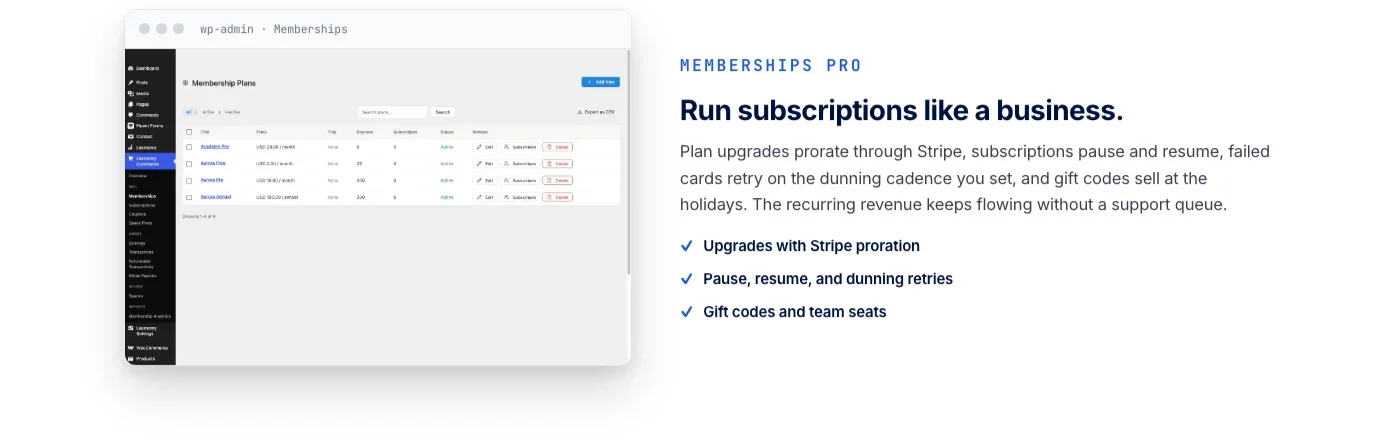
- Learnomy builds memberships with trials and an automatic pricing page directly into the platform, with direct Stripe and PayPal checkout and no platform fee on what members pay.
- LifterLMS has genuinely strong native membership features of its own, courses can be bundled and unlocked through membership levels without a bolted-on third-party plugin, which sets it apart from LearnDash and Tutor LMS on this specific point.
- A LearnDash-plus-MemberPress stack remains capable and widely deployed, but it is two products from two vendors reconciling membership state and course access across two separate systems.
- Restrict Content Pro is a membership and content-restriction plugin first, not a course platform, so pairing it with an LMS means running and maintaining two separate systems for gating logic and course structure.
In this guide
- Why a Membership Site Needs to Think About Its LMS Differently
- What to Evaluate When Choosing an LMS for a Membership Site
- The Best LMS for Membership Sites in 2026
- Built-In Memberships vs. Bolted-On Membership Plugins
- Comparison Table
- Buying Criteria for Membership-Site Builders
- Common Mistakes When Picking an LMS for a Membership Site
- Frequently Asked Questions
Why a Membership Site Needs to Think About Its LMS Differently
A course creator selling one flagship course cares about a checkout flow, a drip schedule, and a certificate at the end. A membership site cares about something harder: keeping course access correctly synced to a subscription that can change state at any moment. A member upgrades from a basic tier to a premium one and should get new courses unlocked immediately. A payment fails and access should pause, not vanish outright while support figures out what happened. A member cancels and, depending on the policy, keeps access until the end of the billing period or loses it right away. None of that is a course-platform problem on its own. It is a billing-and-access problem that the LMS has to participate in correctly.
The default answer in WordPress has been to run a membership plugin and an LMS side by side, with the membership plugin owning subscriptions and the LMS owning course structure, connected through a restriction rule or an integration add-on. That works, and thousands of sites run exactly this pattern successfully. The cost shows up at the seams: a plan change that does not immediately reflect in course access, a webhook that fires from the payment processor to the membership plugin but takes a cron cycle to propagate to the LMS, and a support ticket from a member who upgraded and still cannot see the course they just paid for.
The alternative, an LMS with membership logic built into the same codebase as the course structure, removes an entire class of these sync problems by design, because there is only one system deciding whether a given member can see a given course. That is the lens this guide applies to every platform below: not “does it have a membership feature,” but “is membership state and course access the same decision, made in one place.”
What to Evaluate When Choosing an LMS for a Membership Site
Feature checklists built for solo course creators miss the questions that actually matter once course access depends on a recurring subscription rather than a one-time purchase. These five hold more predictive weight for a membership build than quiz types or certificate templates.
Native membership logic vs. an add-on bridge
Does the platform treat memberships as a first-class object it manages directly, with its own trials, tiers, and pricing page, or does it rely entirely on a separate membership plugin communicating through a compatibility bridge? A bridge can work fine day to day, but every edge case, a failed renewal, a mid-cycle upgrade, a grandfathered legacy tier, has to be handled correctly on both sides of that bridge, and testing that thoroughly takes real time during setup.
Content gating granularity
Some sites need to gate at the course level. Others need to gate individual lessons, drip specific modules by how long a member has held their plan, or unlock a bonus course only for a higher tier while everyone else sees a locked preview. Confirm the platform supports the granularity your membership tiers actually need before assuming “content gating” on a feature page covers your specific case.
Checkout ownership and platform fees
Ask who processes the recurring charge and whether anything is taken off the top of what a member pays beyond standard payment-processor fees. A platform that runs its own direct Stripe or PayPal checkout with no added platform fee keeps that revenue line simple. A platform that requires stacking a separate payments bridge on top adds another vendor, another webhook chain, and in some cases another fee, to reconcile every month.
Trial handling and pricing page flexibility
A trial period that converts to a paid tier automatically, with the pricing page reflecting tier changes without manual page edits, saves real ongoing maintenance. Confirm whether trials are native to the LMS’s membership model or something you would configure through a separate plugin’s own trial logic, layered on top.
Migration path if courses already exist elsewhere
If a membership site is already running courses on another platform, check exactly which source platforms the destination’s migration tooling supports before assuming a smooth move. A vague “import your courses” claim on a feature page is not the same as a documented, tested migration path for your specific existing platform.
The Best LMS for Membership Sites in 2026
Ranked for a membership-site builder specifically, weighing native membership logic and gating granularity ahead of quiz-type counts. Learnomy leads because its membership model, trials, and pricing page live in the same platform as its course structure, not in a separate plugin connected through a bridge.
1. Learnomy
Learnomy is a complete learning platform for WordPress, and for a membership site specifically, the relevant fact is that memberships are not an add-on: they are built into the same platform that manages courses, quizzes, and certificates. A membership site builder gets memberships with trial periods and an automatic pricing page that updates itself as tiers change, rather than a static page someone has to remember to edit by hand every time a plan is added or retired.
Content gating works at the level a membership site actually needs: courses, and the lessons inside them, can be locked to specific membership tiers, so a basic-tier member and a premium-tier member see a coherent, correctly gated catalog without a separate restriction plugin layered on top translating tier names into access rules. Because the membership logic and the course structure share one database, an upgrade or downgrade reflects in what a member can access immediately, without waiting on a bridge between two separate systems to catch up.
Checkout is direct Stripe and PayPal, built into Learnomy itself, with no platform fee on what a member pays beyond standard processor charges, and a WooCommerce adapter is available for sites that already run a store and want membership sales inside that existing checkout. For a recurring-revenue business, that structural detail compounds every month: a membership site running its own checkout with no per-transaction cut keeps a materially larger share of every renewal than a hosted course platform charging both a subscription fee and a percentage of sales.
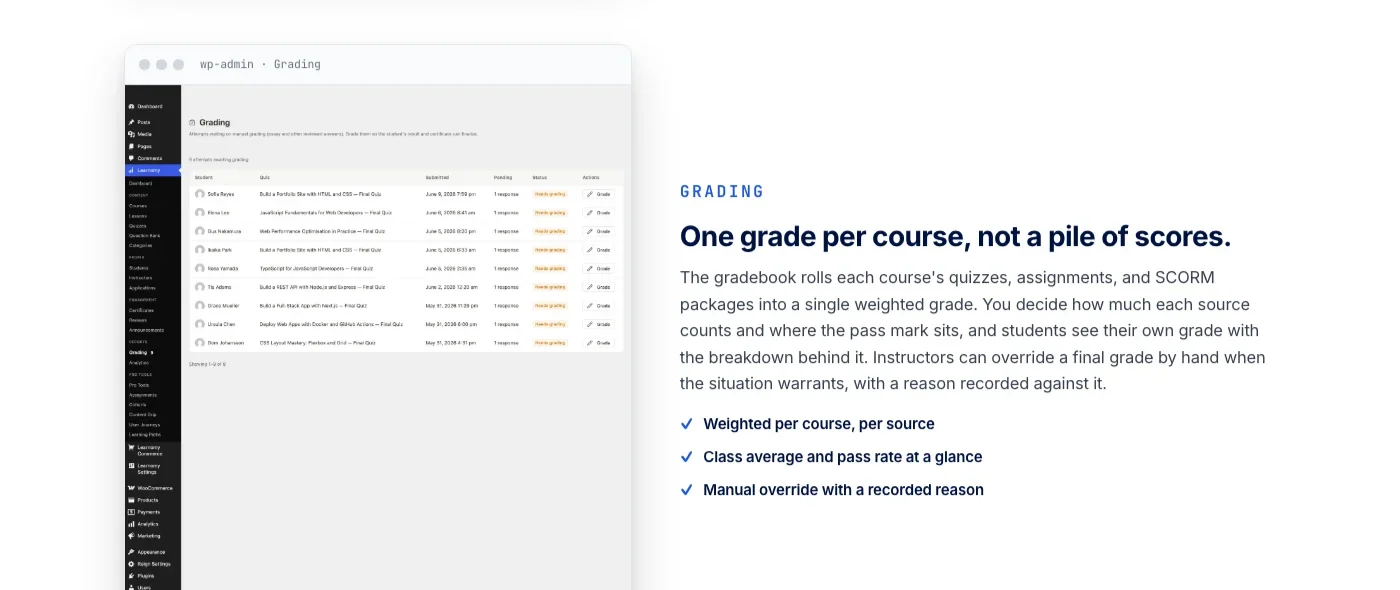
On the course side, Learnomy still delivers the depth a membership site’s course content needs to feel worth paying for: six quiz types with partial credit and a real question bank, anti-cheat tab-switch tracking, an essay-grading inbox, and certificates that are cryptographically signed with a QR code linking to a public verification page, shareable directly to LinkedIn. Those certificates work as their own retention hook for a membership site: a member who earns a verifiable credential from your program has a reason to keep the subscription active beyond the course content itself.
If a school grows past a single instructor, Learnomy’s instructor revenue sharing, with instructor applications and dashboards, supports a Udemy-style split model natively rather than requiring a separate marketplace plugin. And it does not stop at courses and memberships: the platform grows into a learning community around your school, the same team, when a membership site needs more than gated courses to keep members engaged, without asking you to evaluate and license a separate community product from scratch.
If the plan is to combine a membership site with a broader social layer, feeds, profiles, spaces for members, rather than courses alone, our comparison of the best membership community plugins for WordPress covers that adjacent decision with the same evaluation criteria applied here.
2. LearnDash + MemberPress-style stacks
LearnDash paired with MemberPress, or a similar membership plugin, is the pattern most WordPress agencies default to, and for good reason: both products are mature, well documented, and individually capable. LearnDash handles course structure, drip content, and quizzes. MemberPress handles subscription billing, plan tiers, and content restriction rules that can be pointed at LearnDash courses. Configured carefully, this stack runs plenty of successful membership sites today.
The tradeoff is exactly the one described above: two separate products from two separate vendors, each with its own update cycle, reconciling membership state and course access through an integration layer rather than sharing one data model. A plan change, a failed payment, or a refund has to propagate correctly from MemberPress’s billing logic into LearnDash’s access rules, and testing that propagation across every plan-change scenario is work the site owner or their developer has to do and re-verify after every update to either plugin. If your team is already deep in this stack and weighing whether the switching cost of moving off it is worth it, our developer-focused comparison of LearnDash alternatives looks at the same decision from the architecture side rather than the membership side specifically.
3. Tutor LMS
Tutor LMS ships a genuinely useful native frontend course builder, letting instructors create and structure courses without touching wp-admin. For monetization, it connects through WooCommerce, Easy Digital Downloads, or Paid Membership Pro, depending on which bridge you configure, rather than running its own native membership and subscription model.
For a membership site, that means the same evaluation questions apply as with any bridged setup: confirm which of those three monetization paths supports the specific tier structure and trial handling your membership plan needs, and budget time to test the connection between Tutor LMS’s course access and whichever membership or subscription plugin ends up managing the recurring billing side.
4. LifterLMS
LifterLMS deserves a direct, honest callout here, because unlike LearnDash and Tutor LMS, it has genuinely strong native membership features of its own. Courses can be bundled and unlocked through LifterLMS’s own membership levels without reaching for a separate third-party membership plugin, which puts it in a different category than the “LMS plus bridge” pattern above for a site that wants that native structure specifically. Its engagement automation, triggers for emails, achievements, and certificates based on member behavior, plus a gradebook that tracks per-assignment detail rather than a flat pass or fail, gives a membership site real tools for keeping members active rather than just gated.
Checkout has historically run through a WooCommerce bridge, with more native payment options added over recent versions, so confirm current checkout capabilities directly against your specific payment needs before committing. If native membership levels inside the LMS itself, rather than a separate plugin, is the deciding factor for your build, LifterLMS is the closest thing on this list to Learnomy’s approach, and worth evaluating side by side rather than assuming LearnDash-style limitations apply here too.
5. Restrict Content Pro + LMS combos
Restrict Content Pro is a membership and content-restriction plugin, not a course platform, and it does not pretend to be one. Paired with a separate LMS, LearnDash, Tutor LMS, or another platform, it can restrict access to course content based on subscription level, and its restriction logic is straightforward to configure for simple gating needs.
The honest limitation: this pairing means running and maintaining two entirely separate systems, one for membership and billing, one for course structure and delivery, with no shared data model connecting them beyond whatever restriction rules you configure manually. For a simple membership site with a small, stable course catalog, that separation is manageable. For a growing site with multiple tiers, drip schedules tied to membership duration, and course content that changes often, the manual reconciliation between the two systems becomes a recurring maintenance cost rather than a one-time setup task.
Built-In Memberships vs. Bolted-On Membership Plugins
The pattern across every platform above comes down to one architectural question: does membership state live in the same system as course access, or in two systems talking to each other through an integration layer? Neither approach is automatically wrong, but the tradeoffs are concrete rather than theoretical.
A bolted-on membership plugin gives you flexibility to choose the specific membership product that fits your billing needs independent of which LMS you run, and if you already have a membership plugin deployed across other parts of a WordPress site, extending it to cover course access keeps your subscription logic in one familiar place. The cost is testing surface: every plan change scenario, upgrade, downgrade, pause, cancellation, refund, has to be verified across the boundary between the two products, and a plugin update on either side can quietly break that boundary without an obvious error message pointing at the actual cause.
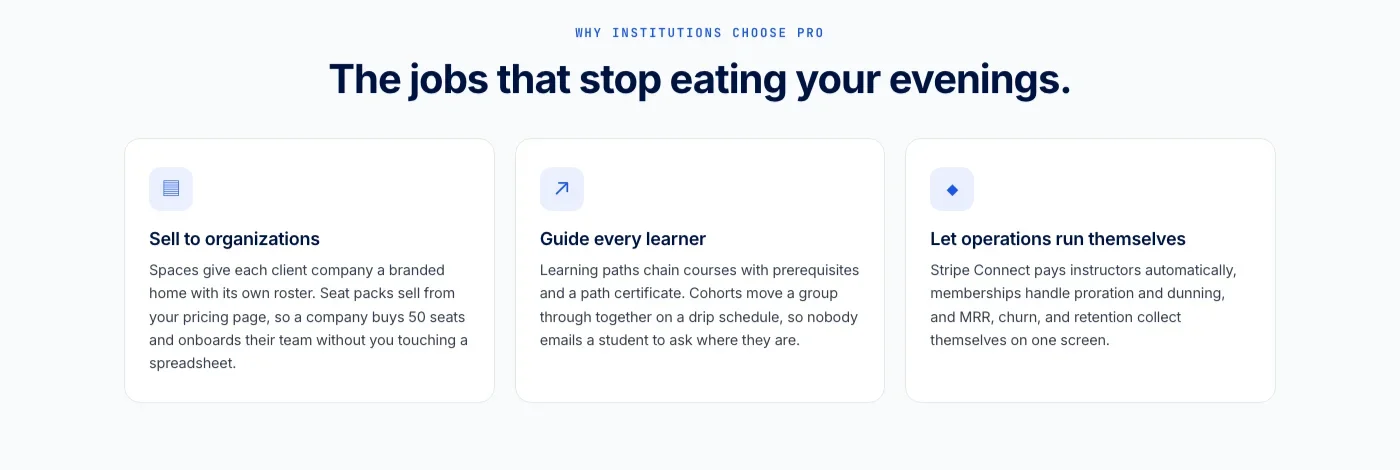
A built-in membership model removes that boundary by design. There is one system deciding whether a member can access a given course, because the subscription tier and the course structure are rows in the same database rather than records in two databases kept in sync through webhooks and cron jobs. That also means one place to look when a member reports an access problem, rather than tracing the issue through two admin dashboards and a log of API calls between them.
Retention tooling is where this architectural choice shows up most visibly to members rather than just to whoever maintains the site. A certificate that a member can verify publicly and share to LinkedIn, tied to a course they accessed because of their membership tier, gives that member a reason to talk about your program that a generic “member since 2024” badge does not. That kind of outcome is easier to build and keep reliable when the certificate system and the membership system are part of the same platform rather than two products that each need to know the other exists.
Total cost of ownership for a membership LMS is rarely the license or subscription price of the software itself. It is the hours spent reconciling two systems every time a payment processor changes its webhook format, a plugin update shifts how a hook fires, or a member’s edge-case billing history, a partial refund, a paused-then-resumed subscription, does not map cleanly onto either system’s assumptions. A platform that owns membership and course access as one decision does not eliminate that maintenance work entirely, but it removes the specific category of bugs that live in the gap between two vendors’ products, which is where a disproportionate share of membership-site support tickets tend to originate.
Comparison Table
Platform | Membership model | Content gating | Checkout | Platform fees |
|---|---|---|---|---|
Learnomy | Native, with trials and automatic pricing page | Course and lesson level, tier-based | Direct Stripe + PayPal, WooCommerce adapter optional | No platform fee |
LearnDash + MemberPress-style stack | Bridged, two separate products | Rule-based restriction pointed at LearnDash courses | Via MemberPress / WooCommerce | Depends on payment processor only |
Tutor LMS | Bridged via WooCommerce, EDD, or PMP | Course level, via connected membership plugin | WooCommerce / EDD / PMP bridge | Depends on bridge product |
LifterLMS | Native membership levels bundling courses | Course level, native to LifterLMS | Native + WooCommerce bridge | Depends on payment processor only |
Restrict Content Pro + LMS combo | Bridged, two fully separate systems | Manual restriction rules across two systems | Restrict Content Pro’s own checkout | Depends on payment processor only |
Buying Criteria for Membership-Site Builders
Run any LMS candidate for a membership build through this checklist before committing your subscription revenue to it:
- Confirm whether membership tiers live inside the LMS or in a separate plugin. Ask specifically what happens to course access the moment a member upgrades, downgrades, or cancels, and whether that happens instantly or on a delay.
- Test content gating at the granularity your tiers actually need. Course-level gating is not the same as lesson-level or drip-by-membership-duration gating. Confirm the specific level your pricing plan requires.
- Check who owns checkout and whether anything is taken off the top. A platform with no added platform fee on member payments keeps more of every renewal than one layering its own cut on top of standard processor fees.
- Verify trial handling and pricing page maintenance. A pricing page that updates itself when you add or retire a tier saves real ongoing admin time compared to one you edit by hand.
- Ask for the exact migration source list if you already run courses elsewhere. “Import your courses” on a feature page is not the same as a tested, documented migration path for your specific current platform.
- Weigh retention tooling, not just gating. Certificates, engagement triggers, and community features that keep a member logged in and engaged matter as much to retention as the paywall that got them to subscribe in the first place.
Common Mistakes When Picking an LMS for a Membership Site
Teams that have built membership sites before tend to repeat the same handful of mistakes on the ones that cause the most support tickets later.
Assuming “has a membership feature” means native membership logic
A feature page listing “membership support” often means compatibility with a separate membership plugin, not a native membership model built into the LMS itself. Confirm which one you are actually getting before assuming the setup will be simpler than a two-plugin stack.
Not testing every plan-change scenario before launch
Upgrade, downgrade, pause, cancel, refund, and failed-payment retry are all separate scenarios, and a bridged setup between a membership plugin and an LMS can handle some correctly while quietly mishandling others. Test each one against a staging site with real test transactions before members experience the gap in production.
Underestimating the cost of running two separate systems
Two plugins from two vendors means two update cycles, two support channels when something breaks, and a compatibility check every time either one ships a new version. That ongoing overhead is easy to underestimate during initial setup when everything is working correctly.
Gating everything and building nothing for retention
A paywall gets a member to subscribe once. It does not give them a reason to stay subscribed for a second, third, or twelfth month. Certificates, progress tracking, and community features around the course content do more for retention over time than tightening the gate ever will.
Skipping the migration source check before switching platforms
If a membership site already has active members enrolled in existing courses, confirm exactly what a new platform’s migration tooling preserves, enrollment records, progress, certificate continuity, before assuming a smooth move. A migration that drops progress history means active, paying members restarting courses they had already completed.
Frequently Asked Questions
Does Learnomy require a separate membership plugin to gate courses by subscription tier?
No. Learnomy includes memberships with trials and an automatic pricing page as a native part of the platform, so course and lesson access can be gated to specific membership tiers without installing a separate third-party membership plugin.
Is LifterLMS actually different from LearnDash when it comes to memberships?
Yes, on this specific point. LifterLMS has genuinely strong native membership features that let you bundle and unlock courses through its own membership levels, without reaching for a separate membership plugin the way a LearnDash-based stack typically requires.
Can I migrate an existing membership site’s courses to Learnomy?
Learnomy’s migration wizard covers exactly three source platforms: LearnDash, Tutor LMS, and LifterLMS. If your existing courses live on one of those three, the wizard gives you a direct path. If they live on a different platform, plan on exporting what you can through that platform’s own tools and rebuilding course structure manually.
Does Learnomy charge a platform fee on membership payments?
No. Learnomy processes membership payments through direct Stripe and PayPal checkout with no added platform fee. A WooCommerce adapter is available for sites that already run a store, but it is optional rather than required to sell memberships.
Is Restrict Content Pro a good fit for a membership site that includes courses?
It can work for a simple, stable course catalog, since it handles subscription billing and content restriction well on its own terms. Restrict Content Pro is not a course platform itself, though, so it needs to be paired with a separate LMS, which means running and maintaining two systems rather than one for a growing catalog with multiple tiers.
Should a membership site add a community layer alongside its courses?
If retention is driven mostly by members finishing a course once and then having no reason to log back in, a community layer, member profiles, spaces, ongoing discussion, gives them a reason beyond the course content itself. See our comparison of membership community plugins for WordPress for how that decision plays out when community, not courses, is the primary product.
What is the real risk of running LearnDash and MemberPress together for a membership site?
The stack itself is capable and widely deployed, so the risk is not that it does not work. The risk is in the seams: an upgrade, downgrade, or failed payment has to propagate correctly from MemberPress’s billing logic into LearnDash’s access rules, and that propagation needs to be tested against every plan-change scenario, then re-verified after updates to either plugin.
Does having a native membership model actually matter if my site only has one pricing tier?
Less than it would with multiple tiers, since a single flat subscription has fewer plan-change edge cases to reconcile. It still matters for trial handling, pricing page maintenance, and what happens the moment a payment fails, all of which are simpler to get right when membership state and course access are decided by one system instead of two.
Building a Membership Site Where Access and Courses Are One Decision
The right LMS for a membership site is the one where a subscription upgrade, a failed payment, or a cancellation changes course access correctly and immediately, because there is one system making that decision rather than two systems relaying it to each other. LearnDash-plus-MemberPress stacks and Tutor LMS bridges can be configured to work well, and LifterLMS’s native membership levels are a real strength worth evaluating directly against that same question. Restrict Content Pro paired with any LMS remains an option for a simple, stable catalog willing to accept two separate systems.
Learnomy is a complete learning platform built with that single-decision model from the start: native memberships with trials and an automatic pricing page, direct checkout with no platform fee, and course gating that stays correctly in sync with subscription state because it is the same platform making both decisions. It grows into a learning community around your school when a membership site needs more than gated courses to keep members active, on infrastructure your team owns rather than rents.















