10 Best LMS Plugin for WordPress
The 10 best LMS plugins for WordPress in 2026, checked 21 November: Learnomy, LearnDash, Tutor LMS, LifterLMS, LearnPress and more, by course model, free features, integrations and real reviews.
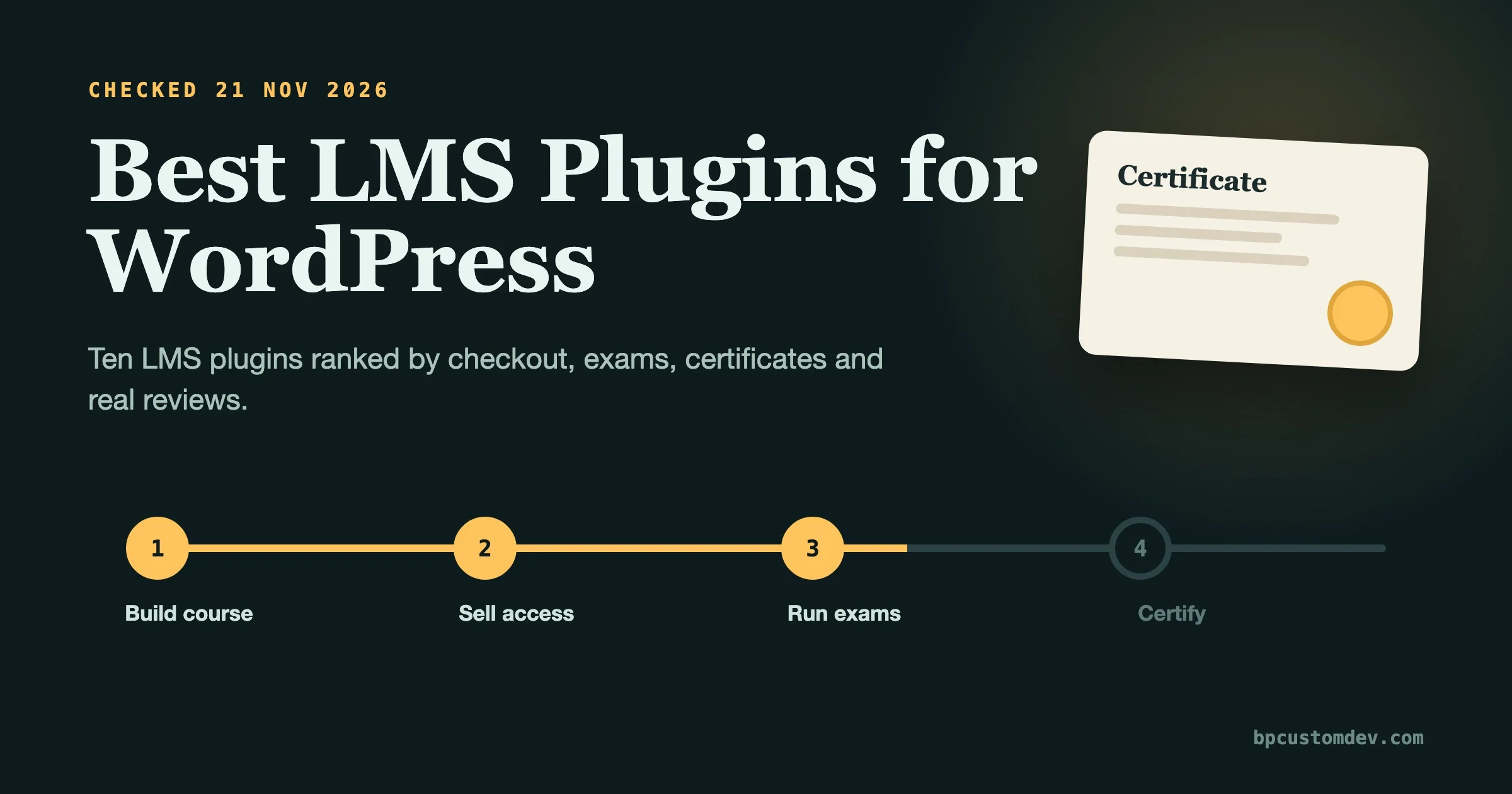
The best LMS plugin for WordPress in 2026, for most course creators, schools and training sites, is Learnomy, the LMS our team at Wbcom Designs builds: its free version already sells courses through Stripe and PayPal, runs membership plans, timed exams and verifiable certificates, and pays multiple instructors, with no limit on courses or students. If you want the most established paid LMS with the largest add-on market, LearnDash is the safer pick, and if you want a free LMS with the biggest install base and community, Tutor LMS fits better.
This is a ranking of LMS plugins only. For the wider set of e-learning tools, including community, interactive content and membership plugins, see our WordPress e-learning plugins guide. We checked all ten LMS plugins on 21 November 2026 against WordPress.org, vendor pages and the last twelve months of reviews, and removed three entries from the old list: Namaste! LMS (closed on WordPress.org in February 2025), Good LMS (a CodeCanyon item we could not verify) and Teachable, which is a hosted platform rather than a WordPress plugin.
What is the best LMS plugin for WordPress?
The best LMS is the one that matches how you sell and teach. Four course business models cover most sites, and each has a different best fit:
- A solo creator or coach selling courses: you need checkout, memberships, quizzes and certificates without stitching five plugins together. Learnomy, Tutor LMS, Masteriyo and LifterLMS fit.
- A marketplace with many instructors: you need instructor applications, commission splits and payouts. Learnomy, Tutor LMS, MasterStudy and LearnPress fit.
- A school, exam-prep or corporate training site: you need timed exams, gradebooks, SCORM and reporting. Learnomy Pro, LearnDash and MasterStudy Pro fit.
- A site already built on WooCommerce or a page builder ecosystem: Sensei LMS for WooCommerce shops, Thrive Apprentice for Thrive Suite sites.
LMS plugin | Free version | Sell without WooCommerce | Certificates | Multi-instructor | SCORM |
|---|---|---|---|---|---|
Learnomy | Yes (from learnomy.app) | Free: Stripe and PayPal | Free, with verification page | Free, with commissions | Pro |
LearnDash | No | Yes | Yes | With add-ons | Via add-ons |
Tutor LMS | Yes | Yes, native checkout | Pro | Yes | Pro |
LifterLMS | Yes | Stripe or PayPal add-on | Free | Yes | Not listed |
LearnPress | Yes | Paid gateway add-ons | Paid add-on | Yes | Paid add-on |
Masteriyo | Yes | Free: Stripe, PayPal and more | Free | Yes | Listed |
MasterStudy LMS | Yes | Yes | Certificate builder | Yes | Pro |
Sensei LMS | Yes | No, sells through WooCommerce (Pro) | Free extension | Not a focus | Not listed |
WP Courseware | No | Yes | Yes | Yes | Not listed |
Thrive Apprentice | No | Yes | Yes | Not a focus | Not listed |
Checked on 21 November 2026 against each plugin’s WordPress.org listing or vendor page. “Not listed” means we could not find the feature on the vendor’s own page, so ask before you buy.
The 10 best LMS plugins for WordPress in 2026
1. Learnomy (our pick for selling and running courses)
Learnomy is our own LMS, so read this with that in mind and weigh the cons below. We designed the free version to be a complete LMS rather than a trial: unlimited courses, sections, lessons and students with a drag-and-drop builder; Stripe and PayPal checkout with coupons and guest checkout; unlimited paid membership plans with monthly or yearly billing and free trials; and no need for WooCommerce or a separate membership plugin.
Free also runs real exams (six question types, graded, practice and survey modes, timers, attempt rules, autosave and resume, tab-switch proctoring), issues certificates with a public verification page and QR code, and lets other instructors apply and earn commission with per-course rates. A guided wizard imports courses from LearnDash, Tutor LMS or LifterLMS, and a REST API, 12 blocks and WP-CLI cover developers.
Learnomy Pro adds what schools and companies ask for: seat bundles and branded portals for selling to teams, a gradebook with assignments and rubrics, SCORM, xAPI, LTI, QTI and H5P, drip schedules, learning paths and cohorts, Stripe Connect payouts to instructors, Open Badges 3.0 and Credly, white label and analytics. Pro starts at $149 a year for one site, with lifetime licences on every tier, per the Learnomy site on 21 November 2026.
Good for: creators, coaches, academies and training businesses that want to sell and teach from one plugin, and marketplaces that need instructor commissions on day one.
Real cons: Learnomy is not in the WordPress.org directory, so there are no public ratings or install counts yet, and it is far younger than LearnDash or Tutor LMS, with fewer third-party themes and add-ons built for it. Its own pricing page lists gaps: no single sign-on (SAML or OIDC), no selling courses as WooCommerce products (WooCommerce works as a gateway only), no AI grading and no peer review. SCORM, drip and the gradebook are Pro.
2. LearnDash
LearnDash from StellarWP is the most established paid WordPress LMS, with a deep quiz engine, drip content, certificates, groups for team training and a large market of themes and add-ons built around it. On 21 November 2026, its pricing page listed a one-site plan at $350 a year, bundled with other StellarWP products.
Good for: teams that want the most proven paid LMS and the widest choice of integrations and developers who know it.
Real cons: there is no free version or WordPress.org listing, and payment, membership and marketplace features often mean extra plugins.
3. Tutor LMS
Tutor LMS by Themeum is the most installed free LMS in this list: 90,000+ active installs, version 4.2.1, updated 9 November 2026, rated 4.4 from 592 reviews. The free version includes a course builder, quizzes with timers and attempts, a native checkout with guest checkout and gateways such as PayPal and Stripe, subscriptions and memberships, and dashboards for each role. Certificates, content drip, assignments and many other features are add-ons in Tutor LMS Pro.
Good for: creators and small marketplaces that want a free, popular LMS with a large user community.
Real cons: recent reviews include frustration from a team moving from Moodle, a paid-academy owner unhappy with support, and a site whose menus switched to English after an update.
4. LifterLMS
LifterLMS has 10,000+ active installs, version 11.1.0, updated 17 November 2026, rated 4.8 from 393 reviews. The free core includes courses, quizzes with time limits, prerequisites, drip, multiple instructors, certificates and achievements, and memberships. Stripe or PayPal payments come from add-ons, or you can sell through WooCommerce.
Good for: course sites and nonprofits that want a well-documented free core and buy add-ons only as they grow.
Real cons: payment gateways and many advanced features are paid add-ons, and one 2026 reviewer wanted stronger reports.
5. LearnPress
LearnPress by ThimPress has 60,000+ active installs, version 4.5.0, updated 20 November 2026, rated 4.3 from 597 reviews. The free plugin covers courses, lessons and quizzes, and a large catalogue of add-ons adds certificates, content drip, memberships and subscriptions, gateways such as Stripe, and SCORM.
Good for: budget sites that start free and pair LearnPress with a ready-made education theme.
Real cons: core features such as certificates and online payment gateways are paid add-ons, only 2 of 9 recent support threads were resolved, and an April 2026 reviewer reported a 4.4.14 update that broke course data.
6. Masteriyo
Masteriyo has 6,000+ active installs, version 3.5.2, updated 17 November 2026, rated 4.7 from 186 reviews. Its listing says the order system, payment gateways (Stripe, PayPal, Razorpay, Mollie and more), quizzes and certificates are all free, with instructor revenue sharing and content drip.
Good for: creators who want a modern free LMS with built-in payments.
Real cons: recent reviews mention untranslatable labels in Pro and plain-looking default course cards.
7. MasterStudy LMS
MasterStudy LMS by StylemixThemes has 10,000+ active installs, version 3.7.60, updated 9 November 2026, rated 4.5 from 488 reviews. It includes courses, quizzes, certificates and student profiles, and its Pro version adds SCORM, a certificate builder, grades, live streaming, group courses, subscriptions and memberships.
Good for: schools, churches and nonprofits that want many features and polished layouts.
Real cons: a November 2026 reviewer said a WordPress update broke the LMS with no support reply, and another found little documentation beyond the basics.
8. Sensei LMS
Sensei LMS by Automattic has 9,000+ active installs, version 4.27.0, updated 10 November 2026, rated 3.5 from 40 reviews. It is a clean, block-based LMS, and Automattic says it uses Sensei for its own employee training. Certificates are a free extension; selling courses runs through WooCommerce with Sensei Pro.
Good for: WooCommerce stores and block-theme sites that want a simple, well-built course layer.
Real cons: selling needs Sensei Pro and WooCommerce, the rating is the lowest here, and reviewers say styling is hard to change.
9. WP Courseware
WP Courseware by Fly Plugins has been sold since 2012. It is known for a simple drag-and-drop builder that arranges lessons into modules, built-in payments, quizzes and certificates. Its site listed $159 a year for two sites on 21 November 2026.
Good for: creators who want a straightforward paid LMS without a large ecosystem.
Real cons: no free version, a smaller ecosystem than LearnDash, and no WordPress.org listing to check reviews on.
10. Thrive Apprentice
Thrive Apprentice is Thrive Themes’ course builder, sold alone or in Thrive Suite. It pairs a visual course and lesson designer with Thrive’s page builder and marketing tools, and handles course sales and access.
Good for: marketers already on Thrive Suite who want courses inside the same visual tools.
Real cons: no free version, it works best inside the Thrive ecosystem, and it is not built for multi-instructor marketplaces.
What users say, and our suggestion
Figures from the WordPress.org plugin API and review pages, checked on 21 November 2026. “Resolved” is the share of support threads marked resolved in the last two months. Review points are paraphrased from the last twelve months and linked.
LMS plugin | Rating (reviews) | Active installs | Last updated | Support resolved |
|---|---|---|---|---|
Learnomy | Not on WordPress.org yet | Not published | Current (vendor site) | Not public |
LearnDash | Not on WordPress.org | Not published | Vendor site | Not public |
Tutor LMS | 4.4 (592) | 90,000+ | 9 Nov 2026 | 27 of 28 |
LifterLMS | 4.8 (393) | 10,000+ | 17 Nov 2026 | 1 of 1 |
LearnPress | 4.3 (597) | 60,000+ | 20 Nov 2026 | 2 of 9 |
Masteriyo | 4.7 (186) | 6,000+ | 17 Nov 2026 | 40 of 42 |
MasterStudy LMS | 4.5 (488) | 10,000+ | 9 Nov 2026 | 0 of 1 |
Sensei LMS | 3.5 (40) | 9,000+ | 10 Nov 2026 | 1 of 1 |
WP Courseware | Not on WordPress.org | Not published | Vendor site | Not public |
Thrive Apprentice | Not on WordPress.org | Not published | Vendor site | Not public |
Learnomy
Too few public reviews to summarise, because it is not on WordPress.org yet. We would rather say that than quote our own customers. The fair test is the free version on staging: build a course, sell it in Stripe test mode, take the quiz as a student and check the certificate’s verification page.
LearnDash, WP Courseware and Thrive Apprentice
These are sold outside WordPress.org, so there is no directory review base to summarise the same way. Use each vendor’s demo or refund window, and ask in their communities how updates have gone over the past year.
Tutor LMS
- Praised: patient, responsive support staff, named in several late-2026 reviews, and a Pro version that covers subscriptions, drip and quizzes.
- Complaints: a July 2026 review called it a great turnkey product with a hostile developer experience, and others reported bugs and an update that changed menus and broke customisations.
LifterLMS
- Praised: flexible, easy to use and very well documented, from amateur radio training to small businesses leaving an expensive LMS, per its reviews.
- Complaints: a June 2026 reviewer wanted better reporting.
LearnPress
- Praised: easy course building, import and export, and support that reviewers say has improved, per its reviews.
- Complaints: an April 2026 reviewer said version 4.4.14 broke their database and wish lists.
Masteriyo
- Praised: a clean, modern builder and video progress tracking, per its reviews.
- Complaints: labels in Pro that cannot be translated, and course cards that look plain next to the vendor’s demo.
MasterStudy LMS
- Praised: a wide feature set and quick fixes from support for some buyers, per its reviews.
- Complaints: a broken LMS after a WordPress update with no reply (November 2026), and thin documentation for quizzes and question banks.
Sensei LMS
Too few recent reviews: none in the last twelve months on its review page. In 2025, reviewers complained that selling needs the paid WooCommerce integration and that styles are hard to edit.
Our suggestion
- Selling and teaching from one plugin, with checkout, memberships, exams and certificates free: Learnomy. Choose LearnDash if you need its large add-on ecosystem, or if public reviews matter more to you than a free version.
- The most popular free LMS with a big community: Tutor LMS.
- A free core you extend with add-ons: LifterLMS or LearnPress.
- A modern free LMS with payments built in: Masteriyo.
- A WooCommerce shop adding courses: Sensei LMS with Sensei Pro.
- A Thrive Suite site: Thrive Apprentice.
- Courses inside a member community: Learnomy with BuddyNext, covered in the next section.
Which LMS plugins integrate with payment, membership and community tools?
Integration is often where an LMS choice succeeds or fails, so check it before features. Three integration questions cover most sites:
- Payments: Learnomy, Masteriyo and Tutor LMS have their own checkout. LifterLMS uses payment add-ons or WooCommerce. Sensei sells through WooCommerce. If you want course sales to appear as WooCommerce orders, check that the LMS supports it; Learnomy, for example, uses WooCommerce as a payment gateway only.
- Memberships: Learnomy, Tutor LMS, LifterLMS and MasterStudy include membership or subscription features. Others pair with MemberPress, Paid Memberships Pro or Restrict Content Pro.
- Community: courses keep students longer when they can talk to each other. LearnDash, Tutor LMS and LifterLMS all have BuddyPress integrations, and we cover one in our Tutor LMS and BuddyPress guide.
For our own stack, BuddyNext is the free community engine from our team: feed, spaces, members, messaging and moderation. With BuddyNext Pro and Learnomy together, the Learnomy integration posts course completions and certificates to the community feed, links certificate cards to their public verification page, and routes course alerts into the notification bell. It needs BuddyNext Pro, and it adds no community search for course content. Why a discussion space matters for courses is covered in why your online course needs a discussion forum.
What is the best free LMS plugin for WordPress?
Learnomy Free and Masteriyo give you the most without paying: both include their own payment checkout, quizzes and certificates. Tutor LMS Free has checkout and memberships but puts certificates in Pro. LifterLMS and LearnPress are free to start, but online payments or certificates come from add-ons.
Before you choose on price, add up what you will need in the first year: payments, certificates, drip and reporting. A “free” LMS that needs four paid add-ons can cost more than one paid plan.
How much does a WordPress LMS cost in the first year?
Budget for three things: the LMS licence, the add-ons you will need, and hosting good enough for logged-in students. On 21 November 2026, the published starting prices we could confirm were Learnomy Pro from $149 a year for one site, WP Courseware at $159 a year for two sites, and LearnDash at $350 a year for one site in its bundled plan. Tutor LMS, LifterLMS, LearnPress, Masteriyo and MasterStudy all start free, with paid plans or add-ons on their own pricing pages.
The licence is rarely the biggest number. Course sites keep many people logged in at once, which caching cannot help much, so plan for managed WordPress hosting rather than the cheapest shared plan. Then add payment processing fees, an email service for course notifications, and any video hosting. A plugin that bundles checkout, memberships and certificates saves several of those add-on costs, which is the main reason we built Learnomy that way.
Should I use a WordPress LMS or a hosted course platform?
A WordPress LMS keeps your students, content and revenue on a site you own, with no per-student or transaction fee from the LMS. You take on hosting, updates and backups. A hosted platform such as Teachable or Kajabi does that work for you, in exchange for monthly fees, platform rules and less control over design and data.
If you are unsure, our comparison of Teachable vs WordPress for a course website walks through the trade-offs in detail.
How do you switch LMS plugins without losing students?
- Export before you change anything: courses, students, enrolments, progress, quiz results and certificates.
- Check the import path. Learnomy has a guided import from LearnDash, Tutor LMS and LifterLMS; other LMSs have their own tools or need a developer.
- Rebuild on staging, then compare a few student accounts line by line.
- Keep old certificate links working, or reissue certificates with new verification links.
- Map payments and renewals so active subscriptions keep billing.
- Tell students the date, and keep the old LMS read-only for a few weeks.
Checked on 21 November 2026. Test every step on a copy of your site first.
What should you check before buying an LMS plugin?
- Checkout: does it sell without extra plugins, and does it support your payment gateway and currency?
- Quizzes and grading: pass marks, attempts, timers, essays. Our WordPress quiz plugins comparison covers what good quiz engines include.
- Certificates: is there a verification page employers can check?
- Instructors: applications, commissions and payouts if you run a marketplace.
- Standards: SCORM, xAPI or LTI if you bring content from other systems.
- Update record: read the last year of reviews for broken updates.
- Total cost: licence plus every add-on you will need.
Frequently asked questions
What is the best LMS plugin for WordPress?
Our pick for most course sites is Learnomy, because checkout, memberships, exams, certificates and instructor commissions are free in one plugin. Choose LearnDash for the most established paid ecosystem, or Tutor LMS for the most popular free LMS.
Is LearnDash better than Tutor LMS?
LearnDash is paid-only with a large ecosystem and a strong quiz engine. Tutor LMS has a free version, native checkout and more installs. Pick LearnDash for complex, established training sites and Tutor LMS for creators who want to start free.
Which WordPress LMS supports SCORM?
Learnomy Pro, MasterStudy Pro, Tutor LMS Pro and LearnPress (paid add-on) list SCORM, and Masteriyo lists SCORM support. LearnDash supports SCORM through add-ons.
Can I sell courses without WooCommerce?
Yes. Learnomy, Masteriyo and Tutor LMS have their own checkout, LifterLMS has Stripe and PayPal add-ons, and LearnDash has built-in payment options. Sensei LMS sells through WooCommerce.
What happened to Namaste! LMS?
Namaste! LMS was closed on WordPress.org on 20 February 2025 and is no longer available there, so we removed it from this list.
Need help choosing or building your course site?
Our team builds course, membership and community sites on WordPress, from a first course to multi-instructor academies. If you want help choosing an LMS or moving to a new one, talk to us.