Vendors Are Moving Into the Community Feed: Marketplace and Community on One WordPress Site
WC Vendors Pro 2.0.9 added BuddyBoss support for vendor profiles, activity, messaging, groups and forums. Why marketplace and community are merging, what a combined WordPress site needs, and which options fit, with Free and Pro called out.

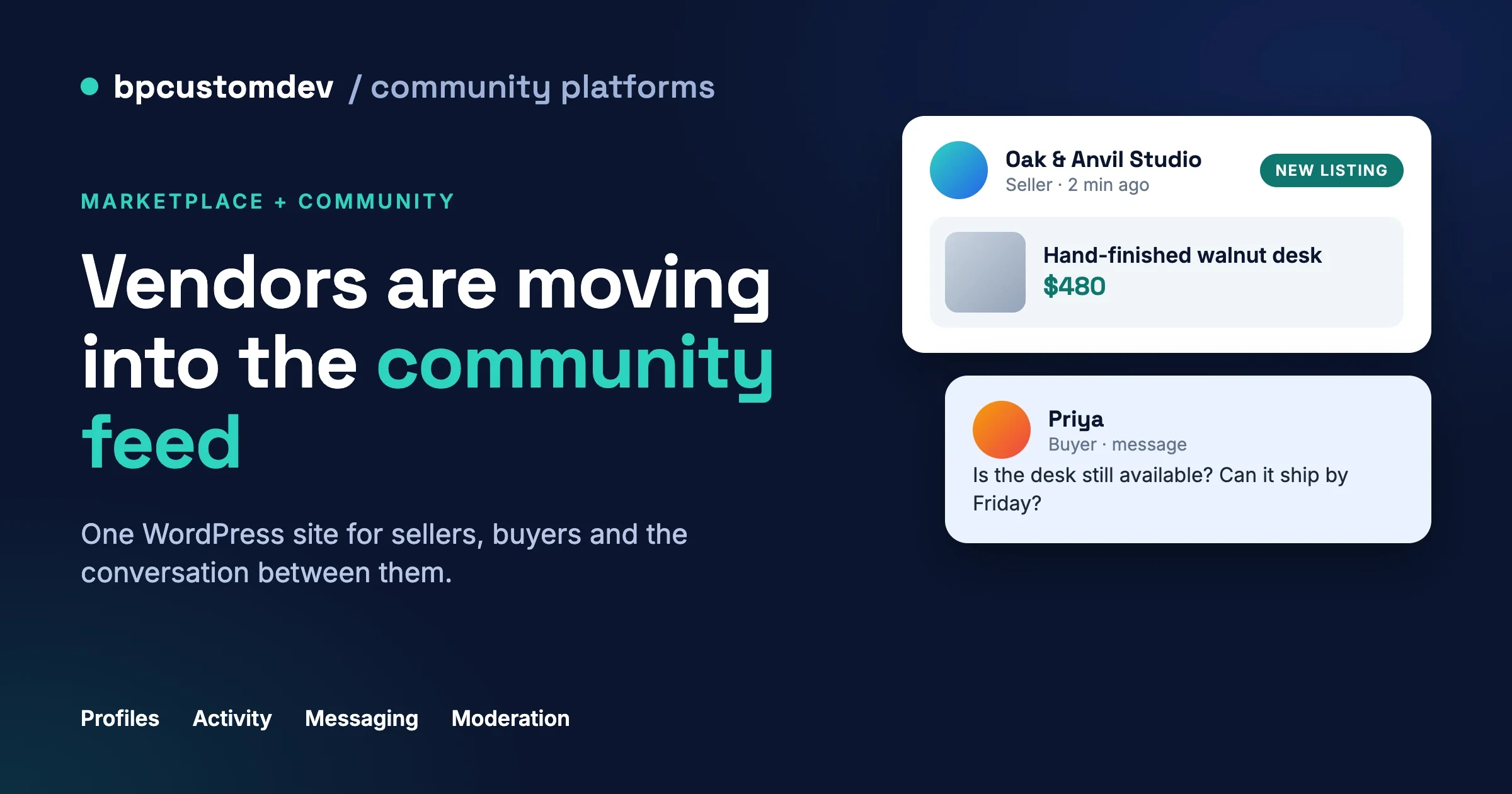
In a community marketplace WordPress build, a seller used to be a name on a product page. That is changing. On 21 August 2026, WC Vendors published version 2.0.9 of WC Vendors Pro, and the first line of its changelog reads “BuddyBoss integration for vendor profiles, activity, notifications, messaging, groups and forums”. A store plugin now treats the seller as a member of a community, not only as a row in a vendor table.
This post uses that release as a signal for anyone planning a community marketplace WordPress project. It explains why marketplace and community are merging, what a combined site needs, which WordPress build options exist, and where BuddyNext and WP Sell Services fit, including which pieces are Pro. We have not tested the WC Vendors Pro release ourselves, so we describe only what its changelog states.
What did WC Vendors Pro add for BuddyBoss?
WC Vendors Pro 2.0.9 added a BuddyBoss integration that connects vendors to six community areas: vendor profiles, activity, notifications, messaging, groups and forums. That is the wording on the WC Vendors changelog, listed under the 2.0.9 release dated 21 August 2026.
Read that line closely, because it tells you what the vendor plugin now assumes. A seller is no longer only a payee. The seller has a profile other members can open, posts that appear in an activity feed, notifications, private messages, a place in groups and a voice in forums. The same release also added statement PDF options and vendor-invoice field controls, so the store side kept moving too.
Two cautions. First, a changelog line is not a tutorial. How deep each of the six connections goes is something to test on a staging site before you promise it to a client. Second, the integration is for BuddyBoss, which is a paid community platform built on BuddyPress. It does not mean every community plugin gets the same treatment. We build on BuddyBoss and BuddyPress as well as on BuddyNext, and this release is good news for anyone already running BuddyBoss.
Why is the community marketplace WordPress model growing?
Marketplaces and communities are merging because trust and repeat visits are the two hardest things a marketplace has to earn, and a community produces both as a side effect. A buyer who can see a seller’s history, read their posts and message them trusts the listing more. A seller who has a feed, followers and a reason to log in on days without orders comes back more often.
Here is the pattern we see when we scope these projects.
- Trust is cheaper to build with context. A star rating tells a buyer little. A seller who has answered questions in a group for a year tells them a lot.
- Sellers stop being invisible. A marketplace with no community is a list of products. When a new listing shows up in a feed, the seller’s followers see it without any ad spend.
- Support load drops when members help each other. A forum or group for a niche answers the “does this fit my setup” question before it reaches the vendor’s inbox.
- Deals stay on the site. When buyers and sellers have no good way to talk, they swap emails and phone numbers, and the commission goes with them. A built-in messaging thread keeps the conversation, and the order, where the site owner can see it.
- Owners want one login and one data set. Two separate systems for shoppers and members means two sets of users to merge later.
None of this is new as an idea. We wrote about it earlier in Building an Online Marketplace with a Built-In Community and in How to Build a Community-Driven Marketplace with BuddyPress. What is new is that the store plugins themselves are shipping the connection, which lowers the cost of getting there.
What does a community marketplace WordPress site actually need?
A combined site needs nine things, and the order matters. Seller profiles and moderation come first, because everything else sits on top of them. The table below lists each need, why it matters and what it usually involves on WordPress.
Need | Why it matters | What it involves |
|---|---|---|
Seller profiles | A buyer judges the person before the product. | A public page with bio, past work, response time and reviews, linked to the member profile. |
Activity on new listings | Listings reach followers without ads. | A feed card created when a listing is published, removed when it is unpublished or deleted. |
Messaging | Pre-sale questions decide the sale. | Private threads between buyer and seller, ideally tied to a listing or an order. |
Reviews and reputation | New marketplaces have no history. | Ratings on completed orders, owner moderation, a way for the seller to reply. |
Groups or spaces | Niches build loyalty. | One space per category or interest, with its own moderators. |
Notifications | Members return when something happens. | One bell and one email setting for orders, messages and replies, not three. |
Moderation | Spam and scams scale with sellers. | Reports, a review queue for new sellers and listings, and clear roles. |
Payouts and commissions | Sellers need to be paid, the owner needs a margin. | A commission rate, a withdrawal flow and a ledger the owner can export. |
Roles and permissions | A seller is also a member. | One account that can post in the feed and sell, with the right limits on each. |
If you can only afford to do three of these in the first release, do profiles, messaging and moderation. Activity cards and groups are easier to add once real sellers exist. Moderation is the one people postpone and then regret.
Why are seller profiles the first thing to get right?
Because the profile is the page every other feature points at. The feed card links to it, the message thread starts from it, the review lives on it. If the seller profile and the member profile are two different pages with two different URLs, buyers see two people. Decide early that a seller is a member with extra fields, not a second kind of account.
What should an activity card for a new listing say?
It should name the seller, show one image and the price, and link to the listing. It should not carry the whole description. Cards that read like ads get muted, and cards that read like a post from a person get clicks. Give sellers a short optional note field so the card can say something human.
How do you moderate sellers without slowing them down?
Put new sellers and their first few listings in a review queue, then let them post freely once they have a clean record. Give members a one-click report on listings, messages and reviews. Decide who reads the reports: the site owner, a moderator role, or space moderators for their own niche. The rule that saves the most time is simple. Every report needs one named owner.
What are the build options for a community marketplace WordPress site?
There are four realistic options: a multivendor store plugin with a community platform, BuddyNext with WP Sell Services for a services marketplace, BuddyNext with Listora for a directory, or a custom build. Which one fits depends on what is being sold.
Option 1: a multivendor store plugin plus BuddyBoss or BuddyPress
This is the right path when sellers list physical or digital products and you want a cart and checkout. The store side is a multivendor plugin on WooCommerce. We scope projects on Dokan, WCFM and WC Vendors, as listed on our WooCommerce community integration page. The community side is BuddyBoss or BuddyPress.
The new WC Vendors Pro release is the clearest example, because the connection to BuddyBoss now ships in the plugin. For Dokan or WCFM with BuddyPress, the connection is usually built and tuned per project: onboarding member vendors, mapping listings to groups and setting commissions. We described that approach in our BuddyPress marketplace guide linked above.
Where it fits: you sell products, you already run WooCommerce or want to, and you want the largest ecosystem of add-ons. Where it hurts: two plugin families to keep updated, and a styling job to make the store pages and community pages look like one site.
Option 2: BuddyNext with WP Sell Services for a services marketplace
This is the path when members sell services, such as design, writing or consulting, rather than products. WP Sell Services is a services marketplace plugin with orders, deliveries, revisions, reviews and disputes. BuddyNext is the community engine. Both come from the same company, Wbcom Designs, and BuddyNext lists WP Sell Services in its ecosystem as the way to “let members buy and sell services right inside your community”.
The detail to be careful about is what “inside your community” means. BuddyNext documents bridges for MediaVerse, Jetonomy, Gamification, Career Board, Learnomy, Eventonomy, Listora and WB Member Blog. WP Sell Services is not on that documented list, so we do not promise that a service or an order appears as a card in the BuddyNext feed. If you need that, we scope it as custom work. The two plugins run on one WordPress site and one set of user accounts, which is already a strong base.
Option 3: BuddyNext with Listora for a directory or classifieds style site
This is the path when members publish listings that other members browse, rather than selling through a cart. Listora is a directory plugin. With BuddyNext Pro active, a published Listora listing creates a feed activity, is added to community search and appears in a Listings panel on the member’s profile. When the listing is unpublished, set to draft or deleted, that community surfacing is removed.
The Pro part matters. Listora works on its own without BuddyNext Pro, but the feed, search and profile surfacing described above needs BuddyNext Pro. Submitting and editing listings still happens on Listora’s own screens.
Option 4: a custom build
A custom build makes sense when the marketplace has rules no plugin covers, such as regulated sellers, bookings with inventory, or a rights and licensing model. It costs more and it is yours to maintain. We recommend it only after the first three options have been checked against the real requirements and found short.
Which option fits which kind of marketplace?
For any community marketplace WordPress project, match the option to what is sold and who pays whom. The table is a starting point, not a verdict, and a short scoping call usually changes one row.
What members sell | Best starting point | Watch out for |
|---|---|---|
Physical or digital products with a cart | Multivendor plugin (Dokan, WCFM or WC Vendors Pro) plus BuddyBoss or BuddyPress | Two plugin families and one design to unify |
Services with briefs, delivery and revisions | BuddyNext plus WP Sell Services | No documented feed bridge for orders, so scope it |
Listings that members browse and contact | BuddyNext Pro plus Listora | Feed and search surfacing needs Pro |
Access to a paid community itself | BuddyNext Pro membership plans | This is a membership, not a marketplace |
Something unusual | Custom build on one of the above | Ongoing maintenance |
What does BuddyNext include for free, and what is Pro?
BuddyNext Free covers the community core: feed, spaces, profiles, messaging, moderation and search. BuddyNext Pro adds the commercial and scale features: paid membership plans, gated spaces, content protection, push notifications, automated moderation and analytics. That split comes from the BuddyNext documentation.
Two details are easy to get wrong.
- Messaging needs MediaVerse. BuddyNext shows the messaging screens, but the messaging engine lives in WPMediaVerse, and the single Messages switch is in WPMediaVerse settings. Without it, there is no direct messaging.
- Several integrations need Pro. The Listora feed and search surfacing described above needs BuddyNext Pro.
For a marketplace, the Pro features that matter most are paid plans and gated spaces (for sellers who pay to list or for a members-only buyers’ club), and the moderation tools that keep listing spam out of the feed. Free is enough to test the idea with real members first.
What does WP Sell Services include for free, and what is Pro?
WP Sell Services Free runs a complete services marketplace: eleven order statuses, order messaging with files, deliveries and revisions, reviews, seller levels, vendor profiles with portfolios, disputes, a commission system, manual withdrawals, a moderation queue for new services and a built-in standalone checkout that takes cards through Stripe, plus PayPal and offline payments.
WP Sell Services Pro adds payout automation, extra checkout and gateway options, and reporting. These are the items its feature list marks as Pro.
- Stripe Connect payouts, which split each payment to the vendor at the time of sale.
- Tiered commission rules that vary by category, volume or seller level.
- WooCommerce, Easy Digital Downloads and FluentCart as checkout platforms, plus Razorpay.
- Analytics dashboards with export, push notifications to phones, white-label branding and display currency.
- Tipping, which became a Pro feature in version 1.7.1.
Free also has limits that Pro lifts. A service can have three pricing packages on either tier, but gallery images are limited to four on Free and are unlimited on Pro, and add-ons, FAQs and buyer requirements per service are also capped on Free. For a first marketplace with a few dozen sellers, the Free plugin is a fair test. Pro becomes relevant when you want automatic splits at checkout or tiered commissions.
One more honest point. WP Sell Services sells services, not shipped goods. If your sellers ship boxes, use Option 1.
What goes wrong when sellers and members share one feed?
Four things go wrong most often: promotion floods the feed, deals move off the site, reviews get gamed, and disputes land on the owner with no evidence. Each has a fix that is cheaper to plan than to retrofit.
- Promotion floods the feed. Sellers post every listing, every sale and every discount. Give listings their own card type, cap how often a seller can post a promotional update, and keep the main feed for member posts.
- Deals move off the site. Block phone numbers and emails in first messages if your policy requires it, and make the in-site thread good enough that nobody wants to leave. A thread tied to the order beats a generic inbox.
- Reviews get gamed. Allow reviews only on completed orders, let the owner moderate, and let sellers reply. One reply is worth more than a deleted review.
- Disputes arrive with no evidence. Keep order messages, files and status history in one timeline so the owner can decide in minutes.
The common thread is that the community layer should make the marketplace safer, not noisier. If the first month of feed activity is mostly sales posts, members stop opening the feed and the community half of the site is dead on arrival.
How do you migrate from a separate store and community?
You migrate in three passes: accounts first, then content, then links. Accounts come first because everything else attaches to a user. Merge your store customers and your community members into one user table, matching on email, before you move anything else.
- Accounts. Decide which system is the source of truth for passwords and roles. Export, de-duplicate on email and keep a mapping file of old ID to new ID.
- Content. Move profiles, listings, orders and reviews. Orders and reviews are history, so import them as read-only records if the new plugin cannot replay them.
- Links. Redirect every old store and community URL with a 301 to its new page, so search traffic and bookmarks survive.
Be wary of anyone who promises a perfect one-click move. Passwords cannot be moved in clear text from most platforms, and some history has to be rebuilt. A good plan says what moves, what is rebuilt and what is retired.
When is a separate marketplace and community the better choice?
Keep them separate when the marketplace is the product and the community is a nice-to-have, or when the two audiences barely overlap. A store that sells commodity items on price, with no repeat relationship between buyer and seller, gains little from a feed. A hosted marketplace may also be a better fit if you want to launch in a week and do not need to own the data.
The combined model pays off when sellers are people buyers want to follow, when niches have real conversation, and when you plan to own the member relationship for years. If that is not you, a good store plugin alone is the simpler answer, and we will say so in a scoping call.
How should you plan the first ninety days?
Plan the first ninety days around supply, not features. A marketplace with ten active sellers and three working features beats one with thirty features and no sellers.
- Days 1 to 30. Pick the option, stand up a staging site and onboard five to ten real sellers by hand. Watch where they get stuck.
- Days 31 to 60. Turn on the feed card for new listings and one space per category. Add the moderation queue before you open registration.
- Days 61 to 90. Open registration to a waiting list, add paid listing or plan options if the model needs them, and review the first month of reports to adjust roles.
Measure three numbers each week: active sellers, messages sent per listing and the share of orders that started from a message or a feed card. Those tell you whether the community layer is doing its job.
Frequently asked questions
Can I add a community to an existing WooCommerce marketplace?
Yes. Member profiles, groups and activity feeds can be layered onto a store that already has customers and orders without a rebuild. The work is mostly account matching and design, and we scope it before quoting.
Does BuddyNext replace Dokan, WCFM or WC Vendors?
No. BuddyNext is a community engine, not a multivendor store plugin. For a products marketplace with a cart, keep a multivendor plugin and add the community layer. For services, WP Sell Services is the marketplace plugin that sits next to BuddyNext.
Which parts of this stack are Pro?
BuddyNext Pro adds paid plans, gated spaces, push notifications, automated moderation and analytics, and the Listora feed and search surfacing. WP Sell Services Pro adds Stripe Connect payouts, tiered commissions, WooCommerce, EDD and FluentCart checkout and analytics. The WC Vendors integration described in this post is in WC Vendors Pro, per the 2.0.9 changelog entry.
Will an order from WP Sell Services appear in the BuddyNext feed?
Not out of the box, as far as the documentation shows. BuddyNext’s documented bridges do not include WP Sell Services. If you want service launches or completed orders in the feed, that is custom work we can scope.
How long does it take to scope a project like this?
Scoping is free, and the first reply comes within one working day. A fixed price follows once we know the scope, or a care plan if the work is ongoing.
Want a community marketplace WordPress build?
Tell us what your members will sell and how they will talk to each other, and we will recommend one of the options above, including where the other option would win. Start with our WooCommerce and community integration service if you sell products, or our community development service if you are building the community first. If you are on BuddyBoss already, see BuddyBoss development. For a wider plugin comparison, read Best WordPress Plugins for Service Marketplaces and Community Commerce.
















