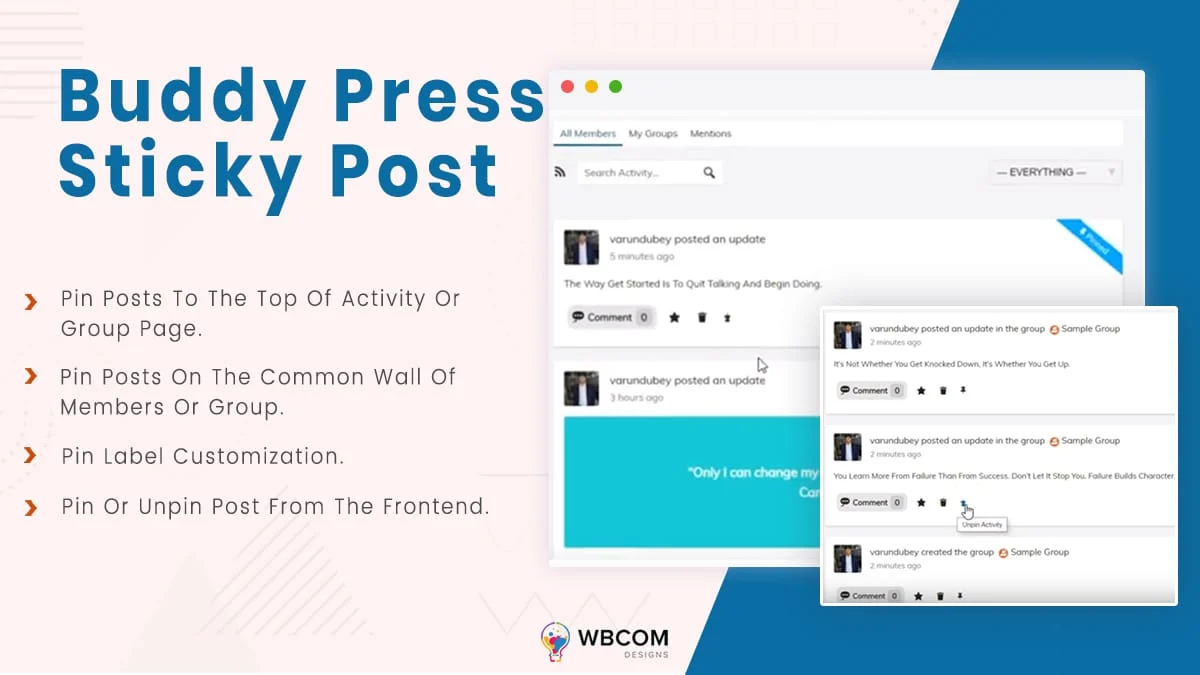
Are you looking for a way to show your most important activities at the top of the BuddyPress Activity list?
By default, BuddyPress doesn’t let you prioritize any activity or pin something important to the top. It shows the newest activity first, so members have to scroll to find anything older, which can get tedious fast.
That’s where BuddyPress Sticky Post comes in. A sticky post is simply one that stays pinned at the top of a page, such as the BuddyPress Activity page, until you unpin it or remove its sticky status. Here’s how to make a post sticky on your BuddyPress website.
Why Use A BuddyPress Sticky Post?
A sticky or pinned post is useful for highlighting important content on your site. It lets you feature your best activity on the BuddyPress activity feed no matter when it was originally posted.
A sticky post also helps you:
- Improve engagement and drive traffic: Pin relevant blog posts, updates, or activities to the top of the activity page to boost engagement and bring more traffic to your community.
- Promote events, contests, and giveaways with an expiry date: If you’re running a contest, giveaway, or event with a deadline, pin it to your community until that date and remove it once it’s over.
- Promote your products or services: If you’re running a business community, sticky posts help put your products or services in front of prospective customers.
- Keep members informed of important updates:
If there’s something your community members really shouldn’t miss, pin it to the top so it stays visible.
Filter Out Bad Words From BuddyPress
Making A Post Sticky In BuddyPress
To add a sticky post feature to your BuddyPress website, install the BuddyPress Sticky Post plugin, which lets you pin site-wide and group activities to the top of the BuddyPress activity list and group pages.
To install it, follow this step-by-step guide: How to install BP Sticky Post.
Once the plugin is installed, configure its backend settings, including:
General settings:
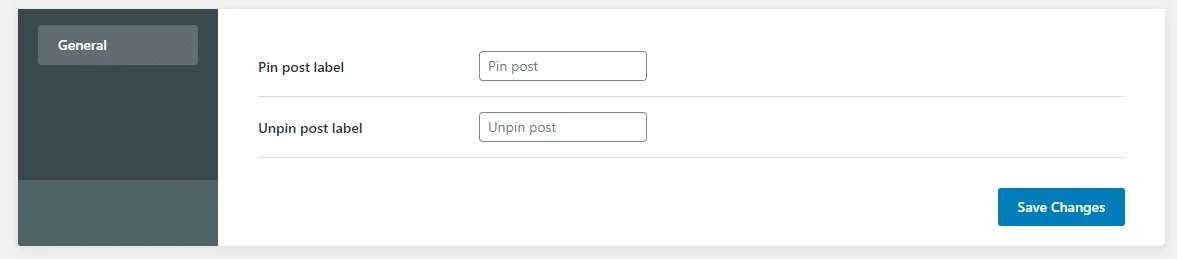
This setting lets you change the label for both the pin post and unpin post buttons.
How An Admin Can Pin Posts
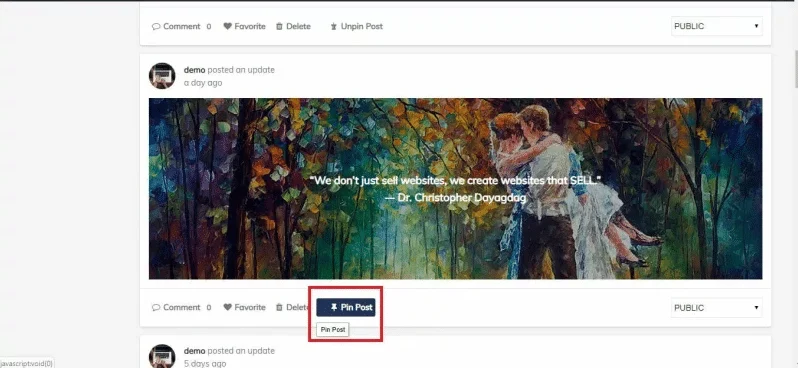
Once the settings are configured, an admin can pin and unpin posts or activities right from the activity page or a single group page. A “Pin Post” option appears beneath each post on the BuddyPress activity page, and separately for group activities.
How An Admin Can Unpin Posts
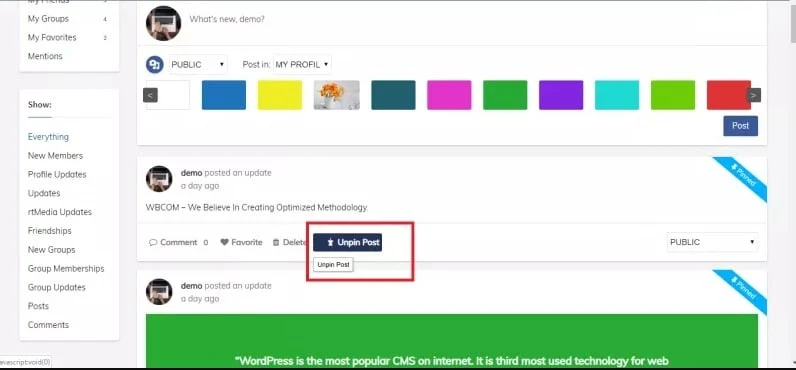
Just like pinning, an “Unpin Post” option appears below each post on the BuddyPress activity page and within group activities.
See the plugin live in action:
Get BuddyPress Sticky Post
Now that you know how to make BuddyPress activities sticky, this add-on should help drive more traffic to your site. If you have any suggestions, let us know in the comments below.
Interesting Read: Add Social Share Buttons In BuddyPress
















