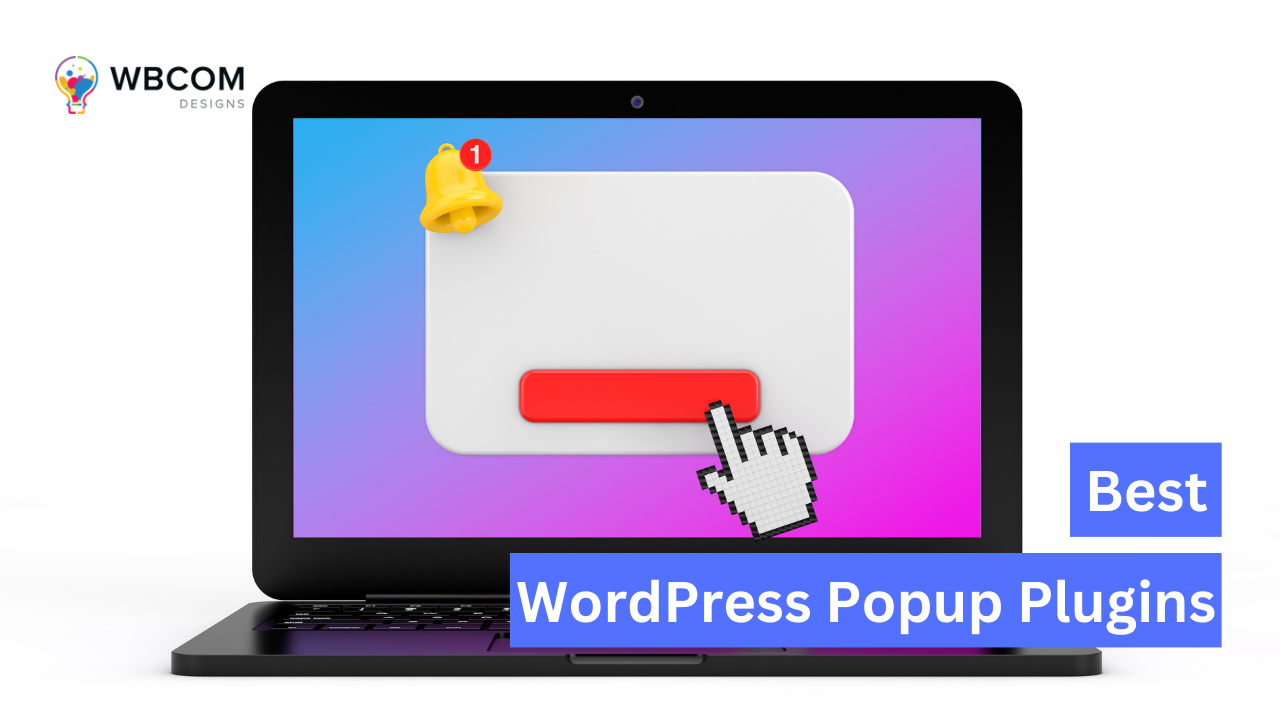
WordPress popup plugins let you create popups, modal windows, slide-ins, and other on-site messages that appear on your website, designed to grab a visitor’s attention and push them toward a specific action, signing up for a newsletter, downloading an ebook, or making a purchase.
They come with a range of customization options, different popup types, triggers, and targeting rules, so your popups show up at the right time, to the right audience, with the right message. Most also include analytics and tracking so you can measure performance and refine things over time.
Some popular options include OptinMonster, Convert Pro, Thrive Leads, Bloom, and Sumo, each with its own mix of features, pricing, and integrations, so it’s worth matching the plugin to your actual needs and budget rather than picking the most popular name.

10 Best WordPress Popup Plugins of 2026
There are plenty of WordPress popup plugins out there, and the right one depends on your specific needs. Here are ten worth considering:
1. OptinMonster
OptinMonster focuses on high-converting popups, slide-ins, and other on-site messages built to grow your email list, lift your conversion rate, and cut down on cart abandonment.
Its drag-and-drop editor and library of pre-designed templates make it easy to build messages without touching code.
Other key features of OptinMonster include:
- A/B testing, which allows you to test different variations of your popups to see which one performs best
- Integration with popular email marketing services and other marketing tools
- Advanced targeting options, such as exit-intent triggers, time-based triggers, and page-level targeting, to make sure that your popups appear at the right time and to the right audience
- Built-in analytics and tracking tools to help you measure the performance of your popups and campaigns
- Mobile responsiveness, which ensures that your popups look great on all devices
The targeting options are genuinely deep here, which is a big part of why it’s so widely used.
2. Bloom
Bloom, from Elegant Themes, builds popups, slide-ins, and other on-site messages aimed at growing your subscriber list and lifting conversions.
It offers a range of popup types, triggers, and targeting rules, backed by pre-designed templates you can adapt to your brand.
Other key features of Bloom include:
- A/B testing, which allows you to test different variations of your popups to see which one performs best
- Integration with popular email marketing services and other marketing tools
- Advanced targeting options, such as exit-intent triggers, time-based triggers, and page-level targeting, to make sure that your popups appear at the right time and to the right audience
- Built-in analytics and tracking tools to help you measure the performance of your popups and campaigns
- Mobile responsiveness, which ensures that your popups look great on all devices
One thing that sets Bloom apart is the ability to show popups on specific pages or posts rather than site-wide, useful for targeting a narrower audience with a more relevant message.
3. Sumo
Sumo builds popups, welcome mats, slide-ins, and other on-site messages, aimed at growing your list, cutting cart abandonment, and lifting conversions.
It offers a range of popup types, triggers, and targeting options, backed by a library of ready-made templates.
Other key features of Sumo include:
- Integration with popular email marketing services and other marketing tools
- Advanced targeting options, such as exit-intent triggers, time-based triggers, and page-level targeting, to make sure that your popups appear at the right time and to the right audience
- Built-in analytics and tracking tools to help you measure the performance of your popups and campaigns
- Mobile responsiveness, which ensures that your popups look great on all devices
- Social sharing buttons, which allow visitors to share your content on social media platforms
Sumo’s smart bars, fixed bars that stay put at the top or bottom of the page as visitors scroll, are handy for promoting a post, a discount code, or a newsletter signup without a full popup.
4. Thrive Leads
Thrive Leads is built around growing your email list, with pop-ups, slide-ins, and in-content opt-in forms you can place anywhere on your site.
Its drag-and-drop editor and template library make building visually appealing, high-converting forms fairly straightforward.
Other features of Thrive Leads include:
- Advanced targeting options, such as page-level targeting, exit-intent triggers, and time-based triggers, to make sure your opt-in forms appear at the right time and to the right audience.
- A/B testing, which allows you to test different variations of your forms to see which one performs best.
- Integration with popular email marketing services, such as Mailchimp, Aweber, and GetResponse, to help you automate your email marketing campaigns.
- Analytics and tracking tools to help you measure the performance of your opt-in forms and campaigns.
- Mobile responsiveness ensures that your forms look great on all devices.
Multi-step forms are the standout feature here, breaking the opt-in process into smaller steps tends to lift conversion rates noticeably.
5. Elementor Pro
Elementor Pro is a page builder plugin rather than a dedicated popup tool, letting you design custom pages through a drag-and-drop interface without touching code.
It includes a range of customization options and features, such as:
- Pre-designed templates and blocks that you can use as a starting point for your pages
- A library of widgets and design elements, such as images, icons, and videos, to help you create visually appealing pages
- Customization options for fonts, colors, and backgrounds, to make your pages match your brand
- Advanced features, such as custom CSS and HTML input, give you even more control over your page design
- Integration with popular WordPress plugins and tools, such as WooCommerce, to help you create custom product pages and landing pages.
Its Theme Builder, for building custom headers, footers, and other templates, is what makes it worth including on a popup-plugin list at all, since its popup builder rides along with the rest of the page-building toolkit.
6. Popup Maker
Popup Maker builds lightboxes, slide-ins, floating bars, and other popup types through a drag-and-drop interface, no coding required.
You can add your own images, text, and buttons, choosing from a range of design options to match your site.
Popup Maker offers a range of features, such as:
- Targeting and triggering options, which allow you to display your popups based on user behavior, such as exit intent, scroll depth, time on page, and more.
- Integration with popular email marketing services, such as Mailchimp, Constant Contact, and Aweber, to help you grow your email list.
- Analytics and tracking tools, allow you to measure the performance of your popups and make data-driven decisions.
- A/B testing, which allows you to test different variations of your popups to see which one performs best.
- Customizable themes, allow you to choose from a variety of pre-designed templates or create your own design from scratch.
Its WooCommerce and Gravity Forms integrations make it a decent fit if you want popups tied directly into product promotion or lead capture.
7. Convert Pro
Convert Pro handles popups, email opt-in forms, and other lead-generation forms aimed at growing your list and converting more visitors into customers.
Its drag-and-drop interface and library of templates cover the basics, with exit-intent, time-based, and scroll-based triggers for showing forms at the right moment.
Convert Pro offers a range of features, such as:
- Integrations with popular email marketing services, such as Mailchimp, Aweber, and Campaign Monitor, to help you grow your email list.
- Advanced analytics and reporting tools, which allow you to track and measure the performance of your forms and popups and make data-driven decisions.
- A/B testing, which allows you to test different variations of your forms and popups to see which one performs best.
- Customizable templates and design options, allow you to create visually appealing and engaging forms and popups.
- Mobile-friendly and responsive design ensures that your forms and popups look great on all devices, including smartphones and tablets.
Its “Yes/No” opt-in style, giving users an explicit choice rather than a single form field, is a nice touch for building a more engaged list.
8. Hustle
Hustle builds popups, slide-ins, and other opt-in forms aimed at growing your list and keeping your audience engaged.
Its drag-and-drop interface and templates cover most needs, with exit-intent, time-based, and scroll-based triggers for timing your forms well.
Hustle offers a range of features, such as:
- Integrations with popular email marketing services, such as Mailchimp, Aweber, and Campaign Monitor, to help you grow your email list.
- Customizable templates and design options, allow you to create visually appealing and engaging forms and popups.
- Advanced analytics and reporting tools, which allow you to track and measure the performance of your forms and popups and make data-driven decisions.
- A/B testing, which allows you to test different variations of your forms and popups to see which one performs best.
- Mobile-friendly and responsive design ensures that your forms and popups look great on all devices, including smartphones and tablets.
Its social sharing buttons are a nice add-on if growing your social following matters alongside your email list.
9. Ninja Popups
Ninja Popups covers popups and opt-in forms built to grow your list and lift conversions, through a drag-and-drop interface and library of templates.
It supports the usual exit-intent, time-based, and scroll-based triggers for timing when forms appear.
Ninja Popups offers a range of features, such as:
- Integrations with popular email marketing services, such as Mailchimp, Aweber, and Campaign Monitor, to help you grow your email list.
- Customizable templates and design options, allow you to create visually appealing and engaging forms and popups.
- Advanced analytics and reporting tools, which allow you to track and measure the performance of your forms and popups and make data-driven decisions.
- A/B testing, which allows you to test different variations of your forms and popups to see which one performs best.
- Mobile-friendly and responsive design ensures that your forms and popups look great on all devices, including smartphones and tablets.
The delayed-popup option, holding off the popup for a set amount of time, tends to keep visitors around longer before you ask anything of them.
10. Icegram
Icegram builds popups, header and footer bars, and other opt-in forms designed to grow your list and keep visitors engaged.
Its drag-and-drop interface and template library cover the basics, with the usual exit-intent, time-based, and scroll-based triggers.
Icegram offers a range of features, such as:
- Integrations with popular email marketing services, such as Mailchimp, Aweber, and Campaign Monitor, to help you grow your email list.
- Customizable templates and design options, allow you to create visually appealing and engaging forms and popups.
- Advanced analytics and reporting tools, which allow you to track and measure the performance of your forms and popups and make data-driven decisions.
- A/B testing, which allows you to test different variations of your forms and popups to see which one performs best.
- Mobile-friendly and responsive design ensures that your forms and popups look great on all devices, including smartphones and tablets.
Its Action Bars feature, a persistent message bar at the top or bottom of the page, works well for promotions or announcements that don’t need a full popup.
Each of these plugins covers slightly different ground, so it’s worth weighing them against your actual goals rather than picking the most popular name.

Final Thoughts on WordPress Popup Plugins
WordPress popup plugins can genuinely help with engagement and conversions, letting you build customizable, visually appealing popups and opt-in forms that catch a visitor’s attention and nudge them toward taking action.
When choosing one, think about your specific needs first. Some, like OptinMonster, lean into advanced targeting and triggers, while others, like Icegram, focus more on customizable templates and design. Pricing and integrations are worth checking too.
The right plugin ultimately comes down to your own requirements, it’s worth testing a couple before committing to one for the long run.
Interesting Reads:
How To Filter Out Bad Words From BuddyPress Website?