BuddyPress or bbPress Clashing With Your Theme? Why It Happens and Fixes That Hold
Why BuddyPress and bbPress clash with themes, how to find the cause in 15 minutes, child-theme overrides that hold, a 390px test, community themes and BuddyNext.

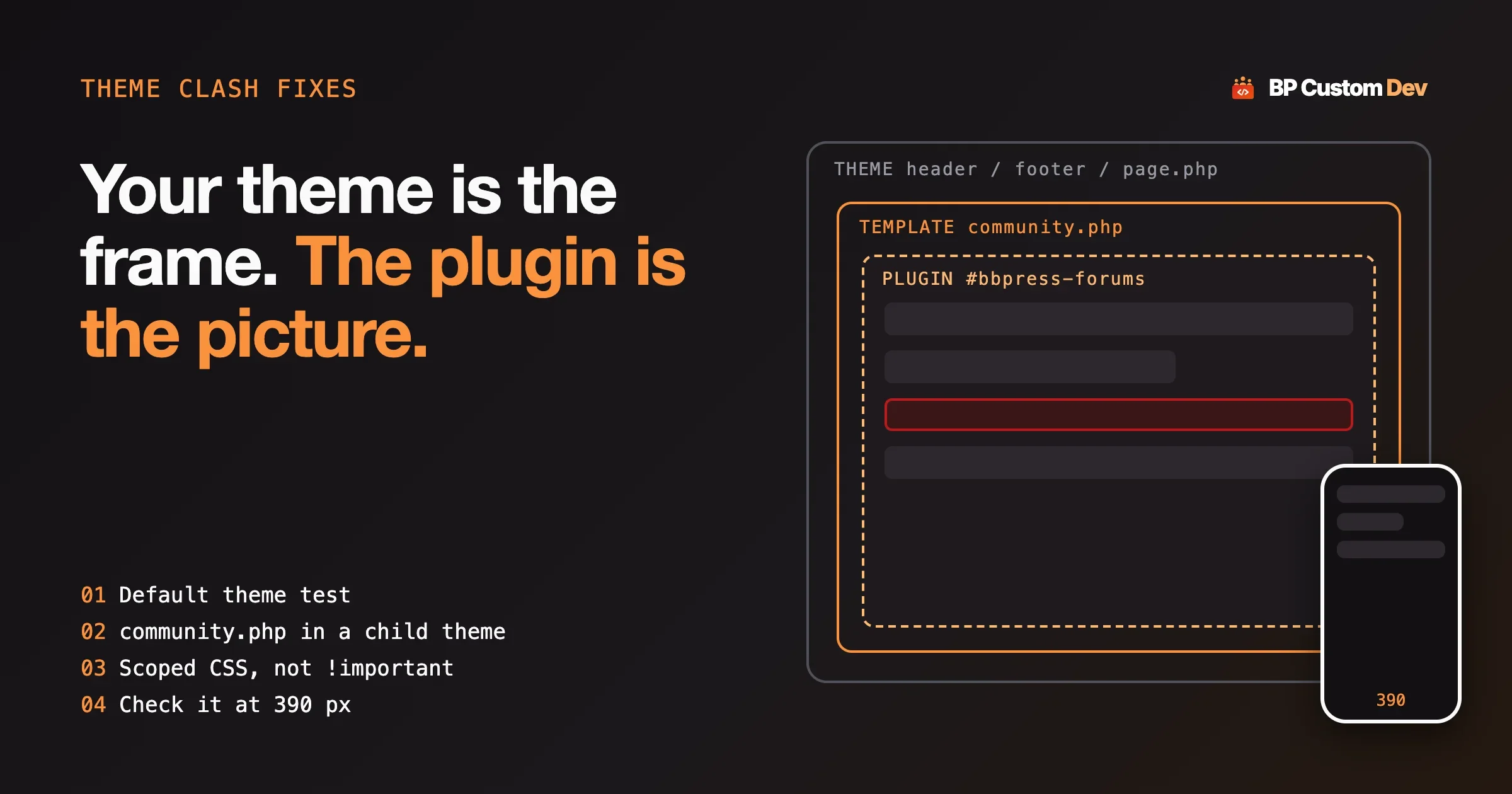
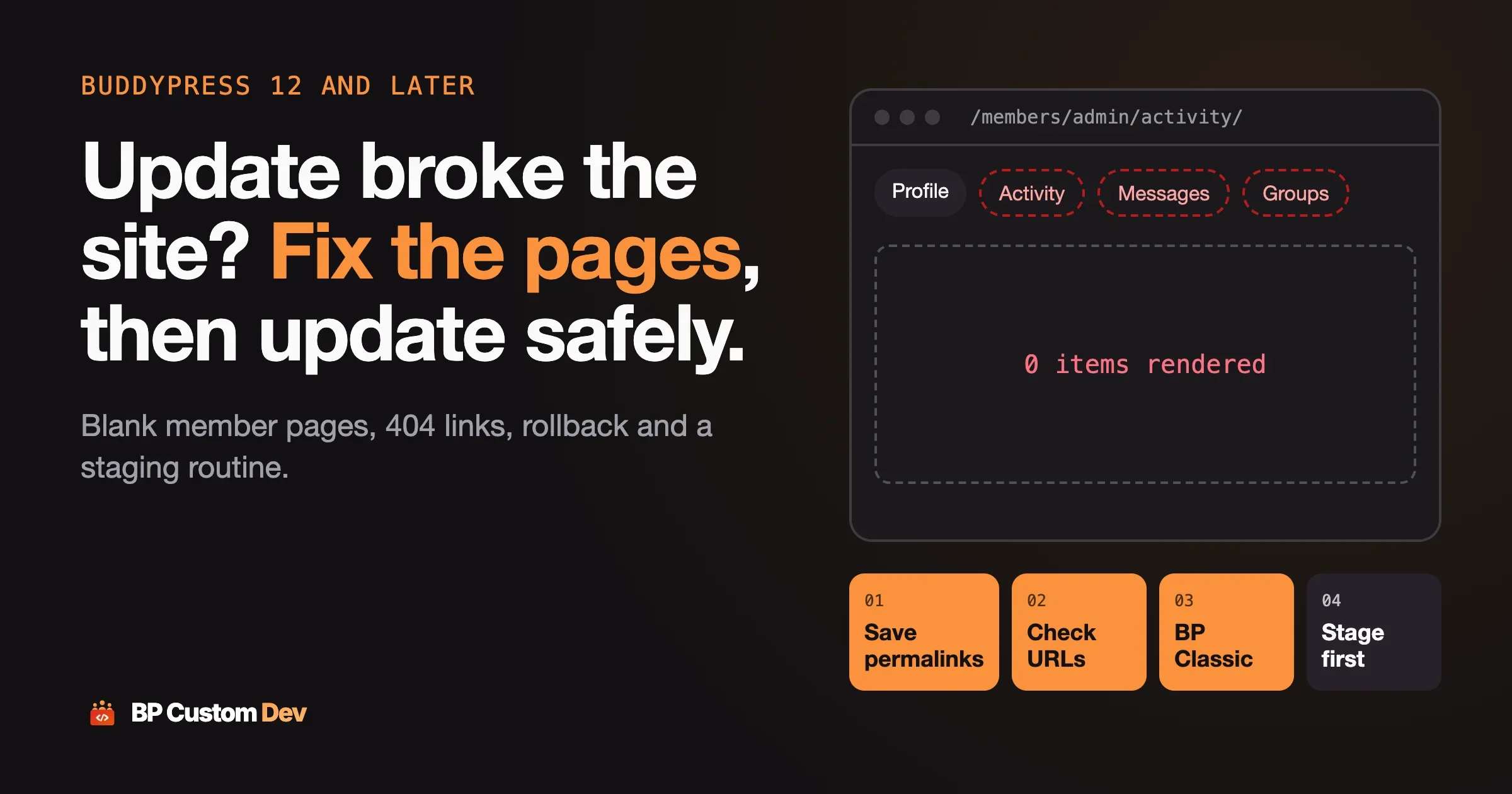
BuddyPress and bbPress clash with themes because neither plugin owns the page. Both inject their content into a template that your theme controls, so any difference in the theme’s markup, CSS, scripts or template files can break the result. The fix that holds is to prove it is the theme first (switch to a default theme on a staging copy), then use the lightest repair that works: a scoped CSS fix, a dedicated community template in a child theme, or a theme that was built with community pages in mind. Avoid editing plugin files and avoid piling on !important.
This guide explains why the clash happens, how to find the exact cause in about fifteen minutes, how to write child-theme overrides that survive updates, how to test at a 390 pixel phone width, and when to change the theme instead of fighting it. At the end we cover how BuddyNext, our own community engine, avoids most of this by bringing its own interface. Facts were read on 29 November 2026 and are dated.
Why do BuddyPress and bbPress clash with my theme?
Think of your theme as a picture frame and the plugin as the picture. WordPress asks the theme for a page template, and the plugin slips its content into that template. The BuddyPress codex describes the mechanism: if you are on a BuddyPress page, BuddyPress looks for a base template in your theme, and by default most sites end up using page.php, so BuddyPress generates its content through that file. The codex also says that only a very basic set of styles ships with the plugin, so that its content fits in with the theme as much as possible.
That design is clever, and it explains every clash we see:
- The theme’s page template was written for blog pages. It may print a big title, a featured image, a sidebar, post meta or a comments block that make no sense on a member profile.
- The theme’s CSS reaches into the plugin’s markup. Global rules for lists, tables, buttons, images and form fields restyle avatars, tabs and activity forms that were never meant to look like that.
- The theme’s JavaScript or the optimisation plugin changes the order of scripts. Activity posting, directory filters and menus depend on scripts loading in a set order.
- The theme is a block theme and the plugin expects a classic one. Block themes have no
page.phpto fall back to, so the way the plugin finds its frame is different. - Template overrides are stale. A copy of a plugin template made two years ago no longer matches the current plugin.
bbPress works the same way. Its codex page on theme compatibility says bbPress 2.x has built-in theme support, so that all functionality works even when a theme has no specific bbPress templates. The catch is that “works” and “looks right” are different promises.
We want to be fair to both projects. They run inside thousands of different themes written by thousands of authors, and no plugin can promise a perfect fit with all of them. On 29 November 2026 we reviewed the wordpress.org support forums and counted about 23 threads in this family. A few examples: “Buddy Press Plugin is Conflicting with Newspaper theme”, where an owner reports an HTTP 500 error when the plugin is active on a theme that had worked for three years, and bbPress “Support for Twenty Twenty-Three Theme”, where an owner using the full site editor reports a blank page at the forums address. These threads are older and they recur, so they say something about the pattern and nothing about your site today.
How do I find out what is actually clashing?
Do this on a staging copy, never on the live site. It takes about fifteen minutes and saves hours of guessing.
Step 1: Switch to a default theme
Activate a current default theme such as Twenty Twenty-Four on staging and open the same page. If the problem disappears, your theme is involved. If it stays, switch back and look at the plugins instead. Our guide on what to do when a BuddyPress update breaks the site covers that route in detail.
Step 2: Read the error log
A white screen or an HTTP 500, like the Newspaper thread above, is a PHP error and not a styling problem. Turn on the log in wp-config.php:
define( 'WP_DEBUG', true );
define( 'WP_DEBUG_LOG', true );
define( 'WP_DEBUG_DISPLAY', false );
Reload the broken page, then open wp-content/debug.log. The last lines normally name the file and the line. If the path points into your theme, the theme code is calling something that has changed. If it points into a plugin, update that plugin or ask its author. A very old theme on a new PHP version is one of the most common causes of a sudden 500, so also check which PHP version the site runs.
Step 3: Find out which template WordPress chose
Install the free Query Monitor plugin on staging. On a community page it shows the template file that was loaded and the template hierarchy that led to it. That tells you which file in your theme controls the frame, and therefore which file to change or replace.
Step 4: Look at the browser console and the rendered markup
Open the browser developer tools. A red JavaScript error points to a script conflict. For layout problems, right-click the broken element, inspect it, and look at the rules applied. If a rule from your theme’s stylesheet is overriding one from the plugin, you have found the clash. Note the selector, since you will target it in the fix.
Step 5: Sort it into a type
What you see | Type | Lightest fix that holds |
|---|---|---|
HTTP 500 or white screen | PHP error in the theme or a plugin | Read debug.log, update or replace the file named there |
Blank content area on /forums or /members | Template does not output the content | A dedicated community template in a child theme |
Duplicate page title, a blog sidebar, post meta on profiles | Theme template built for blog pages | Dedicated community template, or hide elements by scoped CSS |
Avatars stretched, tabs stacked, buttons look odd | Theme CSS reaching into plugin markup | Scoped CSS in the child theme |
Forms or filters do nothing | JavaScript conflict or reordered scripts | Exclude community scripts from minify and defer |
Layout wide or cut off on phones | Fixed widths and overflow | Scoped CSS and a check at 390 px |
Works on one theme and not another, and you keep changing themes | Poor theme fit | Choose a community theme |
Which BuddyPress template pack should I use?
BuddyPress ships two template packs. In BuddyPress 14.5.7 (released 25 November 2026) the plugin’s bp-templates folder holds both bp-legacy and bp-nouveau. You choose between them in Settings, BuddyPress, Options, and the setting text says that the selected template pack serves all BuddyPress templates.
The BuddyPress 12.0.0 announcement says the Nouveau pack was improved to better support block themes in general and Twenty Twenty-Four in particular. So if your site is on Legacy and your theme is recent, switch to Nouveau on staging and compare. Do it on staging because the markup differs, and any child-theme overrides made for one pack will not fit the other.
Remember that the template pack decides the plugin’s own markup, while your theme still supplies the frame around it. Changing the pack fixes problems inside the content area. It will not fix a theme template that prints a sidebar or a second title around it.
How do I fix this with a child theme without breaking updates?
Never edit the plugin or the parent theme. Anything you change there is lost on the next update. Put your changes in a child theme, and keep them as small as you can.
Option 1: A dedicated community template
The BuddyPress codex lists the base templates it looks for, in priority order: plugin-buddypress.php, buddypress.php, community.php, generic.php, page.php, single.php, singular.php and index.php. It searches the child theme first and then the parent. So if you copy your theme’s page.php to community.php in the child theme and remove the blog-specific parts, BuddyPress uses your cleaned version for every community page and the rest of your site stays untouched.
<?php
/**
 * Template for BuddyPress pages. Kept minimal on purpose.
 * Copied from the parent theme's page.php, with the page title,
 * featured image, post meta and blog sidebar removed.
 */
get_header(); ?>

<main id="primary" class="site-main community-wrap">
	<?php while ( have_posts() ) : the_post(); ?>
		<?php the_content(); ?>
	<?php endwhile; ?>
</main>

<?php get_footer();
Keep the wrapper classes and landmarks your theme uses, so that header spacing and width rules still apply. The point is to remove what does not belong, not to invent a new layout.
Option 2: Override one plugin template
When only a single piece needs to change, copy just that file. The codex explains that BuddyPress checks for a folder named buddypress (or community) in the theme and uses any template it finds there before the plugin’s own. The sub-folder structure must mirror the plugin’s, so an activity template lives in an activity folder inside it. For Nouveau the originals are in wp-content/plugins/buddypress/bp-templates/bp-nouveau/buddypress/.
bbPress follows the same idea. Its codex says to copy the template parts you want to change from the plugin’s templates/default/bbpress folder into a folder named bbpress at the root of your theme, copy stylesheets into a css folder, and copy the optional root-level page templates from the extras folder into the theme root.
The rules that make overrides hold
- Override as few files as possible. Every copied file is frozen at the version you copied. When the plugin changes its markup, your copy keeps producing the old markup.
- Write down what you changed and why in a comment at the top of each copy, with the plugin version you copied from.
- Compare after every plugin update. On staging, run a diff between the plugin’s current folder and your overrides and read the differences:
diff -rq wp-content/plugins/buddypress/bp-templates/bp-nouveau/buddypress \
  wp-content/themes/your-child-theme/buddypress
A note on block themes and BuddyPress
If your theme is a block theme, BuddyPress has to find a frame differently, since there is no page.php. We read the BuddyPress 14.5.7 source on 29 November 2026. When the active theme is a block theme, the template loader hands the community content to the WordPress template canvas. BuddyPress 14.0.0 also added a block theme compatibility mode that switches on only when the theme declares support with add_theme_support( 'buddypress' ). When that mode is active, the code deregisters the template stacks that point at the theme folders, which means overrides placed in the theme’s buddypress folder are no longer consulted. That is our reading of the code, not documented guidance, so treat it as a reason to test and not as a rule. If you are choosing between the two on a block theme, run both on staging and check the profile, the activity directory and a group page.
How do I fix CSS clashes so they stay fixed?
Most visual clashes are a theme rule beating a plugin rule. The way to fix them without starting a specificity war is to scope your fixes to the plugin’s own wrapper, so they cannot leak into the rest of the site, and to change as little as possible.
BuddyPress Nouveau adds a buddypress-wrap class to its container, together with the active theme’s name as a class. bbPress wraps its output in an element with the id bbpress-forums. Use those as your anchors:
/* Put this in the child theme stylesheet, not the plugin. */
.buddypress-wrap img.avatar {
	max-width: none;
	height: auto;
}

.buddypress-wrap .item-list-tabs ul,
#bbpress-forums ul.bbp-forums {
	margin: 0;
	padding: 0;
	list-style: none;
}

#bbpress-forums table {
	table-layout: auto;
	width: 100%;
}
Treat the selectors above as an illustration of the method. Inspect your own page and target the exact element that is misbehaving, since markup differs between template packs and versions.
Habits that keep CSS fixes safe
- Prefer a more specific selector over
!important. A scoped selector wins without shutting the door on later changes. - Use the theme’s own variables for colours and spacing when it has them, so the community follows the theme when you change its palette.
- Keep the fixes in one file in the child theme, grouped by area: profile, directory, activity, forum. Someone new should find them in a minute.
- Check dark mode if your theme has it. A hard-coded colour in a fix will stand out the first time a member switches.
- Do not hide the problem. Using
display: noneon an element that the plugin needs, such as a form field or a button, trades a visual bug for a functional one.
Scripts and optimisation plugins
If a form or filter does nothing, switch off minify, combine and defer for the community pages and purge the cache. If that fixes it, add the plugin’s script handles to the exclusion list instead of leaving optimisation off for the whole site. Our BuddyPress hosting guide explains why logged-in community pages cache differently from blog pages.
How do I test a community theme at 390 pixels?
Many community members open the site on a phone, so a layout that only works on a laptop is not finished. Test at a width of 390 pixels, which matches a common phone, using the device toolbar in your browser developer tools. First, run this check in the console on each page. It reports whether anything pushes the page wider than the screen:
document.documentElement.scrollWidth > window.innerWidth
  ? 'Horizontal scroll: something is too wide'
  : 'No horizontal scroll';
Then walk the pages that clash most often:
Page | What to check at 390 px |
|---|---|
Member profile | Cover image and avatar do not overlap the name, tabs scroll or wrap cleanly |
Activity feed | Post box, buttons and comment fields fit, long links wrap |
Member and group directories | Cards stack, search and filters are reachable |
Messages | Thread list and the message form both usable |
Forum index and topic | Tables turn into a readable layout, code blocks scroll inside their box |
Reply form | Editor toolbar does not run off the screen |
Header menu | Community links reachable, no overlap with the logo |
Repeat with a very long member name, a long group title and a post with a wide image. Real content breaks layouts that sample content does not. Also tab through the page with the keyboard and confirm that the focus outline is visible on community buttons. Our one-hour evaluation script includes phone and keyboard checks you can reuse.
What if the theme is the problem and not the fix?
Sometimes the honest answer is to change the theme. If you have written more than a few hundred lines of fixes, or each plugin update breaks your overrides, you are paying a recurring cost to keep a poor fit alive. Choose a theme that treats community pages as first-class pages.
What to look for in any theme:
- It declares BuddyPress and bbPress support in its description and has been updated recently.
- It has a template or layout option for community pages, with no blog sidebar or post meta on profiles.
- It is tested on current WordPress and PHP, and the author answers support questions.
- It stays usable at 390 pixels with real content.
Two themes from our own team that meet that brief:
- BuddyX is free in the WordPress.org theme directory. On 29 November 2026 the directory shows version 5.3.0, updated 26 November 2026, 3,000+ active installations, a 5 out of 5 rating from 26 reviews, and a minimum of WordPress 6.5 and PHP 8.1. The listing describes full BuddyPress, WooCommerce and LearnDash compatibility, and a hybrid approach with classic templates plus theme.json design tokens. Its own site says that if you already run BuddyPress or BuddyBoss, BuddyX works there too.
- Reign is our premium community theme. Its site describes it as a theme for a complete community site, says it styles BuddyPress and BuddyBoss with no add-on, and offers live sandboxes you can try without signing up, including a BuddyPress + Reign one.
Other well-built themes can work just as well, and an existing theme you like may only need a small child-theme layer. We make BuddyX and Reign, so judge our description accordingly, and test any theme, including ours, on staging with your own content and your own add-ons before you commit. If you also run a forum, include a topic page and the reply form in that test.
Is there a way to avoid theme clashes entirely?
You cannot remove the problem when a plugin renders inside a theme’s page frame. You can change how much of the page the theme controls. That is the idea behind BuddyNext, the free community engine from Wbcom Designs.
Here is what BuddyNext’s documentation says, read on 29 November 2026:
- BuddyNext brings its own complete community interface: the navigation rail, the activity feed, spaces, the member directory, profiles and messaging. The theme does not draw any of that.
- Your theme controls the outer chrome: the top site header, the footer, the base fonts and the site-wide colours. Swapping themes changes the frame and not the community inside it.
- The theme guide says BuddyNext works with any WordPress theme, and that BuddyX, BuddyX Pro and Reign are the ones Wbcom Designs builds and tests it against. All three ship a light and dark toggle that BuddyNext follows automatically.
- The free plugin ships 19 server-rendered Gutenberg blocks under the
buddynext/*namespace for surfaces around the community: posts, pages, template parts and sidebars. - If you do want to change a template, BuddyNext checks
{child-theme}/buddynext/, then{parent-theme}/buddynext/, then its own templates, and many parts carry anOverridablenote in their header. The developer guide documents the order and the one common variable mistake.
Two details matter for fairness. First, the community pages themselves, such as the feed, members, spaces and messages, are PHP templates in the plugin, not blocks. The blocks are for the pages around it, and the docs say editing a community page means overriding its template. Second, BuddyNext has its own sharp edges. Its troubleshooting page lists, for example, that a community link can show “Page not found” right after activation until you save Settings, Permalinks once, and that BuddyX and BuddyX Pro can show both the logo and the site title in the header until you hide one in the Customizer.
That is a better trade for many owners: a fixed, tested interface inside whatever header and footer you choose, instead of a plugin trying to adapt to every theme on the market. BuddyNext Free covers the essentials: an activity feed, Spaces, members and profiles, messaging, notifications and email, and moderation tools. Its requirements are WordPress 6.9 or newer and PHP 8.1 or newer.
What about forums?
BuddyNext does not replace bbPress. According to its migration documentation, forums go to Jetonomy, our forum and Q&A plugin at jetonomy.org, and the importer skips forum content when Jetonomy is not active. If your community is mostly a forum, read our comparison of forums and social network features before choosing.
When to stay on BuddyPress or bbPress
Stay if the fixes in this guide hold, you depend on add-ons that exist only for BuddyPress, or custom code is tied to its functions. BuddyPress and bbPress are third-party projects that are still supported for existing sites. As of 29 November 2026 the plugin directory shows BuddyPress 14.5.7 and bbPress 2.6.22, listed on the bbPress codex as released on 15 November 2026. A theme clash is rarely a reason to leave on its own.
Move when you are starting a new community, rebuilding anyway, or tired of maintaining overrides after every update. The migration documentation for BuddyPress sites is at buddynext.com/docs/migrating-from-buddypress, and our own write-up of moving from BuddyPress to BuddyNext explains what moves and what stays. Running both plugins side by side is not supported, so a move is a planned project with a staging rehearsal.
Need this fixed properly?
If your theme and community plugin are fighting and you would rather hand it over, bpcustomdev.com builds and repairs exactly this: clean community templates in a child theme, scoped styling that survives updates, a phone layout that works at 390 pixels, and a move to BuddyNext when that is the better route. Read about our BuddyPress development services or go straight to the contact page with your theme name, plugin versions and a link to the broken page.
Frequently asked questions
Why does BuddyPress look different on every theme?
BuddyPress ships only a basic set of styles and renders inside whatever template your theme provides. The theme’s layout, fonts and CSS therefore shape the result.
Why is my bbPress forum page blank?
Usually the template in use does not output the forum content, which is more likely on block themes and heavily customised themes. Check debug.log, test with a default theme, and consider a dedicated page template or a stylesheet fix. Test a topic page and the reply form too.
Can I use a block theme with BuddyPress?
Yes, and Nouveau was improved for block themes in BuddyPress 12.0.0. Test on staging, since the way BuddyPress finds its frame differs from classic themes and overrides may behave differently.
Where do I put template overrides?
In a child theme: a buddypress folder for BuddyPress and a bbpress folder for bbPress, with the same sub-folder structure as the plugin. Keep them few and compare them after updates.
Is a theme change safer than custom CSS?
Not always. A well-fitting theme reduces ongoing fixes, but you still need to test every plugin and theme update on staging. Choose a theme for fit and support, not for one screen.
Does BuddyNext work with my current theme?
Its documentation says it works with any well-built WordPress theme, because it renders its own community interface inside your header and footer. Test it on staging with your theme first, as with any plugin.
Sources and dates
All read on 29 November 2026 unless noted.
- BuddyPress codex: Theme Compatibility and Template Files and Template Hierarchy.
- BuddyPress announcement: BuddyPress 12.0.0 Nonno, 11 December 2023. Plugin source of the 14.5.7 tag read on the WordPress.org SVN repository.
- bbPress codex: Theme Compatibility.
- Plugin and theme pages: BuddyPress, bbPress and BuddyX on WordPress.org.
- Support threads: Buddy Press Plugin is Conflicting with Newspaper theme and Support for Twenty Twenty-Three Theme.
- BuddyNext: theme guide, blocks reference, template overrides, troubleshooting and migration documentation.
Forum threads are single reports from owners, not measurements. The comparison of when to move is our opinion, and we make BuddyX, Reign and BuddyNext, so weigh it with that in mind.