SharePoint Charges Per Head for Your Company Water Cooler (and You Cannot Buy It Alone Anymore)
Standalone SharePoint is being retired in 2026, so the intranet now arrives bundled in a Microsoft 365 suite priced per head. Here is what that costs at 50, 200 and 1,000 staff, and how to build an intranet people actually open on WordPress instead.

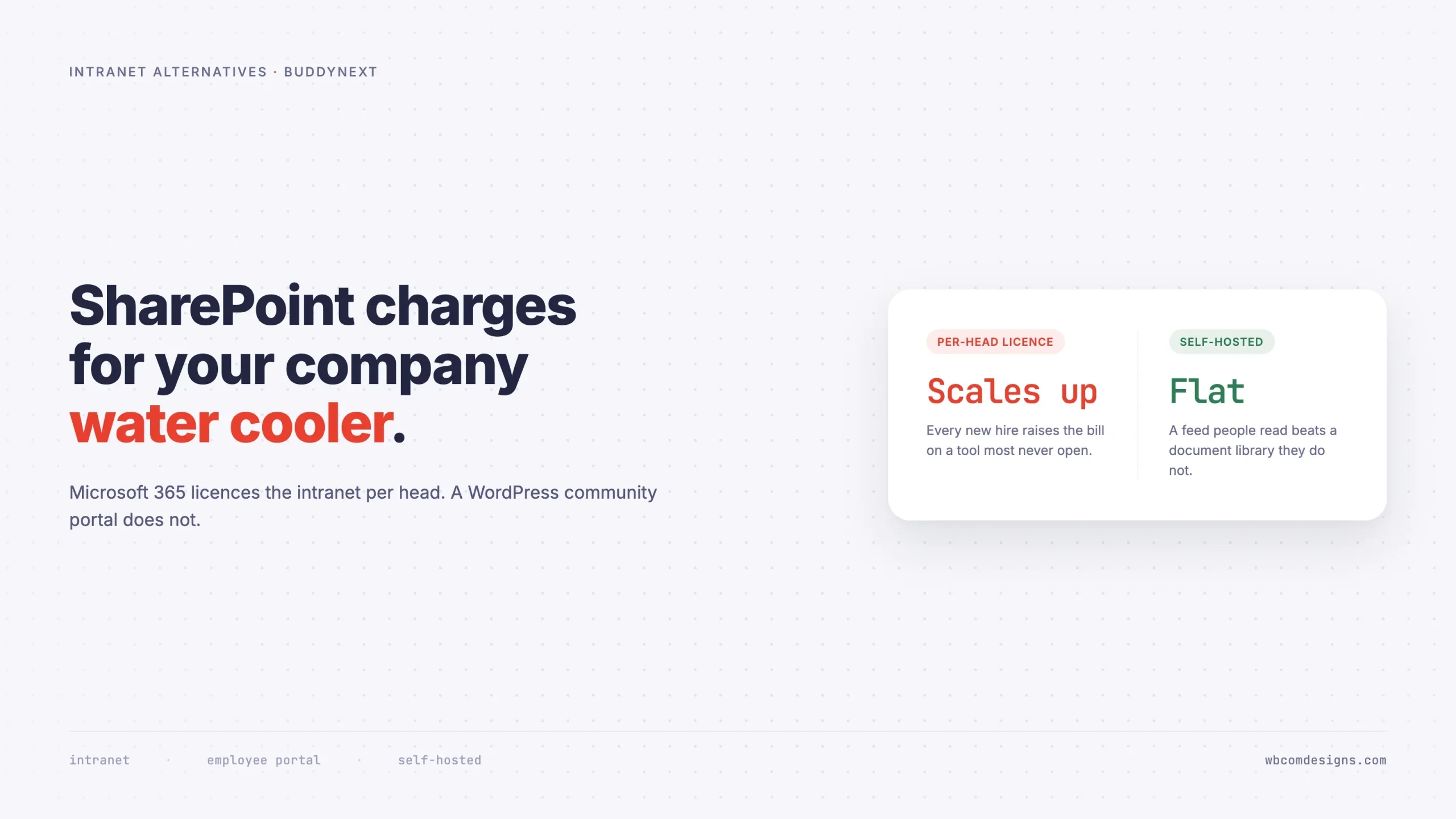
Something quiet happened to SharePoint pricing in 2026. The standalone SharePoint Online Plan 1, the $5 per user per month option that let an organisation buy an intranet and nothing else, is being retired. It can no longer be sold to new customers, and existing agreements run out over the next three years.
SharePoint is now something you get by buying a Microsoft 365 suite. Business Basic is $7 per user per month on an annual commitment, Business Standard $12.50, Business Premium $32, and E3 $36, the last of which rose from $33.75 the year before.
If your organisation already runs on Microsoft 365 for email and Office, that is fine. You have paid for it either way, and the intranet is effectively free at the margin. Use it.
But a lot of organisations are not in that position. Nonprofits running on Google Workspace. Agencies on Slack and Notion. Manufacturers with 300 staff where only 40 have a desk. Membership bodies whose “staff” are mostly volunteers. For all of them, the intranet is now a reason to buy an entire productivity suite, priced per head, for a tool most of those heads will open twice a year.
That is worth doing the arithmetic on before you sign.
What the bundled intranet actually costs
Headcount | Business Basic ($7) | Business Standard ($12.50) | E3 ($36) |
|---|---|---|---|
50 staff | $4,200/year | $7,500/year | $21,600/year |
200 staff | $16,800/year | $30,000/year | $86,400/year |
1,000 staff | $84,000/year | $150,000/year | $432,000/year |
Those are suite prices, not intranet prices, and that is the point. There is no longer a line item you can point at and say “this is what the intranet costs.” It has been folded into a per-head charge that grows every time you hire.
A WordPress intranet has no per-head component at all. A 50-person company and a 1,000-person company run the same software, and the difference in cost is the hosting plan. That is not a rhetorical flourish. It is the structural difference between licensing and self-hosting, and it is the only reason this comparison is worth making.
What SharePoint is genuinely good at
Being fair here matters, because a comparison that pretends the incumbent has no strengths is not useful to anyone making a real decision.
SharePoint is an excellent document management system. Version history, co-authoring in Word and Excel, check-in and check-out, retention policies, eDiscovery, and permissions that map onto Active Directory groups your IT team already maintains. If your intranet’s primary job is controlling documents in a regulated environment, SharePoint is very hard to beat and this article is not for you.
It also arrives with enterprise identity built in. Single sign-on against Entra ID, conditional access, multi-factor enforcement, and a compliance posture you can hand to an auditor. Those things are real, and they are genuinely difficult to reproduce with plugins.
What SharePoint is not good at is being a place people want to go.
The filing cabinet problem
Ask staff at almost any organisation with a SharePoint intranet when they last opened it voluntarily. Not to find a specific policy document, not because a link in an email sent them there. Voluntarily, to see what was new.
The answers are bleak, and the reason is structural rather than a failure of configuration. SharePoint is organised around documents. Its mental model is folders, libraries, sites and permissions. That is the correct model for controlling files and the wrong model for holding an organisation’s attention.
People do not check a filing cabinet. They check somewhere things happen.
This is why intranet projects follow the same arc so reliably. A launch with genuine enthusiasm. A content push for three months. A gradual decline as the news page ages. Then two years of a homepage carrying a Christmas message from the wrong year, while the actual company conversation happens in email threads, WhatsApp groups and hallway conversations that new joiners are not part of.
The organisation concludes it needs a better intranet and buys a redesign. What it needed was a different shape of thing.
What makes an intranet get opened
Five properties separate an intranet staff use daily from a link buried in an onboarding email. None of them is visual design.
1. One place where new things appear
A feed, in the ordinary sense. Not a news page an internal comms person updates on Fridays, but a stream that anyone can post to and everyone can react to. The distinction is whether content arrives from one direction or all directions.
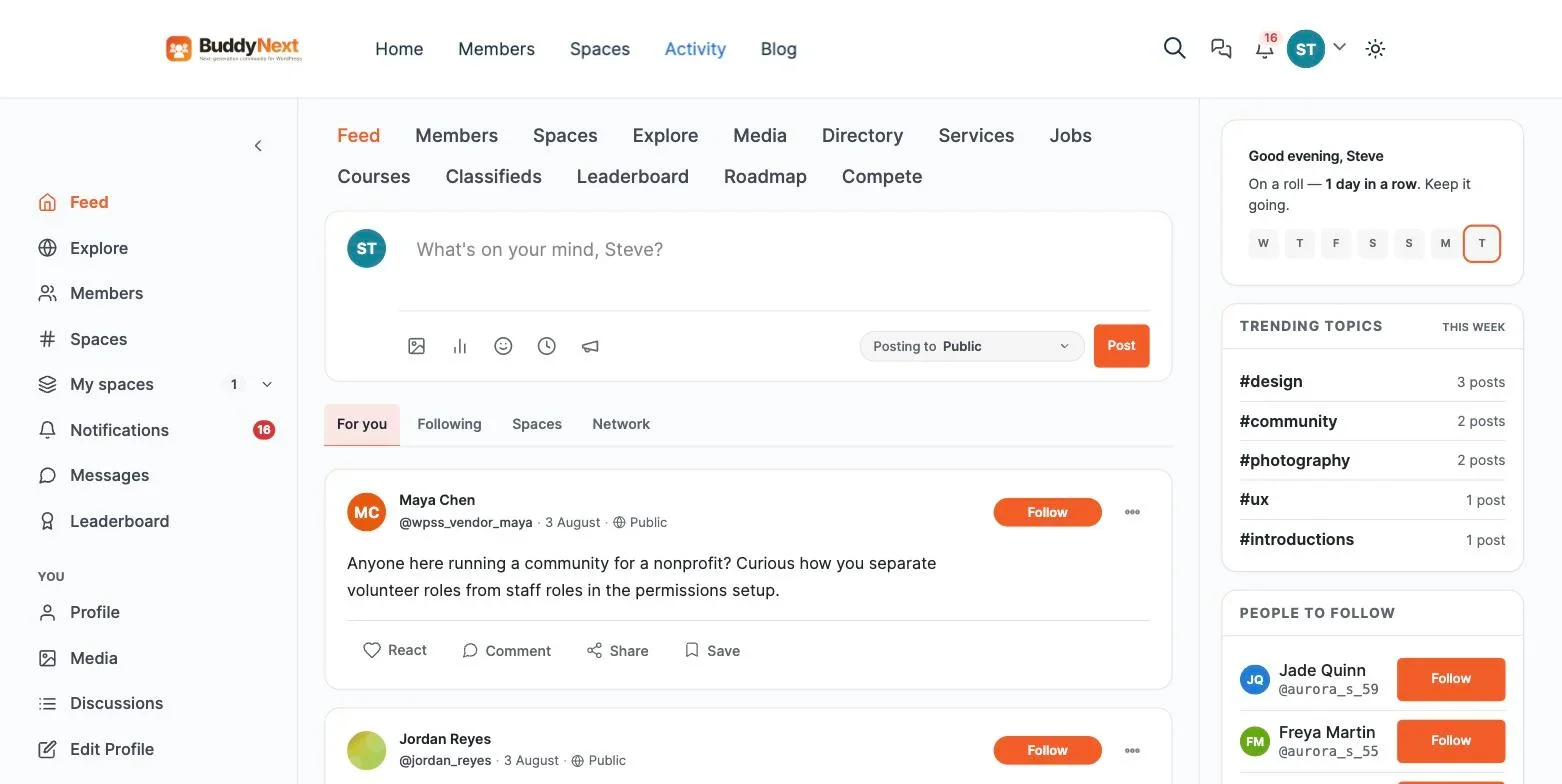
Announcements still matter. You want a pinned, official, this-is-from-leadership post that sits above the noise. But if announcements are the only thing on the page, you have built a notice board, and notice boards get read once.
2. Spaces per team, not folders per department
Every organisation past about thirty people needs sub-areas. The distinction that matters is whether those areas are places or containers.
A folder holds files. A space holds a conversation, and the files that conversation produced. Warehouse, Field Engineers, the London office, the safety committee, the people planning the summer party. Each gets its own feed, its own membership, and its own moderation, so the head of engineering can run their space without an IT ticket.
Some of these need to be genuinely private. Not “hidden from the menu” private, but invisible to search and returning a 404 rather than a locked door, which is how you handle a disciplinary matter or a restructure that has not been announced.
3. Profiles that answer “who is this?”
The most valuable page on a mid-sized organisation’s intranet is the one that tells a new starter who does what. Role, team, location, expertise, what they are working on, whether they are the right person to ask about the invoicing system.
Most SharePoint deployments inherit thin profiles from the directory: name, title, email, a photo perhaps. Useful for finding an address, useless for finding an expert. Custom profile fields with real organisational meaning are what turn a staff list into an internal directory people search.
4. Search that returns people and conversations
SharePoint search is good at documents. That is not the question staff usually have. They ask “has anyone dealt with this customer before?” and “what did we decide about the returns policy?” Those answers live in conversations, not files, which means a searchable conversation history is the actual asset.
This is also the strongest argument against letting the company conversation happen in a chat tool whose free tier hides your archive. Every question answered in an ephemeral thread is a question someone will ask again next year.
5. Moderation nobody expects to need
Give staff a place to post and eventually something is posted that should not have been. A grievance aired publicly, a photo that breaches a client NDA, a heated exchange during a restructure.
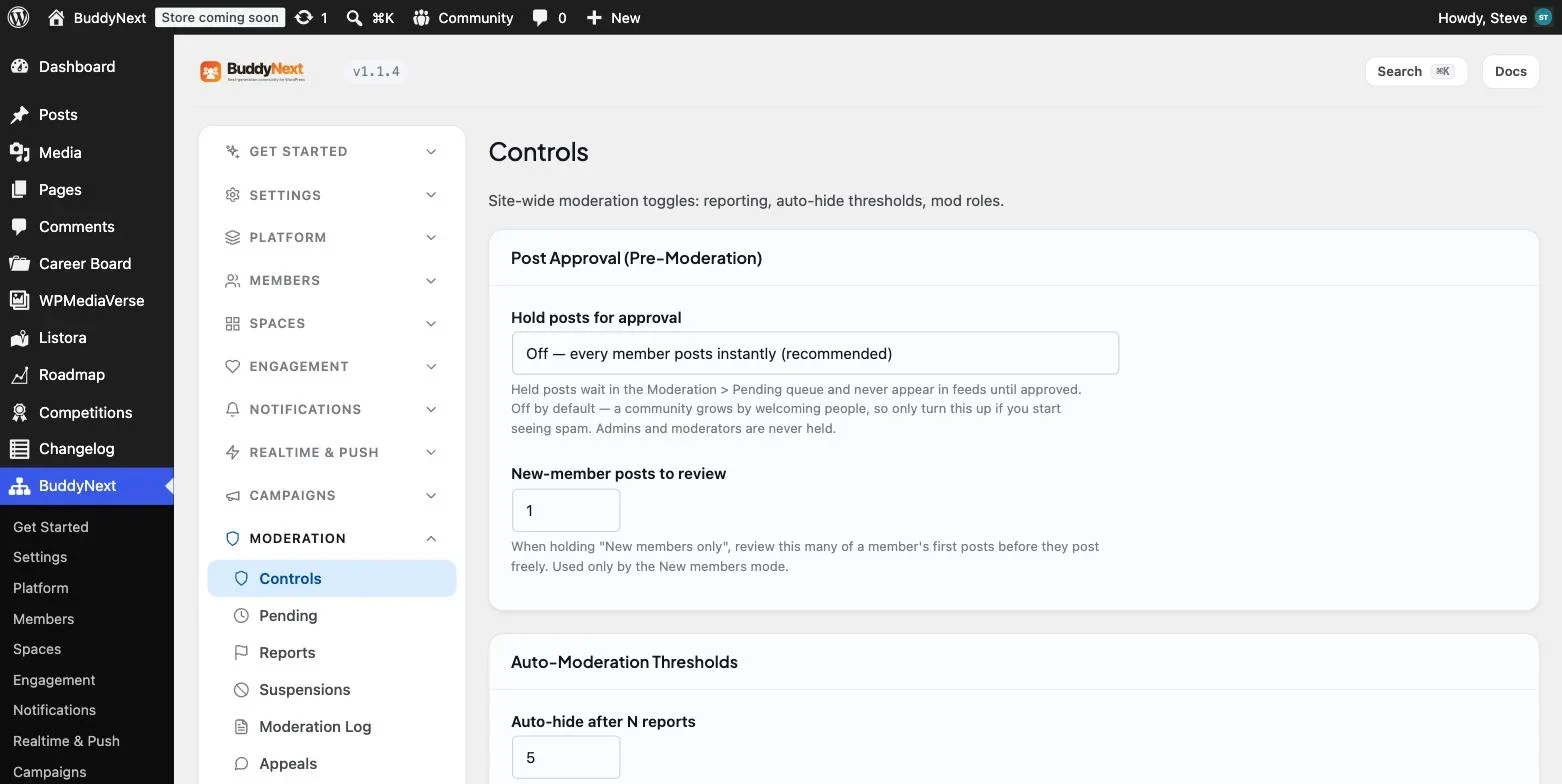
You need reporting, a queue, a log of what was done and by whom, and graduated options between doing nothing and deleting someone’s account. In an employment context the log is not a nice-to-have. It is the thing that makes a decision defensible six months later.
The deskless problem nobody costs properly
Per-head licensing creates a specific and under-discussed failure: the people who most need internal communication are the ones an organisation is least willing to buy a licence for.
A manufacturer with 300 staff might have 45 people at desks and 255 on a production floor. A care provider might have 30 in the office and 400 in the community. A hotel group has managers on laptops and everyone else on their own phone. In each case the deskless majority never receives a full productivity licence, because $12.50 or $36 a month for someone who needs one page a week is impossible to justify.
So they get excluded. Shift changes go out on WhatsApp groups run by whichever supervisor set them up. Policy updates reach the noticeboard in the break room. New starters learn who does what by asking whoever is standing nearby. The organisation has an intranet that structurally cannot include most of the organisation.
This is the scenario where self-hosting stops being a cost argument and becomes a coverage argument. A WordPress intranet costs the same whether 45 people or 400 use it, which means the question “should this person have access?” stops being a budget decision and goes back to being a policy decision, where it belongs.
Two features matter disproportionately for these teams. Installing as a PWA means it behaves like an app on a personal phone with no app store review and no device management. And per-space membership means a shift supervisor can run their own team space from that phone without anyone raising a ticket.
Building it on WordPress
WordPress already handles accounts, roles, capabilities, media and page templates. Many organisations already run it for their public site, which means the intranet is a second install rather than a new vendor relationship, a new procurement process and a new set of credentials for staff to forget.
What WordPress has never shipped is the social layer. BuddyNext is a free, standalone plugin that adds it. It is not built on BuddyPress and does not require it.
Against the five properties above:
- Feed. Posts with text, links, images, video and polls. Reactions, threaded comments, reshares, bookmarks, followable hashtags, and pinned announcements.
- Spaces. Public, private and secret visibility, with categories, per-space roles so team leads administer their own area, and per-space bans that do not affect the rest of the intranet.
- Profiles. Custom field groups with per-field visibility, member types to distinguish staff from contractors from volunteers, and online or last-active presence.
- Search. A visibility-scoped index across people, spaces and posts, so a secret space never leaks through a search result.
- Moderation. Reporting, a wp-admin review queue, strikes, suspensions, shadow-bans, a moderation log, banned-word safeguards, and an appeals route that stays reachable while someone is suspended.
Direct messaging comes from the companion WPMediaVerse plugin. Discussions and long-form Q&A come from Jetonomy if you want threaded forums alongside the feed. Both run standalone, so neither locks you in.
A realistic build sequence
Step 1. Lock the doors first
An intranet is private by definition, and this is the step to get right before anything else exists. Turn off open registration entirely and use invitations. Decide whether anything is visible to logged-out visitors, and for most internal deployments the answer is nothing at all.
Turn on email verification, and turn on two-factor if you handle anything sensitive. BuddyNext does TOTP with a scannable QR code plus an email-code fallback for the people who will change phones and lose the authenticator.
Step 2. Model the organisation
Build profile field groups that reflect how your organisation actually thinks: team, site or office, role, manager, areas of expertise, start date. Add member types for Staff, Contractor, Volunteer and Alumni, because access rules almost always diverge along those lines eventually.
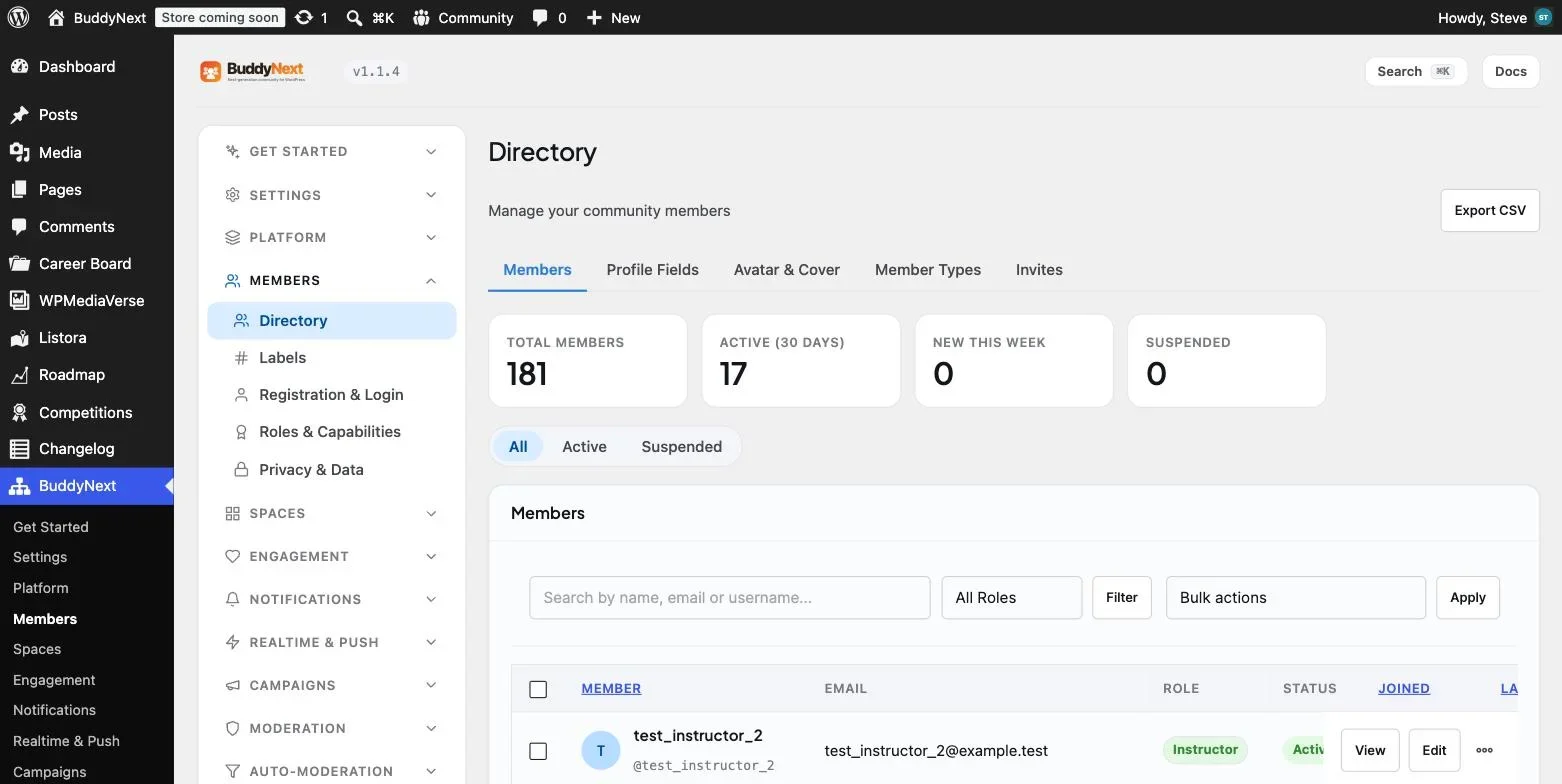
Set field visibility deliberately. Work email and team public to colleagues, personal phone number restricted, notes admin-only. This is easier to fix before you import the staff list than after.
Step 3. Start with four spaces, not forty
The instinct is to mirror the org chart. Resist it, because an org chart produces a lot of rooms with nobody in them, and an empty room reads as a failed launch.
Start with something like: Announcements, one space for the largest team, one cross-cutting interest space that has nothing to do with work, and one for a project currently generating real conversation. Add more only when someone asks for one, which is the signal that a conversation already exists and needs a home.
The non-work space matters more than it sounds. It is where the water cooler actually gets rebuilt, and it is why people form the habit of checking.
Step 4. Give team leads the keys
Set per-space roles so team leads and office managers run their own spaces. If every membership change routes through IT, the intranet becomes a ticketing burden and dies of friction. This single decision does more for long-term adoption than any design work.
Step 5. Write the ground rules down
Post a short, plain page covering what the intranet is for, what is not appropriate, how to report something, and what happens next. Two hundred words is enough. Having it in place before the first incident is the difference between a considered response and an improvised one.
Step 6. Seed it, then launch in waves
Before anyone is invited, put real content in. Twenty or thirty posts, several filled-in profiles, a poll, a genuine question in each space. Then invite one team, let them use it for a fortnight, fix what annoys them, and expand.
Launching to the whole company on day one, into an empty feed, is the single most common way these projects fail. People form an opinion in the first thirty seconds and do not revisit it.
Measuring whether it worked
Intranet projects are usually judged on launch-week logins, which is the least informative number available. Three measures actually tell you something.
Returning users per week, unprompted. Strip out sessions that began with someone clicking a link in an all-staff email. What remains is the number of people who chose to check. That is the only real measure of whether the habit formed.
The ratio of staff posts to comms posts. If internal communications produces most of the content, the intranet is a newsletter with a login. Healthy internal communities cross over within a few months, at which point the tool starts producing value your comms team did not have to make.
Questions answered by colleagues. Every one is a question that did not become an email to a manager, and it stays searchable for the next person who asks it. This is where an intranet quietly repays the effort.
Track these by team as well as overall. Adoption is almost never uniform, and the teams that lag usually do so for a fixable reason such as no local space, no active moderator, or no device to read it on.
What you give up
Three things, stated plainly.
Enterprise single sign-on. BuddyNext offers OAuth social login through Google, Facebook, GitHub, Discord and Apple. That is not SAML against Entra ID or Okta. If your IT policy mandates federated identity with conditional access, you will need a third-party SAML plugin and you will be maintaining that integration yourself. For some organisations this is an absolute blocker, and it should be, so establish it in week one rather than week ten.
Deep Office integration. Co-authoring a spreadsheet in the browser, with version history and check-out, is a SharePoint strength that a WordPress intranet does not replicate. Many organisations solve this by keeping documents where they are and using the intranet for conversation, which is a perfectly reasonable split rather than a compromise.
A vendor to blame. Self-hosting means someone internal owns updates, backups and the report queue. A few hours a month, not a full-time role. If you cannot name that person today, the bundled suite is genuinely the safer choice, because unowned software rots quietly.
Running both
The most common sensible outcome is not a migration at all. It is a split.
Documents stay in SharePoint or Google Drive, where version control and compliance tooling already work. The conversation, the profiles, the directory and the spaces move to a WordPress community layer, which is the part the document system was always bad at. Link between them freely.
This tends to work better than a full migration for a boring reason: it does not require anyone to change how they handle files, which is the habit people defend hardest. It also means the intranet’s success is judged on engagement rather than on whether the finance team can still find last year’s audit folder.
Frequently asked questions
Can staff log in with their existing work accounts?
Through Google Workspace, yes, using social login. Through Microsoft Entra ID, only with an additional SAML or OIDC plugin. Confirm this before committing, because it is the requirement most likely to change the decision.
How does this compare to Slack or Microsoft Teams?
Chat and intranet solve different problems, and organisations that treat them as substitutes end up with neither. Chat is for things that matter for an hour. An intranet is for things that matter for a year: policies, decisions, who does what, and the searchable record of why something was decided. Most organisations should run both, and should be honest that a chat tool is not an archive.
Does an intranet need to be on a separate domain?
A subdomain is usually cleanest for a fully private intranet. Gated content earns nothing in search, and separating it simplifies caching, backups and access rules. Use the main domain only if some of the content is meant to be public.
What about staff without a company computer?
This is exactly where per-head licensing hurts most, because deskless staff are the people least likely to justify a full productivity licence and most likely to be excluded from internal communication as a result. A WordPress intranet installs as a PWA on a phone, needs no app store review, and costs nothing extra per person. For manufacturers, hospitality and field service teams, that is often the whole argument.
How long does it take to build?
The software is an afternoon. The organisational work, which is deciding your spaces, agreeing the ground rules, choosing profile fields and seeding real content, takes a few weeks. That ratio is the same for SharePoint. The difference is that with SharePoint you have also spent the year’s licensing by then.
Is a WordPress intranet secure enough for internal data?
It can be, and the honest answer is that it depends far more on your hosting and process than on the plugin. Enforce two-factor, keep the install patched, put it behind a firewall or VPN if the data warrants it, and take real backups. Those are the same controls any self-hosted system needs. What you cannot produce is a vendor’s compliance certificate, which is the distinction that matters if a customer contract requires one.
Where to start
Work out your real number first. Headcount times the per-user price of whichever suite tier you would need, times twelve. If that number is small because you already run Microsoft 365 for everything else, keep SharePoint and spend your energy on making it a place people post rather than a place they retrieve.
If the number is uncomfortable, build the alternative on staging in an afternoon and put it in front of one team. Our full walkthrough on building a community portal on WordPress covers the setup end to end, and the portal plugin comparison covers what to pick if your requirements turn out to be something other than an intranet.
















