Your Members Log In, Download the PDF, and Leave. That Is Not a Portal.
Most association member portals are a paywall wrapped around a document library, so members visit once a year and leave with a file. Here is what separates a portal that renews on habit from one that renews on value.

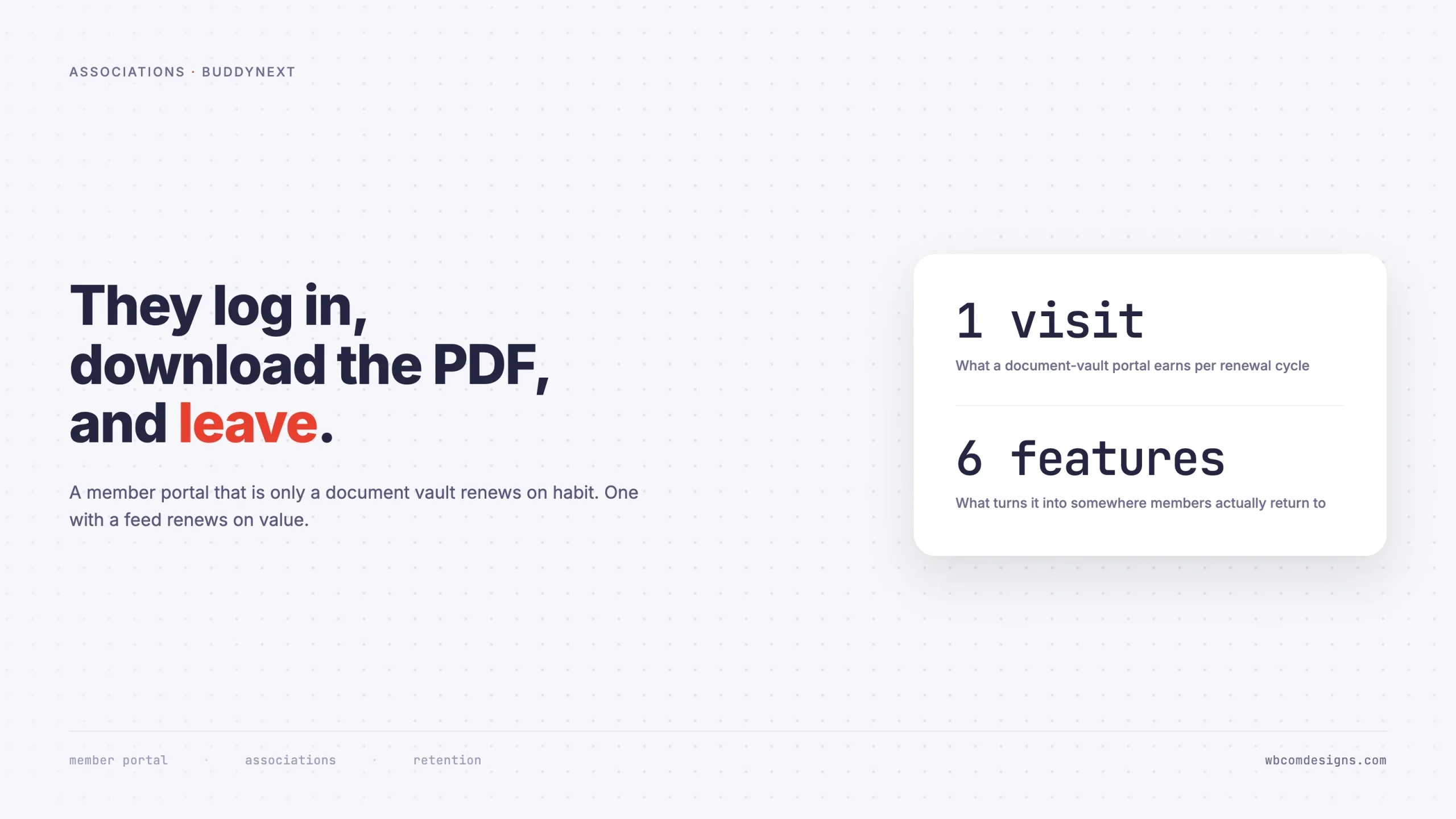
Here is a report worth running if your association has a member portal. Take last year’s login data and count how many members logged in exactly once. Then check what they did in that session.
At most member organisations the answer is uncomfortable: a large share logged in once, went straight to a document, downloaded it, and left. Often that document is the membership certificate. Sometimes it is the annual report nobody reads. The portal did its job perfectly and delivered almost no value.
This is the default outcome of building a member portal as a paywall around a document library. It is not a design failure or a communications failure. It is what that architecture produces, reliably, at every organisation that chooses it.
And it puts your renewal conversation on the worst possible footing, because a member deciding whether to pay again is trying to recall what they got. “A PDF” is a hard thing to justify at a few hundred a year.
Two ways members renew
Members renew for one of two reasons, and which one dominates decides how stable your organisation is.
Habit. They have always been a member. Their employer pays. The letters after their name matter professionally. The renewal is an administrative task rather than a decision. This is comfortable and it is fragile, because it survives exactly until a budget review, a job change, or a competing body offering the same letters for less.
Habit renewals are also invisible in your data. They look identical to enthusiasm right up until they stop.
Value they can name. They renew because of something specific that happened: a question answered by a peer, a job found through the network, a specialist interest group that exists nowhere else, a contact made at the right moment. When you ask these members why they stay, they tell you a story about a person rather than a benefit from the brochure.
A document library cannot produce the second kind. Documents are consumed alone, and nothing that happens alone creates the sense of belonging that renewals are actually made of.
What a document portal cannot do
Be fair to the document library first. Members do need the standards, the guidance notes, the CPD records, the templates. Those things are genuinely valuable and they should stay.
The problem is that a portal built only around them has four structural gaps.
- It gives members no reason to return between renewals. Documents are static. Once retrieved, retrieved. There is nothing to check.
- It cannot answer the question members most want answered. “Who else here does what I do?” is the question that justifies a professional body’s existence, and a file cannot answer it.
- It makes the organisation the only source of value. Every piece of content must be produced by your staff. That does not scale, and it means member value is capped by your content budget.
- It generates no signal. You cannot see who is engaged, which topics matter, or which members are about to lapse, because downloading a file tells you almost nothing.
That last gap is the one that costs most. Retention work depends on knowing who is drifting before the renewal notice goes out. A document portal gives you a download log, which tells you someone still wanted last year’s standard, not whether they still feel like a member.
The six things a member portal needs
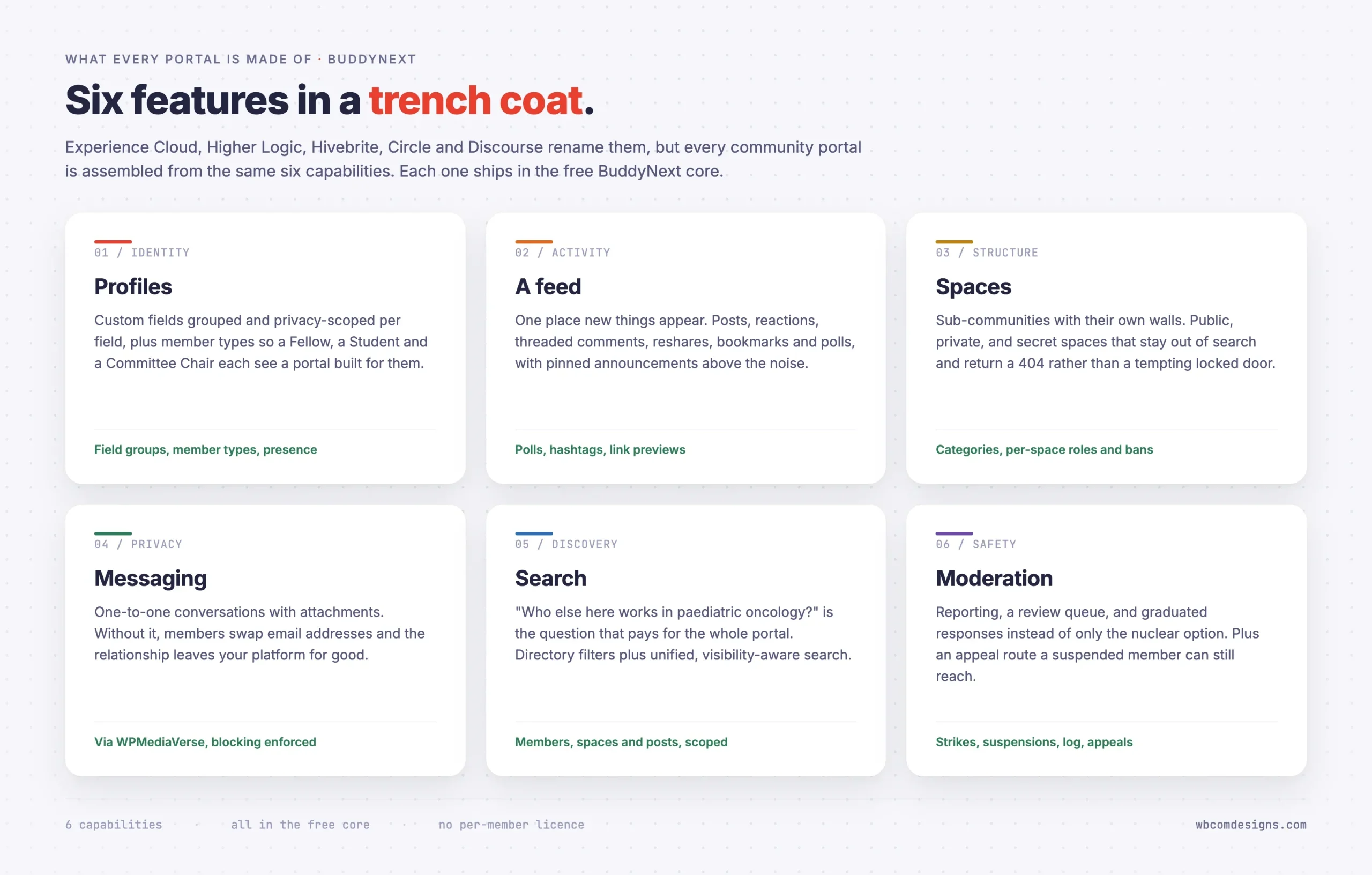
Whatever the vendor calls them, every serious member portal is assembled from the same six capabilities.
1. A directory members actually search
This is the feature that pays for everything else, and the one most often treated as an afterthought during procurement.
A directory is only useful if it is searchable on the fields your members care about, which are never name and email. They are specialty, sub-specialty, chapter, region, employer, years qualified, languages spoken, and whether this person will take a call from a stranger.
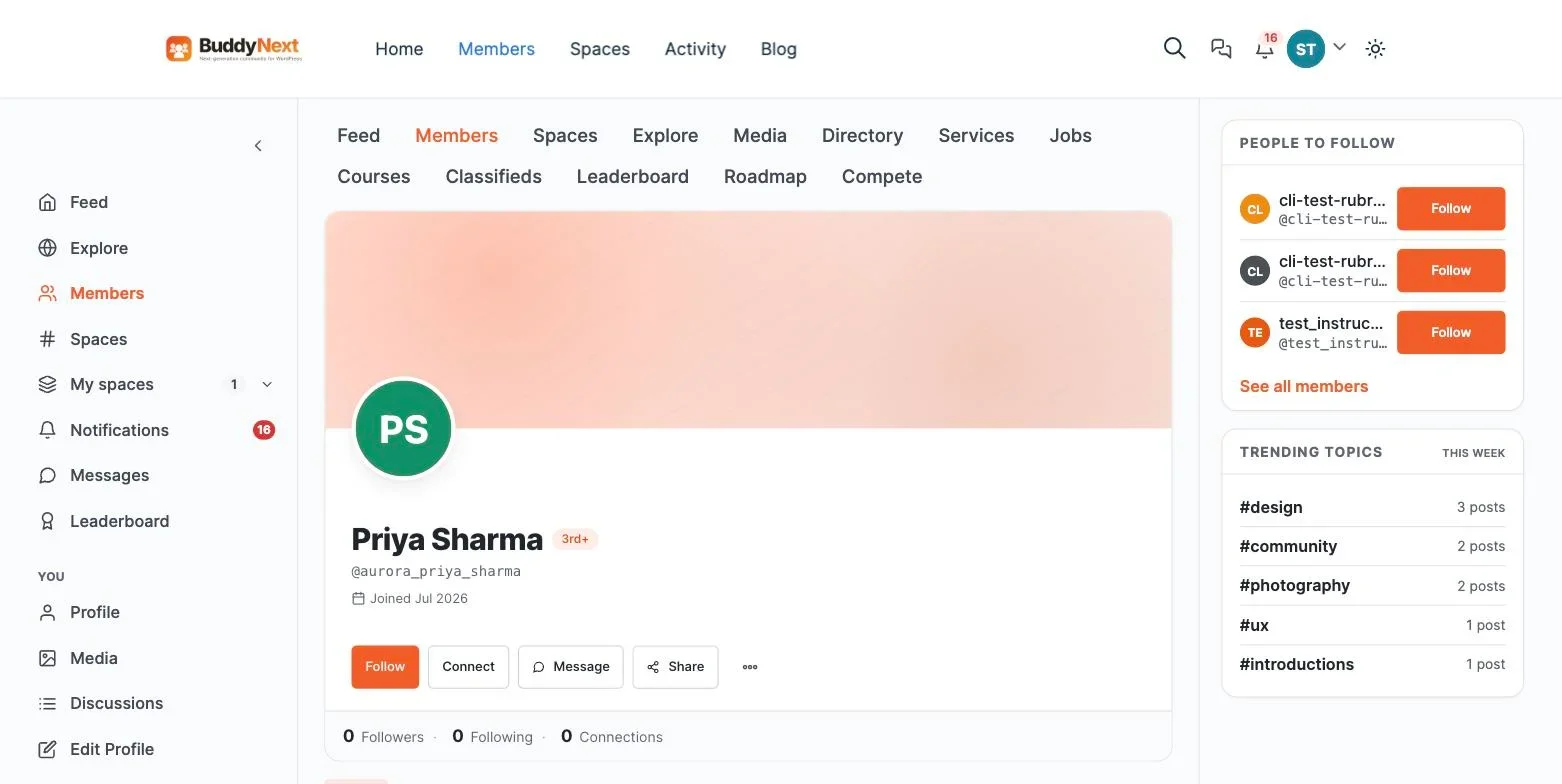
Before you buy anything, build a test directory with your real fields and 200 dummy records. If filtering is awkward at 200, it is unusable at 4,000, and you will not discover that until after the data migration.
2. Somewhere the conversation happens
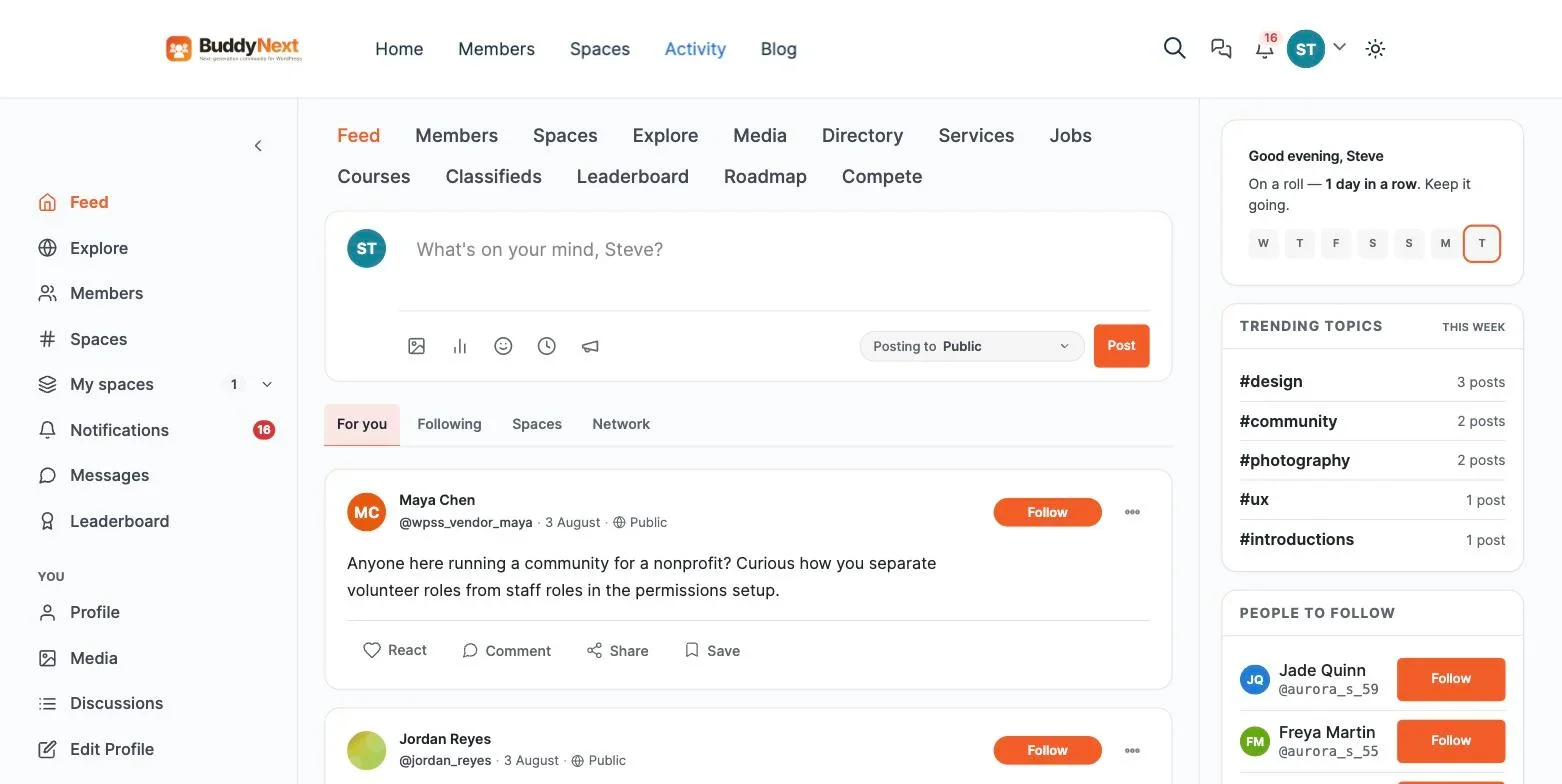
A feed, in the plain sense. Members post questions, other members answer, everyone else reads. This is where the association stops being a publisher and starts being a profession talking to itself.
The thing to understand is that a healthy feed reduces your workload rather than adding to it. The questions your staff currently answer by email get answered publicly, once, by a peer, and stay searchable for everyone who asks the same thing later.
3. Spaces for the parts of the profession that differ
A 4,000-member association with one shared feed produces a shouting match, and the specialists leave first because the signal is too thin for them.
Members need smaller rooms: the regional chapter, the specialist interest group, the early-careers network, the ethics committee, the working group drafting next year’s standard. Each needs its own membership and its own moderation, so a chapter chair can run their space without a staff ticket.
Some of these must be genuinely private. Committee work, disciplinary matters, board papers. Not merely hidden from a menu, but absent from search results and returning a 404 to non-members rather than a locked door that advertises what it is hiding.
4. Member types, so the portal fits the member
A Student Member, a Fellow, a Retired Member and an Overseas Member want different things and should be entitled to different things. Without member types you build one portal for an average member who does not exist.
Member types also let you do the thing that most improves early-career retention: give students a space of their own where asking a basic question is not intimidating. The cost of losing a member at 26 is thirty years of subscription, which makes this the highest-return space you will create.
5. Private messaging
Two members who meet in a discussion will want to continue privately. If your portal cannot do it, they will exchange email addresses and the relationship, along with any evidence that your portal created it, leaves the platform.
6. Moderation with an appeals route
Professional communities have professional disputes, and in a body that can affect someone’s livelihood the stakes are higher than on a hobby forum.
You need reporting, a queue, graduated responses rather than only deletion, and a moderation log, because a decision affecting a member’s standing may need to be defended to a committee months later.
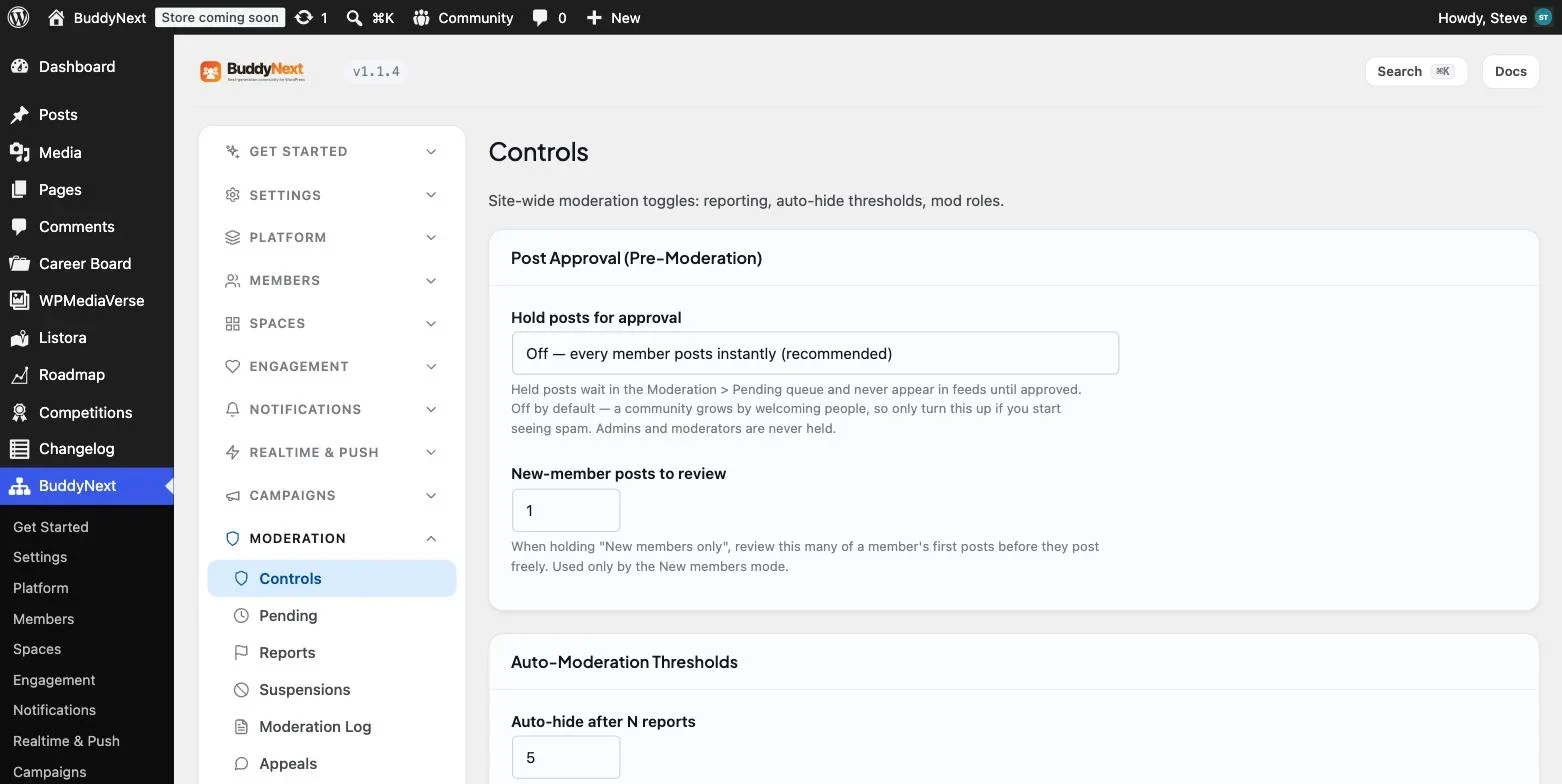
Check specifically that a suspended member can still reach the appeal page. A system that locks someone out of the mechanism for challenging their exclusion cannot correct its own mistakes, and that is a governance problem rather than a software preference.
What this costs
The association software market prices per member, which means a growing membership is an outcome that arrives as an invoice.
Option | Entry cost | At 4,000 members |
|---|---|---|
Higher Logic Thrive | About $9,000 to $15,000/year | Negotiated, add-ons unpublished |
Hivebrite Core | $10,740/year | Enterprise band, $25,000 to $50,000 |
Salesforce Experience Cloud | $5 per member per month | $240,000/year at list |
WordPress with a community plugin | Hosting only | Hosting only |
The last row is the structural difference. Self-hosted community software has no per-member mechanic, so 4,000 members costs what 400 costs, plus a bigger hosting plan.
Whether that matters depends on your position. An association with 400 members and a five-figure software budget has different concerns from one with 12,000 members and a volunteer treasurer. Run your own numbers rather than accepting a benchmark, and run them at the membership you expect in five years rather than today’s.
Building it on WordPress
Most associations already run WordPress for the public site. Adding the member portal to that stack means one vendor relationship fewer and one set of credentials fewer.
BuddyNext is a free, standalone community plugin covering all six capabilities above. It does not require BuddyPress and is not built on it. Profiles with custom field groups and per-field privacy, member types, an activity feed with polls and hashtags, spaces with public, private and secret visibility, a visibility-scoped search index, and a full moderation suite including the appeals route.
The gap to be clear about: free BuddyNext has no membership gating or billing. For a paid association portal you need either BuddyNext Pro, which adds tiers and on-site checkout so payment status and community identity are one record, or a separate membership plugin mapped onto community member types. Our portal plugin comparison covers that decision, and the membership community plugin roundup goes deeper on the billing side.
Volunteer leadership is what makes it sustainable
The reason most association communities fail is not software. It is that a staff of four cannot moderate, seed and animate a community of 4,000 alongside their existing jobs.
The organisations that succeed hand spaces to volunteers. A chapter chair runs the chapter space. A specialist interest group convenor runs theirs. The early-careers network is run by someone three years qualified, which is precisely why students trust it.
This requires two things from your software. Per-space roles, so a volunteer can approve members and moderate their own space without holding an administrator account on your whole website. And per-space moderation, so removing someone from one space does not remove them from the organisation.
It also requires something from you: a short written brief for volunteer moderators covering what they can decide alone, what they escalate, and who to contact. Two pages. Without it, volunteers either over-police or freeze, and both outcomes end with them resigning.
When your members compete with each other
Some professional bodies have a genuine structural problem: their members are commercial rivals. Independent consultants, competing law firms, agencies bidding for the same work. In those bodies a public feed will be quiet no matter how well you build it, because nobody wants to reveal what they do not know in front of the competition.
The mistake is concluding that community does not apply. What applies differently is the shape.
Put the investment into the directory and private messaging rather than the public feed, because the value in a competitive membership is the introduction rather than the discussion. Create small, closed spaces with a genuine reason to trust each other, such as a peer group of eight non-competing members in different regions. Run those under Chatham House rules, stated explicitly on the space page.
Expect the visible activity numbers to be lower than a non-competitive body’s, and judge success on connections made and messages sent rather than posts per week.
What to ask a vendor before you sign
Association software demos are good at showing you a polished feed and a nice-looking directory. These are the questions that reveal what the product is actually like to live with, and most of them do not get asked until year two.
- Can a volunteer moderate one space without an admin account on the whole site? If not, every membership approval becomes a staff task and your community cannot scale past your headcount.
- Can a suspended member still reach the appeal page? Ask them to demonstrate it, not describe it.
- Is a private space invisible in search, or merely locked? For committee and disciplinary work, a locked door that advertises its own existence is not good enough.
- What happens to a member’s content when they lapse? There is no universally right answer, but a vendor without a clear answer has not thought about it.
- How do we get everything out? Ask for a sample export of posts, profiles, private messages and space memberships, not a promise that export exists.
- What does the price look like at double our membership? Get it in writing before the first renewal, not after.
- Can we filter the directory on our fields, not yours? Ask to see it with your actual field list, however unusual.
The last two are where most regret originates. Pricing that scales per member and a directory that cannot express your profession’s structure are both problems you discover slowly and cannot fix cheaply.
The first ninety days
Community projects fail in the first three months or not at all. A sequence that reliably works:
- Weeks one and two: build and seed privately. Configure profile fields, member types and three or four spaces. Put twenty or thirty real posts in and complete several profiles properly. Nobody outside the project sees it yet.
- Weeks three and four: recruit your moderators. Find the chapter chairs and interest-group convenors who will run spaces. Give them the two-page brief and let them post first, so the community launches with familiar names already talking.
- Weeks five and six: invite one segment. The group that already talks to each other. Fifty to a hundred people. Watch what confuses them and fix it while the audience is small and forgiving.
- Weeks seven to ten: expand by segment. One chapter or specialty at a time, each with its moderator already in place. Never a mass invitation.
- Weeks eleven and twelve: review the numbers. Returning members, member posts versus staff posts, and questions answered by peers. Decide what to change before you invite the remainder.
The temptation at every stage is to accelerate, usually because a board meeting is coming and a big number would look good. Resist it. A community of 200 people who use it weekly is a healthier asset than 4,000 accounts that logged in once, and it is the one that survives to the next renewal cycle.
Two failure modes worth naming
Beyond an empty launch, association communities fail in two specific ways, and both are visible early enough to fix.
The staff megaphone. Six months in, every post is written by the communications team and every comment thread has two replies. The community became a second newsletter because staff filled every silence rather than tolerating it. The fix is uncomfortable: post less, ask more, and let a question sit unanswered for a day so a member has room to answer it. A feed where staff write eighty per cent of the content is not a community, and members can tell.
The dominant handful. The opposite problem. Six or seven confident members produce most of the posts, and their tone sets the temperature. This is not a problem while they are generous, and a serious one when they are not, because newer members read the room and decide not to speak. Watch for it in the ratio of unique posters to total posts month on month. The remedy is usually structural rather than disciplinary: create smaller spaces where a different set of people are the seniors, particularly for early-career members.
Both failures are governance rather than software, which is why choosing a platform is the easy part of this project and the part organisations spend the most time on.
How to tell whether it is working
Logins are a vanity metric. Three numbers actually predict renewals.
Returning members per month. Not unique logins, but people who came back without being prompted by an email. This is the number that separates habit from value.
Posts by members versus posts by staff. If staff produce most of the content, you have rebuilt the newsletter with extra steps. Healthy communities cross over within a few months.
Questions answered by peers. Every one of these is a support cost you did not pay and a renewal reason a member can articulate.
Watch them by member type as well as in aggregate. Retention problems almost always show up first among early-career members, who are the cheapest to keep and the most expensive to replace.
Frequently asked questions
Our members are not the type to post publicly. Does this still apply?
Nearly every association says this, and it is usually half true. Most members will never post, and that is normal. Healthy professional communities run at roughly one poster to nine occasional contributors to ninety readers. You do not need everyone talking. You need enough people talking that there is something worth reading, which in a 4,000-member body is perhaps forty people.
Should the portal be part of the main website or separate?
Same site, gated sections, in most cases. Members should not need to learn a second address or hold a second password. It also lets public content and member content share one search index and one design, and it means the public site benefits from the credibility of an active membership.
What about our existing member database?
Whatever your association management system is, it stays the system of record for membership status and payments. The portal reads from it. Trying to make a community platform the master record for membership administration is a common and expensive mistake, because AMS platforms handle things like grade transitions, arrears and reinstatement that community software has no concept of.
How much staff time does running the community take?
More at the start than later. Budget a few hours a week for the first three months, mostly seeding conversation and welcoming people. Once member-to-member posting overtakes staff posting, it drops to monitoring the report queue and posting announcements. The workload transfer to volunteer space moderators is the thing that makes it sustainable, so set per-space roles up early.
Can we charge for access to specific spaces?
Yes, with membership tiers mapped onto member types, which is how most bodies handle specialist interest groups carrying an extra subscription. Decide the mapping before launch, because retrofitting entitlements onto an active community is unpleasant and members notice immediately when something they had is taken away.
What happens to a lapsed member’s posts?
Decide this before launch and write it into your terms. The usual answer is that posts remain, because deleting them damages the archive for everyone who found them useful, but the profile becomes inactive and the member loses access. Whatever you choose, being able to answer the question when a member asks it is the point.
Where to start
Run the login report. If most of your members visited once and left with a file, the portal is working exactly as designed and the design is the problem.
Then pick the one group in your membership that already talks to each other and give them somewhere better than a mailing list. That is a fortnight of work, it does not touch your renewal cycle, and it will tell you more about whether a community portal fits your organisation than any vendor demonstration. The full build is covered in our guide to building a community portal on WordPress.
















