Ultimate Guide for WordPress Social Login Plugins
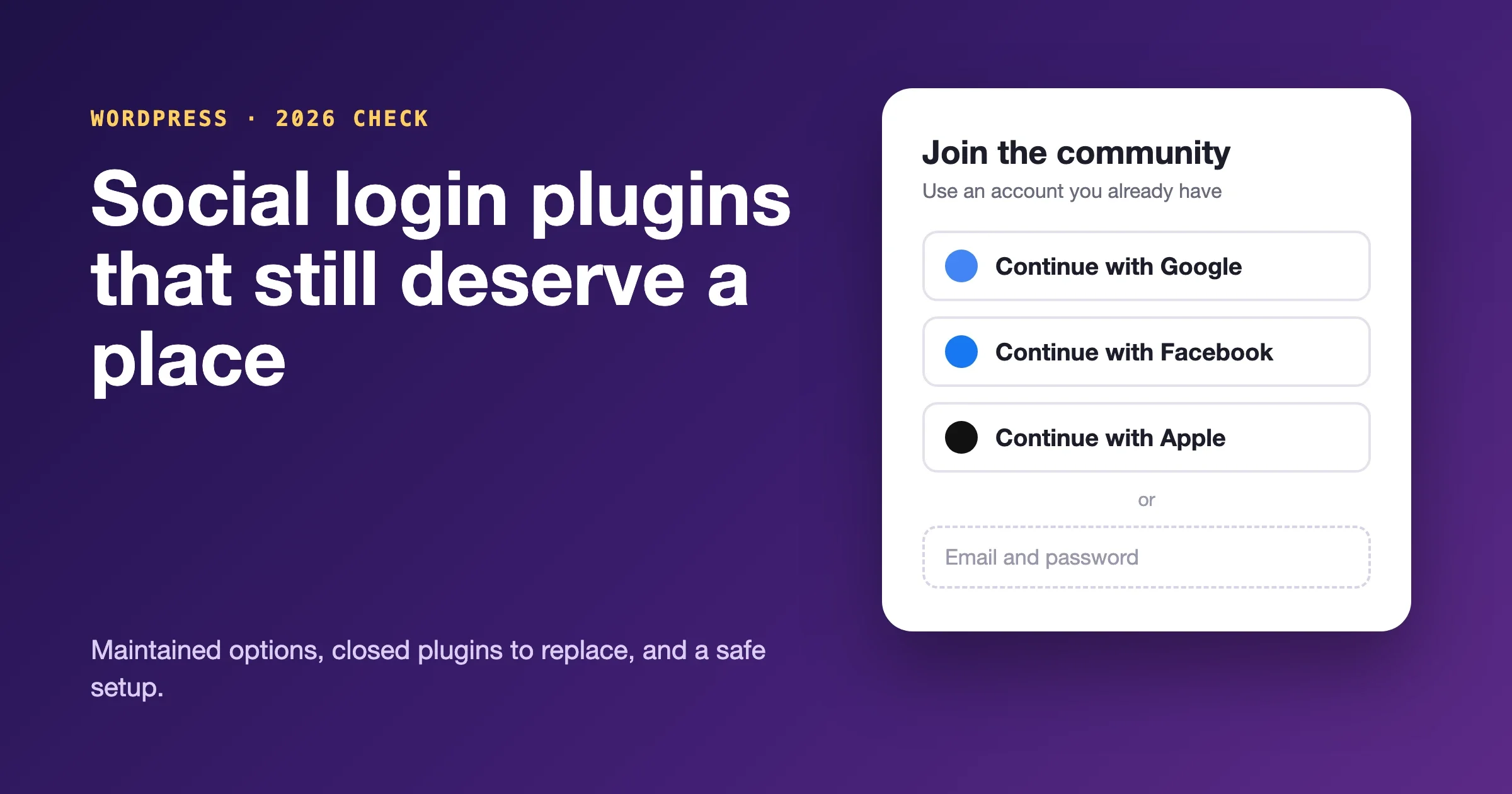
WordPress social login plugins checked November 2026: maintained options like Nextend, miniOrange and WP Social, closed plugins to replace, and a safe setup.
If you are building a community, our pick is BuddyNext, our community plugin with Google, Facebook, GitHub and Discord login built in. For a standalone login plugin on any other site, Nextend Social Login is the best fit in November 2026: it is free for Facebook, Google and X, has 200,000+ active installs, a 4.9 out of 5 rating and an update from 13 November 2026, and it works with WooCommerce and BuddyPress registration. miniOrange and WP Social are the main alternatives if you need more networks in one plugin. Before you pick anything, check that the plugin is still listed on WordPress.org: three plugins that used to appear in guides like this one, including Super Socializer, have been closed, two of them for security issues.
This guide covers how social login works on WordPress, the maintained plugins worth considering (checked against the WordPress.org plugin API on 21 November 2026), what users say about them in recent reviews, and the setup and privacy steps that most tutorials skip. We build community sites where social login is often the first thing members touch, so we also cover BuddyPress and community setups.
What is WordPress social login?
Social login lets a visitor register or sign in to your WordPress site with an account they already have, such as Google, Facebook, Apple, X, LinkedIn or Discord, instead of creating a new username and password. Behind the scenes the plugin uses the provider’s OAuth or OpenID Connect flow: the visitor approves access on the provider’s page, the provider sends back a verified identity (usually name, email and avatar), and the plugin creates or matches a WordPress user and logs them in.
Three things follow from that. First, you need a developer app with each provider (a Google Cloud OAuth client, a Meta app for Facebook, and so on), and the plugin stores its keys. Second, the security of your login now depends on the plugin handling those responses correctly, which is why plugin choice matters more here than for most features. Third, you receive personal data from a third party, so your privacy notice needs to say so.
Which are the best social login plugins for WordPress in 2026?
WordPress.org data checked 21 November 2026. The support column is resolved threads out of all threads opened in the last two months.
Plugin | Free networks | Installs | Rating | Last updated | Support resolved | Best for |
|---|---|---|---|---|---|---|
Google, Facebook, GitHub, Discord | Not on WordPress.org | Not on WordPress.org | Current (checked 21 Nov 2026) | n/a | New community sites built on BuddyNext | |
Facebook, Google, X | 200,000+ | 4.9 (447) | 13 Nov 2026 | 1 of 1 | Most sites, including BuddyPress and WooCommerce | |
Many, with more in the paid add-on | 10,000+ | 4.6 (357) | 6 Nov 2026 | 0 of 1 | Sites that want many networks plus sharing | |
9 providers incl. Google, Facebook, LinkedIn, GitHub | 70,000+ | 4.6 (67) | 6 Nov 2026 | 1 of 1 | Login plus social counters and share buttons | |
40+ via the OneAll service | 4,000+ | 4.3 (366) | 2 Dec 2024 | 0 of 1 | Existing OneAll users only (see caution) | |
Paid add-on | Core plugin 200,000+ | Core 4.8 (1,081) | Core 10 Jul 2026 | Core 1 of 1 | Sites already styling their login page with LoginPress | |
Paid extension | Not on WordPress.org | Not on WordPress.org | Vendor page live | n/a | Ultimate Member membership sites |
Which social login plugins should you stop using?
Several plugins that still appear in older “best social login” lists are no longer available on WordPress.org. If one of them is on your site, plan a replacement now.
Plugin | Status on WordPress.org (checked 21 Nov 2026) | What it means for you |
|---|---|---|
Super Socializer | Closed on 18 June 2026, reason: security issue | No updates through WordPress.org; see the advisory below |
WordPress Social Login (miled) | Closed on 27 July 2023, reason: security issue | Unmaintained for years; replace it |
AccessPress Social Login Lite | Closed on 30 March 2023, reason: guideline violation | No updates; replace it |
For Super Socializer, Patchstack lists CVE-2026-65542: broken authentication affecting versions up to and including 7.14.5, exploitable without logging in, rated CVSS 8.8, published 28 July 2026, with no official patch available when we checked on 21 November 2026. Patchstack describes it as likely to be used in mass-exploit campaigns. A closed plugin with an open advisory and no patch should come off a live site.
Social login code is a common target because a bug can let someone sign in as another user. Another example: CVE-2023-2982 (published 29 June 2023) was an authentication bypass in miniOrange’s social login plugin affecting versions up to and including 7.6.4, allowing an unauthenticated attacker to log in as an existing user. The current release is 7.9.2. The lesson is not “avoid miniOrange”; it is “update social login plugins promptly and watch their advisories”.
1. BuddyNext (social login built in)
BuddyNext, our team’s community platform for WordPress, includes social login with Google, Facebook, GitHub and Discord in its account features, alongside branded registration, invite-only and approval modes, two-factor authentication and member data export and deletion (features page, checked 21 November 2026; social login is not marked as a Pro feature there). For a new community that means one plugin handles sign-up, login and the member profile.
- Pros: no separate login plugin to keep patched; login, profiles and privacy tools share one data model.
- Cons: it is a full community platform, not a drop-in login plugin, so it only fits if you are building a community on it; it is newer than BuddyPress, with fewer third-party add-ons and tutorials; fewer providers than Nextend Pro or miniOrange.
2. Nextend Social Login
Nextend Social Login adds Facebook, Google and X buttons to the default WordPress login and registration forms in the free version, and existing users can connect or disconnect social accounts from their profile. It lists compatibility with WooCommerce, BuddyPress, Ultimate Member, UserPro and Easy Digital Downloads. The paid Pro add-on adds providers including Apple, LinkedIn, Microsoft, Discord, GitHub, Amazon, Slack, TikTok and more, plus options such as asking for an email on registration and assigning roles to new social users.
WordPress.org: version 3.1.27, 200,000+ installs, 4.9 out of 5 from 447 ratings, updated 13 November 2026, tested up to WordPress 7.1.5.
- Pros: very popular and well rated, clean setup, wide plugin compatibility, frequent updates.
- Cons: Apple, LinkedIn, Microsoft and Discord need Pro; you still create each provider app yourself.
3. Social Login by miniOrange
Social Login, Social Sharing by miniOrange offers login, sharing and commenting with a long list of apps (Facebook, Google, LinkedIn, X, Apple, Discord, Twitch, Line and others). It lists integrations with WooCommerce, BuddyPress, Paid Memberships Pro, MemberPress and Ultimate Member pages, plus options like domain restriction for sign-ups.
WordPress.org: version 7.9.2, 10,000+ installs, 4.6 out of 5 from 357 ratings, updated 6 November 2026.
- Pros: broad network list, membership plugin integrations, domain restriction.
- Cons: many networks and features sit in the paid add-on; had a serious authentication bypass in 2023 (fixed in later versions), so keep it updated.
4. WP Social
WP Social (by Roxnor) combines social login with social counters and share buttons. It supports nine login providers (Facebook, Google, X, LinkedIn, Dribbble, GitHub, WordPress.com, VKontakte and Reddit) and can show buttons on wp-login, registration, comments, WooCommerce and BuddyPress forms.
WordPress.org: version 3.2.4, 70,000+ installs, 4.6 out of 5 from 67 ratings, updated 6 November 2026.
- Pros: login, counters and sharing in one plugin; shortcodes to place buttons anywhere.
- Cons: fewer ratings than its install count suggests; a 2026 reviewer complained about extra items installed on activation.
5. Social Login by OneAll
Social Login by OneAll connects your site to the OneAll service, which handles 40+ networks and their API changes for you, and offers a Data Processing Agreement for GDPR. The trade-off: logins pass through a third-party service, and the WordPress plugin itself was last updated on 2 December 2024 and is tested only up to WordPress 6.7.12. We would not choose it for a new site today; if you already use it, check that it still works after each WordPress update and watch for news on its maintenance.
- Pros: one service manages many providers; DPA available.
- Cons: plugin not updated for almost two years; adds a third party to your login flow.
6. LoginPress Pro with the Social Login add-on
LoginPress is best known as a login page customizer (200,000+ installs, 4.8 out of 5 from 1,081 ratings, last updated 10 July 2026). Its Social Login add-on for LoginPress Pro adds social sign-in buttons to the customized login page. It makes sense if you already use LoginPress for branding and want one vendor for the whole login screen.
- Pros: social login sits inside a fully branded login page.
- Cons: paid only; it is a login page tool first, so registration flows on membership or community plugins may need extra work.
7. Ultimate Member Social Login
If your membership site runs on Ultimate Member, its Social Login extension adds Facebook, X, Google and LinkedIn buttons to Ultimate Member’s own registration and login forms, so new members land in your Ultimate Member profiles and roles rather than a plain WordPress account. It is a paid extension and only makes sense with Ultimate Member.
How do you add social login to a BuddyPress site?
BuddyPress uses its own registration page, so the plugin must hook into it, not only into wp-login.php. Nextend, miniOrange and WP Social all list BuddyPress compatibility. The steps we follow:
- Pick the plugin and enable it on the BuddyPress register and login screens, not only the WordPress default form.
- Decide what happens to required profile fields. BuddyPress extended profile fields marked required are not filled by Google or Facebook. Either make them optional, or send new social users to complete their profile after the first login.
- Match existing accounts by verified email so a member who registered with a password and later clicks “Sign in with Google” does not get a duplicate account. Test this specific case.
- Set the redirect after login to the member’s profile or activity feed. Our guide to redirecting BuddyPress members after login covers the options.
- Check registration moderation. If you approve members manually or require email activation, confirm social sign-ups follow the same rules and do not bypass them.
For the registration side in more depth, see our posts on the BuddyPress registration page and the best WordPress user registration plugins. If you run BuddyPress, keep it on the latest release and follow its advisories, as with any plugin that handles accounts.
How do you set up WordPress login with social media, step by step?
The details differ per plugin, but the flow is the same everywhere. Checked against Nextend and Google’s current documentation on 21 November 2026.
- Install and activate the plugin from WordPress.org (or upload the paid add-on).
- Create a developer app with each provider. For Google, create an OAuth client in Google Cloud; Google’s Sign in with Google documentation explains the consent screen and client types. For Facebook, create an app in Meta for Developers. Apple sign-in requires a paid Apple Developer account.
- Copy the redirect URI the plugin shows you into the provider app exactly, including https and the trailing path. A mismatch here is the most common setup error.
- Paste the client ID and secret into the plugin, then use the plugin’s test or verify button if it has one.
- Choose where buttons appear: login, registration, comments, checkout, community register page.
- Set the role for new social users (usually Subscriber or Customer, never anything with editing rights) and whether new sign-ups are allowed at all.
- Test as a logged-out visitor in a private window: new user, existing user with the same email, and a user who denies email permission.
Why does social login fail after setup?
Most failures we fix on client sites come from the provider side, not the plugin. These are the ones we see again and again:
- Redirect URI mismatch. The provider rejects the login because the callback address in the app does not match the one the plugin sends, often because of http versus https, a www difference or a changed login URL.
- The provider app is still in testing or development mode. A Google OAuth consent screen in “Testing” status only lets listed test users sign in, and a Meta app in development mode only works for people with a role on the app. Everyone else sees an error. Publish the app before launch.
- No email comes back. Some users deny the email permission, and Apple lets people hide their address behind a private relay address. Decide in advance whether you ask for an email on first login or accept the relay address.
- Page caching on login and registration pages. A cached login page can serve stale security tokens, so the callback fails. Exclude login, registration and account pages from page caching.
- A security plugin changed the login URL. Custom login paths can break the plugin’s fallback or callback URL; update the provider app and the plugin settings together.
When a member reports “it just spins”, try the same login in a private window with a test account on each provider. If it fails there too, the problem is almost always in the provider app settings rather than WordPress.
Is social login safe and GDPR compliant?
It can be, with care. Security first: social login removes weak passwords from the picture for those users, but it adds a plugin that decides who gets logged in. Keep that plugin updated, prefer actively maintained plugins with a good support record, never give social sign-ups a role with extra permissions, and remove closed plugins like the ones listed above.
On privacy: when someone signs in with Google or Facebook, you receive personal data (name, email, often an avatar) from that provider. Your privacy notice should say which providers you use, what you receive and why. Under the GDPR you need a lawful basis for keeping that data, and members can ask for it or ask you to delete it. Ask providers only for the scopes you need; basic profile and email are enough for most sites. Our guide to community platform data privacy covers member data duties in more detail. This is general information, not legal advice.
One more practical point: always keep a normal email and password route for administrators. If a provider changes its API or suspends your app, you do not want to be locked out of your own dashboard.
What users say, and our suggestion
We read recent WordPress.org reviews (last 12 months where available) and paraphrased the recurring points. Checked on 21 November 2026.
Nextend Social Login
- Praised: fast setup (one reviewer configured Google OAuth in about 15 minutes), reliable logins, responsive support, and a Pro add-on sold as a one-time purchase according to a July 2026 reviewer.
- Complaints: very few recent negatives; one older review noted the fallback URL broke after changing the login URL with a security plugin.
- Source: Nextend reviews on WordPress.org.
Social Login by miniOrange
- Too few reviews in the last 12 months to summarise fairly: one November 2026 review praises quick, friendly support. Earlier reviews mention easy setup and one front-end scrolling bug. Source: miniOrange reviews.
WP Social
- Praised: quick setup and helpful support, including a December 2025 reviewer whose LinkedIn login bug was diagnosed and fixed.
- Complaints: a July 2026 reviewer objected to extra apps being installed on activation without clear warning; another wanted more design control on mobile.
- Source: WP Social reviews on WordPress.org.
OneAll Social Login and LoginPress
- OneAll: 2026 reviewers say it still works for Google logins; a 2025 reviewer noted each network must be configured separately and Apple needs a paid developer account. Reviews.
- LoginPress: reviews focus on the login page customizer (praised for granular options); one October 2026 reviewer found the free styles too basic. We found no recent reviews specific to the Social Login add-on. Reviews.
Our suggestion
- New community sites: consider BuddyNext, where social login, profiles and privacy tools come together; on an existing BuddyPress site, add Nextend to the BuddyPress register page.
- Most WordPress sites, blogs and WooCommerce stores: Nextend Social Login. Start free with Google and Facebook; buy Pro only if you need Apple, LinkedIn or Microsoft.
- You need many networks or membership plugin hooks in one place: miniOrange, kept on the latest version.
- You also want share buttons and social counters: WP Social.
- Ultimate Member sites: the Ultimate Member Social Login extension, so new users get proper member profiles.
- Still running Super Socializer, WordPress Social Login or AccessPress Social Login: replace it now.
For a wider look at building member communities, see our WordPress community plugins guide.
Frequently asked questions
Which social login provider should I offer first?
Google covers the most people for most audiences, then Apple for sites with many iPhone users, then Facebook or LinkedIn depending on whether your audience is consumer or professional. Two or three buttons are usually better than ten.
Is there a free social login plugin for WordPress?
Yes. Nextend Social Login, miniOrange and WP Social all have free versions on WordPress.org. Free tiers usually cover Google and Facebook; Apple, LinkedIn and Microsoft are often paid.
Can social login replace passwords completely?
For members, it can. For administrators, keep a password plus two-factor login so you never depend on a third-party provider to reach your own dashboard.
Does social login work with WooCommerce checkout?
Nextend, miniOrange and WP Social all list WooCommerce login and registration support. Test checkout as a guest, as a new social user and as an existing customer.
What happens if a provider changes its API?
Logins through that provider stop working until the plugin is updated, which is why active maintenance matters so much here. Keep an email and password route available so members are not locked out.
The short version
Use a maintained plugin, keep it updated and keep a password route for admins. If you are building a community, our pick is BuddyNext, with social login built in. For a standalone login plugin on most other sites, use Nextend Social Login; miniOrange and WP Social cover broader needs. If an old guide sent you to Super Socializer, WordPress Social Login or AccessPress, it is time to switch.