Do you own a BuddyPress community website and want to add privacy features to it? If you’re running a social networking website, adding privacy features is one of the most important steps toward earning your members’ trust.
Here’s how to add privacy features to your BuddyPress website and keep it safe from spammers.
Importance Of Privacy For A Community Website
Social networks like Facebook give users plenty of ways to express opinions, talk with other members, send friend requests, join groups, share status updates, and more.
People love sharing what they’re doing and what they care about with others around the world.
But not everything about a community website is safe. Some people are willing to steal information or post spam through these accounts. To keep your members’ details protected from spammers and fake users, it becomes essential to secure your community with the right privacy features.
Big community platforms like Facebook, Twitter, and Instagram follow strict moderation and privacy policies to keep their members’ data safe. A social networking website built on BuddyPress needs the same discipline to handle online vulnerabilities and spam.
Here are a few advantages of keeping a BuddyPress community private:
1. A private community, or one with solid privacy features, lets members choose what they share and who they share it with.
2. It keeps member information away from logged-out visitors and Google search.
3. Privacy also protects the community itself, both as individuals and as a collective.
4. With the right privacy features in place, members feel safer, which builds trust and tends to increase engagement too.
How To Add Reviews And Ratings To BuddyPress Groups?
Adding Privacy Features To Your Community Website
Managing a BuddyPress community website means weighing a lot of factors. Just like Facebook or Twitter, a BuddyPress website needs strict privacy policies, since it holds member data across profiles, groups, activities, messages, and more that shouldn’t be exposed by default.
That makes it important to lock down these components from spammers and logged-out users.
To do this, install and activate BuddyPress Private Community Pro, a fully dedicated BuddyPress add-on that gives you complete privacy control over your community website.
See this guide on how to install the plugin.
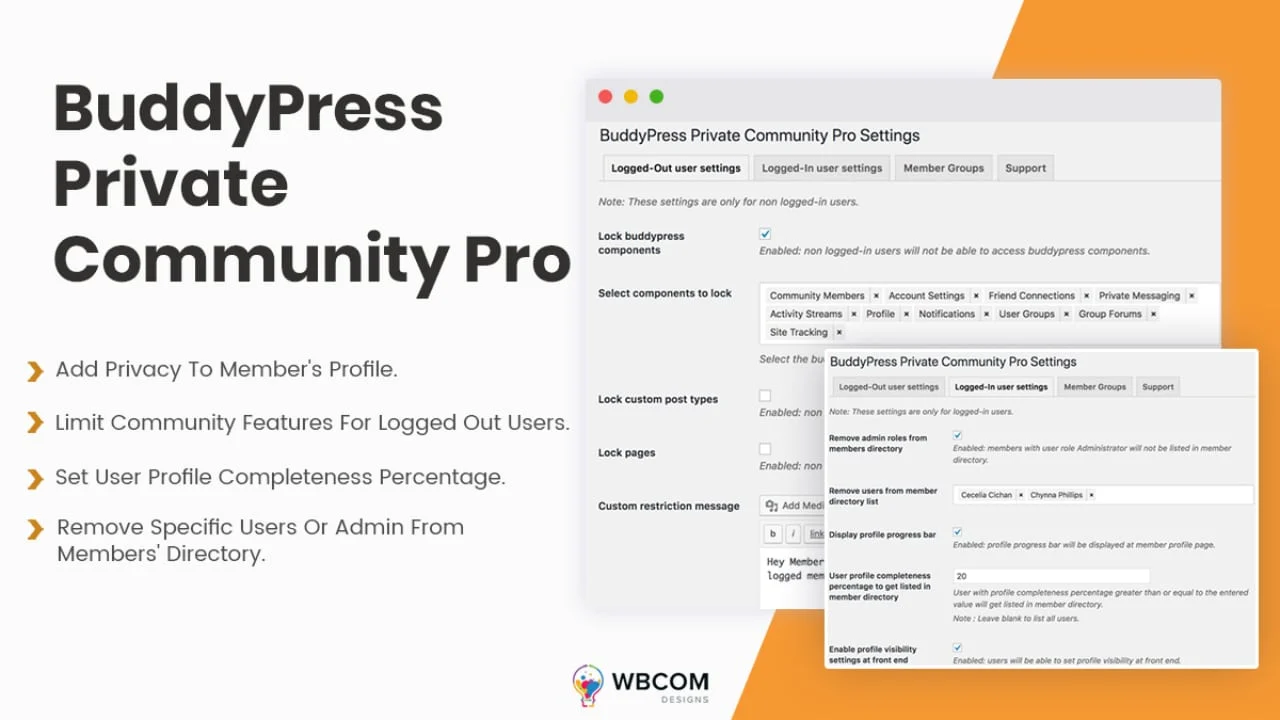
Once installed and activated, configure its settings. The plugin offers three major sets of restrictions:
Settings for Logged-Out Users:
In a BuddyPress community, most components, especially member pages, can be accessed by any logged-out visitor and even appear in Google search. This plugin lets you restrict content from users who haven’t logged in, including:
- Locking BuddyPress components
- Selecting which components to lock
- Locking custom post types and pages
- Setting restriction messages, and more
Settings for Logged-In Users:
These settings target registered members who post spam or act in bad faith. They include:
- Removing admin roles and users from the member directory list
- Setting a minimum profile completeness
- Locking BuddyPress activities
- Hiding the BuddyPress primary nav, and more
Member Group Settings:
These settings handle group creation and joining, keeping control over how groups grow. They include:
- Number of groups a member can create
- Number of groups a member can join, plus restrictions
- Limits on members per group, and more
Get This Plugin Today
We hope you found this article useful. If you have any suggestions, let us know in the comments below.
Interesting Read: How To Add Quotes To BuddyPress Website
















