Keyword Filters, Rate Limits, and Score Gates: Auto-Moderation for WordPress Forums
Auto-moderation catches problems before they reach your community. Here is how to configure keyword block lists, posting rate limits, and user score gates that scale your moderation without scaling your team.

Manual moderation works when your forum has 20 posts per day. At 200 posts per day, it becomes a full-time job. At 2,000 posts per day, it is impossible. Auto-moderation bridges this gap by handling the obvious cases automatically so your human moderators can focus on judgment calls.
This guide covers three auto-moderation tools in detail: keyword filters, rate limits, and user score gates. Each targets a different type of problem. Together, they create a moderation system that scales with your community.
Keyword Filters: Content-Based Detection
Keyword filters scan every post and reply before publication, checking for words and phrases that indicate spam, abuse, or policy violations.
Three Filter Lists
List | Action | What to Include |
|---|---|---|
Block List | Post rejected, user sees error | Slurs, extreme profanity, known scam phrases |
Flag List | Post published but flagged for review | Competitor mentions, mild profanity, promotional language |
Watch List | Moderator gets notified | Pricing discussions, legal terms, refund requests |
Building Your Block List
Start with a minimal block list. Every false positive (a legitimate post blocked by a keyword) erodes user trust. Only block terms that are never acceptable in any context:
- Racial and ethnic slurs
- Known spam phrases (“buy cheap”, “click here for”, “limited time offer”)
- Cryptocurrency wallet address patterns
- Phone number patterns (common in contact spam)
Building Your Flag List
The flag list is for content that needs human judgment. The post goes live (so the user is not blocked), but a moderator reviews it within hours:
- Competitor product names (might be comparison discussion or might be spam)
- Words that are sometimes inappropriate but sometimes legitimate (context matters)
- Posts with 3+ external links (possible spam, but might be a resource roundup)
Pattern Matching
Beyond simple keywords, Jetonomy Pro’s Advanced Moderation supports regex patterns for catching spam that keyword lists miss:
[A-Z]{10,}, Catches all-caps text blocks(.{1,3})\1{4,}, Catches repeated character patterns (“HELPPPP”)\b(buy|cheap|discount|free)\s+(now|today|here)\b, Catches spam sales language
Rate Limits: Volume-Based Throttling
Rate limits cap how much any single user can post in a given time period. This prevents both automated spam floods and manual over-posting.
Recommended Limits by Trust Level
Trust Level | Topics/Hour | Topics/Day | Replies/Hour | Replies/Day |
|---|---|---|---|---|
Level 0 | 1 | 3 | 5 | 10 |
Level 1 | 3 | 10 | 10 | 30 |
Level 2 | 5 | 20 | 20 | 50 |
Level 3+ | No limit | No limit | No limit | No limit |
The hourly limits prevent burst posting (a spammer creating 10 topics in 5 minutes). The daily limits cap total volume. Together, they make automated spam economically unviable while being invisible to normal users who rarely hit these thresholds.
For more on how rate limits work alongside trust levels, see our trust levels guide and spam prevention guide.
User Score Gates: Behavior-Based Restriction
Score gates automatically restrict users who accumulate too many negative signals. Unlike keyword filters (which evaluate content) and rate limits (which evaluate volume), score gates evaluate behavior over time.
How Score Gates Work
Each user has an invisible moderation score that starts at 0. Negative events increase the score:
- Content flagged by community members: +1 per flag
- Content removed by moderator: +3 per removal
- Temporary mute applied: +5
When the score crosses a threshold, automatic actions trigger:
Score Threshold | Automatic Action | Duration |
|---|---|---|
3 flags in 24 hours | Posts go to moderation queue | 48 hours |
5 flags in 7 days | Temporary mute | 24 hours |
10 flags in 30 days | Account flagged for admin review | Until manually reviewed |
Content removed 3 times | All future posts require approval | Until manually cleared |
Why Score Gates Are Effective
Score gates catch persistent bad actors that keyword filters miss. A member who consistently posts borderline content, never quite bad enough to trigger a keyword filter but regularly flagged by community members, eventually crosses the score threshold. The system escalates automatically without moderator intervention.
Configuring Auto-Moderation in Jetonomy
All three tools are available in Jetonomy Pro’s Advanced Moderation extension:
- Enable the extension in Jetonomy → Extensions
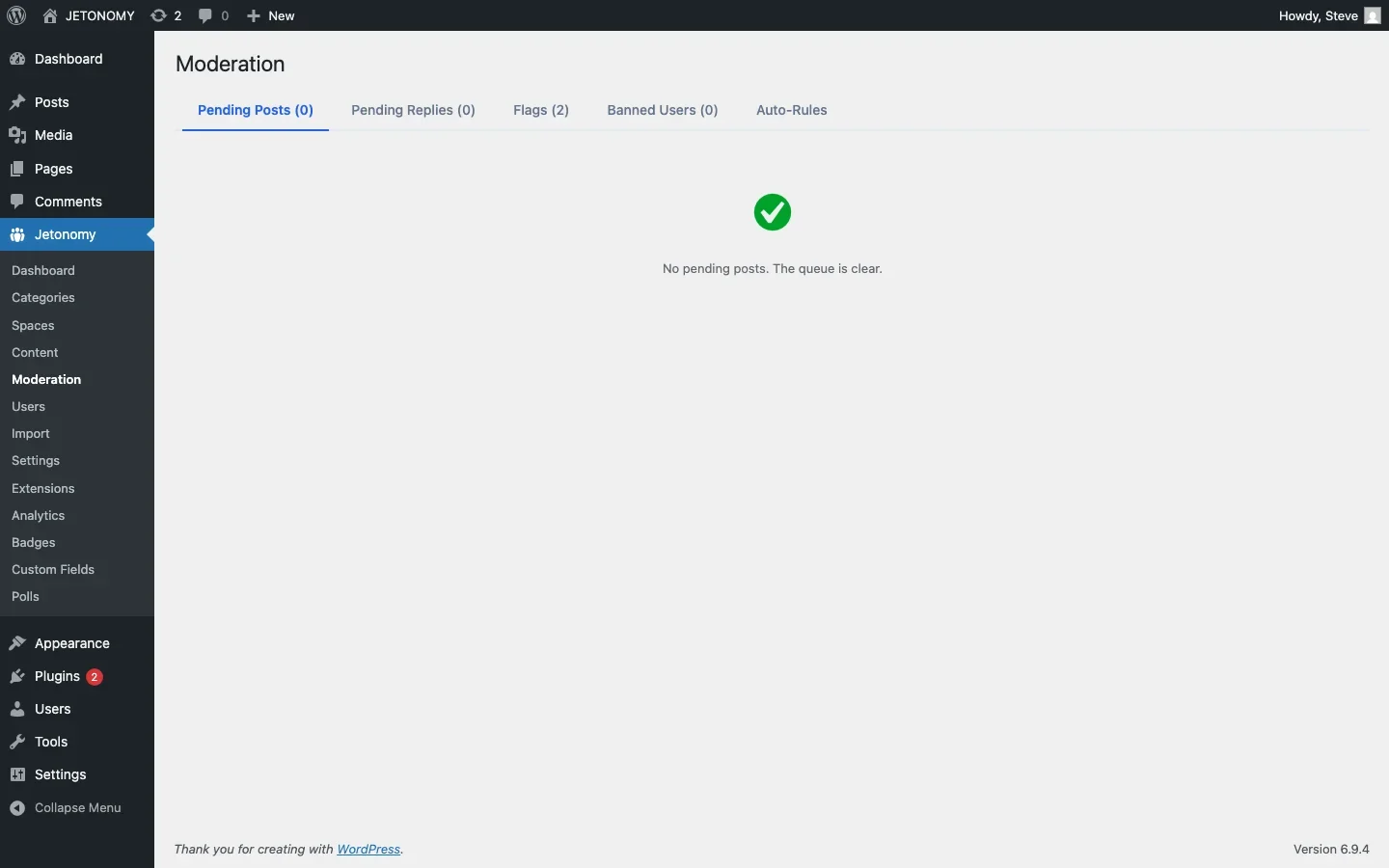
- Configure keyword filters in Jetonomy → Moderation → Keyword Filters
- Set rate limits per trust level in Jetonomy → Settings → Trust Levels
- Configure score gates in Jetonomy → Moderation → Score Gates
Measuring Auto-Moderation Effectiveness
Track these metrics monthly with your forum analytics:
- Auto-caught spam: Should be stable or declining (rising = new patterns to address)
- False positive rate: Under 5% (over 10% = filters too aggressive)
- Moderator review time: Under 4 hours average
- Community flags per week: Stable (rising = growing community problems)
Getting Started
- Start with trust level rate limits (free, no configuration needed)
- Add a short keyword block list (10–20 obvious terms)
- Enable community flagging for Level 2+ members
- Configure score gates with the thresholds above
- Review the moderation queue daily for the first month
- Iterate: Add patterns from real spam incidents, loosen filters that cause false positives
For the broader moderation strategy, see our auto-moderation overview and space moderators guide. For the base forum setup, follow our WordPress forum guide.
Auto-moderation is not about replacing human judgment. It is about letting humans focus on the cases that actually need judgment while the system handles the obvious ones.
Moderation layers worth planning before the community grows
Keyword Filters, Rate Limits, and Score Gates: Auto-Moderation for WordPress Forums fits into the broader forums category through trust systems, moderation controls, and abuse prevention. That matters because the technical setup is only one part of success. The way you structure spaces, roles, onboarding, and follow-up is what determines whether the forum becomes a searchable asset or just another neglected section of the site.
- Use progressive permissions so new members can participate without immediately gaining the ability to flood spaces, mass-mention users, or post risky links.
- Document moderator actions such as warnings, post hiding, suspensions, and appeal handling so your team applies rules consistently.
- Combine rate limits, keyword filters, and role-based visibility rules to reduce spam pressure without making legitimate members fight the interface.
Why teams evaluating this setup should look at Jetonomy Pro
Jetonomy Pro is especially relevant when moderation matters, because it gives you trust-level controls, space moderators, gated participation, and practical community-management features without handing broad WordPress admin access to every helper. If you want to know more and try Jetonomy, take a closer look at Jetonomy Pro. It is the most direct next step for teams that want to move from theory to an actual working WordPress community experience.
For articles like this one, the practical question is not only whether the approach works in theory. It is whether your chosen forum stack gives you the moderation depth, user experience, and extensibility to keep the system useful six months after launch. That is where a more complete product decision starts to matter.













