How To Share Business Location in a Buddypress Community Website
How to share a business location in a BuddyPress community: profile location fields, activity check-ins, member and group maps, radius search and directory listings, with plugin data checked 21 Nov 2026.
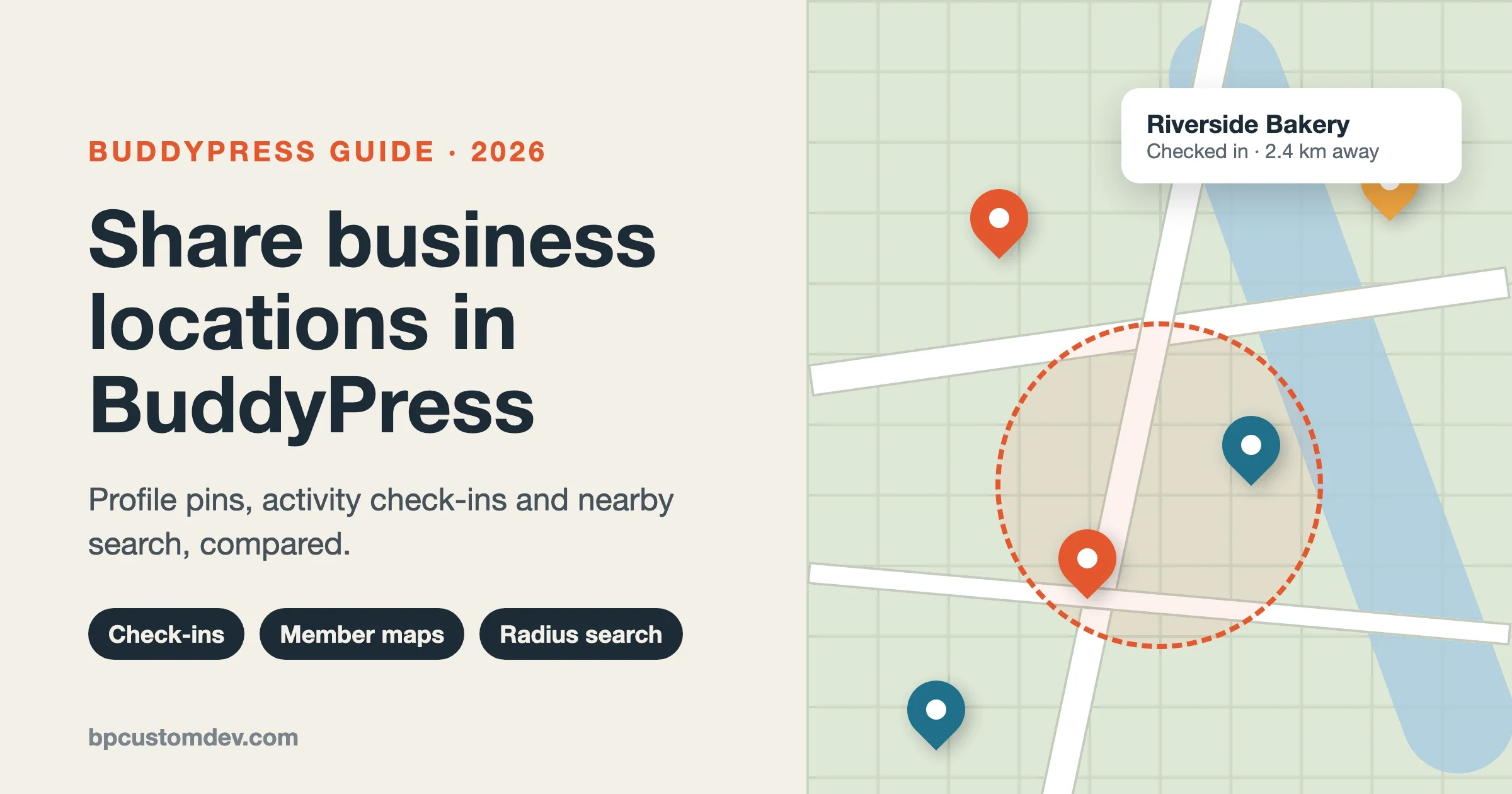
To share a business location in a BuddyPress community, add a location feature that stores an address on the member profile, the group or the activity post, then shows it on a map. The quickest routes in November 2026 are a check-in plugin such as BuddyPress Check-ins Pro (activity check-ins, member and group maps, radius search), the free GEO my WP (member and group geotagging with proximity search), or a location profile field with BP xProfile Location. If each business needs a full listing page with hours, photos and reviews, use a directory plugin next to BuddyPress instead.
We rewrote this guide on 21 November 2026. Every plugin version, install count and rating below comes from the WordPress.org plugin API on that day, and map pricing comes from Google’s own pricing page. BuddyPress itself was at version 14.5.6, released on 17 November 2026.
One thing first: “sharing a location” means three different features, and picking the wrong one is the most common reason owners end up with a map nobody uses. We start there.
What does sharing a business location in BuddyPress actually mean?
It means one of three things: a fixed address on a member or group profile, a check-in attached to an activity post, or a separate business listing in a directory. Most communities need one of these, a few need two, and very few need all three.
Pattern | What members do | Best for | Typical plugin |
|---|---|---|---|
Profile or group location | Save an address once; appear as a pin on the directory map | Local business networks, chapters, trade associations | GEO my WP, BP xProfile Location, Check-ins Pro |
Activity check-in | Attach a place to a status update (“at our new shop on Main St”) | Event-driven and social communities, meetups | BuddyPress Check-ins (free or Pro) |
Directory listing | Submit a business page with address, hours, photos and reviews | Local guides, Yelp-style networks, marketplaces | GeoDirectory, Directorist, Listora |
A quick test helps. If the location belongs to a person, it goes on the profile. If it belongs to a moment, it is a check-in. If it belongs to a business that outlives any one member, it is a directory listing, linked back to the owner’s profile.
What is the best BuddyPress location plugin?
There is no single best one, because the plugins solve different parts of the job. For profile maps plus radius search, GEO my WP is the most installed free option. For activity check-ins with member and group maps in one plugin, BuddyPress Check-ins Pro covers the most ground. For a light location field that feeds a member search, BP xProfile Location with BP Profile Search is the smallest setup.
Here is what the WordPress.org plugin API reported on 21 November 2026. Ratings are converted from the API’s 100-point scale to five stars; “resolved” is the share of support threads from the last two months marked resolved.
Plugin | What it adds | Version | Active installs | Rating (reviews) | Last updated | Resolved threads |
|---|---|---|---|---|---|---|
Member and group geotagging, proximity search, mashup maps | 4.5.5.7 | 3,000+ | 4.6 (139) | 23 Oct 2026 | 1 of 2 | |
Location profile field with Google autocomplete and saved coordinates | 5.0.2 | 400+ | 4.4 (10) | 25 May 2026 | 0 of 1 | |
Member search forms; distance search with a companion plugin | 6.1 | 5,000+ | 5.0 (71) | 15 Nov 2026 | 1 of 1 | |
Adds “within X km” fields to BP Profile Search | 1.4.4 | 100+ | 5.0 (6) | 28 Aug 2026 | No recent threads | |
Check-ins from the activity form, profile Check-ins tab (Google only) | 2.5.2 | 90+ | 3.5 (11) | 20 Nov 2026 | No recent threads | |
Check-ins, member and group maps, radius search, Google or OpenStreetMap | 2.4.1 | Not on WordPress.org | Not listed | Nov 2026 (vendor page) | Not listed |
Two notes on reading this table. Install counts on BuddyPress add-ons are small because BuddyPress itself now reports 90,000+ active installs, down from 200,000+ a few years ago, so a few hundred sites is normal for a niche add-on. And a small number of reviews means the rating can swing a lot on one unhappy user, which is the case for the free Check-ins plugin.
GEO my WP: the free all-rounder
GEO my WP by Eyal Fitoussi lets members add a location to their profile with an address autocomplete or a draggable map marker, then lets anyone search for members near an address. It also geotags BuddyPress groups and any post type, so a business page built as a custom post type can live on the same map. It works with Google Maps or with OpenStreetMap through Leaflet.
The cons are worth knowing. Several features you may expect, such as extra search form types, sit in paid extensions on geomywp.com. Development paused for a few months in 2026; the author confirmed in a May 2026 support thread that the plugin is not abandoned and shipped an update, and version 4.5.5.7 followed in October. Setup has more moving parts than the other options here.
BP xProfile Location plus BP Profile Search: the light option
BP xProfile Location by PhiloPress adds a “Location” field type to BuddyPress profile fields. Members type an address, Google Places validates it, and the plugin can save the latitude and longitude as a separate value. On its own it gives you clean, uniform addresses on profiles. Pair it with BP Profile Search and the free BP Distance Search companion, and members can search “within 25 km of Leeds” from the members directory.
The trade-off is that you are stitching three plugins together, and the location plugin depends on a Google API key. Member maps come from a separate plugin from the same developer, BP Maps for Members.
BuddyPress Check-ins and Check-ins Pro: our plugins
Both are built by Wbcom Designs, the team behind this site, so weigh our view accordingly. The free BuddyPress Check-ins adds a map marker to the activity post form: a member types a place, picks it from Google autocomplete, and the update posts with a map. Saved places collect on a Check-ins tab on the member profile. It works with BuddyPress and BuddyBoss Platform, in member activity and inside groups.
BuddyPress Check-ins Pro is a separate, standalone plugin rather than an add-on to the free one. It adds a map above the members directory with a pin for everyone who saved a location, group locations with a group directory map, address and radius search for members and groups, a “Nearby” tab that uses the visitor’s browser location, and privacy controls for how much address detail other members see. It runs on Google Maps or on keyless OpenStreetMap with Leaflet and Nominatim. Pricing on the product page on 21 November 2026 started at $49 a year or $149 lifetime for one site.
The honest cons. The free plugin needs a Google Maps API key with billing enabled, which trips up a lot of owners, and its 3.5-star rating comes from only 11 reviews, several of them years old. Pro is not on WordPress.org, so there are no public review counts to check it against. And as with all of our BuddyPress add-ons, we maintain them for compatibility and fixes; we are not promising a stream of new features.
How do you add a location field to BuddyPress member profiles?
You add a location field by installing a plugin that provides a location field type, creating the field under Users > Profile Fields, and asking members to fill it in. The address then appears on the profile and, if the plugin stores coordinates, can feed a map and a distance search.
- Pick the plugin. BP xProfile Location for a field only, GEO my WP or Check-ins Pro if you also want maps and proximity search.
- Set up the map provider. For Google, create a project in Google Cloud, enable the Maps JavaScript API, Places API and Geocoding API, attach a billing account and create a key restricted to your domain. For OpenStreetMap, choose it in the plugin settings; no key is needed.
- Create the field. In WordPress go to Users > Profile Fields > Add New Field (on BuddyBoss: BuddyBoss > Profiles > Profile Fields), choose the location type and decide whether coordinates are saved.
- Set field visibility. BuddyPress lets you set who can see each field (everyone, logged-in members, friends, only me) and whether members can change it. Pick a sensible default before members start filling it in.
- Ask existing members to update. Old profiles will not have coordinates until the member saves the field again, so announce it and link straight to the edit profile screen.
- Test on mobile. Address autocomplete dropdowns are where theme CSS most often breaks things.
If you are new to profile fields in general, our guide to custom BuddyPress profile fields covers field groups, types and visibility in detail.
How do members check in to a business from the activity stream?
Members check in by clicking a location marker in the activity post form, choosing a place from the suggestions and posting the update as usual. The activity entry then shows the place name and a small map, and the place can be saved to the member’s profile.
This is the feature that makes a community feel local. A member posts “Our bakery is open late this Friday” with the shop pinned, friends see it in the stream, and the map does the job a separate address line never does. For local business networks, chambers of commerce and hobby groups that meet in real places, check-ins tend to get used far more than a static profile address.
- Free BuddyPress Check-ins: check-ins in member and group activity, a Check-ins tab on profiles with a map of all saved places, Google Maps only.
- Check-ins Pro: the same idea plus directory maps, group locations, radius search, privacy levels and an OpenStreetMap option.
- GEO my WP: focuses on profile and group locations rather than per-post check-ins.
How do you show members and groups on a map?
You show members and groups on a map with a “mashup” map: one map that collects every saved location as a pin. GEO my WP and Check-ins Pro both provide one, usually as a shortcode or a setting that places the map above the members or groups directory.
Three settings make the difference between a useful map and a cluttered one:
- Limit the number of pins. Check-ins Pro, for example, caps the members map shortcode at 500 members and lets you filter by role or member type. On a big community, show members of one type (say, “Business”) rather than everyone.
- Turn on marker clustering where the plugin supports it, so dense city centres do not become one unreadable blob.
- Exclude people who opt out. A member who never asked to be on a public map should not be on it. Most plugins let you exclude individual members or roles.
Maps add JavaScript and API calls to the directory page. If your members directory is already slow, fix that first; our BuddyPress performance guide covers caching and query load on large communities.
How do members find businesses near them?
Members find nearby businesses through a proximity search: they type an address or allow the browser to share their location, pick a radius, and get a list and map of members, groups or listings within that distance. GEO my WP, Check-ins Pro and the BP Profile Search plus BP Distance Search pair all do this.
Keep the search form short. An address box, a radius drop-down (5, 10, 25, 50 km or miles) and one filter, usually member type or category, is enough. Every extra field lowers the number of people who finish a search.
Proximity search needs coordinates, not just text addresses. That is why plugins geocode an address when the member saves it. If a member typed “near the station” years ago, no plugin can place them on a map until they enter a real address.
Should a business get a directory listing instead of a profile pin?
Yes, when the business needs its own page with opening hours, photos, a phone number and reviews, or when one member runs several businesses. A profile pin is about the person. A listing is about the business, and directory plugins are built for that job.
Directory plugin | Version | Active installs | Rating (reviews) | BuddyPress link-up |
|---|---|---|---|---|
2.8.207 | 10,000+ | 4.8 (716) | Paid BuddyPress Integration add-on (listed at $39 for one site on 21 Nov 2026): listings and reviews in activity, directory tabs on profiles | |
8.11.3 | 20,000+ | 4.6 (700) | No dedicated BuddyPress add-on that we could confirm; runs alongside it | |
2.1.1 (vendor site) | Not on WordPress.org | Not listed | Pro syncs listings to activity feeds and member profiles (our product) |
Listora is another Wbcom Designs plugin. The free version handles listing types, frontend submission, claims, reviews and a clustered map with “near me” radius search; Pro (from $69 a year on listora.org, 21 November 2026) adds Google Maps with Places autocomplete, paid listing plans, lead forms and BuddyPress sync. Its cons: it is not on WordPress.org, so there is no public review history, and it is far younger than GeoDirectory, which has years of add-ons and tutorials behind it.
If the directory is meant to make money, read our guide to building a community-driven marketplace on BuddyPress before you choose, because payment and listing-fee features vary a lot between these plugins.
Google Maps or OpenStreetMap: which should you use?
Use OpenStreetMap if you want no API key and no billing account, and Google Maps if your members expect Google’s address autocomplete and business data. Both work with the plugins above, and several of them let you switch later.
Google’s pricing changed in 2025 from a flat monthly credit to free usage caps per service. On Google’s pricing page on 21 November 2026, the Essentials tier included these free monthly caps, priced in USD after the cap:
Google service | Free each month | Price after the free cap (per 1,000) |
|---|---|---|
Dynamic Maps (the interactive map) | 10,000 loads | $7.00 up to 100,000 |
Places Autocomplete Requests | 10,000 requests | $2.83 up to 100,000 |
Geocoding (address to coordinates) | 10,000 requests | $5.00 up to 100,000 |
For most small and mid-sized communities that means a Google bill of zero, but you still need a billing account attached before any request works. A busy members directory that loads a map on every visit can pass 10,000 map loads a month, so set a budget alert in Google Cloud.
OpenStreetMap is free to use, but its public geocoder, Nominatim, has a usage policy that sets an absolute maximum of one request per second and requires attribution. That is fine for members saving their own addresses. It is not fine for bulk-importing thousands of business addresses in one go; use a paid geocoding provider for that.
How do you protect member privacy when you share locations?
Protect privacy by making location optional, showing the least detail that still helps, and letting members remove what they shared. A business address is meant to be public. A member’s home address is not, and a map makes the difference very visible.
- Separate business and personal. Label the field “Business location” and say in the help text that it will appear on a public map.
- Show city, not street, for members who are not businesses. Check-ins Pro has address-detail levels (full address, city and state, or city only) and an option to offset public pins while keeping exact coordinates for search.
- Use field visibility. BuddyPress field visibility can hide a location from logged-out visitors.
- Never track automatically. Browser geolocation should only run when a member clicks “use my location”. A GEO my WP user asked exactly this in an August 2026 thread about GDPR, which tells you members will ask too.
- Update your privacy policy to say that location data is stored, who can see it and which map provider receives requests.
Common mistakes people report
We read recent support threads for the plugins in this guide on 21 November 2026. These problems come up again and again:
- Billing not enabled on the Google key. The map marker or map simply does not appear. The free Check-ins plugin says plainly that it needs a key with billing enabled; a BuddyBoss user hit a timeout error until the Places, Geocoding and Maps JavaScript APIs were all enabled on the key.
- Key restrictions that block the request. A referrer-restricted browser key cannot be used for server-side geocoding, and a server key cannot load the front-end map. One GEO my WP owner saw “Google Maps Platform rejected your request” (September 2026 thread), and another got REQUEST_DENIED after moving servers (August 2026 thread). GEO my WP, for example, uses one browser key and one server key, each with its own restriction.
- Conflicts after a BuddyPress update. A BP xProfile Location user reported the map disappearing after updating BuddyPress (thread); the developer pointed to JavaScript minifiers and other map plugins. Test map pages on staging before updating BuddyPress on a live site.
- Mixing BuddyBoss with BuddyPress-only search code. An August 2026 report on BP xProfile Location describes a fatal error when BuddyBoss and BP Profile Search run together (thread). Check that every location plugin you use lists BuddyBoss support if you run BuddyBoss.
- Autocomplete working in wp-admin but not on the front end. A common report (example thread) that almost always turns out to be a theme or plugin script conflict. Open the browser console on the edit profile page; the error usually names the culprit.
- Two plugins loading the Google Maps script. When an events plugin, a directory plugin and a location plugin each load Maps JavaScript, maps break at random. Use one plugin as the map owner where you can.
Which setup should you pick for your community?
Here is our suggestion, based on what each setup does well and where it falls short.
Your situation | Our pick | Why |
|---|---|---|
Members just need an address on their profile and a “near me” search | BP xProfile Location + BP Profile Search + BP Distance Search | Lightest setup, all free on WordPress.org; needs a Google key |
A free member and group map with proximity search | GEO my WP | Most installed free option; supports Google or OpenStreetMap |
Check-ins in the activity stream plus directory maps, in one plugin, without a Google bill | BuddyPress Check-ins Pro | Covers profile, group and activity locations with OpenStreetMap; paid and not reviewed on WordPress.org |
Each business needs its own page with hours, photos and reviews | GeoDirectory (with its BuddyPress add-on) or Listora | Built for listings; profiles link to the business, not the other way round |
Starting a new community from scratch | BuddyNext with Listora | One stack where directories are built in, instead of stitching add-ons together |
On the theme side, a location map sits inside your members and groups directories, so the theme matters. BuddyX and Reign are our BuddyPress themes and are tested with our own check-in and directory plugins. If you are starting fresh rather than adding to an existing BuddyPress site, BuddyNext is our newer community platform, with directories and listings included alongside the feed, spaces and member profiles. It is younger than BuddyPress, so expect a smaller pool of third-party add-ons.
For the wider plugin stack around a local community, our roundup of WordPress community plugins covers the pieces that usually sit next to a map: events with venues, groups and member directories.
Frequently asked questions
Does BuddyPress have a built-in location field?
No. BuddyPress 14.5.6 ships text, date, number, phone, URL and choice-type profile fields, but no location field type and no map. You need a plugin for geocoding, maps and distance search.
Can I share a business location without a Google Maps API key?
Yes. GEO my WP and BuddyPress Check-ins Pro both support OpenStreetMap through Leaflet, which needs no key and no billing account. The free BuddyPress Check-ins plugin and BP xProfile Location rely on Google.
Do these plugins work with BuddyBoss Platform?
BuddyPress Check-ins (free and Pro), BP xProfile Location and GEO my WP all state BuddyBoss support. Test the full flow on staging, because BuddyBoss changes some BuddyPress search and profile code that location plugins hook into.
How much does a location feature cost to run?
The plugins range from free to around $50 a year for one site. Google Maps is free for most small communities under its monthly caps, but needs billing enabled. OpenStreetMap costs nothing for normal use.
Can a group have its own location?
Yes, with GEO my WP or Check-ins Pro. Group admins enter the group’s address, and located groups appear on a groups directory map. This works well for chapters, local branches and meetup groups.
Is it safe to show members on a public map?
It is safe for businesses and for members who chose to be there. For everyone else, show city-level detail at most, keep location optional and say clearly in the field description where the location will be shown.
Need a hand wiring maps, check-ins and a directory into an existing BuddyPress site? Our team builds and fixes BuddyPress communities every week, and we can scope it with you. Start with our walkthrough on setting up BuddyPress in WordPress if you are still at the beginning.