Best Self-Hosted Online Course Platforms for Community Sites in 2026
Eight self-hosted course platforms compared on how completely each delivers a real launch without an add-on assembly project, ranked for community and BuddyPress sites.
Self-hosting an online course platform means one thing above everything else: no vendor can change your business’s terms out from under you. Not the pricing, not the features, not the checkout, not whether your course URLs still resolve next year. You run it on infrastructure you control, and the only recurring cost is the hosting you would need for any WordPress site anyway. That ownership is the entire reason to self-host, and it only pays off if the platform you choose is actually complete enough to launch on, not a bare-bones plugin that quietly pushes you back toward a hosted alternative once you hit your first real requirement.
This comparison ranks eight self-hosted course platforms, WordPress-based and otherwise, on how completely each one delivers a real launch without forcing you to assemble a stack of separately licensed add-ons, with this site’s usual bias toward community and BuddyPress builders. For the broader comparison including hosted platforms, see our guide to the best online course platforms.
Table of Contents
- Quick comparison
- What self-hosted ownership actually means
- 1. Learnomy, complete self-hosted ownership, no assembly required
- 2. LearnDash, the deepest self-hosted ecosystem
- 3. LifterLMS, capable core, add-on assembly
- 4. Tutor LMS, self-hosted with hosted-style polish
- 5. Moodle, the open-source institutional standard
- 6. Sensei LMS, WooCommerce-coupled simplicity
- 7. MasterStudy LMS, theme-bound self-hosting
- 8. LearnPress, the budget self-hosted option
- The hosting you actually need, and what it costs
- Data ownership and real portability
- Self-hosted and community-native are not the same thing
- How we evaluated
- Common mistakes when self-hosting a course platform
- Three ownership priorities, three right answers
- FAQ
- Verdict
Quick comparison
Platform | Launch Checklist | Assembly Required | Community Fit | Standout Strength |
|---|---|---|---|---|
Learnomy | Complete in one product | No | Strong, native | Full ownership without an assembly project |
LearnDash | Complete via ecosystem | Yes, core plus add-ons | Good via ecosystem | Deepest self-hosted ecosystem |
LifterLMS | Mostly complete | Yes, add-on matrix | Moderate | Engagement automation once configured |
Tutor LMS | Tiered | Somewhat, premium tiers | Limited | Frontend authoring polish |
Moodle | Complete for institutions | Yes, developer setup | Limited natively | Institutional and academic standard |
Sensei LMS | Needs WooCommerce | Yes, Woo required | Limited | Block-editor simplicity |
MasterStudy LMS | Tiered | Somewhat, premium tiers | Limited | Visual polish |
LearnPress | Structure only | Yes, heavy assembly | Via add-on | Lowest-cost entry |
What self-hosted ownership actually means
Self-hosting is not a single feature, it is a bundle of guarantees worth naming explicitly: infrastructure independence, you can move hosting providers freely, nobody can shut off your access; no platform percentage, every dollar a student pays is yours, not shared with a platform vendor on every transaction; data ownership, student records, progress, and content live in a database you control and can export; terms independence, no vendor can unilaterally change your feature access, pricing, or acceptable-use policy overnight; and real portability, if you ever change your mind about the specific plugin, your WordPress install and its data remain yours to migrate. Every platform below delivers those guarantees to some degree, the real differentiator is how much assembly work stands between installing it and actually launching on it.
1. Learnomy, complete self-hosted ownership, no assembly required
Learnomy solves the problem that has historically made self-hosting feel like a compromise: a genuinely complete launch checklist, native Stripe and PayPal checkout, automated certificates, drip content, quizzes, coupons, memberships, and analytics, ships as one product, so self-hosting no longer means becoming your own systems integrator to reach feature parity with a hosted suite. You install it like any other WordPress plugin, and every guarantee self-hosting is supposed to deliver, no platform percentage, full data ownership, infrastructure independence, is real from the first activation, not something you assemble over several purchase decisions.
Its AI-assisted course and quiz generation removes another common objection to self-hosting, that the tooling feels less sophisticated than a modern hosted competitor, by matching or exceeding what most hosted platforms offer in this specific capability. And because Learnomy comes from Wbcom Designs, a decade-deep BuddyPress specialist team, self-hosting here comes with a genuine community-integration advantage no other platform in this comparison offers natively, learner activity, member profiles, and course discussion designed as one coherent experience from the start.
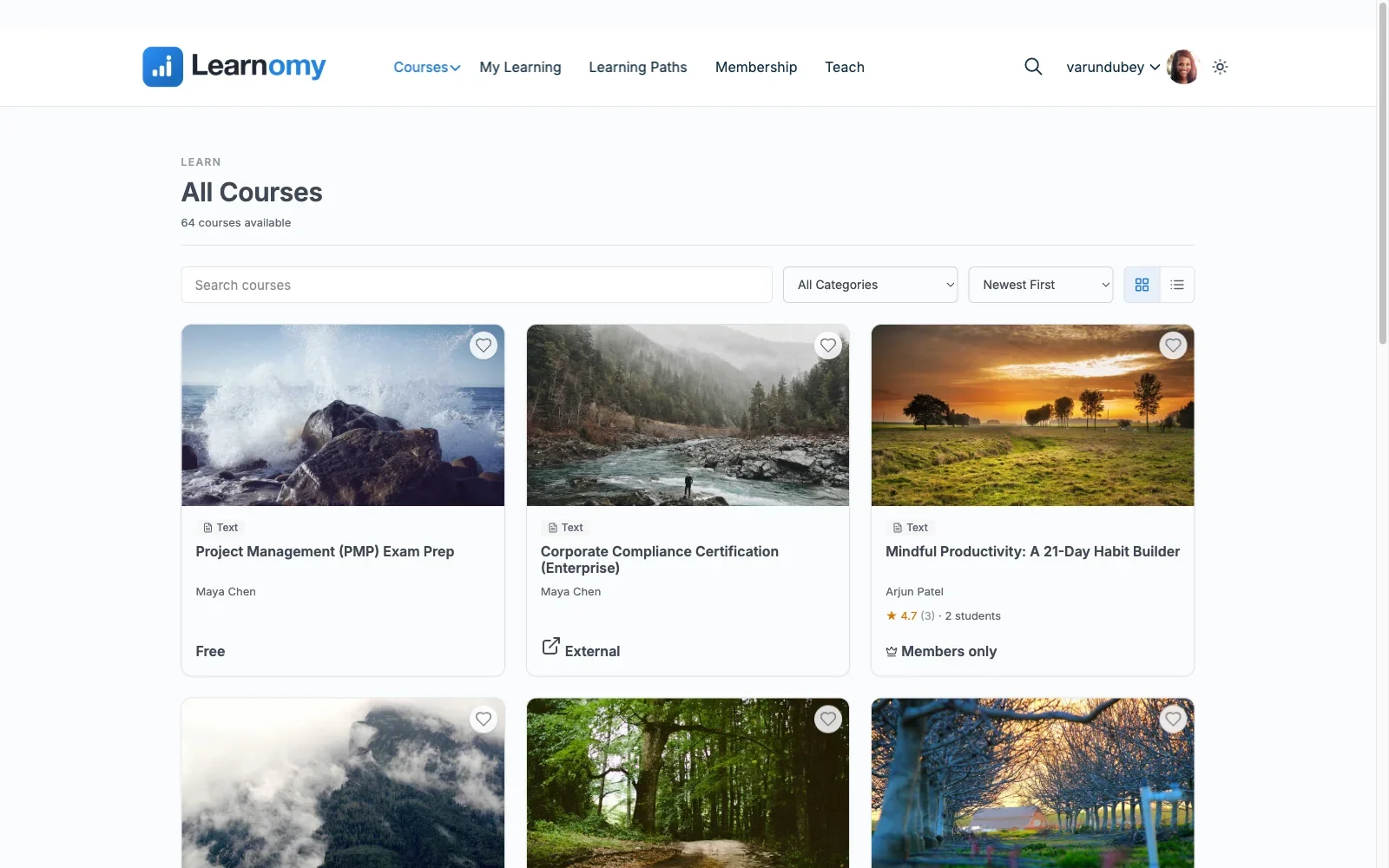
Pros: the complete launch checklist in one self-hosted product, no assembly required; AI course/quiz generation; native community integration; full data, revenue, and infrastructure ownership from day one. Cons: its third-party extension ecosystem is newer than LearnDash’s decade-plus history, so an extremely niche third-party integration may not exist yet. Details at learnomy.app.
2. LearnDash, the deepest self-hosted ecosystem
LearnDash delivers the same ownership guarantees as Learnomy while taking the ecosystem route to completeness rather than the single-product route: core plugin plus ProPanel plus WooCommerce plus integration add-ons, each separately licensed and maintained, but collectively covering nearly any requirement, especially around BuddyPress integration, where it is the most battle-tested option in self-hosted WordPress. The trade-off, mapped fully in our developer-focused LearnDash guide, is real assembly and maintenance overhead across several products instead of one.
Pros: most mature and battle-tested self-hosted ecosystem; deepest BuddyPress integration history. Cons: assembly-model complexity and cost across multiple separately maintained products.
3. LifterLMS, capable core, add-on assembly
LifterLMS’s core plugin is more usable out of the box than most competitors’, with genuine engagement mechanics built in, but full payment flexibility and advanced features live in an add-on and bundle matrix worth mapping carefully before you commit, detailed in our LifterLMS alternatives guide. Ownership guarantees are intact throughout, the completeness question just takes more planning to answer.
Pros: unusually capable core; strong engagement automation. Cons: full launch checklist requires navigating an add-on matrix.
4. Tutor LMS, self-hosted with hosted-style polish
Tutor LMS pairs genuine self-hosted ownership with a frontend authoring experience that feels closer to a polished hosted platform than most WordPress competitors. Launch-critical features sit behind premium tiers, the pattern from our Tutor LMS analysis, so full completeness is a tiered purchase rather than assembly, a different but comparable kind of friction before launch.
Pros: excellent frontend authoring while remaining self-hosted. Cons: full launch checklist gated behind premium tiers.
5. Moodle, the open-source institutional standard
Moodle is the open-source elephant in any self-hosted comparison, the institutional and academic standard for two decades, with deep pedagogical tooling built specifically for formal education rather than commercial course selling. It is not WordPress-based, and setting it up properly generally requires real developer or IT involvement, its interface and configuration model assume institutional technical support rather than a solo creator’s afternoon. For a university, training department, or certification body already running or willing to run separate infrastructure, its depth is unmatched. For a community site wanting to add courses to an existing WordPress-based social platform, it is a poor architectural fit, a second system entirely rather than an extension of the one you already run.
Pros: deepest pedagogical and institutional tooling in open source; enormous global install base in formal education. Cons: not WordPress-based, a separate system to run and integrate; requires real technical setup and maintenance; no native path to a WordPress-based community.
6. Sensei LMS, WooCommerce-coupled simplicity
Sensei delivers self-hosted ownership with the quickest setup in this comparison, block-editor-native authoring that feels like writing any WordPress post. Its commerce story depends entirely on WooCommerce, and its feature ceiling, interactive video, advanced quizzes, drip, sits in Sensei Pro, so completeness here means a WooCommerce install plus Sensei Pro rather than a single self-contained product.
Pros: simplest authoring here; genuine ownership at low complexity. Cons: commerce entirely dependent on WooCommerce; feature ceiling gated to Sensei Pro.
7. MasterStudy LMS, theme-bound self-hosting
MasterStudy delivers ownership with a polished free-tier frontend, but its strongest styling opinions assume StylemixThemes’ own theme family, per our MasterStudy alternatives guide, so a community site running an independent theme should test template behavior carefully. Launch essentials sit behind its premium tier, consistent with the pattern across most of this list.
Pros: polished free-tier frontend. Cons: theme-ecosystem gravity; premium-gated launch essentials.
8. LearnPress, the budget self-hosted option
LearnPress delivers the same core ownership guarantees at the lowest upfront cost in this comparison, with a huge install base and a genuinely modular add-on architecture, at the cost of the heaviest assembly burden here for anything beyond basic course structure, the pattern fully detailed in our LearnPress alternatives guide. A defensible starting point on a tight budget, provided you accept the assembly project that follows.
Pros: lowest-cost self-hosted entry point; large community and install base. Cons: heaviest add-on assembly burden in this comparison for a real launch.
The hosting you actually need, and what it costs
A common objection to self-hosting is that it “costs money to host,” as though hosted platforms are free by comparison, they are not, they simply bundle hosting into their subscription. If you are running a community site on WordPress already, and this site assumes you are, the hosting a course platform needs is the same hosting your community already runs on, no additional infrastructure decision required. The honest cost comparison is not “self-hosted has a hosting bill and hosted platforms don’t,” it is “self-hosted has no ongoing platform percentage on your revenue, while hosted platforms bill a subscription and, on some tiers, a transaction cut, for as long as your business exists.” Run that comparison over years, not a single invoice, before assuming self-hosting is the more expensive path.
Data ownership and real portability
Every platform in this comparison stores data in a WordPress database you can directly access, which is real portability, not marketing language, you can export it, back it up independently of the plugin vendor, and move it to different hosting whenever you choose. That is meaningfully different from a hosted platform, where your business’s data lives inside a system you can typically only access through whatever export tools the vendor chooses to provide, on their schedule, in their format. If data ownership and long-term portability are the actual reason you are considering self-hosting at all, confirm this for any WordPress-based platform you evaluate, standard WordPress tables mean you are never truly locked out of your own information, even if you eventually switch which plugin manages it.
Self-hosted and community-native are not the same thing
It is worth being precise here: self-hosting solves ownership, it does not automatically solve community integration. Several platforms in this comparison are self-hosted and still treat community as an afterthought or a missing feature entirely, ownership and social-learning architecture are separate design decisions a vendor makes independently. If both matter to you, and on a community site they should, evaluate them as two distinct criteria: Learnomy delivers both natively by design; LearnDash delivers ownership natively and community through a mature but separate integration ecosystem; the rest deliver ownership with little to no meaningful community story at all. Do not assume self-hosted automatically means community-friendly, verify it explicitly.
How we evaluated
Learnomy’s full launch checklist and community integration were checked against its own product documentation and changelog as of September 2026. The other seven platforms were assessed through the same documented research pass across published capabilities, add-on requirements, and current deployment documentation, with specific attention to how much assembly stands between installation and an actual, complete launch. Where a claim could not be confirmed against official documentation, it is reported as researched rather than confirmed. Reconfirm current feature placement and add-on requirements on each vendor’s site before committing, this shifts periodically across the category.
Common mistakes when self-hosting a course platform
Assuming self-hosted automatically means feature-complete. Several self-hosted plugins require significant add-on assembly to match what a hosted platform delivers out of the box. Evaluate completeness explicitly, not just ownership.
Underestimating your own maintenance capacity. An assembled stack of several plugins means several update cycles and possible conflicts to manage yourself. Be honest about the time you actually have before committing to a heavy-assembly platform.
Choosing a non-WordPress self-hosted platform for a WordPress community site. A capable platform like Moodle solves institutional needs well but does not integrate naturally with an existing WordPress community, creating two systems to maintain instead of one.
Confusing self-hosted with community-native. Ownership and community integration are separate decisions. Verify both explicitly if your site depends on courses feeling like part of a larger member experience.
Three ownership priorities, three right answers
The community site that wants complete self-hosted ownership without an assembly project: Learnomy, the full launch checklist in one product with native community integration. The self-hosted builder who wants the deepest possible ecosystem and has time to assemble it: LearnDash, unmatched depth for complex requirements. The university or training institution running formal, credit-bearing education: Moodle, its institutional pedagogical depth is purpose-built for that specific context.
FAQ
What does self-hosting actually protect me from? A vendor changing pricing, features, or terms unilaterally, and losing access to your own business overnight. Self-hosting keeps your data, your infrastructure choice, and your revenue relationship entirely under your control.
Is self-hosting only for technical creators? Not with a complete platform like Learnomy, which installs and configures like any WordPress plugin. Heavily add-on-dependent platforms like LearnDash’s full stack or Moodle do benefit from real technical support.
Which self-hosted platform is genuinely complete without add-ons? Learnomy is the platform in this comparison whose free-to-install version covers the full launch checklist, payments, certificates, drip, quizzes, analytics, without requiring additional purchases or add-ons.
Is Moodle a good fit for a community site? Generally not architecturally, it is not WordPress-based and does not integrate naturally with an existing BuddyPress community. It excels for formal institutional education running as its own separate system.
Does self-hosting mean I have to manage a server myself? No, standard WordPress hosting, which most community sites already have, is all any platform in this comparison requires. Self-hosting means owning the software and data, not necessarily managing physical infrastructure yourself.
Verdict
Self-hosting only delivers on its promise when the platform you choose is actually complete, otherwise ownership comes bundled with an assembly project that erodes the advantage. Learnomy is the strongest choice here because it closes that gap entirely: the full launch checklist, payments, certificates, drip, quizzes, analytics, and AI authoring, ships as one self-hosted product with native community integration, delivering every ownership guarantee self-hosting promises without the assembly tax that has historically been the trade-off. LearnDash is the right call when ecosystem depth is worth the assembly effort, and Moodle when the context is genuinely institutional rather than community-based. Whichever you choose, confirm completeness and community fit explicitly, ownership alone does not guarantee either.















