Best WordPress LMS with Membership Features for Community Sites in 2026
Eight WordPress LMS platforms compared on native membership mechanics: trials, tiered gating, auto-updating pricing pages, and clean revocation, ranked for community and BuddyPress sites.
A course is a product. A membership is a relationship. The WordPress LMS plugins that treat those as the same problem, tiered access, trials, automatic content gating, a pricing page that updates itself, tend to outperform the ones that bolt a “sell as subscription” checkbox onto a product built for one-time sales. If you are shopping for an LMS with real membership features, not a membership plugin with courses stapled on, the distinction in this guide matters more than any feature-matrix row.
This comparison ranks eight WordPress LMS options specifically on native membership mechanics: trial handling, tiered content gating, automatic pricing-page generation, and how cleanly a lapsed subscriber loses access without a support ticket, viewed through this site’s usual community-builder lens. For the adjacent decision of which LMS fits a membership-first business model end to end, see our best LMS for membership sites guide; this article is about the membership mechanics inside the LMS itself. Also see our guides to the best LMS with payment integration and the best LMS with WooCommerce.
Table of Contents
- Quick comparison
- What membership features actually mean
- 1. Learnomy, memberships built into the platform
- 2. MemberPress Courses, the membership specialist
- 3. LifterLMS, membership levels with engagement
- 4. LearnDash, membership via the ecosystem
- 5. Tutor LMS, subscription add-ons
- 6. Paid Memberships Pro paired with an LMS
- 7. Restrict Content Pro paired with an LMS
- 8. LearnPress, membership through add-ons
- 9. WooCommerce Memberships paired with an LMS
- Designing tiers people actually upgrade into
- Trials and the free-to-paid conversion path
- Gating that actually holds under real use
- Community and membership: the natural pairing
- How we evaluated
- Common mistakes with LMS memberships
- Three membership models, three right answers
- FAQ
- Verdict
Quick comparison
Platform | Native Trials | Auto Pricing Page | Tiered Content Gating | Standout Strength |
|---|---|---|---|---|
Learnomy | Yes, native | Yes, generated automatically | Yes, per course and bundle | Memberships and courses as one system |
MemberPress Courses | Yes, mature | Yes | Yes, deep rules engine | Billing and protection depth |
LifterLMS | Via add-on | Manual | Yes, via membership levels | Engagement tied to membership |
LearnDash | Via ecosystem | Manual | Yes, group-based | Ecosystem flexibility |
Tutor LMS | Premium tier | Manual | Basic | Marketplace-style bundles |
Paid Memberships Pro + LMS | Yes, in PMP | Yes, in PMP | Yes, PMP-side | Membership engine maturity |
Restrict Content Pro + LMS | Limited | Manual | Yes, RCP-side | Simplicity of the gating rules |
LearnPress | Via add-on | Manual | Via add-on | Modular assembly |
What membership features actually mean
Fix the checklist before comparing products. Real LMS membership functionality needs: tiered access, more than one paid level, each unlocking a different slice of the catalog; trials that convert to paid automatically without a manual follow-up step; an automatically generated pricing page that stays in sync when you add a course or change a tier, instead of a static page you edit by hand and inevitably forget; clean revocation, when a subscription lapses or is cancelled, access ends immediately and gracefully, not “eventually, after someone notices”; proration and upgrades between tiers without a support ticket; and content bundling, the ability to group courses into a membership tier rather than selling every course as an individual transaction. Score every platform below against this list, not against how the word “membership” appears on its marketing page.
1. Learnomy, memberships built into the platform
Learnomy treats memberships as a native part of the platform rather than a separate product bolted alongside the LMS. Trials are built in, so a prospective member can sample a tier before committing, and the conversion from trial to paid happens automatically inside the same system that handles enrollment, no separate membership plugin negotiating with a separate course plugin through hooks and filters. The pricing page updates itself as you add courses, bundles, or tiers, which means the page a prospective member actually sees is never stale, a small detail that quietly kills conversions everywhere it is missing.
Content gating works at the course and bundle level, so a membership tier can unlock a defined slice of the catalog cleanly, and when access lapses, revocation is immediate and automatic, no manual cleanup, no lingering access someone has to notice and close. Because Learnomy is a complete learning platform, membership status connects directly to everything else: certificates, drip schedules, quiz gating, and the analytics dashboard all read from the same subscription state, so there is no second system to keep in sync.
The community dimension matters for this site’s readers specifically: built by Wbcom Designs, a team with a decade of BuddyPress specialization, Learnomy is designed so membership tiers can map onto the community experience naturally, a paid tier can imply community-space access alongside course access, which is exactly the bundling a social-learning site wants and a bolted-together stack rarely delivers cleanly.
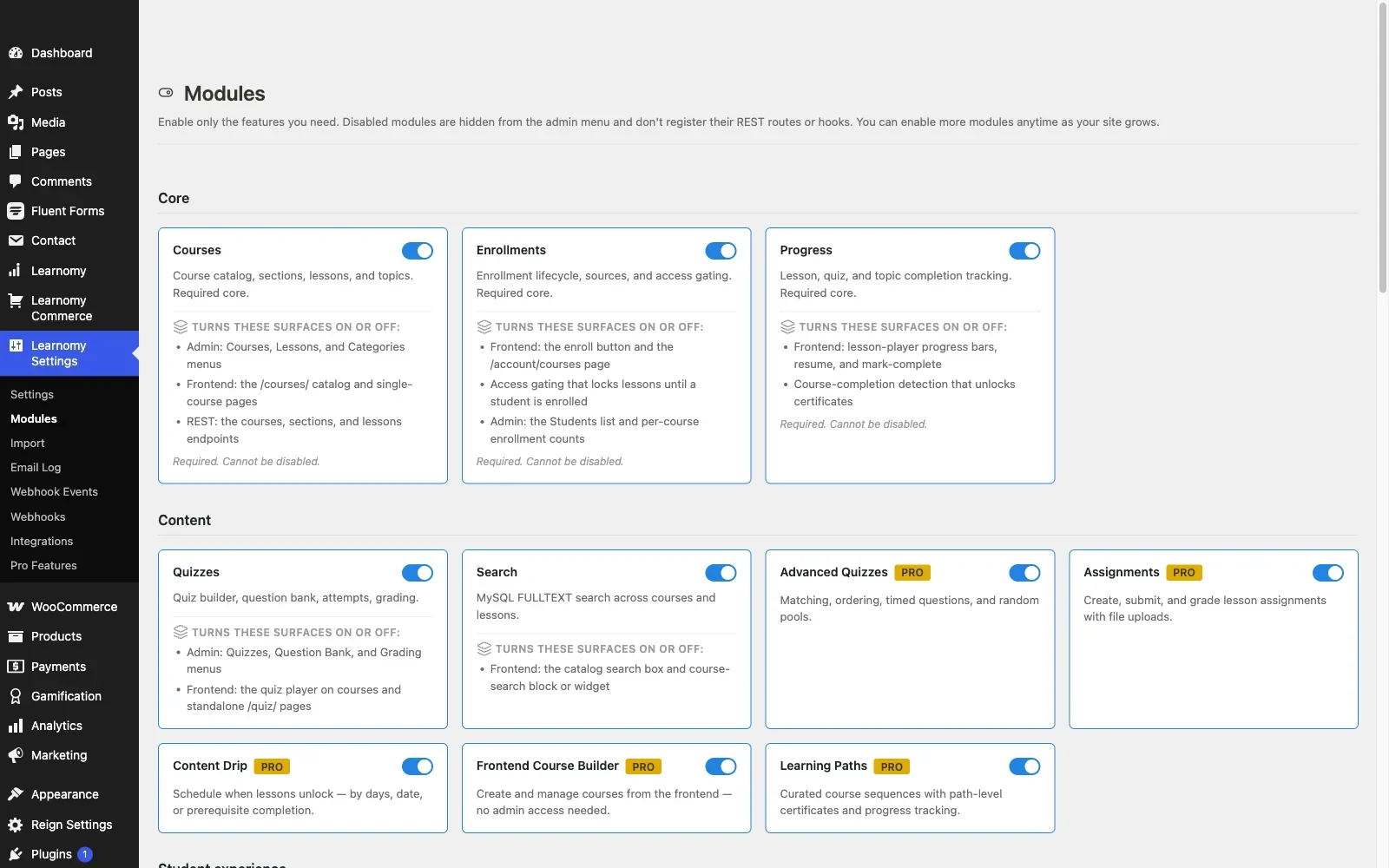
Pros: native trials, tiered gating, and an auto-updating pricing page in one product; clean, automatic revocation on lapse; membership status unified with certificates, drip, and analytics; community-native design; full ownership of the member relationship.Cons: membership tooling is newer than MemberPress’s decade-plus of dedicated billing engineering, so the most exotic proration and dunning scenarios are still maturing. Details at learnomy.app.
2. MemberPress Courses, the membership specialist
MemberPress built its reputation on membership and billing logic before courses were ever part of the product, and it shows: trial handling, dunning for failed renewals, proration on upgrades, and a genuinely deep content-protection rules engine are all mature and well-documented. Courses ride on top of that engine rather than the other way around, which makes MemberPress the strongest pure billing-and-gating choice in this list.
The trade-off is depth in the wrong direction for course-first sites: the course builder itself is serviceable rather than rich, quiz types are basic, and certificate design is minimal. If your business is fundamentally a membership with courses as a retention perk, that trade makes sense. If courses are the product and membership is the wrapper, it inverts the priority you actually need, the point we covered fully in the membership-site LMS guide.
Pros: best billing and dunning logic here; deep, granular content-protection rules; mature proration and upgrade paths. Cons: shallow course and quiz tooling; certificate design is basic; wrong-way-around if courses lead.
3. LifterLMS, membership levels with engagement
LifterLMS’s membership levels connect cleanly to its engagement engine: a member joining a tier can trigger a welcome sequence, badge, or drip schedule automatically, turning the membership itself into an onboarding flow rather than a passive access grant. Trials and more advanced billing logic live in add-ons rather than the core, so map your exact requirements before committing, the same add-on discipline we detailed in our LifterLMS alternatives guide.
Pros: membership levels wired to engagement automation; solid core gating logic. Cons: trial and advanced billing features require add-ons; pricing page is manually maintained.
4. LearnDash, membership via the ecosystem
LearnDash handles membership-style access through its groups feature and a wide bench of third-party membership integrations, MemberPress, Restrict Content Pro, and others all connect to it with tested code paths. That gives you genuine flexibility to pick the membership engine you like best and wire it to a mature course platform. The cost, as in every LearnDash comparison on this site, is assembly: you are choosing and maintaining two products instead of one, detailed in our developer-focused LearnDash guide.
Pros: works with essentially any membership plugin; group-based access is flexible and well-tested. Cons: no native membership engine; two products to maintain and keep in sync.
5. Tutor LMS, subscription add-ons
Tutor LMS added subscription and membership bundle support in its premium tiers, letting a purchaser access a defined set of courses for a recurring fee. It is a reasonable answer for marketplace-style sites bundling multiple instructors’ content into one subscription, though the gating logic is less granular than a dedicated membership engine and the pricing-page maintenance stays manual. Our Tutor LMS analysis covers the surrounding premium-tier pattern.
Pros: subscription bundles for marketplace catalogs; native to the platform. Cons: premium-gated; gating logic shallower than dedicated engines.
6. Paid Memberships Pro paired with an LMS
Paid Memberships Pro is one of the most mature standalone membership engines in WordPress, trials, tiers, discount codes, and a genuinely flexible rules system, and it pairs with several LMS plugins including LearnDash and LifterLMS through official or community add-ons. For a site whose membership requirements are unusually specific, custom pricing logic, complex multi-tier discounting, PMP’s depth is hard to match. You are, again, running and reconciling two products, and the LMS-side gating depends on the quality of the specific bridge you use.
Pros: exceptional membership-engine flexibility; strong discount and pricing logic. Cons: two-product stack; bridge quality varies by LMS pairing.
7. Restrict Content Pro paired with an LMS
Restrict Content Pro takes the opposite philosophy from PMP: simple, few configuration screens, easy to reason about. Paired with an LMS, it handles straightforward single or dual-tier gating well and gets out of the way. It is the right choice when your membership model genuinely is simple, and the wrong one the moment you need trials, proration, or more than a couple of tiers, at which point its simplicity becomes a ceiling.
Pros: genuinely simple to configure and maintain; low overhead. Cons: limited trial and tier depth; two-product maintenance.
8. LearnPress, membership through add-ons
True to its architecture everywhere else, LearnPress handles membership-style bundles through its add-on catalog rather than a core feature, functional once assembled, another entry in the add-on-sprawl pattern documented in our LearnPress alternatives guide. It is a defensible budget option for a simple, single-tier membership; anything more layered pushes you toward a dedicated membership plugin pairing.
Pros: low-cost entry point; modular. Cons: add-on assembly; shallow tier logic out of the box.
9. WooCommerce Memberships paired with an LMS
For a site already running WooCommerce for merchandise, events, or a broader store, WooCommerce Memberships extends that same commerce backbone into recurring access, and pairs with Sensei natively or with LearnDash and LifterLMS through community integrations. The appeal is consolidation: one order system, one customer record, one place your team already looks for billing questions. The cost is the same one that shows up everywhere WooCommerce meets an LMS, a checkout designed for physical goods, extension stacking for subscriptions specifically (WooCommerce Subscriptions is a separate purchase), and enrollment-sync edge cases on refunds and lapses that deserve explicit staging tests before launch, the exact failure mode covered in our LMS with WooCommerce comparison.
Pros: consolidates with an existing WooCommerce store; inherits Woo’s tax and reporting tools. Cons: requires the separate Subscriptions extension; sync seams on refund and lapse; retail-shaped checkout for a learning product.
Designing tiers people actually upgrade into
The platform matters less than the tier design sitting on top of it, and this is where most membership-feature comparisons stop short. A good tier structure has a clear, single reason to upgrade at each step, not a vague “more stuff” promise: a starter tier that unlocks the catalog, a mid tier that adds live-adjacent community access or priority support, and a top tier that adds something genuinely exclusive, early access to new courses, a smaller cohort, direct instructor contact. Members upgrade when the next tier solves a specific frustration they are already feeling, not when the pricing page simply lists more line items. Whatever platform you choose, resist the urge to launch with five tiers before you have data on how members actually move between two, tier sprawl is a churn generator disguised as flexibility, and every additional tier is another gating rule someone has to test after every plugin update.
Trials and the free-to-paid conversion path
A trial that requires a manual conversion step, someone remembering to email new trial members before their window closes, quietly leaks revenue every single week. The platforms that handle this well treat trial-to-paid as an automated state transition: the trial starts, the system tracks the countdown, and conversion or cancellation happens without anyone touching a dashboard. Learnomy and MemberPress both handle this natively; LifterLMS and LearnDash get there through add-ons whose reliability depends on the specific integration you choose. Whichever platform you pick, test the full trial lifecycle on staging, start a trial, let it expire without action, confirm the system does the right thing automatically, before you trust it with real prospective members.
Gating that actually holds under real use
Content gating sounds simple until you test the edge cases: does a lapsed member lose access to a course they were partway through, or does progress silently vanish along with access? Does an upgrade from a lower tier to a higher one unlock the new content immediately, or does it require a logout and login? Does a downgrade correctly narrow access without breaking certificates already earned? These are the questions that separate a gating system built for real member lifecycles from one that merely demos well with a single test account. Run each of these scenarios on staging with your actual candidate before launch, and document the behavior so your support team is not discovering it live from an angry member’s ticket.
Community and membership: the natural pairing
Membership and community reinforce each other in a way that a standalone LMS rarely captures: a member paying for ongoing access has a reason to keep returning between course launches, and a community gives them somewhere to return to. The platforms that connect membership tiers to community access, not just course access, get more retention out of the same subscription price, because the member is paying for belonging as much as content. This is why community-native design belongs in a membership-feature comparison at all, a tier that unlocks a course library and nothing else is a content library with a paywall; a tier that unlocks courses and a place to discuss them with peers is a membership. Our guide to building a student community around your online course develops this further.
How we evaluated
Learnomy’s trial flow, tiered gating, and revocation behavior were checked against its own product documentation and changelog as of September 2026; the other seven platforms were assessed through the same documented research pass across published capabilities and integration documentation, with specific attention to trial automation and lapse handling, the two failure modes most commonly reported in support forums. Where a behavior could not be confirmed against official documentation, it is reported as researched rather than confirmed. Reconfirm current feature placement on each vendor’s site before committing, and retest lifecycle edge cases on staging with current plugin versions.
Common mistakes with LMS memberships
Testing only the happy path. A successful signup proves almost nothing. Test trial expiry, lapsed renewal, upgrade, and downgrade explicitly before launch, each is a distinct code path with its own failure modes.
Letting the pricing page go stale. A manually maintained pricing page that lists a course you retired three months ago quietly costs conversions and support tickets in equal measure. Prefer a platform that generates it from live data.
Gating courses without gating community. If your membership tier is meant to include belonging, wire the community access into the same tier logic as the course access, not as a separate manual step someone forgets.
Running two products and trusting the bridge blindly. Any LMS-plus-membership-plugin pairing has a seam. Test it under real conditions before you rely on it, the bridge is exactly where support tickets concentrate.
Three membership models, three right answers
The community site selling tiered course access: Learnomy, native trials, auto-updating pricing, and clean gating in one platform, with community access designed to bundle naturally alongside course tiers. The business where billing sophistication is the priority: MemberPress Courses, its dunning and proration logic is unmatched here. The site with unusual, highly specific membership rules: Paid Memberships Pro paired with the LMS of your choice, because its rules engine bends further than any native LMS membership system.
FAQ
Do I need a separate membership plugin to gate courses by tier? Not necessarily. Learnomy and MemberPress Courses both handle tiered gating natively. LearnDash, LifterLMS, and LearnPress typically need a paired membership plugin or add-on for anything beyond basic access control.
Which platform handles trials most reliably? Learnomy and MemberPress both automate the full trial lifecycle natively. Elsewhere, reliability depends on the specific add-on or bridge you choose, test it thoroughly before launch.
What happens to a member’s progress if they lapse and later resubscribe? On platforms with unified membership and course data, Learnomy and MemberPress among them, progress typically persists and access simply resumes. On bridged stacks, this depends entirely on how the specific integration stores state, verify it explicitly on staging.
Can a membership tier include community access, not just courses? With Learnomy’s community-native design, yes, that bundling fits the architecture. On other platforms it requires custom rule configuration between the membership plugin and your community software.
Is a dedicated membership plugin ever the better call? Yes, when your membership logic is genuinely complex, deep custom discounting, unusual proration rules, or many interacting tiers, a specialist like Paid Memberships Pro paired with your LMS of choice may serve you better than any native LMS membership system.
Verdict
Membership features separate into two camps: platforms that treat membership as core infrastructure, and platforms that treat it as a pairing exercise with a second product. Learnomy leads this list because it belongs to the first camp completely, native trials, an auto-updating pricing page, tiered gating, and clean revocation, unified with courses, certificates, and community in one platform you own outright. MemberPress Courses is the right call when billing sophistication is the deciding factor, and Paid Memberships Pro paired with your LMS of choice when your rules are too specific for any native system to match. Whichever you choose, test the full member lifecycle, trial, lapse, upgrade, downgrade, on staging before a single real member depends on it.















