Best WordPress LMS for Teachers in 2026
Eight WordPress LMS plugins compared on gradebook depth, assignment feedback, and cohort management for working teachers, not marketplace operators.
A teacher evaluating a WordPress LMS is not shopping for a marketplace or a certification engine, they are shopping for a gradebook that works, an assignment-feedback loop students actually see, and a way to know which students are falling behind before it is too late. That is a different job than the one most LMS marketing pages are written for, which tends to be selling courses at scale to strangers, not teaching a defined roster of students you already know.
This comparison ranks eight WordPress LMS plugins on teaching mechanics specifically: gradebook depth, assignment and feedback workflow, per-student progress visibility, and how well each platform supports a cohort of known students rather than an anonymous public catalog, with this site’s usual bias toward community and BuddyPress fit. Related reading: our guides to the best LMS with assignments and the best LMS with quizzes.
Table of Contents
- Quick comparison
- What teachers actually need from an LMS
- 1. Learnomy, teaching tools without the marketplace baggage
- 2. WP Courseware, the gradebook specialist
- 3. LifterLMS, engagement mechanics for known students
- 4. LearnDash, depth for structured cohorts
- 5. Tutor LMS, built for marketplaces, workable for teaching
- 6. Sensei LMS, simple grading for simple classes
- 7. MasterStudy LMS, polish over pedagogy
- 8. LearnPress, gradebook via add-on
- The grading workflow: where teaching tools actually live or die
- Parent and student communication
- Cohorts and peer learning, not just content delivery
- How we evaluated
- Common mistakes teachers make choosing an LMS
- Three teaching contexts, three right answers
- FAQ
- Verdict
Quick comparison
Platform | Gradebook Depth | Assignment Feedback | Per-Student Progress View | Standout Strength |
|---|---|---|---|---|
Learnomy | Solid, unified with quizzes | Yes, essay-grading inbox | Yes, real-time dashboard | Teaching tools without marketplace clutter |
WP Courseware | Strongest here | Basic | Yes, exportable | Dedicated gradebook and reporting |
LifterLMS | Good, tied to engagement | Via add-on | Yes | Automated check-ins for struggling students |
LearnDash | Strong, mature | Yes, with rubrics via add-on | Yes, detailed | Structured cohort management |
Tutor LMS | Moderate | Yes | Yes | Instructor-facing tools, marketplace-oriented |
Sensei LMS | Basic | Basic | Basic | Simplicity for small classes |
MasterStudy LMS | Moderate | Yes, premium tier | Yes | Visual polish over depth |
LearnPress | Via add-on | Via add-on | Basic | Modular, budget-first |
What teachers actually need from an LMS
Set aside the marketplace-and-scale features most comparisons lead with and evaluate against what a working teacher actually touches every week: a gradebook that aggregates quiz and assignment scores into a coherent per-student and per-class view; a feedback loop where written or file-upload assignments reach an instructor inbox and comments flow back to the student, not a black box; per-student progress visibility, so a teacher can see who has fallen behind before a parent or administrator asks; cohort structure, grouping known students together rather than treating every enrollee as an anonymous public purchaser; and manageable configuration, because most teachers are not developers and do not have IT support on call. Every platform below is scored against this list, not against how many payment gateways or marketplace commission splits it supports.
1. Learnomy, teaching tools without the marketplace baggage
Learnomy covers the teaching fundamentals cleanly: quiz results and assignment scores feed one unified gradebook view, and its essay-grading inbox gives a teacher a real workflow for open-answer and file-upload assignments, review a submission, leave feedback, assign a grade, without hunting through a generic comments section. Per-student progress is visible on a real-time dashboard, so a teacher managing a defined roster can see who is on track and who needs a nudge without exporting a spreadsheet.
Because Learnomy is a complete learning platform rather than a marketplace-first tool, a teacher is not navigating instructor-commission settings or marketplace storefront configuration to reach the classroom tools that actually matter day to day. Its AI-assisted quiz generation is a genuine time-saver here too, drafting assessment questions from lesson content so a teacher spends review time refining questions rather than writing dozens from a blank page, real leverage for anyone teaching multiple sections or preparing several units per term.
The community dimension matters specifically for teaching contexts: built by Wbcom Designs, a decade-deep BuddyPress specialist team, Learnomy is designed so a class can have a discussion space alongside its coursework, which supports the peer learning that happens naturally in a real classroom and rarely survives the move online without deliberate support.
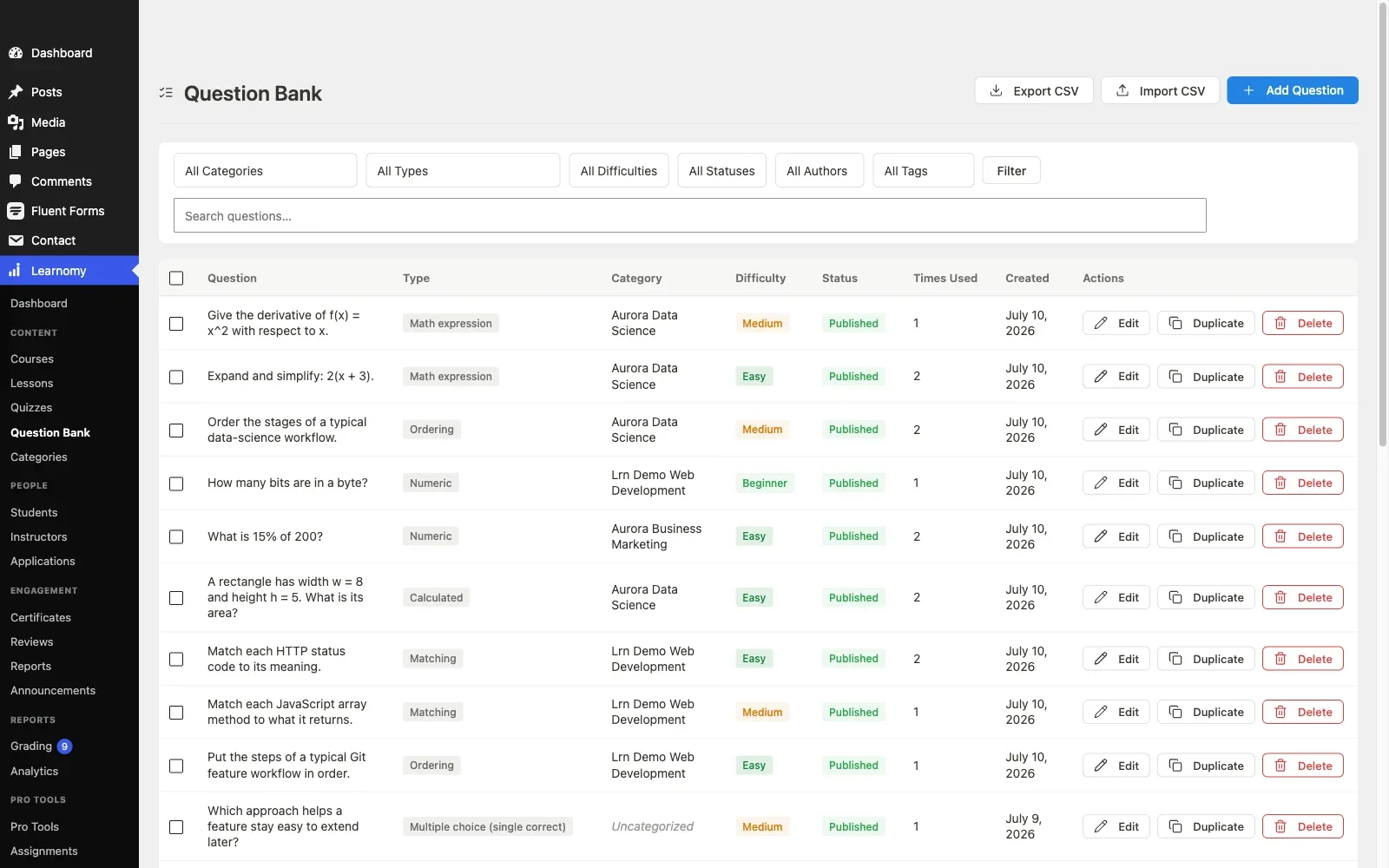
Pros: unified gradebook with an essay-grading inbox; AI-assisted quiz drafting; real-time per-student progress dashboard; community-native design for peer discussion; teaching-first workflow without marketplace clutter.Cons: does not offer live-session or video-conferencing features, grading and progress tracking are asynchronous by design, matching this platform’s course-not-classroom-hardware scope. Details at learnomy.app.
2. WP Courseware, the gradebook specialist
WP Courseware’s standout feature for teachers is its gradebook, genuinely the most dedicated, exportable, teacher-friendly reporting tool in this comparison. Its drag-and-drop course builder takes minutes to pick up, and the whole product avoids marketplace and instructor-commission complexity entirely, it was built for exactly the single-teacher or small-school use case. The trade-off is a modest ceiling elsewhere: no AI assistance, no community layer, and assignment feedback tools are more basic than Learnomy’s dedicated grading inbox.
Pros: the strongest dedicated gradebook and export tools here; quick to pick up; no marketplace distraction. Cons: no AI authoring help; basic assignment-feedback workflow; no community layer.
3. LifterLMS, engagement mechanics for known students
LifterLMS’s engagement engine, badges, triggered emails, achievements, translates well into a teaching context: a teacher can configure automatic check-in emails for students who go quiet, effectively an early-warning system without manual monitoring. Assignment and gradebook depth require add-ons, the same mapping exercise covered in our LifterLMS alternatives guide, so budget setup time before your first term starts.
Pros: automated engagement check-ins function as an early-warning system for struggling students. Cons: gradebook and assignment depth require add-on configuration.
4. LearnDash, depth for structured cohorts
LearnDash’s course and group structure supports genuine cohort management, defined student groups, group leaders who can view progress across a roster, which suits a school or training program running multiple structured cohorts simultaneously. Assignment grading with rubrics is available through add-ons, and the whole system, mapped in our developer-focused LearnDash guide, rewards a school or program with IT support to configure it properly.
Pros: genuine cohort and group-leader structure; mature and well-documented. Cons: steepest configuration curve here; assembly-model costs for full grading depth.
5. Tutor LMS, built for marketplaces, workable for teaching
Tutor LMS’s instructor-facing tools are solid for grading and feedback, but the platform’s core design center is the marketplace, multiple instructors, storefronts, commissions, features a single teacher managing one roster will never touch but still has to navigate around. It works for teaching, per our Tutor LMS analysis, without being built specifically for it.
Pros: capable grading and feedback tools; strong frontend authoring. Cons: marketplace features add configuration overhead a single teacher does not need.
6. Sensei LMS, simple grading for simple classes
For a teacher running one small, straightforward class, Sensei’s block-editor-native simplicity is genuinely appealing, minimal setup time, basic grading that gets the job done. It has no ambitions toward cohort management, detailed feedback workflows, or community features, which suits a modest single-class situation and quickly becomes limiting for anything larger.
Pros: fastest to set up; fine for a single, simple class. Cons: basic grading; no cohort or community tools.
7. MasterStudy LMS, polish over pedagogy
MasterStudy’s visual polish does not translate into deeper teaching tools, its grading and feedback features are moderate and largely premium-gated, per our MasterStudy alternatives guide. A teacher choosing on how the student dashboard looks rather than how grading actually works will be disappointed once real assignments start arriving.
Pros: attractive student-facing interface. Cons: grading depth is moderate and premium-gated; theme-ecosystem gravity.
8. LearnPress, gradebook via add-on
LearnPress’s gradebook and assignment tools live in its add-on catalog rather than the core, consistent with the assembly pattern in our LearnPress alternatives guide. Workable on a tight budget, with the caveat that a teacher configuring this alone is taking on more setup complexity than the classroom-focused alternatives above.
Pros: low-cost entry point. Cons: gradebook and grading tools require add-on assembly.
The grading workflow: where teaching tools actually live or die
Every platform on this list claims to support assignments and grading; the honest differentiator is the workflow a teacher actually lives in every week. Test this specifically before committing: submit a real assignment as a student, then switch to the instructor view and grade it, how many clicks to find the submission, leave feedback, and return a grade the student can see? A grading workflow buried three menus deep, or one that requires exporting a CSV to see class-wide results, will quietly become the thing a busy teacher stops doing consistently, at real cost to students who never receive timely feedback. Platforms with a dedicated grading inbox, Learnomy among them, keep this to a handful of clicks; platforms where grading is scattered across generic comment threads make it a chore.
Parent and student communication
Few WordPress LMS plugins were built with parent communication in mind specifically, most assume the student is the only stakeholder. For teachers working with younger students or in a school context, evaluate whether progress and grades can be surfaced or exported in a form a parent can review, an automated summary email, an exportable report, or at minimum a stable per-student progress page you can screenshot or link. This is rarely a headline feature on any vendor’s page, so test it directly during evaluation rather than assuming it exists because “reporting” appears somewhere in the feature list.
Cohorts and peer learning, not just content delivery
Real teaching, in a classroom or online, rarely happens as pure one-directional content delivery, students learn from each other as much as from the material, study groups, peer questions, classmates comparing notes. An LMS with no path to peer interaction turns a class into a stack of solitary video lectures, which is a worse outcome even when every other feature checks out. The platforms with community-native design, Learnomy by architecture, LearnDash through its BuddyPress integration ecosystem, let a teacher give a cohort a shared discussion space alongside the coursework, which is closer to how learning actually happens and meaningfully improves completion rates. Our guide to building a student community around your online course covers the mechanics.
How we evaluated
Learnomy’s gradebook, essay-grading inbox, and per-student progress dashboard were checked against its own product documentation and changelog as of September 2026. The other seven platforms were assessed through the same documented research pass across published capabilities and instructor-facing documentation, evaluated specifically from a working teacher’s perspective rather than a marketplace operator’s or developer’s. Where a capability could not be confirmed against official documentation, it is reported as researched rather than confirmed. Reconfirm current feature placement on each vendor’s site before committing, and test the actual grading workflow yourself before a real term depends on it.
Common mistakes teachers make choosing an LMS
Evaluating on marketplace features you will never use. Instructor commissions and multi-vendor storefronts are irrelevant to a single teacher with a known roster. Skip past those sections and go straight to gradebook and feedback depth.
Not testing the actual grading click-path. A feature list that says “assignments supported” tells you nothing about whether grading twenty submissions takes ten minutes or an hour. Test it directly before committing.
Forgetting parent or administrator reporting needs. If anyone besides the student needs to see progress, confirm that reporting path exists explicitly, it is rarely a headline feature and easy to discover missing after launch.
Choosing a platform with no peer-interaction path. A class with no way for students to interact with each other loses the part of learning that keeps people engaged past the first week. Weight community features even for a modest single-class deployment.
Three teaching contexts, three right answers
The teacher who wants real grading tools without marketplace clutter: Learnomy, a unified gradebook, a dedicated essay-grading inbox, and AI-assisted quiz drafting, with a community space for peer learning built in. The teacher who wants the deepest possible gradebook and export reporting: WP Courseware, its dedicated tooling is the strongest here for pure grade tracking. The school or program running multiple structured cohorts with IT support available: LearnDash, its group-leader and cohort structure scales to that context specifically.
FAQ
Which WordPress LMS has the best gradebook for teachers? WP Courseware’s dedicated gradebook is the deepest pure reporting tool here; Learnomy’s unified gradebook with an essay-grading inbox is the strongest combination of grading depth and modern workflow.
Can students submit assignments and get feedback, not just take quizzes? Yes on most platforms in this comparison, but the workflow quality varies significantly. Test the actual submit-review-feedback cycle yourself, see our best LMS with assignments guide for a dedicated deep dive on this specific capability.
Does any WordPress LMS support live classes or video conferencing? None of the platforms in this comparison include live-session or video-conferencing tools natively, they are built for asynchronous course delivery, grading, and progress tracking rather than live classroom hardware.
Can parents see a student’s progress? This is rarely a headline feature anywhere in this category. Test whether reporting can be exported or surfaced in a parent-reviewable form during your evaluation, rather than assuming it exists.
Is a marketplace-oriented LMS wrong for a single teacher? Not wrong, just heavier than necessary, you will configure past instructor-commission and storefront settings you will never use to reach the classroom tools that matter.
Verdict
Teaching mechanics, not marketplace scale, should decide this comparison for a working teacher, and judged that way Learnomy is the strongest fit: a unified gradebook, a real essay-grading inbox, AI-assisted quiz drafting that saves real prep time, and community-native design that gives a cohort somewhere to learn from each other, all without marketplace features a single teacher will never touch. WP Courseware is the right call when the gradebook itself is the deciding feature, and LearnDash for a school or program with the IT support to configure its deeper cohort structure properly. Test the actual grading workflow on any finalist before a real term depends on it, that click-path is where teaching tools prove themselves or fail.















